

AI Image Description: Uses, Limits, and Checks

"Just paste the AI caption into the alt text" sounds like efficient accessibility advice. It fails when a polished description confidently names a person, count, or chart trend that isn't visible. A reader who relies on that description may trust a false detail precisely because the sentence sounds certain.
An AI image description is a claim about what an image shows, and the right claim depends on who needs it and why. Journalists, educators, designers, trust-and-safety staff, and cautious publishers may need concise alt text, a richer explanation, searchable metadata, or a note about an image's origin. Those jobs call for different wording and different checks.
Fluency, accessibility, and proof of origin are separate questions. A sentence can read smoothly while misrepresenting an image, and an accurate caption can't establish where the image came from. The useful approach isn't one universal prompt. It's to match the description to the task, check its claims against the pixels, and treat authenticity as a separate decision.
Why an AI Image Description Can Mislead
A teacher adds a generated caption to a classroom slide. It says that a student is pointing to the highest bar in a chart. The chart is visible, and the sentence is clear, but the student's hand is out of frame. A screen-reader user could reasonably treat that invented gesture as part of the lesson.
That error can be worse than a caption that says too little. An obviously brief description signals that the reader may need more context. A fluent invention hides its uncertainty inside a sentence that sounds finished. An editor, teacher, or reader may have no reason to know that a detail was guessed.
The same problem appears in newsroom photographs and public posts. A caption might mistake a bystander for a worker, assign a relationship to two people standing together, or describe a chart as showing a cause when it only shows a comparison. The words can be plausible without being grounded in the frame.
One image, different editorial jobs
A journalist may need a description of visible evidence and a clear note about what can't be confirmed. An educator may need a chart explained without changing its lesson. A designer may care about composition and color, while a trust-and-safety team may need to identify a potentially prohibited item. Search metadata has another job: helping people find an image, not narrating everything in it.
These differences matter because detail has costs. Extra words can bury the one relationship a reader needs, while a short description can omit information necessary to understand a graph or scene. The best description isn't the longest one. It's the one that gives the intended audience the useful, supportable information.
Practical rule: Treat every specific noun, number, relationship, and interpretation in a generated caption as something to verify, not as something made true by fluent wording.
This guide follows that discipline from basic description to choosing detail, understanding how captions are generated and scored, and checking claims before publication. It also separates description from image-origin checks, so a caption isn't mistaken for evidence of authenticity.
What an AI Image Description Really Is
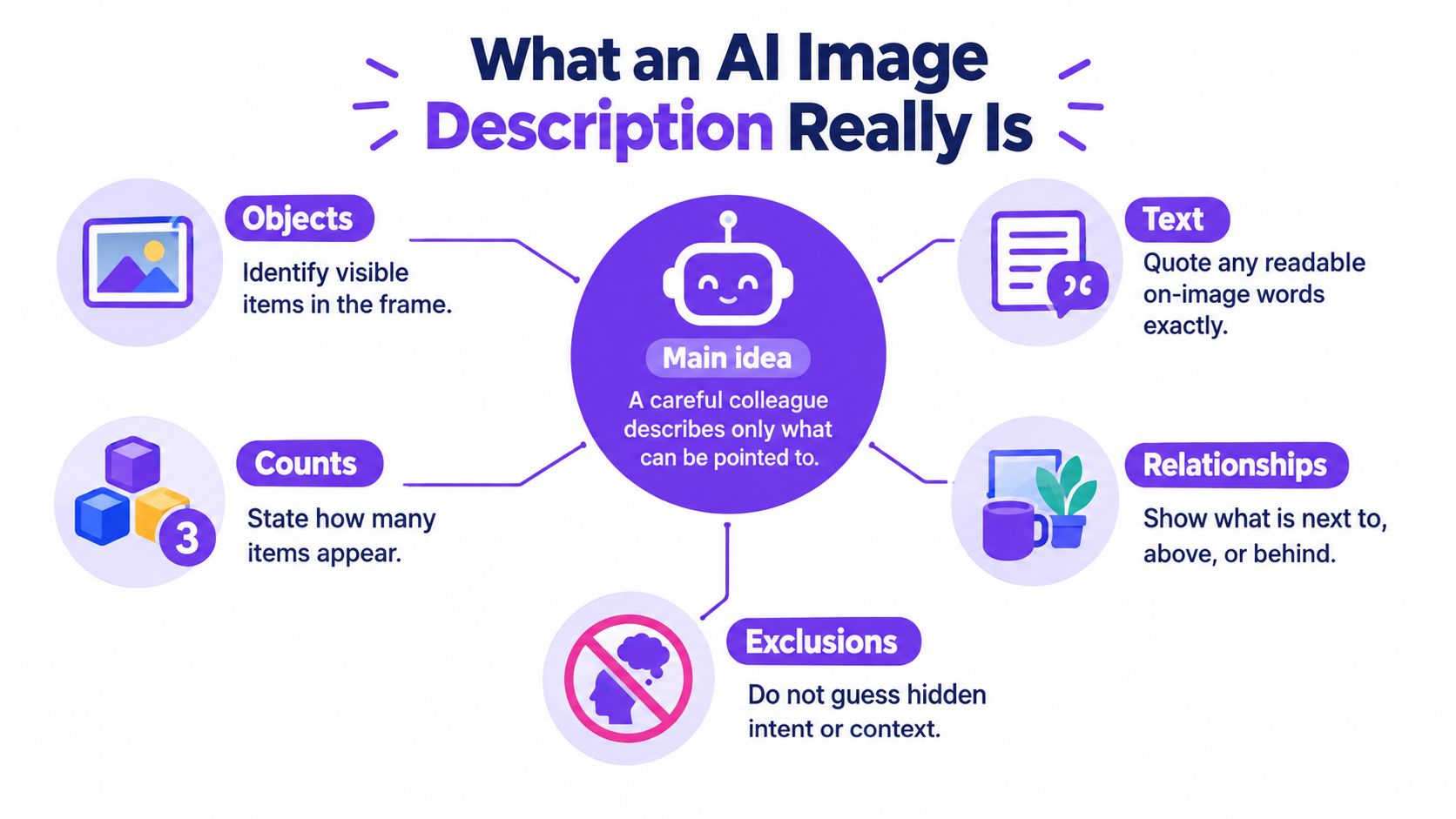
Think of a careful colleague looking at a photograph and describing only what they can point to. They can name visible objects, read words in the frame, count items, note colors, and explain where one object sits in relation to another. They can't know from pixels alone why someone is there, what that person intends, or what happened just outside the frame.
That distinction separates description from interpretation. “A person holds a sign” reports something visible. “A protester demands a policy change” adds an identity and intention that might require outside evidence. A good description can include context when it's verified and useful, but it shouldn't smuggle a guess in as an observation.
What changed with learned captioning
A foundational shift came in 2015, when neural image-captioning systems brought visual detectors, language models, and multimodal similarity together. One influential system learned language patterns from more than 400,000 image descriptions and was evaluated on Microsoft COCO. It earned a BLEU-4 score of 29.1 percent, while human evaluators judged its captions equal to or better than captions written by other people 34 percent of the time on a held-out test set (the 2015 image-captioning study).
Those results teach a lasting lesson. An automatic score can show how closely a generated sentence resembles reference captions, but wording overlap doesn't prove that the sentence is factual, relevant, or easy to understand. Human judgment remains useful because a caption can sound similar to a reference and still get an important detail wrong.
Three outputs, three purposes
Keep these outputs distinct:
- Concise alt text gives a reader the essential information needed to understand an image in context.
- An extended description adds detail when the subject or task needs it, such as explaining a chart's relationships.
- A provenance or authenticity note records what is known about an image's origin, edits, or verification. It doesn't replace the description of visible content.
A label isn't a full description, and a description isn't proof of origin. Separating those jobs makes each claim easier to assess.
Choosing the Right Level of Detail
The hardest question often isn't whether the caption names every object. It's whether it gives the right information to the right reader. Research on curriculum images found that models given surrounding educational context could become verbose and interpretive, treating the context as something to include rather than a guide to what to leave out. That extra detail can increase cognitive load for screen-reader users and shift a teacher's intended emphasis (research on context-aware curriculum descriptions).
Before generating a description, decide who'll use it, what they need to do, how much detail helps, and how certain each claim must be. A blind student studying a diagram may need spatial relationships; a journalist may need observable evidence and uncertainty; a marketplace moderator may need details relevant to a policy; a designer may need composition, color, and style.
Match the description to the job
| Job | Useful detail | Leave out | Flag separately |
|---|---|---|---|
| Blind student reading a classroom chart | Axes, labels, visible comparisons, and trends | An explanation of why the trend occurred unless the graphic states it | Any unclear label or inferred cause |
| Journalist checking a photograph | Visible actions, objects, readable signs, and uncertainty | Names, professions, motives, or relationships that aren't confirmed | What needs confirmation outside the image |
| Marketplace moderator reviewing a listing | Visible item features relevant to the review | Claims about ownership, intent, or authenticity based on appearance alone | Policy interpretation that needs a human decision |
| Designer reviewing a campaign image | Composition, color, placement, and visual style | A long inventory of irrelevant background details | Brand or product identity if it can't be verified |
Alt text is usually concise. An extended description can explain details that don't fit naturally in a short line. Chart narration should make the data's visible structure understandable. Forensic observations should separate evidence from interpretation. Search metadata may prioritize subjects, labels, or searchable attributes, while a provenance note concerns origin and verification rather than visual narration. These formats answer different questions, so they shouldn't all use the same length setting.
More detail is helpful only when it improves the reader's understanding of the task.
For search teams, description and metadata can work together without becoming interchangeable. A description may explain what's visible, while selected terms support discovery through image search optimization practices. Whatever the intended use, mark inference separately from directly observable content. If a detail is relevant but uncertain, say that it needs confirmation instead of writing it as fact.
How Descriptions Are Generated and Scored
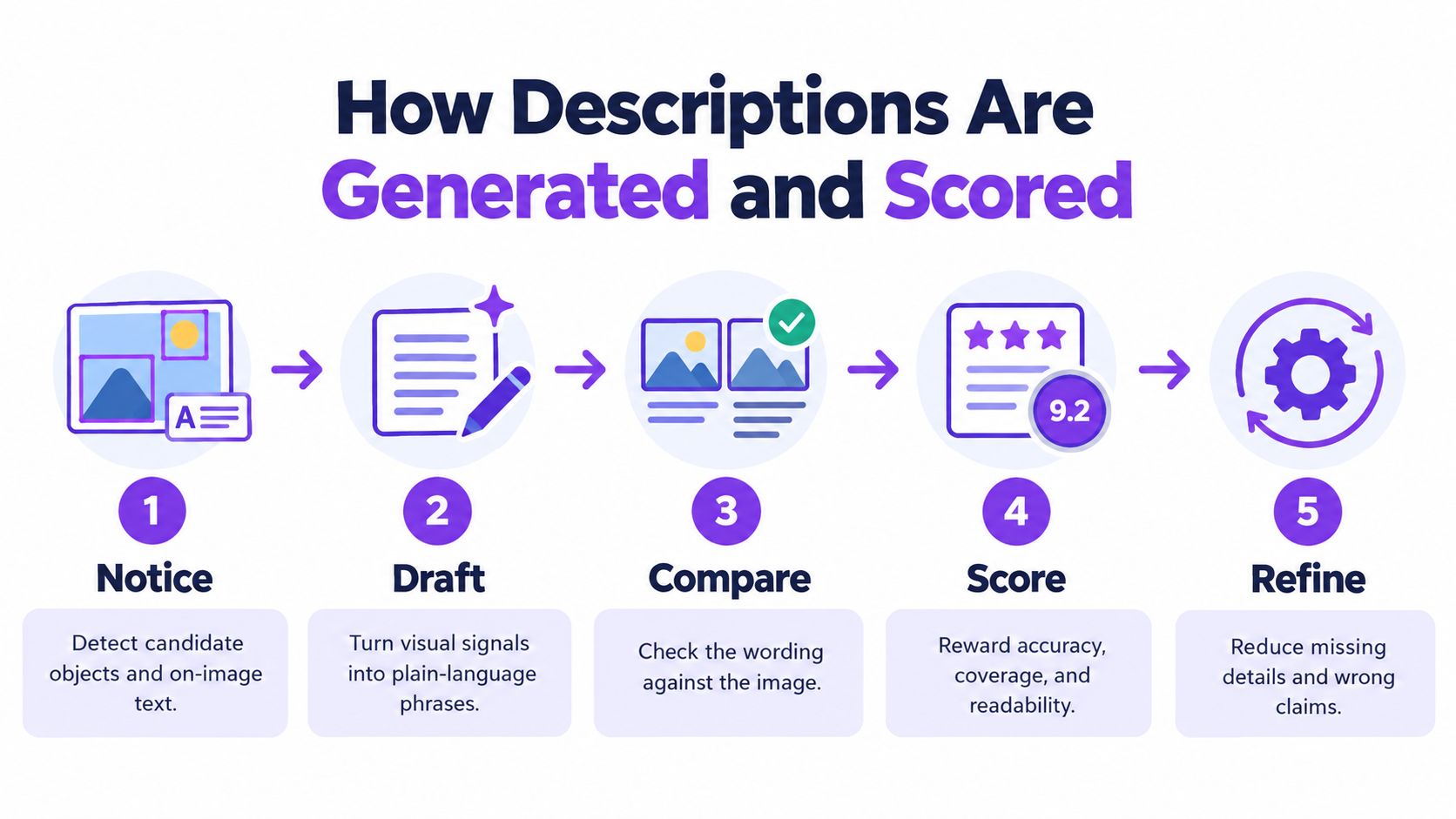
A fluent caption can still get the picture wrong. A system may detect a person, a table, and a cup, then describe the cup as being on the table when it is in someone's hand. Understanding how a caption is produced helps editors spot where those errors enter.
Some systems first locate candidate objects and regions, then estimate labels, counts, and relationships. A language model uses those signals to build a sentence, often choosing likely word sequences one token at a time. If an early label is wrong, later wording can make the mistake sound settled. To learn more about how AI systems recognize objects and patterns in images, consider how image analysis and sentence generation are related but distinct tasks.
What caption scores can and can't tell you
BLEU, ROUGE, and CIDEr compare generated captions with human-written references. CIDEr represents captions with TF–IDF-weighted n-grams and compares them using cosine similarity. Its IDF weighting reduces the influence of n-grams common across the dataset and gives more weight to distinctive ones (analysis of image-caption evaluation measures).
These scores measure resemblance to reference wording, not whether the image supports each claim. A caption can match common phrasing and still say there are three people when there are two, or place a bag beside someone when it is behind them. A high score is a comparison result, not confirmation of what the image shows.
Use multiple checks, not one score
A practical review pairs language scores with checks on specific claims. For an object-level check, list each named object, count, readable label, and spatial relationship, then inspect the corresponding image area. If a caption says “a red mug beside a laptop,” confirm the mug's color and check that it is beside the laptop, rather than in front of it or merely nearby.
Question-based probing can help focus that inspection: ask, “How many mugs are visible?” or “Is the mug touching the laptop?” Then compare the answer with the image instead of treating the model's response as proof. For high-stakes or ambiguous images, ask a human reviewer to verify the disputed detail. Treat fluency, reference similarity, and image-based checks as separate signals.
Checking Facts Before You Publish
Scientific and classroom visuals are poor places to trust raw generated alt text. A caption can misread a label, alter a graph's meaning, or introduce an interpretation that wasn't part of a lesson. A NASA-focused baseline study found vision-language-model alt text unreliable without a two-tier fact-checking process. Human editing remained necessary even after the process improved, although editing time fell by 96 percent compared with writing descriptions from scratch (the NASA-focused alt-text study).
That finding supports assisted drafting, not hands-off publication. Use the model's sentence as a candidate, then check its claims against the image and the task.
A publish-or-hold routine
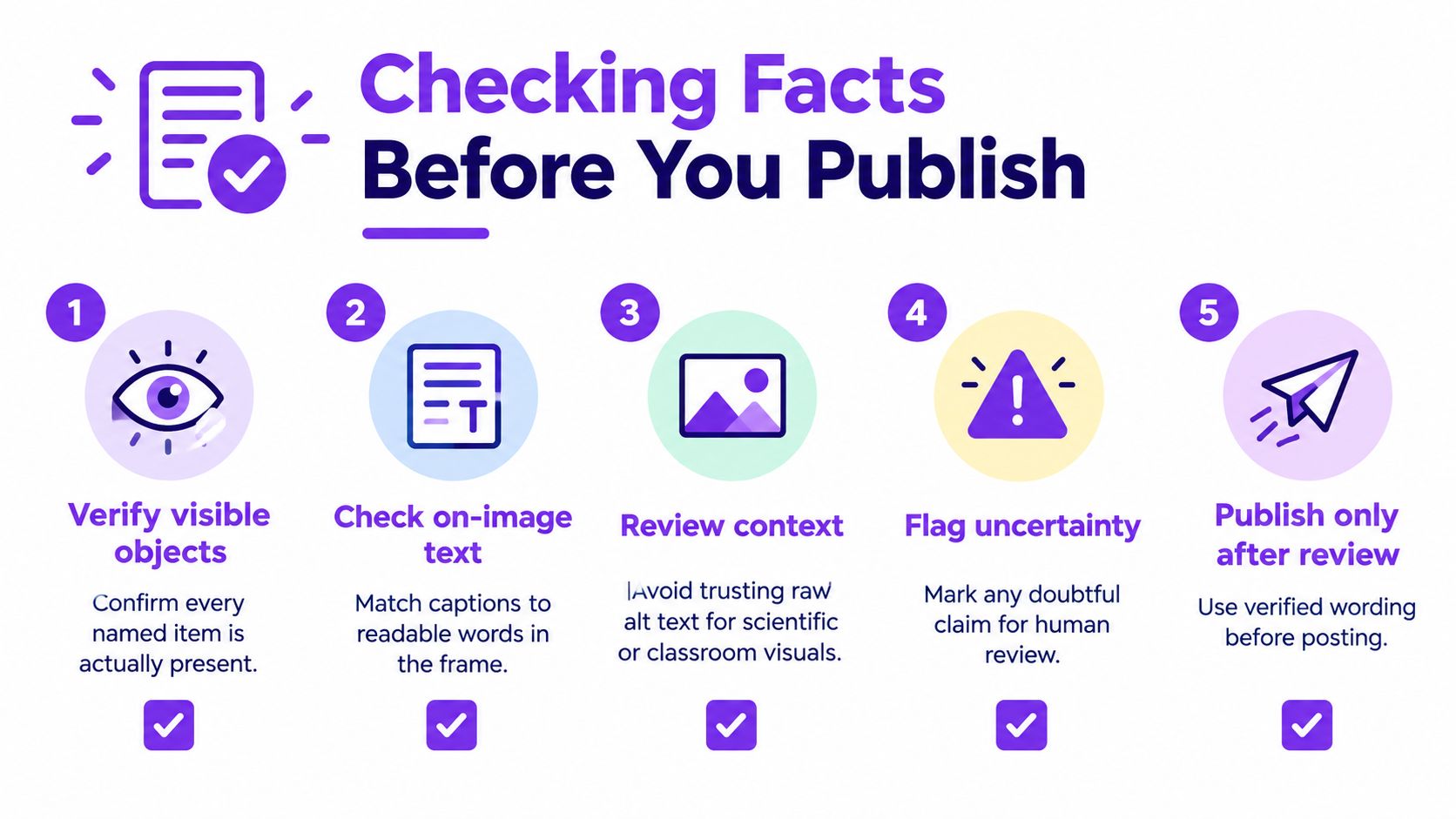
Start with the claims a second person could verify directly. Check that every named object appears, quantities match, readable text is accurate, and spatial relationships are visible. If a caption says that one item is behind another, look at the frame rather than relying on a plausible sentence.
Next, mark claims that go beyond observation. Intent, emotion, cause, identity, profession, and relationships often require outside confirmation. Remove them from the description or label them as uncertain when they're essential to the task.
Then read the generated wording against your notes. Strike any detail that has no visible support, even if it makes the paragraph smoother. Long captions deserve extra scrutiny because each additional claim gives the reader another possible error to trust.
Charts, medical images, legal evidence, and classroom materials need review by someone qualified to judge their content. A system's performance on visual question-answering tasks doesn't, by itself, establish that a caption is factual. For a separate investigation into where an image may have come from, keep image-source checks distinct from the description review.
Privacy is part of the routine too. Prefer image analysis that works in real time without retaining the image, and don't upload sensitive photographs to a service unless you can explain what it stores and how long it keeps it. A correct caption isn't worth an avoidable privacy exposure.
AI Image Description Examples by Task
Consider an ordinary market-stall photograph: two people stand beside a table of produce, a handwritten price is visible, and a sign is cut off by the edge of the frame. The same scene can support several accurate descriptions, but each should serve a different reader. The text below is illustrative, and details about identity, occupation, and ownership stay out because the photograph alone can't establish them.
Four versions of the same scene
- Concise alt text: “Two people stand beside a produce stall with a handwritten price sign.” The sentence gives the main visible scene without guessing who the people are.
- Extended description: “A market stall displays produce on a table. Two people stand behind it, with a handwritten price sign visible near the display. Another sign at the edge of the image is cut off, so its wording can't be read in full.” This version includes arrangement and a limitation relevant to a reader who needs a fuller account.
- Search metadata: “Market stall, produce display, handwritten price sign, people, cropped sign.” These terms help with retrieval; they aren't a substitute for a sentence designed for a screen-reader user.
- Provenance note: “The available information confirms the image file provided for review. The photographer, date, location, and original publication source aren't confirmed here.” This note concerns what's known about origin, not what the image depicts.
The temptations are easy to spot: “The vendor explains the price to a customer” assigns professions and a relationship. “The stall sells locally grown produce” makes a claim about origin. Neither belongs in the description unless another source confirms it.
Describe what a chart shows, not why
For a chart, name the visible axes and labels, then state the comparison the bars or lines show. If a line rises between categories, describe that direction. Don't say that a new policy caused the rise unless the graphic itself states the cause or reliable context supports it.
One image may need several descriptions. Reuse the verified facts, not a single block of text, across alt text, metadata, and provenance notes.
The market scene demonstrates the pattern: choose the output for the audience, keep its length appropriate, and distinguish visible content from outside knowledge. A short, accurate sentence can serve better than a richly detailed paragraph built on assumptions.
A Practical Check You Can Run Today
An image description and an authenticity check answer different questions. A caption describes what appears to be in the frame. A detector looks for patterns such as generation artifacts or lighting inconsistencies and returns a confidence indication, not a definitive account of who made the image. Neither result replaces a human fact-check, and a confidence score shouldn't be treated as proof in legal or academic decisions.
The practical sequence is to describe first, verify the description, and then consider authenticity as a separate question. An image can be accurately described and still have an uncertain origin. It can also appear synthetic while containing details that still need careful description. Don't use one check as a shortcut for the other.
For readers comparing approaches to language-model evidence and methods, browse large language model research as a starting point for further reading. Research can deepen your understanding of model behavior, but a particular image still needs its own grounded review.
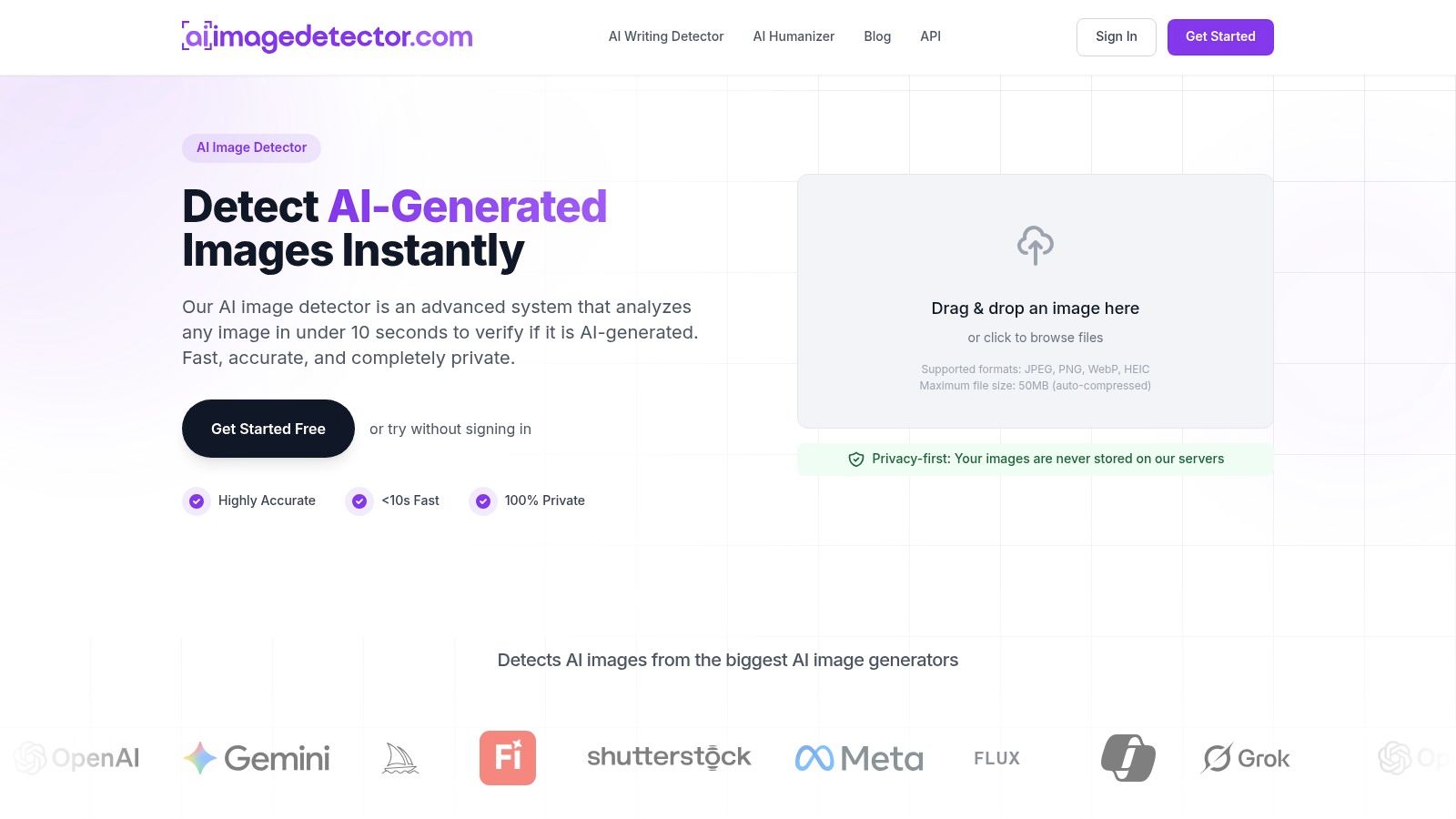
A privacy-first authenticity check should make its data handling clear. AI Image Detector accepts drag-and-drop JPEG, PNG, WebP, and HEIC images up to 10MB, analyzes them in real time, and often returns results in under ten seconds. Its stated behavior is that images aren't stored on its servers; core detection is free without registration, while an account can save history. The result includes visual indicators and reasoning across a confidence spectrum from Likely Human to Likely AI-Generated, helping users interpret mixed or edited content without treating the verdict as certainty.
Try the routine on one real image: write the shortest accurate description your audience needs, remove every unsupported inference, and review any doubtful detail with a person who knows the subject. Then run a no-storage authenticity check before publishing the alt text, metadata, or provenance note.
For a privacy-conscious second opinion on image authenticity, AI Image Detector analyzes supported image files in real time and provides visual indicators with an explanatory verdict, without storing images on its servers. Check an image separately from its caption, then publish only the description you can verify.