

Reverse Image Search Art: A Guide to Finding Origins

You find a striking landscape painting in an Instagram post. There's no artist tag, no title, and the caption says only “found online.” Before sharing it, licensing it, or accusing someone of stealing it, you need answers: where did the image first appear, is the account showing the original, and does the artwork itself provide evidence of human authorship?
That's where reverse image search art becomes useful, but only if you treat it as an investigation tool rather than an authenticity verdict. A search result can reveal distribution history, related copies, and earlier public appearances. It can't automatically prove who made the work, who owns the copyright, or whether a visually similar image was copied.
Why Tracing Art Origins Is Harder Than It Looks
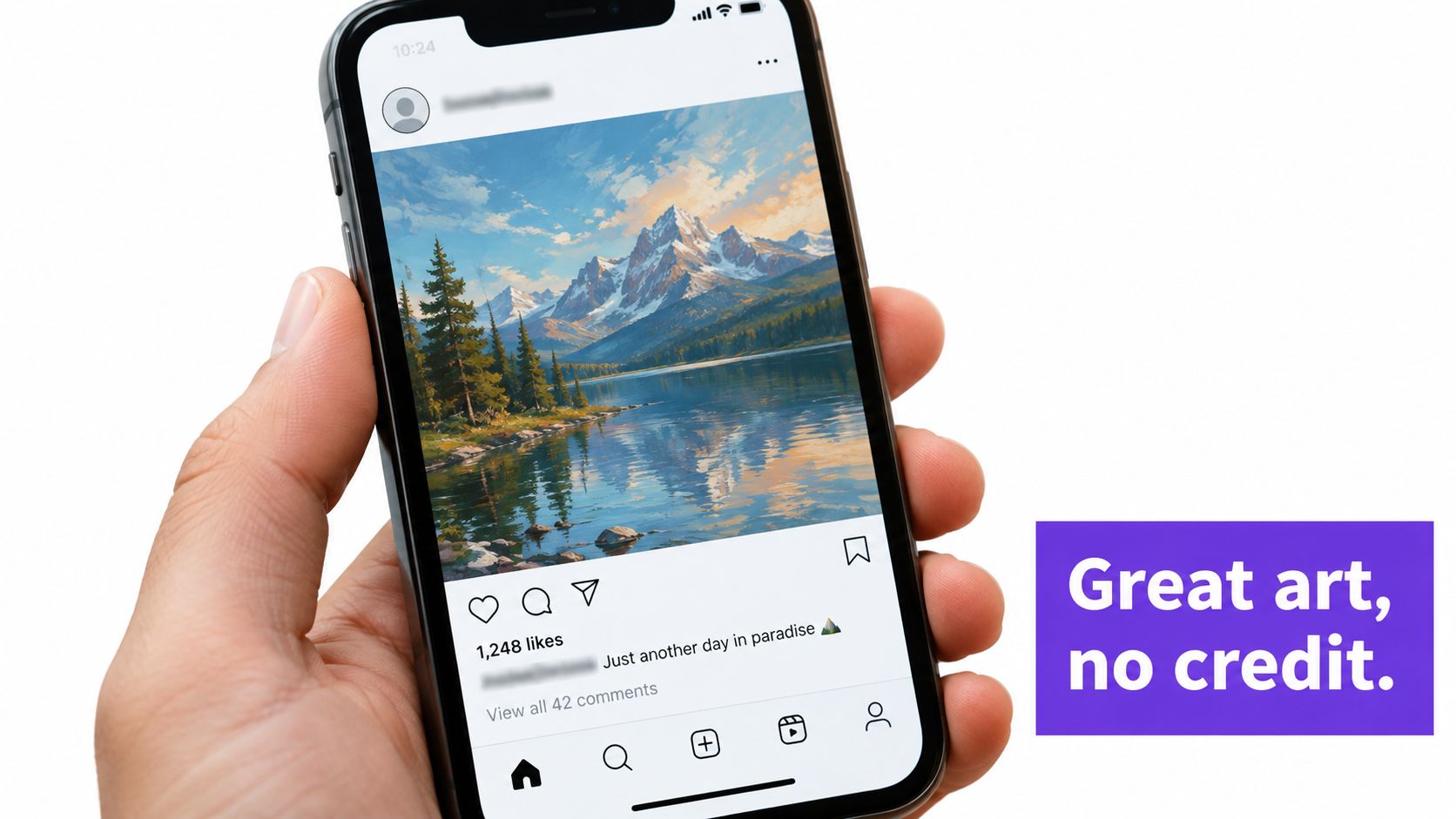
Start with the image, not the claim attached to it. The Instagram account may be a repost page, the image may come from an artist's portfolio, or both accounts may have copied it from an earlier source. A museum catalog, merchandise store, social profile, and personal website can all display the same work while offering completely different evidence about its origin.
The first question should be “Where has this image appeared?” The question “Who made it?” comes later. Reverse search can help establish that an image appeared on a particular page at a particular time, but publication history isn't automatically authorship proof. A repost account may have an older-looking page than the artist's current portfolio, while a deleted or private post may have been the earliest public appearance that search engines can no longer show.
Separate distribution from authorship
Art moves through the web in forms that make matching difficult. Someone may resize a digital illustration, crop out its signature, mirror the composition, add a frame, compress the file, or place it inside a product mockup. A search engine may recognize some of those changes and miss others, especially when the original page is poorly indexed or inaccessible.
That creates two distinct kinds of evidence:
- Distribution evidence shows where a file, derivative, or related image appeared.
- Authorship evidence connects the work to a creator through source files, dated work-in-progress material, portfolio records, exhibition catalogs, statements, or other independent documentation.
- Rights evidence addresses whether the person offering the image has permission to reproduce, sell, or license it.
A strong search may answer the first question while leaving the other two unresolved. It can locate a higher-resolution version or expose an unauthorized repost, but it won't identify the legal rights holder just because one result ranks first.
Practical rule: Treat every reverse-search result as a lead with a source URL and date, not as a final verdict.
Visual search has become a mainstream behavior rather than a specialist technique used only by photographers and investigators. Google reported that Lens handled 12 billion visual searches per month by 2023, four times the approximately 3 billion monthly searches reported two years earlier. That scale makes visual search valuable for art monitoring, but popularity doesn't remove its blind spots.
Before searching, preserve the file you received and note where it came from. Save the original post URL, capture the visible caption and attribution, and avoid overwriting the downloaded image with an edited version. Those small steps make it possible to explain exactly what you searched and why a later conclusion is justified.
Choosing the Right Reverse Image Search Tool for Artwork
No reverse image engine sees the same web. One may be strong at exact duplicates, another may surface visually related pages, and a third may expose regional or international reposts that the first two miss. Choosing a tool should follow the question you're trying to answer.
TinEye is a strong starting point for duplicate tracing and altered versions. Its index has been described as exceeding 85.1 billion images, a self-reported figure that can change over time, according to reported details about TinEye's image index. That scale makes it useful for locating copies, modified files, and potentially earlier public appearances. It remains less helpful when the work has never been indexed or when you're looking for broad stylistic relationships rather than image reuse.
Google Lens is useful for general visual understanding, text inside images, objects, scenes, and near-duplicate discovery. It can be especially helpful when the artwork appears inside a photograph, poster, product page, or screenshot. Its interpretation may also return visually similar subjects rather than a reliable provenance trail, so inspect the result page carefully.
Bing and Yandex are valuable second opinions. Their indexes and ranking systems differ, which can reveal alternative reposts, regional pages, or commercial uses that don't appear in another engine. A result from a second platform doesn't automatically confirm the first result, but it can strengthen the timeline when both point to independent pages.
| Engine | Best use case | Index focus | Limitation for art |
|---|---|---|---|
| TinEye | Exact and near-exact copies | Image reuse and altered versions | May miss unindexed, private, or highly transformed works |
| Google Lens | Objects, text, scenes, and related images | Broad visual and multimodal matching | Similarity results can distract from provenance |
| Bing | Additional web coverage | General image discovery and visual matches | Ranking and coverage may differ from the source you need |
| Yandex | Regional and alternative discovery | Broad visual search across different web fragments | Results can be less relevant or harder to verify |
Match the engine to the investigation
For a suspected stolen illustration, begin with exact-match tools and sort results by the earliest credible publication you can verify. For a painting photographed in a gallery, Lens may identify a title, institution, or sign that a duplicate-focused engine can't interpret. For a heavily edited social post, run the clean artwork and a version containing the surrounding context.
If you need to compare results across many pages or collect structured search data for a rights review, a Scrape API can help organize publicly available page information for human verification. Automation can improve record keeping, but it shouldn't turn a similarity score into an accusation.
For another practical perspective on choosing among search methods, compare reverse image search options, then test the same query across more than one engine. The goal isn't to find a universally “best” platform. It's to expose the image to different indexes and interpret the overlap cautiously.
Running a Practical Reverse Image Search Workflow
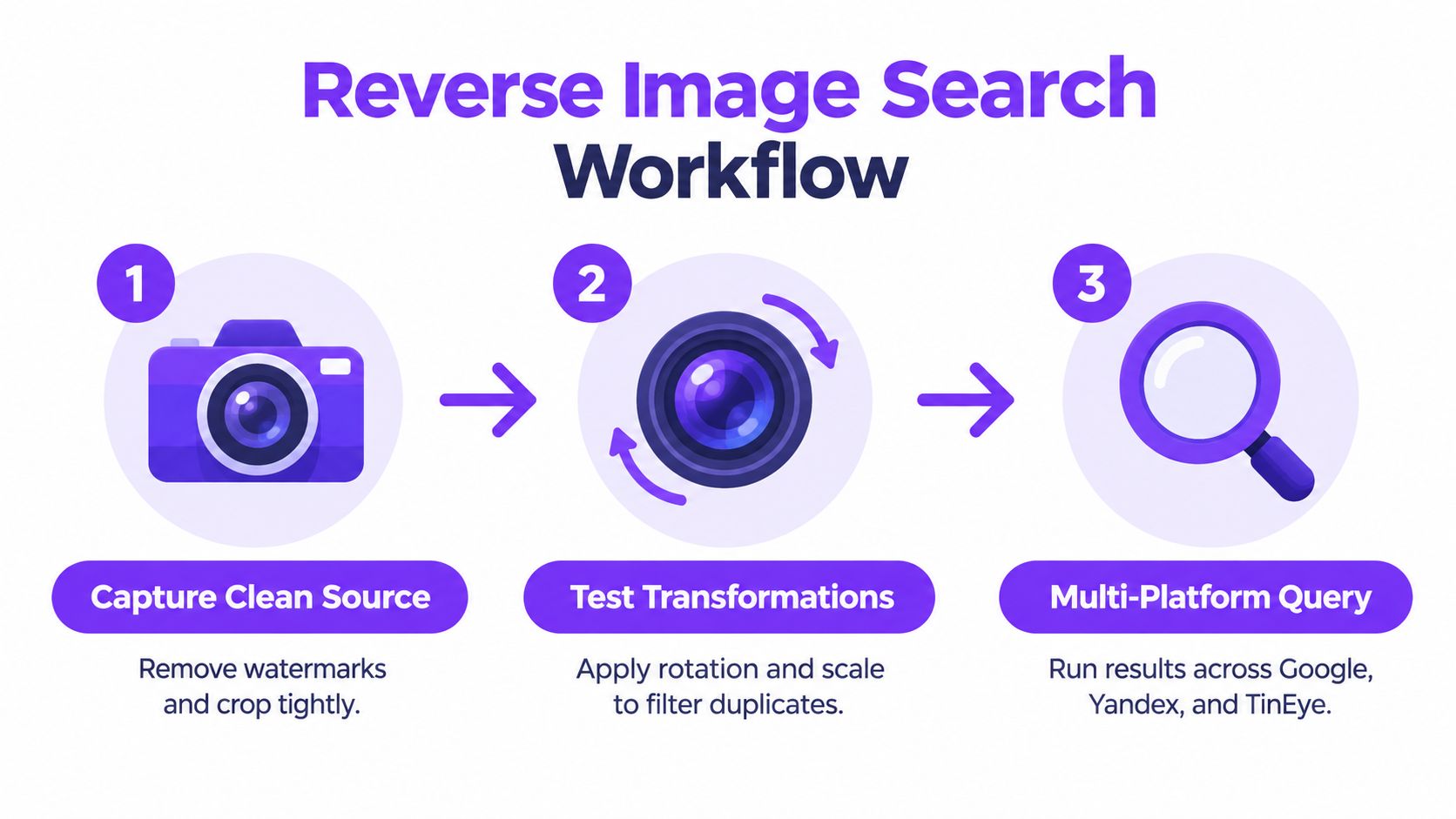
A useful workflow produces an evidence trail, not just a page of thumbnails. Preserve the query, record every transformation, and distinguish a direct match from a result that merely shares a subject or composition.
Start with controlled query files
Preserve the source file. Keep the downloaded image untouched, including its filename and available metadata. Create a working copy for crops and adjustments so you can always show what entered the search.
Crop to the artwork. Remove browser controls, captions, borders, and irrelevant background. If a signature or distinctive mark is part of the evidence, save a second crop that includes it rather than deleting it from every query.
Create targeted variants. Test the full composition, a tight central crop, a corner containing a signature or unusual detail, and a version with surrounding context. For photographed art, a straightened crop may work better than an angled room shot.
Test transformations deliberately. Try a mirrored version, a modest rotation, and a resized or compressed copy when you suspect the image has been altered. Record each test. Randomly changing the file makes a later review difficult because you won't know which query produced which result.
A two-stage retrieval design is more reliable than asking one system to do everything. Fast perceptual hashing can shortlist likely duplicates, while CNN-derived visual embeddings can rank candidates that have been cropped, blurred, compressed, resized, or otherwise changed. In a 24,000-image benchmark, CNN embeddings achieved F-measures above 0.99 after 10% cropping and above 0.90 under blur, grayscale, and JPEG compression, while first-stage perceptual-hash precision was about 0.70 at a tested threshold, as documented in the visual retrieval benchmark.
Verify the candidates
Run the clean source through at least two engines with different indexing strengths. Save the result URL, page title, visible attribution, publication date if available, and the position of the strongest match. Then inspect the page itself. A search snippet may show an artist's name that the destination page doesn't support, or a marketplace listing may repeat an unverified seller's claim.
Check whether the apparent original is a repost. Look for a portfolio, institutional catalog, dated exhibition page, source-file evidence, or consistent artist identity elsewhere. If the match concerns possible manipulation, use a separate workflow to detect manipulated images rather than assuming that a visual match explains every change.
For a broader multi-engine process, use a multiservice image search workflow, then label each result as exact, altered, partial, contextual, or merely similar. That classification is more useful than a single relevance rank.
What No Search Results Actually Means for Art
A blank result doesn't mean the artwork is original. It means the search system didn't find a discoverable match under the conditions you used. Those conditions include the engine's index, the query crop, the image's transformations, regional coverage, privacy settings, paywalls, and whether the work was ever published on an accessible page.
A lesser-known artist may have posted the work only in a private community. A gallery archive may block crawlers. A recently uploaded work may not have entered an index yet. An older work may exist in a scanned catalog that search engines don't process effectively. A generated image may have no earlier public copy to retrieve.
A 2025–2026 study of digital-art authentication found that reverse search can produce timelines of uploaders and reposts, while still missing lesser-known or recently published works. In one test described in the digital-art authentication study, an AI-generated artwork couldn't be found by reverse-image tools at all.
Ask four separate questions
Don't collapse the investigation into “match” or “no match.” Record the answer to each question independently:
- Where has this image appeared? Search results can map public distribution, including copies and reposts.
- Who first published a discoverable copy? The earliest indexed page may still be a repost, so compare its date and relationship to the claimed creator.
- Is the attribution independently corroborated? Check portfolios, catalogs, artist statements, original files, and consistent publication history.
- Does the image show signs of AI generation or editing? Reverse search cannot answer this reliably on its own.
This distinction matters for copyright complaints and editorial reporting. A failed search may justify saying that no earlier indexed copy was found. It doesn't justify saying the image is public domain, human-made, authentic, or free to use.
The same caution applies to positive results. Finding the image on an artist's profile may support an attribution, but it doesn't prove that the profile owner created every image they publish. Finding it on a stock site may identify a source asset without identifying the person who created a derivative artwork. Search establishes relationships between files and pages. Human review must establish what those relationships mean.
Combining Reverse Search with AI Image Detection and Metadata
Reverse search answers a distribution question. AI detection estimates whether an image contains patterns associated with synthetic generation. Metadata and provenance records add context. None of these signals should operate alone, especially when an image has been edited, upscaled, composited, or exported through a social platform.
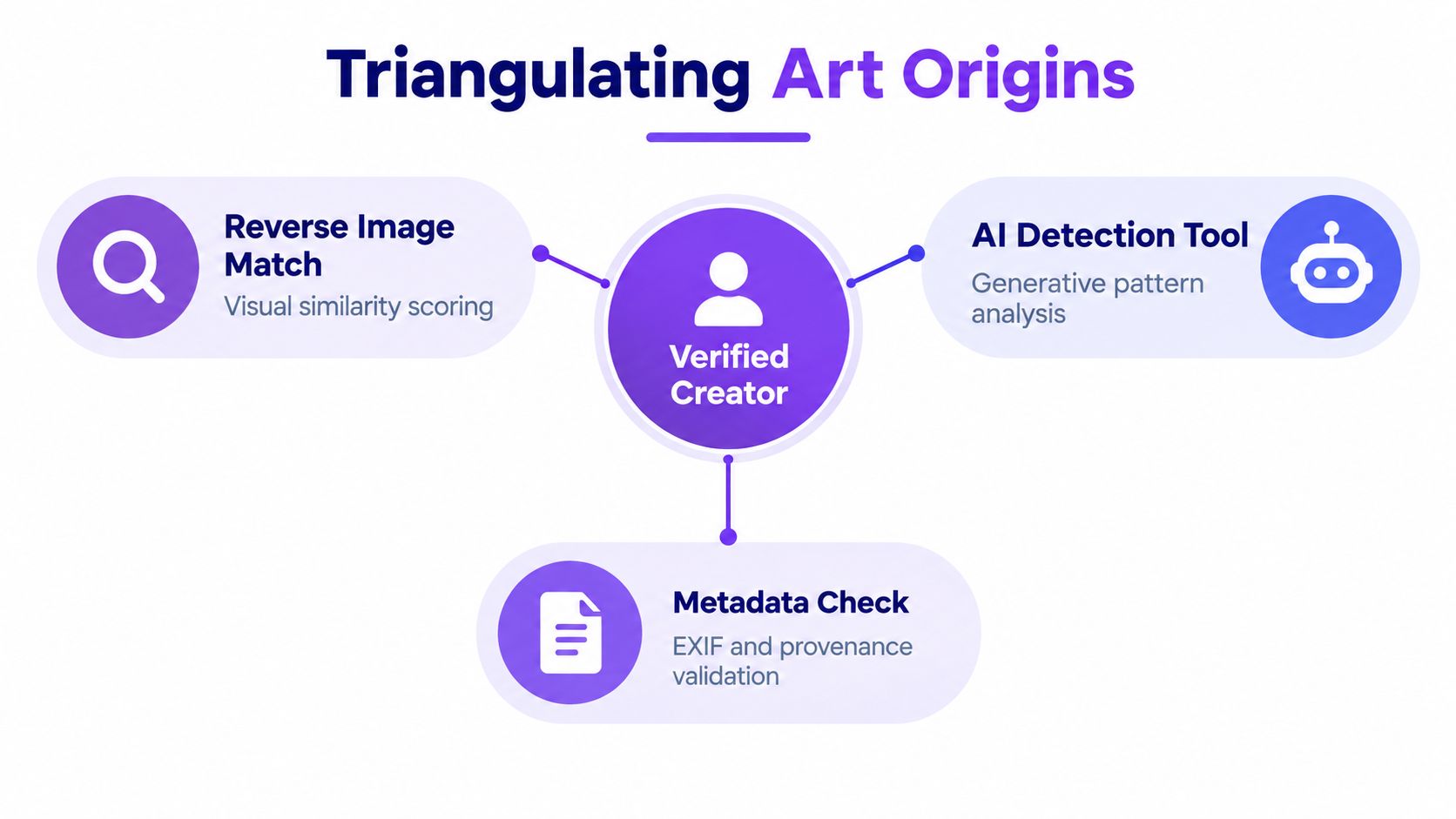
Begin by preserving the submitted file. Inspect available EXIF fields, embedded software information, dimensions, color profile, filename history, and any content-credentials or provenance signals. Missing metadata isn't suspicious by itself. Many platforms strip it during upload, and ordinary editing tools can remove it during export.
Then compare the file with the surrounding publication history. Does the account show sketches, drafts, layered process images, or earlier versions? Does the claimed creator have a consistent body of work? Does the file appear in a sequence that makes sense, or does it emerge suddenly as a finished image with no supporting context? These clues aren't conclusive, but they help determine what evidence to request next.
Interpret signals together
AI detectors can return useful confidence estimates, but a result should be treated as one input rather than a verdict. A human-created painting photographed and heavily processed may trigger artifacts. An AI-generated image that has been painted over, resized, or compressed may become harder to classify. Mixed media needs especially careful review because “human” and “synthetic” aren't always mutually exclusive categories.
A comparative experiment using 24 manipulated images found correct-image rates of 65 percent for Google, 55 percent for Bing, and 50 percent for Yandex, while CNN representations held up better than DCT hashing against sharpening, cropping, rotation, and mirroring, according to the comparative image-search experiment. Those findings reinforce a practical point: the engine you use and the transformation applied can change the result.
Use the evidence matrix below when reviewing a disputed artwork:
- Reverse match: Does the image or a transformed version appear elsewhere?
- Publication history: Which pages have dates, stable ownership, or independent institutional context?
- Metadata: What survives in the file, and what may have been stripped by a platform?
- AI assessment: Does a detector identify synthetic patterns, and how strong is its confidence?
- Creator evidence: Can the claimant provide source files, drafts, or a consistent creation record?
For a deeper file review, follow a structured guide to analyze an image. A visual-search result, metadata clue, and AI assessment that point in the same direction create a stronger basis for cautious reporting than any single score.
How to Evaluate Matches and Avoid False Attribution
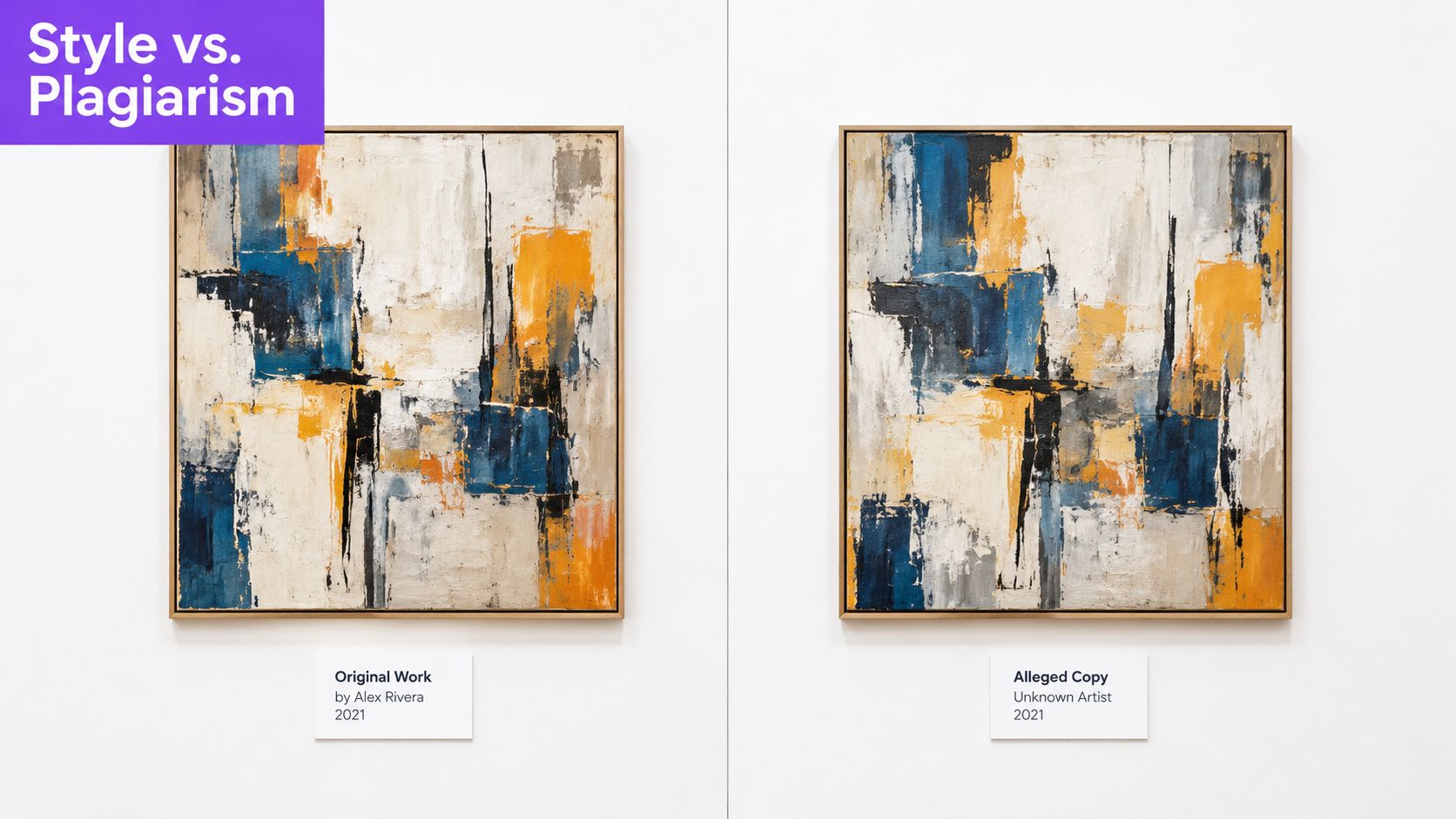
A result can be visually compelling and still prove very little about authorship. Two artworks may share a pose, palette, subject, or compositional convention without one being copied from the other. Conversely, a stolen work may look different after cropping, mirroring, repainting, or placement inside a larger design.
Classify what the match actually shows
An exact match preserves the distinctive arrangement of forms, marks, details, and proportions. It can support a claim that the same image file or artwork circulated elsewhere. It still doesn't identify the first creator without a reliable publication history.
A regional match may show that a section of the artwork was reused. This matters when a seller removes a signature, places a painting on a new background, or uses only one character from an illustration. Save the crop that produced the result and compare the distinctive details manually.
A style match is weaker. Similar brushwork, lighting, anatomy, color, or subject matter may reflect influence, a shared reference, a stock image, a genre convention, or independent creation. Treat it as a research lead, not a plagiarism finding.
Recent research found visual similarity above 70 percent in several AI-output comparisons across major repositories, illustrating why similarity alone can't establish infringement or direct copying in the Electronic Imaging research. Synthetic output can resemble a known artwork without containing an exact searchable copy, while a heavily altered human work can evade literal matching.
Build a defensible record
Use multiple independent signals before making a public claim:
- Compare dates: Identify when each page appeared, but don't assume the oldest indexed page is the first creation date.
- Inspect distinctive details: Check signatures, edge patterns, small marks, text, and unusual compositional relationships.
- Test transformations: Include mirrored, cropped, rotated, and compressed versions in the record.
- Preserve evidence: Save the query file, screenshots, result URLs, page titles, and visible attribution.
- Seek corroboration: Ask for source files, drafts, exhibition records, or a statement from the claimed creator.
- Use careful language: Say “the image appears on” or “the composition closely resembles” unless the evidence supports a stronger conclusion.
A match to a canonical artwork doesn't necessarily identify the author of the current file. It may identify a reference, a licensed source, a public reproduction, or a copied element. The responsible conclusion describes what the evidence demonstrates and leaves unsupported inferences out.
When Reverse Image Search Is Enough and When It Is Not
Reverse image search is enough when your question concerns public distribution. It can locate copies, expose reposts, reveal an available higher-resolution version, and show whether an image appears across commercial, editorial, or social pages. For routine monitoring, those findings may be all you need to decide whether to contact a page owner or preserve evidence of unauthorized use.
It isn't enough when the decision involves authorship, licensing, copyright ownership, authenticity, or allegations of AI generation. A search engine doesn't know whether the highest-ranked page has a legitimate claim. It may not index the relevant archive, and it can't turn a similarity result into a legal conclusion.
Use a stop-or-escalate framework
Stop at reverse search when:
- You're locating public copies of an image you already know belongs to you.
- You're collecting URLs for a basic repost review.
- You need to find a larger or cleaner version for comparison.
- Several credible pages clearly identify the same work and your question is limited to where it appears.
Escalate verification when:
- The result could affect publication, licensing, or a takedown request.
- A page makes an authorship claim that conflicts with other records.
- The artwork has no matches and someone treats that silence as proof of originality.
- The result is visually similar rather than an exact or clearly altered copy.
- The image may be AI-generated, composited, or substantially edited.
- You're preparing a public accusation or legal submission.
For escalation, consult artist statements, institutional catalogs, gallery records, portfolio archives, source files, and dated work-in-progress material. Review metadata where it survives, but don't treat missing fields as evidence of fraud. Apply AI-image assessment separately, record the confidence level, and explain that a detector estimates generation likelihood rather than proving who operated the tool or who owns the result.
Label confidence honestly
A useful report might say:
- High confidence in image reuse: distinctive details match across independent pages, with a credible earlier source.
- Moderate confidence in related use: a substantial section or altered version matches, but authorship remains unresolved.
- Low confidence in attribution: the image resembles another work, yet no reliable source or independent documentation connects the creators.
- No discoverable match: the tested engines found no public indexed copy under the recorded queries.
That last label is important. “No discoverable match” describes the search conditions. It doesn't mean “original,” “human-made,” “public domain,” or “authentic.”
Keep the original query file, every tested crop and orientation, result URLs, visible dates, screenshots, metadata notes, and reasoning behind your conclusion. If another reviewer can reproduce the path from the submitted image to your claim, your work becomes easier to challenge constructively and harder to misrepresent.
If you need to verify a questionable artwork before publishing, licensing, or reporting it, use reverse search to trace distribution, then add metadata review and AI-generation analysis before deciding what you can safely claim. AI Image Detector provides a privacy-first way to assess whether an image appears AI-generated and returns an explanatory confidence result. Use it alongside your documented search record to make faster, more defensible verification decisions.