

What Is AI Image and How to Spot It Fast

A friend sends you a striking photo. It shows a politician in a place they were never reported to visit. Or a perfect product shot appears in a marketplace listing, clean lighting, flawless background, no obvious signs of editing. You pause for a second and think, “Is this real?”
That pause is why this topic matters.
Searching what is an AI image doesn't only require a definition. It demands a way to judge what you're looking at before you repost it, teach with it, buy from it, or use it as evidence. That's a visual literacy problem, not just a tech vocabulary problem.
The timing explains the urgency. The current consumer wave of AI images became broadly accessible in 2022, when DALL·E 2 arrived in mid-2022, Stable Diffusion released openly in August 2022, and Midjourney expanded public use that same year. By August 2023, aggregated estimates reported that more than 15 billion AI-generated images had already been created since 2022, averaging about 34 million images per day according to Everypixel Journal's AI image statistics. That scale helps explain why synthetic images now appear in news feeds, classrooms, online stores, fan art communities, and scam campaigns alike.
The harder part is this. People aren't especially good at spotting them consistently, and software tools can struggle once an image has been compressed, reposted, or altered. So the useful question isn't only “What is an AI image?” It's also “How careful do I need to be before I trust this image?”
Introduction Why AI Images Now Fool Everyone
A realistic face used to make people think “camera.” Now it might mean “prompt.”
That shift happened fast in public life. One year, image generation felt like a novelty. Soon after, ordinary users could type a sentence and get a polished portrait, fake travel shot, product mockup, or dramatic breaking-news-looking scene. The old shortcut, “it looks photographic, so it probably came from a camera,” doesn't hold up the way it used to.
Why the confusion feels so normal
People often expect AI images to look bizarre. They picture extra fingers, mangled text, or impossible reflections. Those clues still show up sometimes, but modern tools often produce images that feel ordinary at first glance. A kitchen scene, sneaker ad, classroom poster, or pet portrait may not trigger suspicion right away.
Recent research makes that mismatch clear. A large 2025 study reported over 287,000 image evaluations by more than 12,500 participants, and people achieved only a 62% overall success rate when trying to tell AI-generated images from real ones. The study also found people struggled especially with natural and urban scenes, not just portrait images, as described in this human-detection study.
People can do a little better than guessing, but not well enough to treat confidence as proof.
That's the part many explainers skip. They define the term, show an odd-looking fake face, and stop there. But in practice, you're usually dealing with more ambiguous material: a reposted image with no source, a compressed screenshot, a polished ad creative, or a classroom handout pulled from social media.
Trust is now a skill
If you're a journalist, you need a higher proof standard before using an image as evidence. If you're a teacher, you need a calmer way to explain to students why “looks real” isn't enough. If you shop online, you need a habit for checking whether product imagery might be synthetic or heavily altered.
A good workflow starts with understanding what an AI image is, but it can't end there. You need a repeatable verification process that combines visual judgment, context, source checking, and detector tools used carefully.
What an AI Image Really Means Today
A simple definition helps, but only if it matches how people use the term.
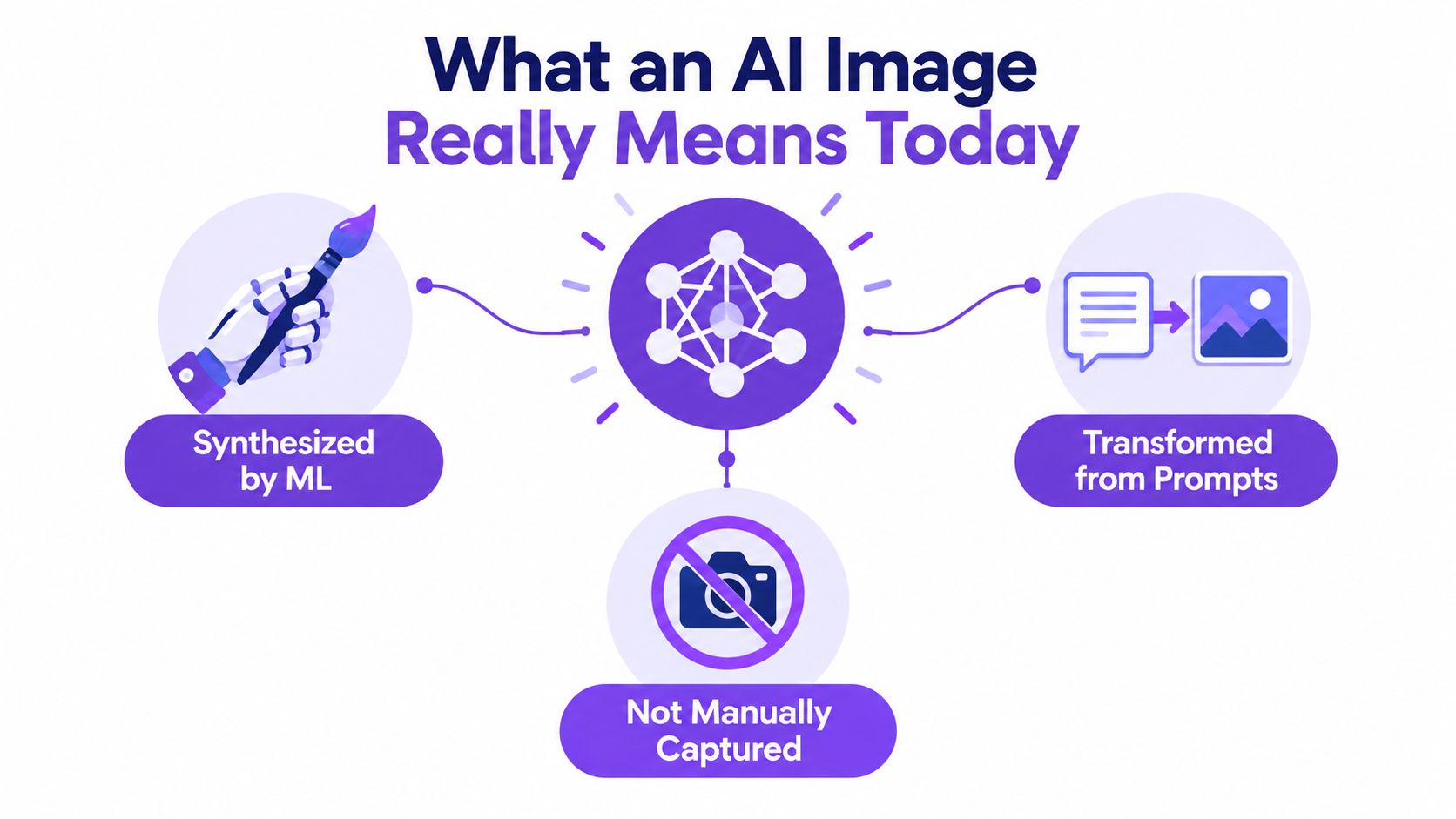
An AI image is an image that a machine-learning system has synthesized or transformed, usually from a text prompt, an existing image, or both. It wasn't captured directly by a camera in the ordinary sense, and it wasn't drawn pixel by pixel by a human hand in the ordinary digital-art sense either.
Think of it like a visual apprentice
A useful analogy is this. Imagine an apprentice who has studied an enormous number of pictures and learned patterns about faces, fabrics, shadows, rooms, trees, packaging, and painting styles. You give that apprentice a description like “a golden retriever wearing a raincoat in a city crosswalk at dusk,” and it creates a new image based on learned patterns.
That apprentice didn't go outside and photograph the dog. It generated a plausible visual answer.
This is why the phrase what is an AI image can confuse beginners. People hear “AI image” and assume it always means a fully fake picture made from scratch. Sometimes it does. But often it also includes edited hybrids.
What counts and what doesn't
Here's the easiest way to separate the categories:
- Text-to-image creates a new image from words.
- Image-to-image transforms an existing picture into another style or look.
- Inpainting replaces part of an image, like changing a face, product, sky, or background object.
- Outpainting expands beyond the original frame, adding new visual content around the edges.
- Hybrid edits mix human photography with AI changes, which can be harder to classify at a glance.
That last group matters a lot. Many everyday images online aren't fully synthetic. They may begin as camera photos, then get AI-enhanced, retouched, expanded, or restyled. For creators exploring merchandising or product mockups, resources like your print on demand vision can help show how AI-assisted visual ideation is being folded into broader creative workflows. That doesn't make every output deceptive, but it does blur old categories.
Definition to remember: An AI image is a visual created or materially altered by a machine-learning model so that the final result is synthesized, transformed, or expanded beyond what a camera directly captured.
How AI Images Are Generated From GANs to Diffusion
AI image generation became harder to verify as the underlying methods improved. Early systems often made images that looked obviously synthetic. Newer systems can produce pictures that survive quick human inspection, especially after resizing, filtering, or compression on social platforms.
A short timeline helps place the shift. A commonly cited early landmark is AARON, an autonomous drawing program often described as one of the first widely recognized AI image systems. Later milestones included GANs in 2014, Google's DeepDream in 2015, and OpenAI's DALL·E in 2021, which helped make text-to-image generation practical for broader use, as outlined in this history of the first AI-generated image.
A visual apprentice, not a camera
One major generation method is the GAN, short for generative adversarial network.
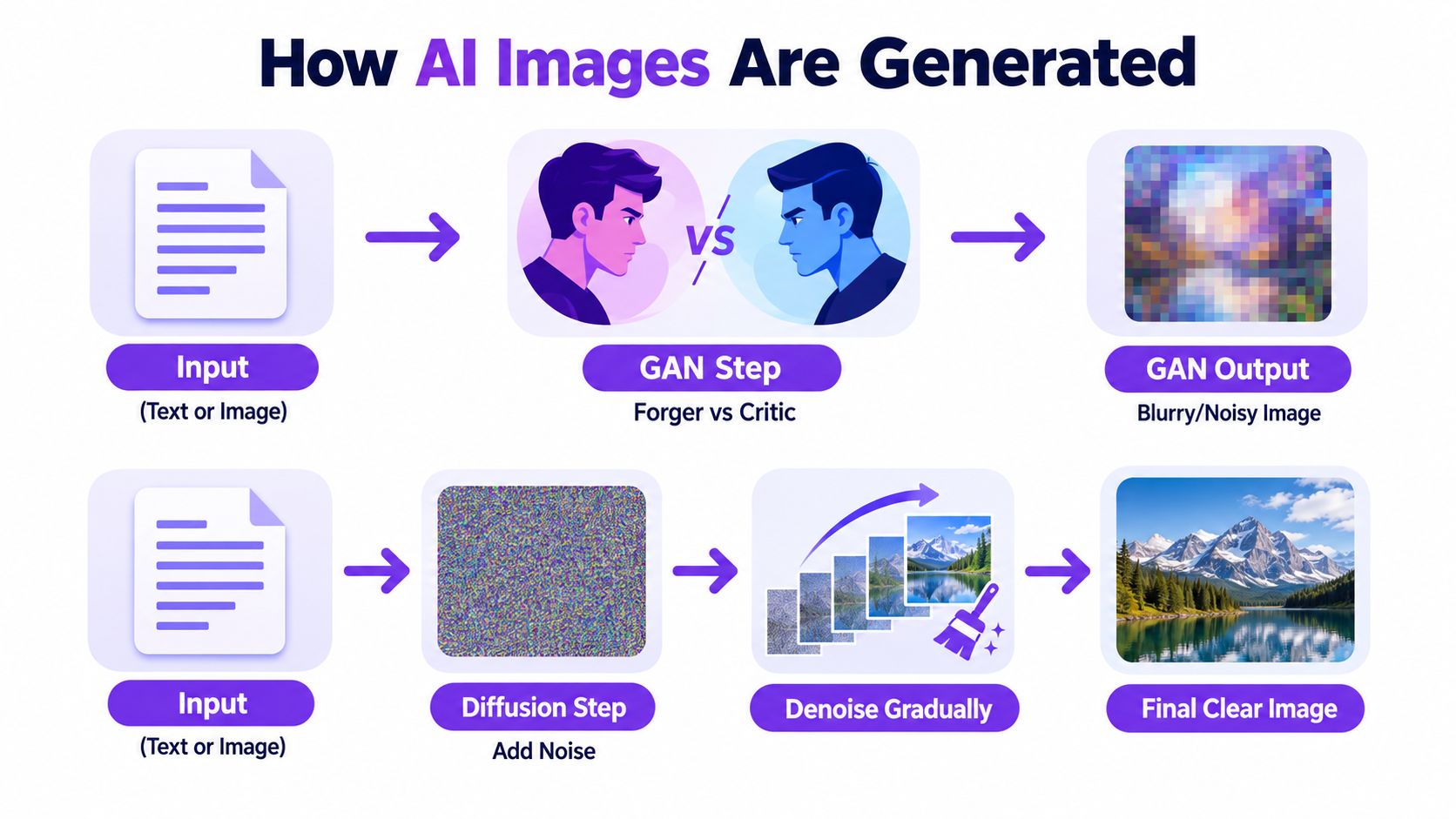
A GAN works like a visual apprentice practicing under constant review. One part generates images. The other part judges whether those images look close enough to the training examples.
Over many rounds, the image-maker gets better at producing faces, textures, and objects that pass inspection. The judge gets better at spotting flaws. That back-and-forth pushed image realism forward, even if older GAN outputs still often broke under close inspection.
For readers comparing still-image systems with moving-image generators, this overview of AI video creation tools gives useful context on how prompt-based media generation extends beyond a single frame.
How diffusion changed the quality level
Today, many image generators rely on diffusion models. A diffusion model starts with visual noise and removes it step by step until a coherent image appears. If the prompt says “a ceramic mug on a wooden table by a rainy window,” the model repeatedly adjusts shapes, color, lighting, and texture so the result moves closer to that description.
That process matters for verification. Diffusion systems are often good at producing local realism. A patch of skin, a reflection on metal, or a fold in fabric may look convincing on its own. The harder question is whether all those parts stay consistent together after editing, exporting, and platform compression.
Natural-language prompting helped diffusion tools spread quickly because people could describe scenes in plain words instead of using technical workflows. For a concrete example, this guide to Stable Diffusion AI art shows how one major open model shaped public use.
This short explainer helps make the process easier to picture:
Common generation paths people use now
Many AI images are not created in one click from nothing. They often come from workflows that revise an image in stages, which also makes verification harder because the final result may mix camera content and synthetic changes.
Common paths include:
Prompted creation
A user types “studio product photo of white sneakers on a clean reflective surface” and gets a fully synthetic ad-style image.Sketch transformation
A rough drawing becomes a polished concept image, such as a castle, garment, room, or character.Selective editing
Someone removes an object, changes clothing color, adds a prop, or replaces the sky while keeping the rest of the original image.Canvas expansion
A cropped image gets extended beyond its original borders so the scene appears wider than the camera ever captured.
The practical takeaway is simple. These systems do not record a real event the way a camera does. They predict what pixels are likely to fit together. That is why verification depends less on memorizing textbook artifact lists and more on checking whether the image stays believable after cropping, resaving, and close inspection of the full scene.
How AI Images Differ From Real Photos and What Artifacts to Spot
If you're checking an image quickly, don't ask “Does it look weird?” Ask, “Does it stay consistent under close inspection?”
That question is better because AI errors often come from guesses, while real photos come from camera physics and real-world geometry. A camera can blur, overexpose, crop awkwardly, or distort perspective, but it still records one physical scene. AI systems often assemble plausible fragments that don't fully agree with each other.
Common artifact zones
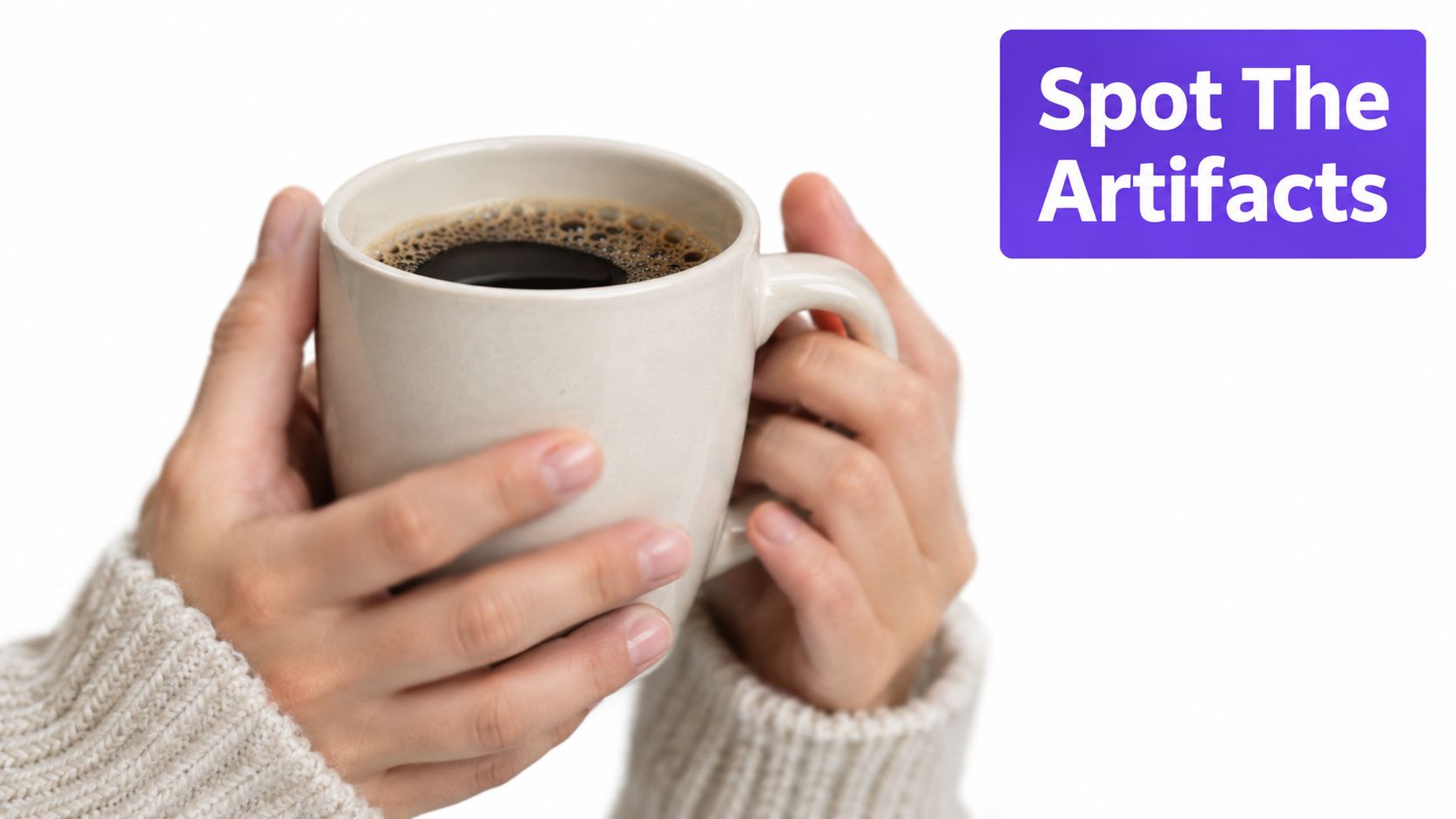
The most common trouble spots include:
- Hands and fingers often show awkward counts, fused shapes, or bent joints that don't make anatomical sense.
- Teeth and eyes may look too uniform, too glossy, or slightly misaligned with facial expression and gaze.
- Text inside the image can warp, misspell, or drift into decorative nonsense.
- Background details may melt together, especially shelves, crowds, windows, jewelry, or patterned fabrics.
- Lighting and shadows can look individually believable but inconsistent when compared across the whole scene.
A close comparison of AI photos vs real photos is useful if you want more side-by-side examples of those patterns.
A quick comparison
| Cue | Real photo tendency | AI image tendency |
|---|---|---|
| Hands | Imperfect but anatomically coherent | Plausible from afar, strange on inspection |
| Text | Legible if in focus | Often warped or invented |
| Skin | Natural variation, pores, blemishes | Over-smoothed or inconsistently detailed |
| Background objects | Specific and structurally stable | Repeated, warped, or vaguely merged |
| Reflections | Follow scene geometry | Sometimes attractive but contradictory |
Practical rule: If one part of the image is highly detailed but surrounding objects dissolve into ambiguity, slow down.
What the absence of errors doesn't prove
This matters just as much as the checklist above. An image can be AI-generated and still avoid the classic warning signs. Architecture, still life scenes, and clean product imagery can look convincing because they don't always trigger the anatomy mistakes people know to look for.
So don't use “I don't see extra fingers” as proof of authenticity.
That's why visual spotting works best as a first filter, not a verdict.
Real World Uses and Risks for Creators and Platforms
AI images aren't just curiosities. People use them because they solve real creative and commercial problems.
A marketer can mock up campaign concepts quickly. A game studio can generate mood boards. An online seller can prototype product scenes before a shoot. A teacher can create custom illustrations for a lesson. An artist can test composition ideas before painting. Used clearly and ethically, these can be legitimate workflows.
Four groups, four different stakes
The risk changes depending on who's using the image.
Journalists and editors need the strictest threshold. A synthetic image mistaken for documentary evidence can mislead readers, distort timelines, or lend false legitimacy to a rumor.
Educators face a different challenge. Students now encounter AI-made visuals as references, assignments, memes, and “evidence” in class discussions. Teachers need to ask not only whether an image is persuasive, but whether students can explain where it came from and how they checked it.
Artists and designers often use AI images as rough ideation tools, style experiments, or composites. Their main risk may be attribution confusion, consent questions, or accidental misuse of imagery that appears original but carries hidden legal or ethical problems.
Platforms and moderators deal with scale. They have to decide when a suspicious image is harmless style play, undisclosed advertising, impersonation, fraud bait, or political deception.
Common uses and matching risks
- Creative ideation can save time, but it can also blur authorship.
- E-commerce mockups can help sellers visualize products, but they can also misrepresent product quality or existence.
- Educational materials can make lessons more vivid, but they can accidentally teach false visual history if not labeled.
- Entertainment and fandom can inspire playful remix culture, but the same tools can produce impersonation and fabricated scenes.
A useful rule for trust is this: the more an image asks you to believe something happened, the higher your verification standard should be.
The threshold should fit the consequence
If you're choosing a temporary classroom illustration, your standard may be “good enough if clearly labeled.” If you're publishing a news item, reviewing identity evidence, or moderating a fraud report, “good enough” isn't enough.
That's why detection needs context. The same image may be harmless in one setting and unacceptable in another.
How Detection Works and Why It Is Not Perfect
People often talk about detection as if there's one magic test. There isn't.
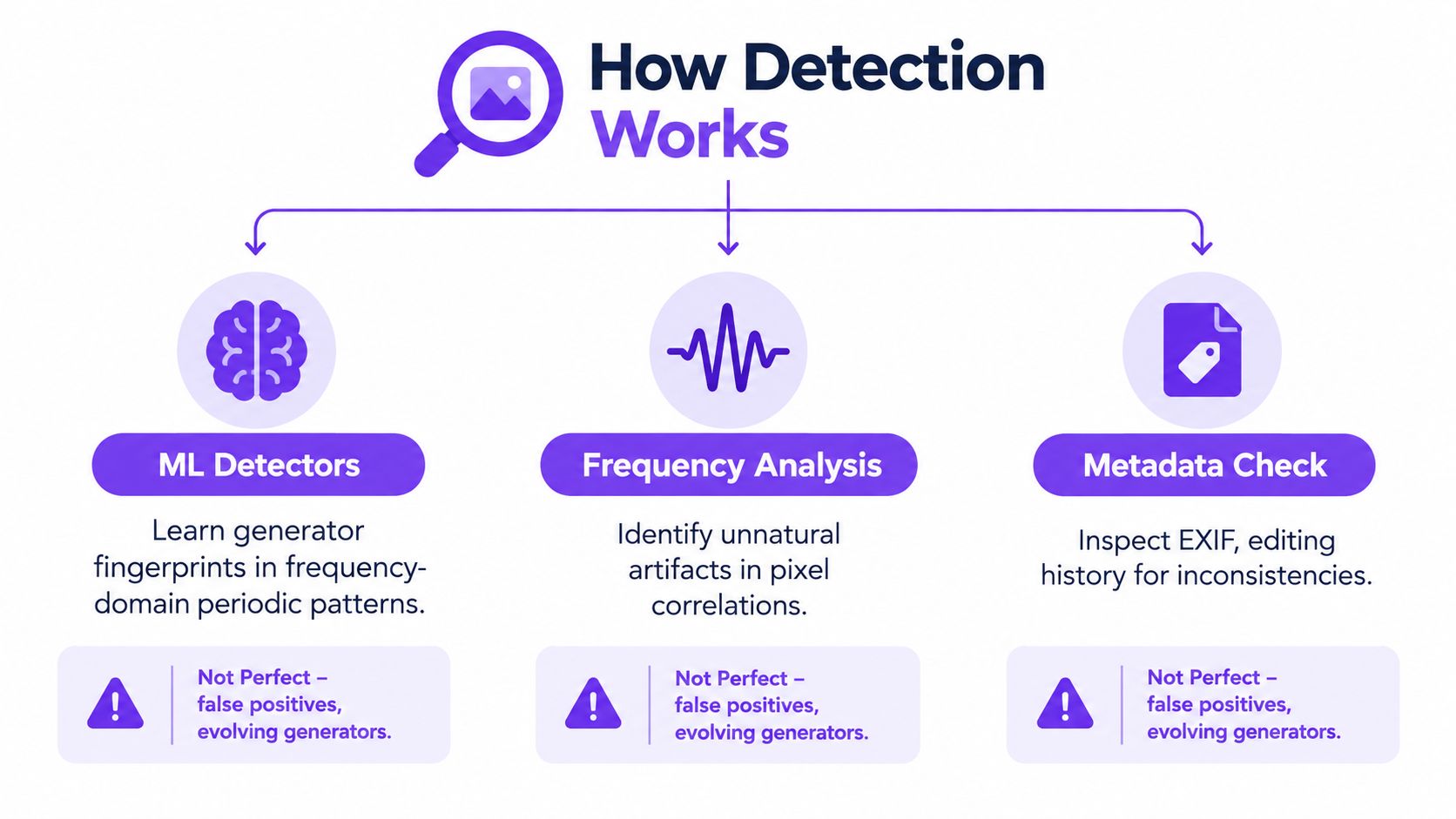
A more accurate way to think about it is as three lenses that can support each other: machine-learning detectors, artifact and frequency analysis, and metadata or provenance review.
Machine-learning detectors look for patterns people miss
Some detectors learn subtle signatures associated with synthetic generation. These aren't always visible to the eye. One research line reports that standard latent diffusion inpainting can leave distinct periodic, grid-like spectral peaks in the frequency domain, linked to upsampling and VAE encode-decode pipelines, as explained in this synthetic-image fingerprinting paper.
That sounds technical, but the takeaway is simple. An image can look realistic while still carrying machine-made patterns in its structure.
The catch is important too. That same work argues detectors can become too dependent on those global artifacts, which means they may be easier to evade when images are altered or artifact patterns are removed.
Benchmarks matter more than headline accuracy
A detector that performs well on one dataset may struggle badly on another.
Research on benchmark design shows that synthetic-image detection depends heavily on content diversity and evaluation design. A benchmark with 200K examples spanning photos, paintings, faces, and other content found that balancing high-resolution generated images across content types is important for generalization, while a 2024 benchmark paper argued that cross-domain performance matters more than strong in-dataset results alone, as discussed in this benchmark overview.
That's a polite way of saying: a detector can look smart in the lab and disappoint in messier real-world conditions.
The internet itself makes verification harder
Compression, reposting, screenshotting, and re-digitization can all weaken detection signals. Recent work from 2025 to 2026 found that detectors can perform well on controlled benchmarks yet drop sharply on online images and transformed content, with research warning that public tools become less reliable after common post-processing and after transmission or re-digitization, as described in this robustness-focused analysis.
That point is often more important than classic “spot the weird hand” advice.
A trust label is only as reliable as the image's handling chain. If an image has been resized, compressed, reposted through multiple apps, had overlays added, or been photographed off a screen, both humans and tools lose information.
If you want a practical sense of how edits can strip or alter signals, even a consumer-facing page about what an AI watermark remover can do hints at the bigger verification lesson: once people modify an image, surface clues become less dependable.
Detection isn't broken. But it isn't final proof on its own, especially after the image has traveled.
How to Verify Any Image Step by Step With an AI Image Detector
When you need an answer quickly, use a workflow instead of a hunch.
Start with simple human checks
Before using any tool, do a fast visual pass.
Scan the edges and secondary objects
Main subjects often look stronger than background details. Check hands, jewelry, text, reflections, shelves, and repeating patterns.Ask what claim the image is making
Is it trying to document an event, sell a product, prove a location, or build an emotional reaction? Higher-stakes claims deserve slower verification.Look for source context
Who posted it first, and in what format? Original file uploads are more useful than screenshots of reposts.
Add source and metadata checks
Use reverse image search to see whether the picture appears elsewhere with different captions, dates, or contexts. If you have the original file, inspect metadata carefully. Missing metadata doesn't prove anything by itself, but it can affect confidence.
A practical walkthrough on image verification online can help if you want a broader source-checking routine.
Use a detector as one signal, not the whole verdict
For non-technical users, one option is AI Image Detector, which lets you upload JPEG, PNG, WebP, or HEIC files up to 10MB and returns a confidence result ranging from Likely Human to Likely AI-Generated. It works by analyzing subtle artifacts and patterns in the uploaded image and returns results in seconds, based on the publisher information provided.
Use that result carefully:
- If the detector and your visual review agree, your confidence improves.
- If the detector gives a mixed result, treat the image as uncertain, especially if it may be edited or hybrid.
- If the file is compressed or heavily reposted, lower your confidence in any single verdict.
- If you need a reliable conclusion, document what you checked and seek additional review rather than forcing a yes-or-no answer.
For journalism, classrooms, and moderation work, the best habit is to record not just your conclusion, but the reasons you reached it.
Privacy also matters. If you're checking sensitive material, pay attention to whether a service stores uploads or analyzes them in real time without retention. That handling policy can matter as much as the score itself.
If you want a practical place to test your judgment, AI Image Detector gives you a fast way to check whether a file looks more human-made or AI-generated. It fits the workflow in this article because it works best as a second opinion after visual review, reverse search, and context checks.