

What Is Image Analysis and Why It Matters in 2026

Have you ever received a protest photo that seemed convincing, then noticed the hands, shadows, or background looked subtly wrong? The difficult question isn't only what appears in an image, but whether the file is authentic, manipulated, AI-generated, taken from an older event, or paired with misleading context.
That question leads directly to what is image analysis. In practical terms, it's the discipline of turning pixels into evidence. A system measures visual properties, extracts features, infers what those features may represent, and helps a person reach a decision. For journalists, editors, researchers, and trust and safety teams, the final decision should rarely come from one automated label.
Image Analysis in Plain Language
Image analysis means examining an image systematically rather than relying only on visual intuition. A computer can measure edges, color distributions, texture, noise, lighting relationships, repeated patterns, and file metadata. It can then use those measurements to locate objects, classify scenes, compare images, or identify signs of editing.
A useful working definition is:
Image analysis converts pixels into measurable signals, then combines those signals with context to support a judgment.
That definition contains three different activities. Measurement asks what is present at the pixel level, such as an abrupt edge or unusual texture. Inference asks what those patterns might indicate, such as a face, document, vehicle, or synthetic artifact. Judgment asks what conclusion is justified, such as likely human-created, likely AI-generated, altered, recycled, or inconclusive.
The boundaries between related terms matter.
- Image processing changes an image. Resizing, denoising, sharpening, color correction, and compression are processing operations.
- Image analysis measures and interprets an image. It might segment a tumor, detect a face, compare a logo, or inspect texture.
- Image understanding aims at higher-level meaning. It asks what a scene depicts, what people may be doing, or how an image relates to surrounding text.
These categories overlap. A detector may process an image before analyzing it, then use an understanding model to interpret the result. The important distinction is that analysis produces structured evidence, not merely a prettier picture.
A library guide describes a broader image-analysis practice built from content analysis, visual analysis, contextual information, and image source. That four-part view is especially valuable for verification because a technically consistent image can still be old, miscaptioned, or published by an unreliable account. Conversely, a heavily edited file may contain little forensic information while still being supported by strong provenance.
The rest of the subject becomes easier once you keep that distinction in mind. Image analysis has a history of converting visual material into measurable features, production systems organize those features into pipelines, and modern detector results need to be interpreted as evidence rather than treated as automatic truth.
How Image Analysis Became a Discipline
The field didn't begin with today's generative models. It began when researchers first found practical ways to represent images digitally and make machines calculate over them.
Digital computers became technically practical for image analysis in research laboratories during the 1950s, and researchers had recognized by the middle of that decade that images could be processed after conversion into digital form. A widely cited milestone came in 1962, when Metals Research in Cambridge developed an early television-based analyzer for microscopic images. The historical account from Leica Microsystems on the development of image analysis describes a basic pipeline that still feels familiar: digitize the image, extract features, and interpret patterns mathematically.
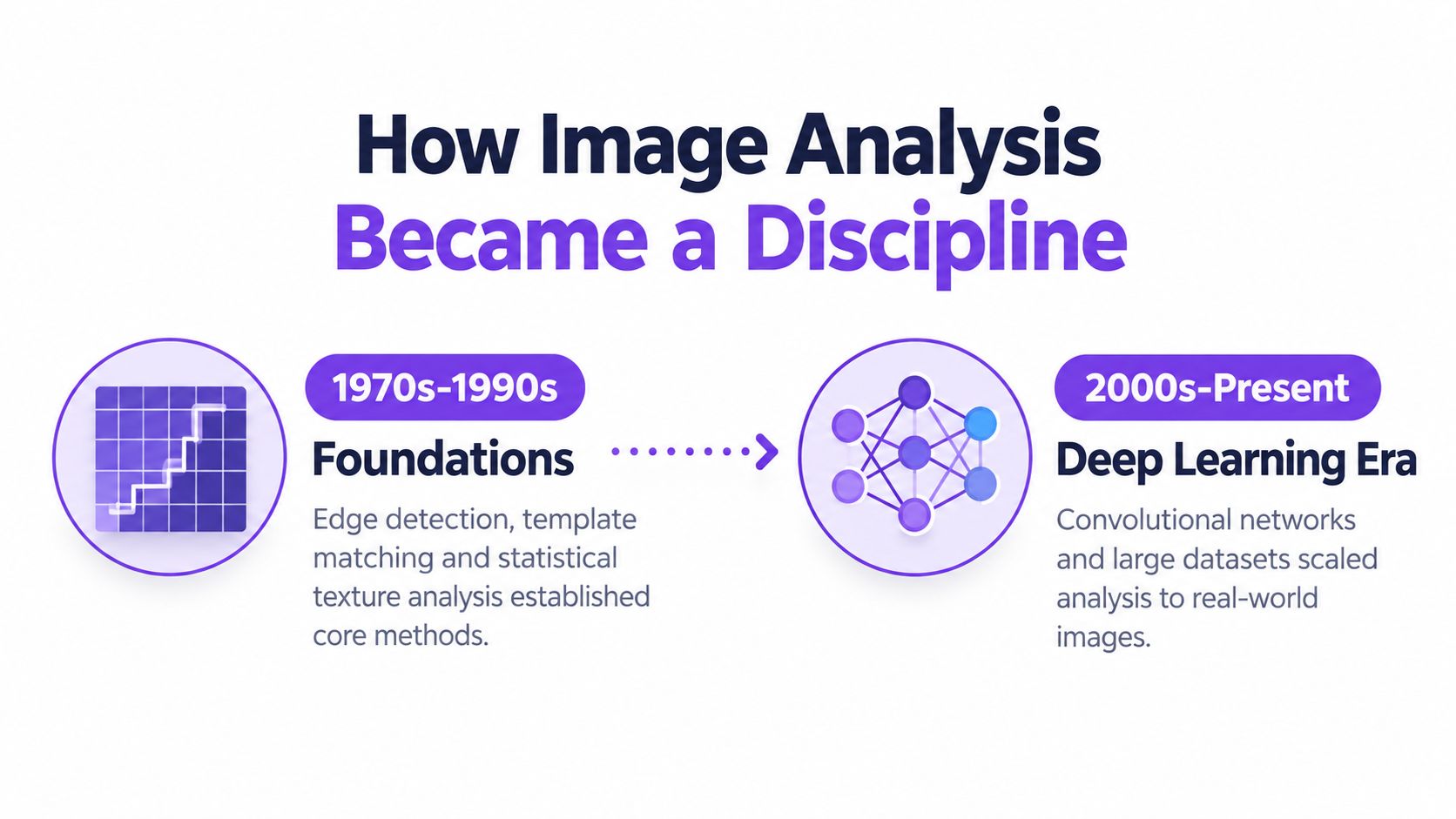
For many years, engineers had to tell the machine which visual properties mattered. Edge detectors highlighted boundaries. Template matching searched for known shapes. Texture descriptors represented repeated patterns. A medical analyst might design rules to distinguish suspicious structure from surrounding tissue, while an industrial system might look for an expected contour and flag deviations.
That approach worked best when the environment was controlled. A camera fixed above a production line sees objects at a predictable distance, under stable lighting, against a known background. A general web image is harder. It may contain blur, occlusion, unusual viewpoints, compression, mixed lighting, and objects the designers never anticipated.
Deep learning changed the balance. Instead of specifying every useful visual feature by hand, engineers could train neural networks to learn representations from examples. Convolutional networks became particularly influential because they could build increasingly complex patterns from local visual signals. Modern systems can recognize objects, segment regions, compare images, and inspect visual artifacts within a single learned architecture.
Generative AI created a new pressure point. Image analysis no longer serves only search, diagnosis, inspection, and classification. It also helps people ask whether an image was created or altered by a generative system. That shift has made provenance, forensic cues, and detector limits part of ordinary editorial practice.
The discipline's commercial importance reflects this expansion. One market estimate places image-analysis software at about US$3.97 billion in 2021, with a projection of US$7.67 billion by 2028, implying roughly 9.9% CAGR over that period, as reported by The Insight Partners' image analysis software market overview. Another estimate places the AI-based image-analysis market at US$10.79 billion in 2024, US$13.07 billion in 2025, and a projected US$36.36 billion by 2030, with a projected 22.7% CAGR, according to the same market research source.
Classical Pipelines and Modern Deep Learning
Classical image analysis starts with an explicit recipe. An engineer chooses how to clean the image, which features to measure, and which classifier should make the final decision.
The hand-built approach
A conventional pipeline might resize an image, correct illumination, detect edges, and extract descriptors such as SIFT, HOG, or LBP. It may then encode local patterns with a bag-of-visual-words representation before sending the result to a classifier such as an SVM.
Think of a librarian cataloging every book by visible traits. The librarian might record cover color, title length, typography, and page dimensions, then use those fields to sort the collection. This system can be understandable and efficient, but it depends on whether the chosen fields capture what matters.
Classical methods remain useful where teams have limited labeled data, controlled conditions, or a strong need to explain each measurement. A small medical dataset, a constrained industrial inspection task, or a forensic workflow may benefit from features that an analyst can inspect directly. They can also be easier to test when the target pattern is well defined.
The learned approach
Deep learning reverses the order. Engineers provide images and labels, and a neural network learns internal features during training. Early layers may respond to simple edges and color transitions, while later layers represent more complex shapes, parts, and scene relationships.
A child learning cats from many examples provides a better analogy than a rulebook. Nobody has to define a complete formula such as “pointed ears plus whiskers equals cat.” The child encounters variation, including different breeds, poses, lighting, and backgrounds, then forms a flexible visual concept. A deep model learns in a more mathematical and less human way, but the core intuition is similar.
Deep models usually handle messy, diverse imagery better because they can learn representations from the data itself. They also create new problems. Their internal reasoning can be difficult to audit, they can inherit biases from training data, and a model that performs well on one image population may fail after compression, resizing, or a change in generator technology.
| Aspect | Classical Pipeline | Deep Learning |
|---|---|---|
| Feature design | Engineers choose descriptors such as edges, HOG, SIFT, or LBP | The network learns representations during training |
| Data needs | Can work with smaller, carefully designed datasets | Usually benefits from broad, varied labeled data |
| Interpretability | Individual measurements are easier to inspect | Internal representations are harder to explain |
| Strength | Controlled environments and transparent forensic checks | Complex, varied web imagery |
| Common weakness | Hand-built features may miss unexpected variation | Dataset bias, drift, and opaque failure modes |
| Production role | Often used for targeted checks and post-hoc analysis | Often performs the main recognition or classification |
The practical answer isn't to choose one camp forever. Production systems often combine them. A deep model may generate an embedding or probability, while classical checks examine compression, geometry, metadata, or sensor noise afterward. Modern image analysis is frequently a layered system, not a single algorithm.
Inside a Typical Image Analysis Pipeline
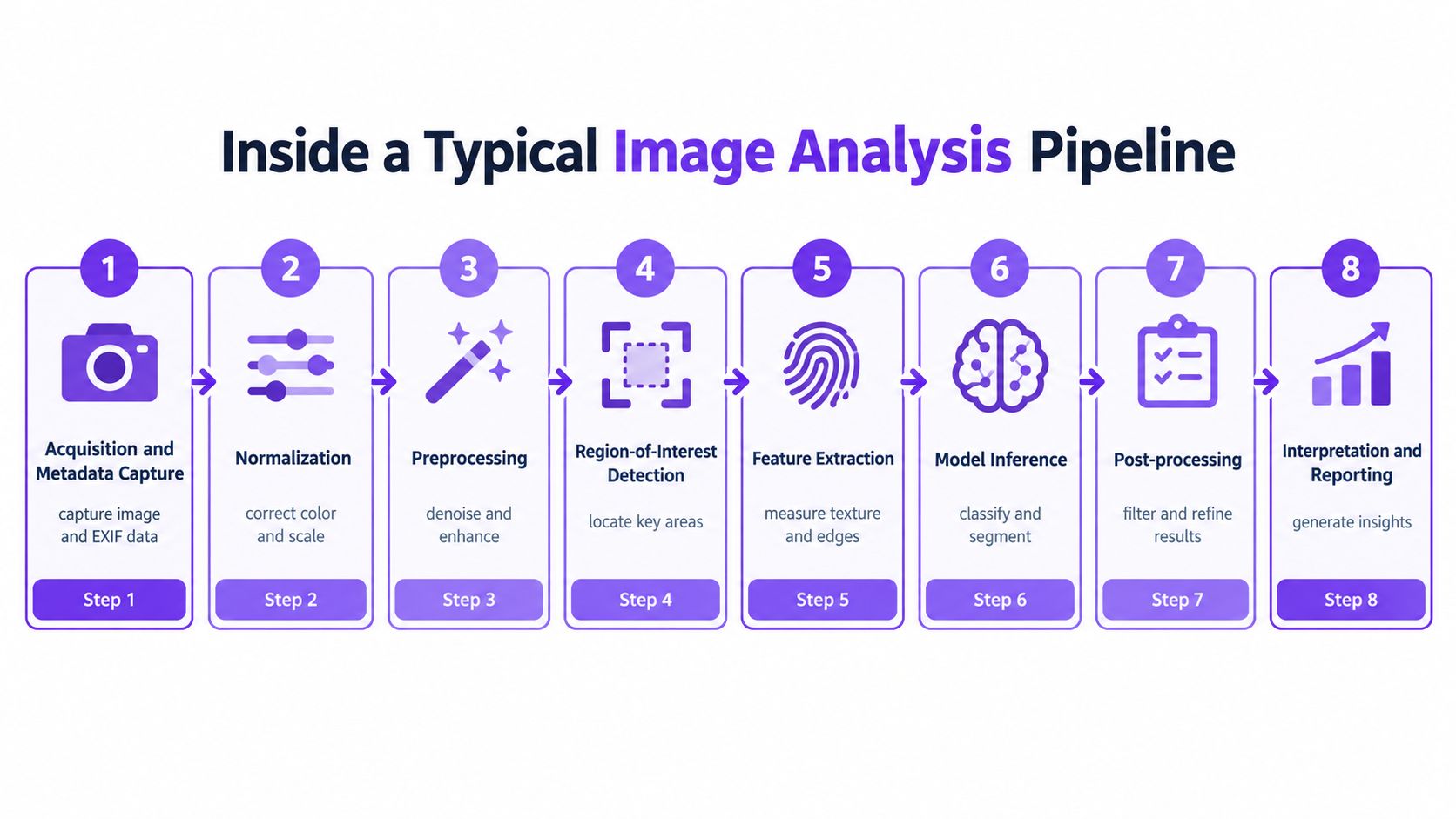
A production system turns an uploaded file into a decision through a sequence of transformations. Each stage produces an artifact that can be logged, inspected, or challenged.
From file to measurable input
1. Acquisition and metadata capture. The system receives the image and records available properties such as file type, dimensions, color space, and metadata. For a document or portrait, this establishes what the software received, rather than what a user remembers uploading.
2. Normalization. The image may be converted into a consistent color representation and scale. Without normalization, two visually similar images can produce different signals only because one uses a different color profile or resolution.
3. Preprocessing. Denoising, contrast adjustment, sharpening, or artifact isolation prepares the image for later stages. Preprocessing must be conservative. A filter that makes an image easier for a human to view may also erase evidence that a forensic model needs.
4. Region-of-interest detection. The system identifies relevant areas, such as a face, license plate, document field, or object boundary. The output may be a crop, bounding box, or segmentation mask.
From features to a decision
5. Feature extraction. The system measures texture, edges, frequency patterns, lighting relationships, or learned representations. In a document workflow, it might produce an embedding for comparison. In an authenticity workflow, it might isolate irregular texture or inconsistent rendering.
6. Model inference. A classifier, detector, or segmentation model converts those features into an output. That output might be a category, a mask, a similarity value, or a calibrated probability.
7. Post-processing. Rules filter weak detections, merge overlapping regions, correct obvious geometry problems, or apply a threshold appropriate to the use case. This stage can materially change what the user sees.
8. Interpretation and reporting. The software presents a verdict, supporting signals, and uncertainty. A passport workflow might combine document OCR, face matching, liveness checks, and tamper indicators before sending the case to approval or manual review.
The batch image processing workflow illustrates why this staged view matters when teams handle many files. A batch result is only useful if the system preserves enough information to trace which input, preprocessing choices, model version, and post-processing rules produced each output.
Audit rule: Treat every verdict as the end of a chain. If you can't identify what entered the system and which signals shaped the output, you can't properly evaluate the conclusion.
Where Image Analysis Actually Matters
A breaking-news desk may receive a viral protest photo with no reliable caption. An analyst can search for earlier appearances, compare shadows and weather conditions, inspect sensor noise, and examine whether the file's technical history fits the claimed event. The most important stage isn't necessarily object recognition. Source and context checks may decide whether the image is current at all.
A marketplace moderation team faces a different problem. It may use perceptual hashing to find near-duplicates, then apply classifiers to identify prohibited or misleading imagery. Hashing helps connect a new upload to known material, while classification evaluates content that hasn't appeared before. The failure is often not a lack of visual recognition, but a borderline image whose meaning depends on policy and context.
A copyright office or creative agency might compare a submitted campaign image with licensed stock libraries. Perceptual fingerprints can find visually similar material even after resizing or minor edits. That workflow highlights a different output, not “real” or “fake,” but a similarity relationship that requires a licensing decision.
In identity verification, document OCR extracts fields, face matching compares images, and liveness analysis looks for signs that a person is physically present rather than injecting a replay or synthetic face. Here, the most consequential error can occur when a strong face match hides a weakness in liveness or document integrity.
For agricultural imaging, the same principles apply outside media verification. A technical resource such as P150 Max for Australian farms provides context for understanding how aerial or field imagery can support operational decisions. The central lesson is consistent: the useful signal depends on the question being asked and the conditions under which the image was captured.
| Domain | Primary Signal | Typical Output | Most Common Failure |
|---|---|---|---|
| Journalism | Provenance, visual consistency, source history | Verification assessment | Recycled image or misleading caption |
| Marketplaces | Hash similarity and content classification | Policy label or review queue | Context-dependent borderline content |
| Copyright | Perceptual similarity and source records | Match candidates | Edited or transformed material |
| Identity validation | OCR, face similarity, liveness, tamper cues | Approval, rejection, or escalation | Spoofing, poor capture, or demographic mismatch |
| Agriculture | Shape, color, spatial patterns, and field context | Crop or asset assessment | Occlusion, changing conditions, or weak calibration |
The real-world examples of image analysis show why teams should map tools to decisions instead of treating “image analysis” as one universal capability.
Limits, Errors, and Ethical Trade-offs
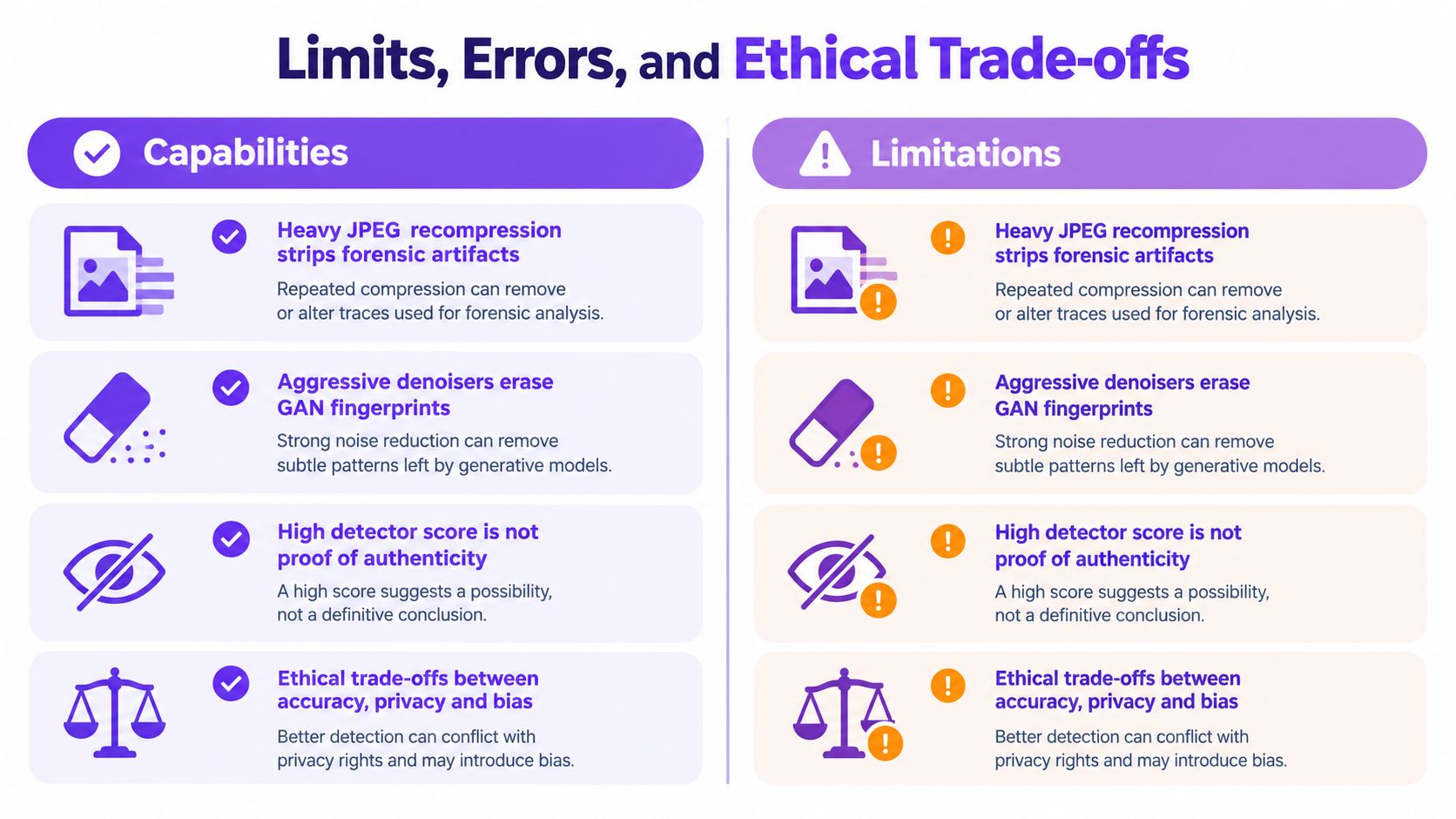
A high detector score isn't proof. It represents the model's response to the signals it recognized, and those signals can disappear, change, or occur naturally in human-created images.
Heavy JPEG recompression can strip subtle forensic artifacts. An aggressive denoiser can erase traces associated with a generator. A screenshot may remove metadata and introduce a new layer of compression. Model drift creates another problem: a detector trained on one generation of synthetic imagery may not recognize the next generation's visual behavior.
Bias adds a human cost. If training data underrepresents certain skin tones, ages, cameras, or image conditions, error rates may differ across groups. A system can appear accurate overall while producing unacceptable outcomes for a particular population. Editors shouldn't treat a confidence score as equally reliable in every context.
The evidence problem
Benchmark design determines whether a model's performance means anything. The Broad Bioimage Benchmarking framework stresses that the reference answer, or ground truth, must be agreed in advance so methods can be compared against the same standard. Weak or inconsistent labels can make a detector appear stronger than it is, while manually verified annotations support more reliable comparisons. The Broad Bioimage Benchmarking guidance explains why reference standards are central to reproducibility.
Ethics also begins before inference. Scraping images at scale may improve training coverage, but faces and personal details can enter datasets without consent. Retention periods, access controls, and deletion procedures are design choices, not unavoidable consequences of automation.
Practical safeguards include:
- Human review: Escalate consequential or ambiguous cases.
- Contestability: Give subjects and publishers a way to challenge a result.
- Retention limits: Keep uploaded images and derived data only as long as necessary.
- Documentation: Record what data and image conditions shaped the model.
- Clear scope: State what the detector wasn't trained to recognize.
Responsible practice: A detector should reduce investigative workload, not remove the investigator from the decision.
Reading AI Image Detector Results
Read an AI Image Detector result as four pieces of evidence, not one yes-or-no answer.
First, inspect the overall verdict label. Labels such as likely human, likely AI-generated, or uncertain summarize the system's current interpretation. They help prioritize work, but they don't establish authorship or intent.
Second, examine the confidence score. The score communicates the strength of the model's classification. Even when presented as a probability, it remains a model output shaped by training data, calibration, image quality, and the decision threshold. A threshold is a workflow aid. It shouldn't become an absolute cutoff that overrides all other evidence.
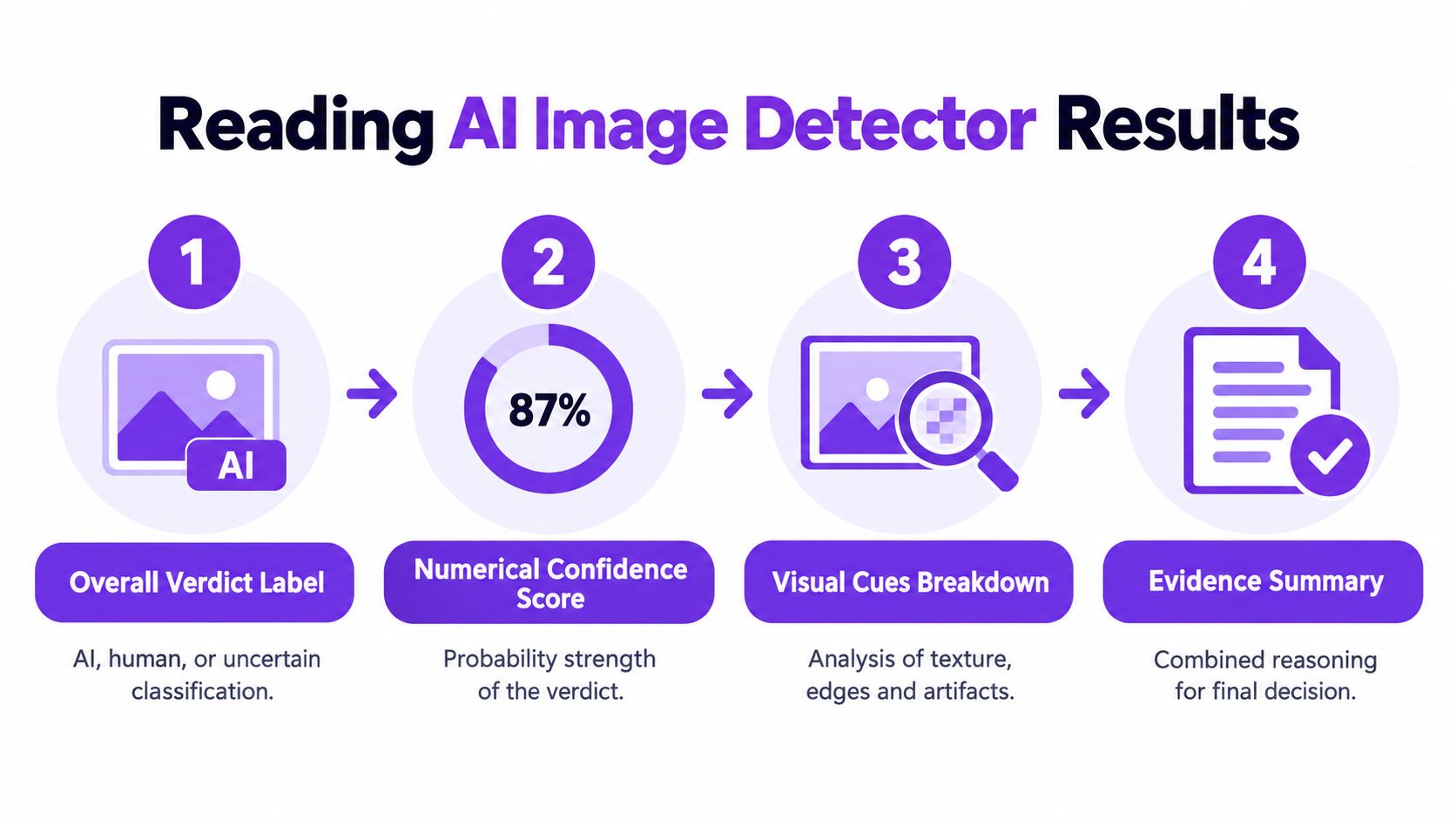
Third, inspect the visual-cue breakdown. Look for the signals behind the result, such as texture artifacts, lighting inconsistencies, unusual edges, or repeated patterns. A verdict supported by several independent-looking cues deserves different attention from one driven by a single weak feature.
Fourth, check the evidence summary and available metadata. Metadata can support a provenance story, but its absence doesn't prove manipulation. A social platform, screenshot, or editing application may remove it. The practical question is whether the technical evidence agrees with the file's claimed origin.
Research illustrates why artifact sensitivity matters. One benchmark of 10,000 images reported a zero-shot multimodal model with 94.62% overall accuracy and 94.61% F1, as described in the benchmark paper on artifact-aware synthetic image detection. The same research context emphasizes that performance can fall when visible cues are subtle or absent. A larger benchmark introduced 52,000 synthetic images and 4,000 real images with pixel-level artifact annotations, showing the value of fine-grained supervision for explainable detection.
For a practical visual checklist, how to identify AI art can help readers notice common visual inconsistencies. Use those observations as prompts for investigation, not as final proof. The AI Image Detector tool can provide a classification and confidence signal, but the final editorial call should also consider reverse-image results, source history, publication date, and direct confirmation from the person or organization that supplied the file.
Putting Image Analysis to Work Today
Image analysis works best as a craft that combines automation with disciplined judgment. The tool can surface patterns that humans miss, while the investigator decides whether those patterns fit the image's provenance and purpose.
Use this short checklist when a suspicious file arrives:
- Record provenance: Save the original file, sender information, stated capture date, and surrounding caption.
- Search for earlier versions: Use reverse-image search and compare crops, edits, and publication history.
- Read the detector output: Note the verdict, confidence, visual cues, and metadata signals.
- Corroborate independently: Check witnesses, official accounts, geolocation clues, weather, lighting, and event timing.
- Document the decision: State what evidence supports the conclusion, what remains uncertain, and whether a human reviewer approved publication.
The semantic gap remains important. Machines can measure low-level features while humans interpret meaning, intent, and cultural context. Research on content-based image retrieval and the semantic gap describes this mismatch, and it explains why a visually plausible classification may still fail to answer the question an editor cares about.
A detector reduces repetitive checking. It doesn't replace source verification, provenance work, or editorial accountability. The strongest conclusion comes from converging evidence, with the automated result recorded as one transparent part of the case.
AI Image Detector analyzes uploaded images for patterns such as generator artifacts, lighting inconsistencies, and other visual signals, then returns a classification with a confidence score and explanatory reasoning. Use it to triage suspicious files and support a documented review workflow, then visit AI Image Detector to test an image when your next verification decision needs a structured starting point.


