

AI That Can Read Images: How It Works, Tools and Limits

You've photographed a restaurant receipt because you need the total, pointed your phone at a street sign you can't read, or uploaded a chart because its message isn't obvious. Each feels like the same request: look at this picture and tell me what it says. But the system needs different skills for each job.
AI that can read images is useful precisely because those skills can work together. Knowing where they separate helps you choose a tool, recognize the kind of mistake it makes, and check the answer before acting on it.
What Image-Reading AI Can Do Today
Image reading is an umbrella term, not a single capability. Extracting the words on a receipt isn't the same as understanding whether its charges make sense. Describing a street scene isn't the same as establishing where the photograph was taken.
Start with the output you need.
Task, technology and output
| Task | Technology | What you get back |
|---|---|---|
| Read printed or handwritten text in a photo | OCR | Plain text, optionally with text positions |
| Describe what a photo shows | Image captioning | One sentence or a short paragraph summary |
| Answer a specific question about an image | Visual question answering (VQA) | A short answer such as a count, color or yes/no |
| Explain meaning, context or multi-step reasoning | Multimodal LLM | Free-form explanation with reasoning |
| Judge whether an image is AI-generated | AI image detection | A verdict with a confidence score |
For the receipt, you might want editable text that you can paste into an expense form. For the sign, you need text recognition before translation. For the chart, you might need the system to read axis labels, locate plotted values, and explain a comparison.
Those outputs demand different checks. A transcription should match the visible characters. A chart explanation should match the plotted relationships. An authenticity verdict needs evidence about origin, not merely an accurate description of the subject.
Practical rule: Choose the tool by the output you need, not by how conversational its interface looks.
A single application may offer all these functions, but that doesn't mean it performs them equally well. Treat each capability as a separate job, even when the same upload button starts the process.
How Pixels Become Answers
A photograph reaches the model as numbers: brightness and color at each pixel. The first useful pattern is usually a boundary, the place where one surface ends and another begins. From there the system builds upward: edges form curves, curves form parts, and parts suggest an object, a word, or a mark on a chart.
Early vision pipelines tried to handcraft those cues. Engineers wrote detectors for edges, textures, and shapes, then hoped the same recipe would survive a new camera, a new room, or a new angle. A controlled task could work. A dimmer photo, a tilted sign, or a cluttered background often meant more engineering.
The progression from numerical input to an answer looks like this:
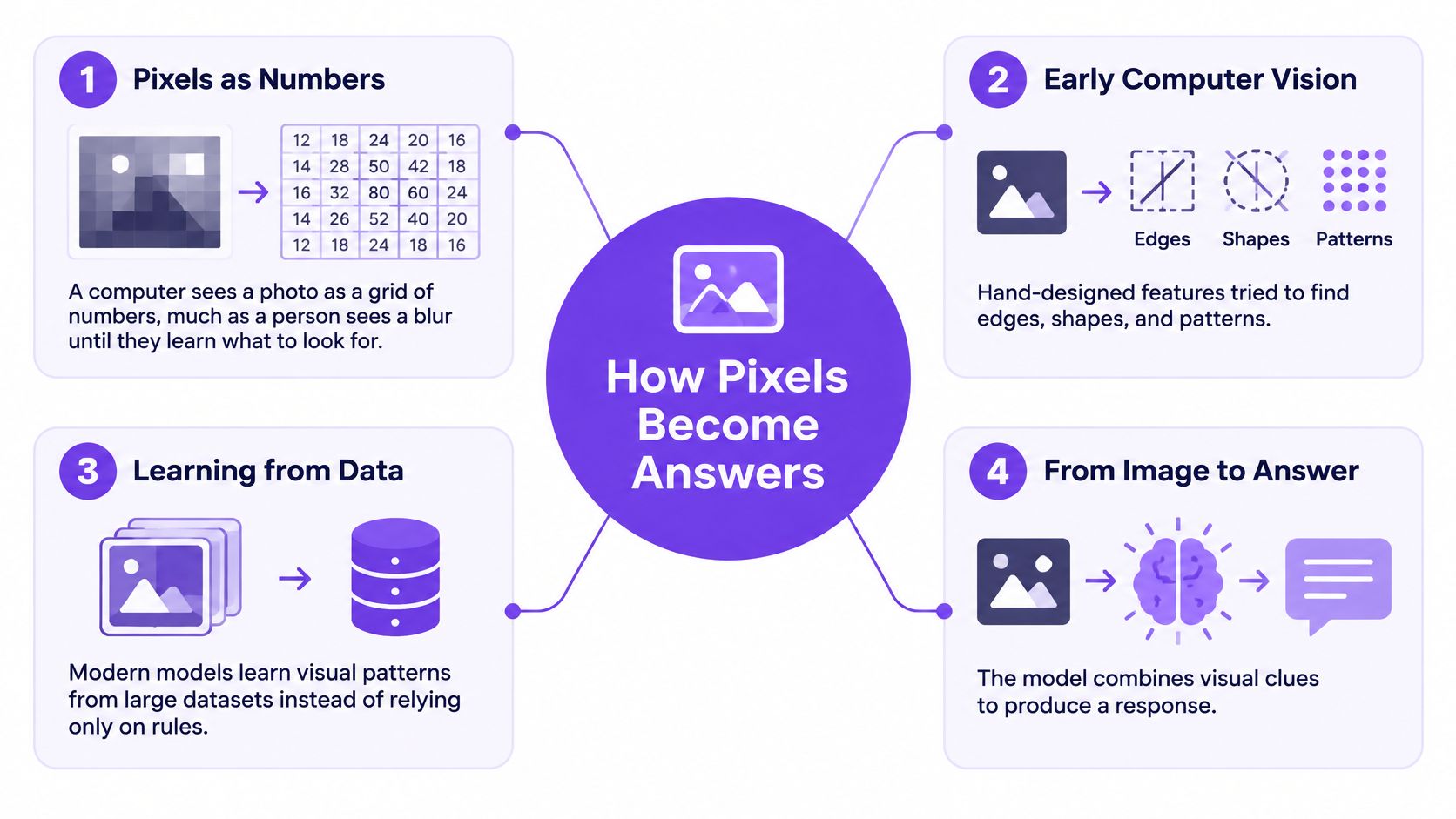
Learning patterns instead of writing every rule
The ImageNet challenge paper describes the competition launched in 2010, using 1,000 object categories and approximately 1.2 million training images. A shared set that broad gave teams a harder common test than small, carefully staged image collections.
In 2012, AlexNet showed that learned features could beat hand-engineered ones by a wide margin on that benchmark. In top-5 evaluation, the correct class only needs to appear among the model's five highest-ranked guesses.
That distinction matters. A benchmark can reward a useful shortlist while still missing the correct first answer.
Learned patterns also inherit the limits of their examples. A model trained mainly on clean product photos can recognize the same kind of object in a catalog and still miss it in a dim kitchen, partly hidden behind a mug.
When an output looks wrong, ask which stage failed. Blur and glare corrupt the input. Crowded scenes confuse grouping. Similar categories invite a confident wrong label. Multi-step questions can produce a fluent answer that the pixels do not support. Match the check to the stage: inspect the photo, compare the label with visible evidence, and test unfamiliar examples before trusting the result.
Inside OCR, Captioning, VQA and Multimodal Models
OCR finds characters, not necessarily meaning
Optical character recognition, or OCR, works like a typist copying a page. It locates text regions and converts their visual patterns into characters. Some systems also return coordinates so software can place the extracted text over the original image.
The difficult part isn't always identifying a letter. It can be deciding which column comes next, whether a mark is punctuation, or whether handwriting belongs to the line above. Curved packaging, skewed photographs, and faint ink make those decisions harder.
A typical capture task starts with a document photograph:
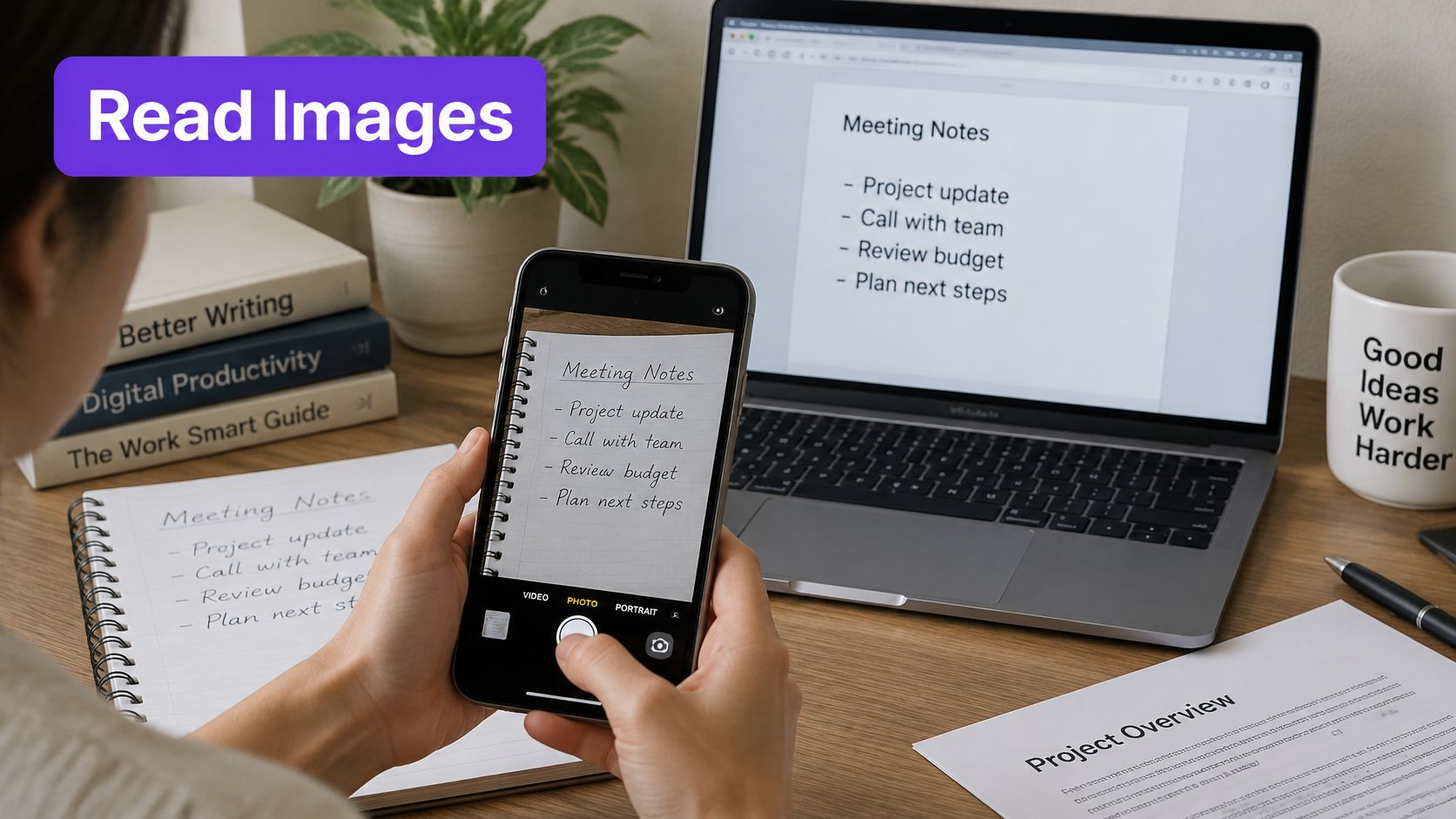
For document work, text recognition in images is the relevant starting point. Preserve the original alongside the transcription so reviewers can compare uncertain words directly.
Captioning summarizes while VQA targets a detail
A captioning model resembles a quick sketch artist: it selects the main subject and setting rather than recording everything. That makes it useful for browsing a photo collection, but a concise caption can omit the detail you care about.
Visual question answering behaves more like a detective asking a precise question. Instead of requesting a general description, you ask whether the person is holding an umbrella or which bar is tallest. Its limitation is targeted attention: the model can answer from a nearby object, overlook an obscured item, or accept a mistaken assumption in your question.
- For captions: Check whether the summary leaves out something essential to your purpose.
- For VQA: Ask about a clearly identified object or region rather than an ambiguous pronoun.
- For OCR: Inspect names, symbols, and layout separately from ordinary running text.
Multimodal models connect visual clues with language
A multimodal language model is closer to an interpreter working with both a picture and a written brief. It encodes visual features, connects them with language representations, and generates an answer from that combined context.
Recognizing objects doesn't guarantee understanding implied meaning. On the II-Bench image-implication benchmark, the best evaluated multimodal model reached 74.8% accuracy, compared with 90.3% for human participants, and sentiment-polarity hints improved model accuracy.
A person standing beside a broken vase may be visible. Responsibility for breaking it isn't.
For complex tasks, separate extraction from interpretation: identify relevant regions, transcribe necessary text, assemble the evidence, then request an explanation. This makes it easier to locate the failure instead of treating a polished final answer as ground truth.
Major Image-Reading APIs and Models Compared
The main choices fall into open-source OCR engines, cloud vision APIs, and multimodal model APIs. Use their strengths to make a shortlist, then evaluate the actual service configuration you intend to deploy.
Major image-reading options compared
| Option | Category | Strongest at | Watch out for |
|---|---|---|---|
| Tesseract | Open-source OCR engine | Clean printed text on scans | Weak on handwriting and skewed photos |
| Google Cloud Vision API | Cloud vision API | Text, labels and landmark detection | Check billing units and enabled features |
| Amazon Rekognition | Cloud vision API | Labels, text in images and face analysis | Face features need careful governance |
| Azure AI Vision | Cloud vision API | Captions, OCR and object detection | Confirm feature support in your deployment region |
| Vision-capable LLM APIs | Multimodal LLM | Open-ended questions and reasoning over images | Hallucinated details; verify outputs |
| Google Gemini multimodal models | Multimodal LLM | Documents mixed with images | Test degraded-image quality and document coverage |
Match the service to the workflow
Tesseract is a sensible starting point when you want local text extraction and control over preprocessing. Straighten the page, crop unnecessary background, and check reading order before blaming recognition alone. It isn't the natural choice for explaining a photograph.
Cloud vision APIs provide structured outputs that developers can connect to search, cataloging, or document workflows. Confirm the exact endpoint rather than assuming a provider's entire feature list belongs to every service tier or region.
Multimodal APIs suit tasks where the question changes from image to image. They can combine document content with instructions, but a persuasive explanation isn't a substitute for a validated extraction process.
A useful demo proves that a tool can solve an example. A useful evaluation shows which examples it gets wrong.
For implementation questions, an image recognition API comparison can help distinguish endpoint types and integration needs. Keep procurement questions separate from accuracy questions.
- Commercial checks: Confirm billing, request limits, supported formats, and regional availability in current documentation.
- Governance checks: Establish who can submit images, who can inspect results, and whether face-related features are appropriate.
- Operational checks: Test timeouts, unreadable-image responses, and how the application handles incomplete output.
Use the testing method at the end to compare candidates on the same image collection. A provider name alone doesn't tell you whether the service fits your material.
Where Image Reading Fails and How to Protect Privacy
A fluent caption can sound authoritative even when the visual observation is false. Smooth language can conceal a misread label, an incorrect spatial relationship, or a causal explanation that the picture doesn't support.
The multimodal evaluation paper discusses a 2025 benchmark finding hallucination rates of up to 30% when leading multimodal models describe natural images. That scope matters: it isn't a universal error rate for every image-reading task.
The main risks and protective habits are worth keeping visible:
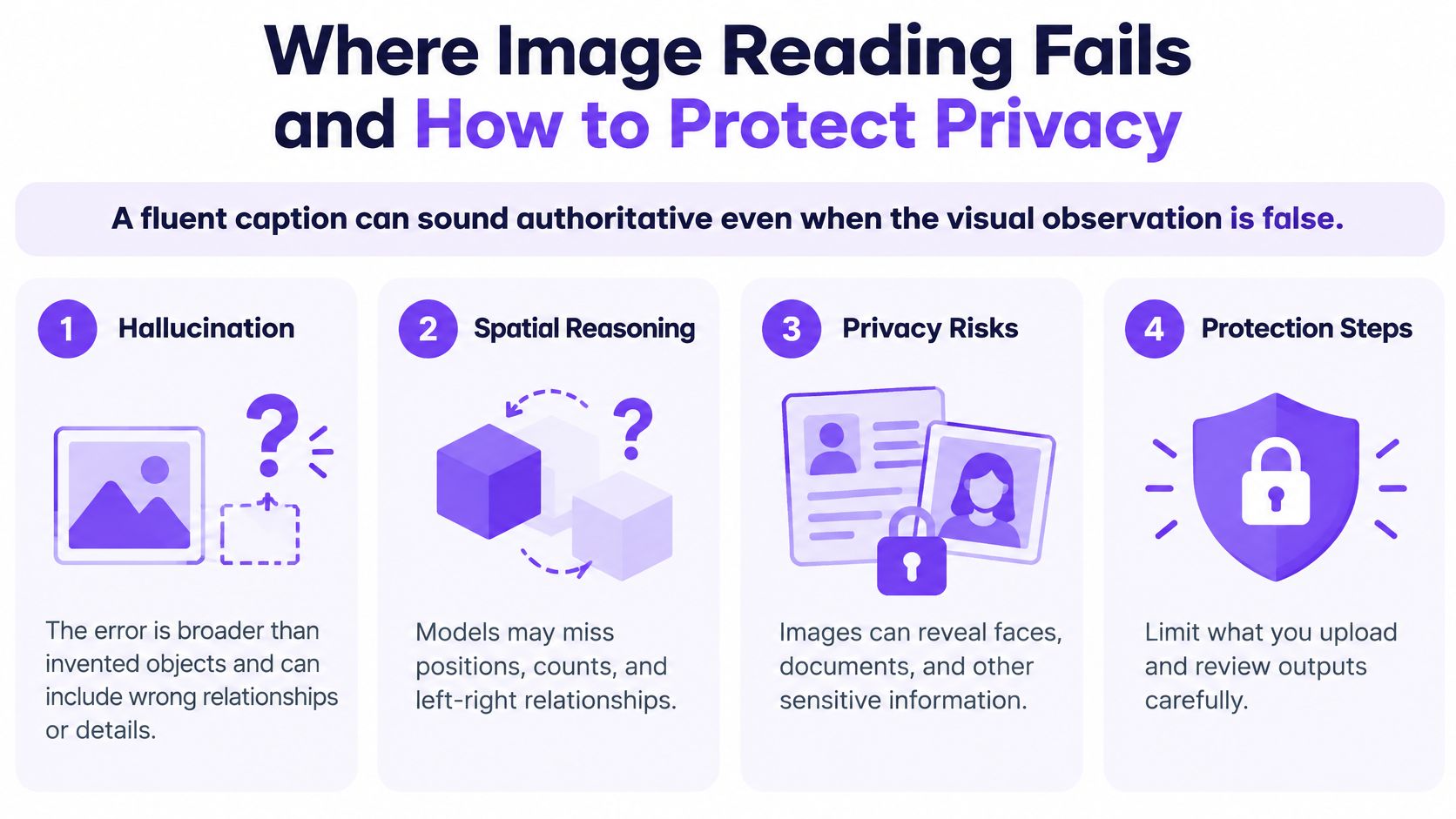
Diagnose the mistake before retrying
A perception error happens when the system reads the image incorrectly. A reasoning error happens when it draws an unsupported conclusion from something it identified correctly.
Suppose a model correctly recognizes a person, a ladder, and a window. It may still incorrectly conclude that the person is repairing the building. Repeating the question won't necessarily supply the missing evidence.
Use a verification routine that exposes those differences:
- Request visible evidence: Ask the system to identify the region supporting each important claim.
- Separate observation from inference: Keep visible objects and text apart from explanations of intention, emotion, or cause.
- Mark external checks: Verify dates, locations, ownership, and events using information outside the image.
- Improve the capture: Retake dark or blurred photographs; use a close crop for text and retain a wider view for context.
- Allow abstention: Make an unreadable or uncertain result acceptable rather than demanding a guess.
A confidence score also needs testing. A generated statement of certainty isn't automatically calibrated, meaning it doesn't necessarily correspond to how often comparable answers are correct.
Reduce exposure before uploading
Faces, documents, screens, and home interiors can reveal sensitive information unrelated to your task. Crop or redact unnecessary details in the file you submit, not just in a preview.
Check whether the service processes images locally or remotely, retains uploads, permits training use, and provides deletion controls. Confirm who within your organization can access both the images and the extracted text.
Privacy check: If the task only needs a receipt total, the service doesn't need the surrounding desk, an identity document, or a visible computer screen.
Don't use a general image reader to infer identity or sensitive attributes. Medical, legal, identity, and safety-critical decisions require qualified review and an appropriate process, not a more forceful prompt.
Real-World Uses from Receipts to Accessibility
An invoice enters an accounts workflow
Say an accounts team receives a photographed invoice. OCR extracts supplier details and line items, while a multimodal model flags missing fields or apparent inconsistencies. Deterministic accounting software should perform the arithmetic rather than relying on a generated explanation.
An employee compares exceptions against the source image before approving payment. Keeping the crop associated with each extracted field makes that review much easier.
A journalist organizes a tip
A journalist receives an unfamiliar photograph. Captioning helps describe its visible contents, and targeted questions help locate readable signs or distinctive objects. Neither operation establishes that the image depicts the claimed event.
The journalist checks provenance, contacts the sender, and looks for independent corroboration. A guide to AI image description is useful for organizing what is visible without turning a description into a verified story.
Accessibility changes what a useful answer means
A blind user photographs a kitchen appliance and asks which control is selected. The useful response identifies the relevant control, explains any uncertainty, and gives actionable capture guidance if the label is outside the frame.
The visual question answering evaluation paper includes VizWiz, a benchmark built from questions asked by blind users. Accessibility evaluation is therefore a distinct task, not generic image questioning with spoken output.
An incorrect description can be especially difficult to catch when the user can't independently inspect the picture. Appliance safety settings or medication identification should involve accessible manufacturer information or qualified human assistance rather than an unverified visual guess.
When designing mobile assistance, Wonderment Apps' guide can help teams compare on-device and cloud AI. Processing location matters for connectivity, responsiveness, and what personal imagery leaves the device.
- Product catalogs: Input a product photograph, generate a draft description, and have a merchandiser verify material, dimensions, and variant before publishing.
Across these scenarios, the most useful workflow doesn't merely produce an answer. It gives the reviewer the original evidence and a clear place to intervene.
How Image Reading Fits With AI Image Detection
An image reader describes content. An AI image detector estimates origin. A convincing account of a picture's subjects doesn't establish whether a camera or a generator produced it.
A detector interface focuses on that different question:
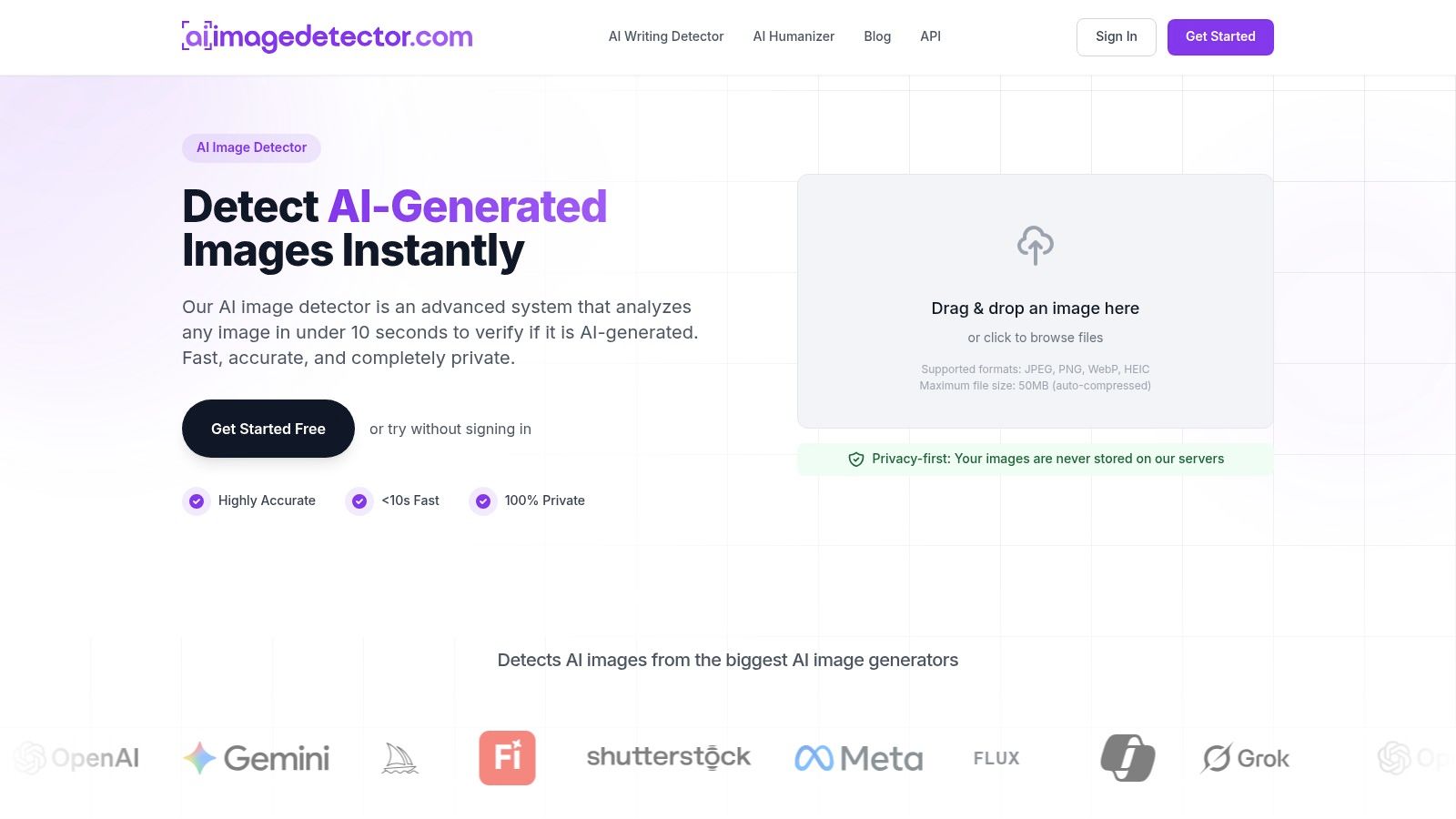
What the benchmark actually measures
The following figures come from the mixed-image detection benchmark, which compared human observers and multimodal models on AI-generated and human-created images.
Reported detection benchmark results
| Model or group | Overall accuracy | F1 score |
|---|---|---|
| Human observers | 88.45% | Not reported in the benchmark summary |
| Fuyu-8B | 66.1% | 64.9% |
| LLaVA-1.5-13B | Not reported in the benchmark summary | 3.7% |
| GPT-4V | Not reported in the benchmark summary | 28.0% |
These results apply to the tested models and image collection, not every current detector. F1 combines precision and recall, so it isn't interchangeable with overall accuracy.
The benchmark also observed a tendency to favor the AI-generated interpretation. In practice, teams need to investigate false accusations involving edited, compressed, or stylistically unusual material rather than treating visual oddness as proof.
Keep authenticity checks separate
AI Image Detector is one browser-based option for obtaining an authenticity assessment and confidence indication. Before uploading sensitive material, check its current privacy terms, accepted formats, file limits, and pricing rather than assuming those conditions are permanent.
For a visual introduction to the workflow, this video provides an additional reference:
For organizational use, evaluate detection independently from caption quality:
- Measure precision: Among images flagged as generated, determine how many are.
- Measure recall: Among known generated images, determine how many the detector catches.
- Retest transformations: Include resizing, compression, and post-processing representative of your publishing workflow.
Keep provenance checks alongside detection. A detector verdict shouldn't, by itself, justify accusing an artist, rejecting a submission, or declaring a photograph authentic.
Pick the Right Image Reader for Your Task
Choose the narrowest tool that produces the required output. For clean scans that need editable text, start with OCR and test an open-source engine such as Tesseract. For labels or captions across a large collection, compare cloud vision APIs using your own material.
For changing questions, document explanations, or cross-image comparisons, consider a multimodal LLM with an explicit review step. If the question concerns AI-generated origin, evaluate a dedicated detector instead of asking a general describer to act as a forensic examiner.
Test the workflow, not just the model
Build a small evaluation collection with examples you can verify independently. Include the awkward material people will submit, not only attractive demonstration images.
- Define the output: Specify whether success means exact transcription, correct object labels, a supported explanation, or an origin assessment.
- Include difficult captures: Add dark, blurred, rotated, and cluttered examples, plus relevant document layouts.
- Record error types: Distinguish omitted text, substituted characters, wrong objects, unsupported inferences, and false authenticity flags.
- Assign review: Decide who handles uncertainty and which outputs must never trigger an automatic decision.
- Document privacy handling: Record upload destinations, retention rules, access permissions, and redaction procedures.
Compare the complete cost of correction, not just the convenience of the initial answer. A tool that returns structured uncertainty may be more useful than one that always responds confidently.
Start with a real image whose origin you know, run a detection check, and compare the verdict with your evidence. Confirm current access terms before assuming the check is free, then use any disagreement to improve your evaluation process.
AI Image Detector offers an image-origin assessment with a confidence indication, complementing tools that transcribe or describe pictures. Visit AI Image Detector to try an authenticity check, and weigh the result alongside your own review of the image's provenance.
