

How to Analisar O Analizar: A 2026 Guide to AI Image Checks

Human judgment is barely better than guessing when people try to identify synthetic images. A 2025 paper reported an overall mean detection accuracy of 51.2%, while image-specific accuracy was 49.4%, below random guessing at 50% (paper on synthetic-media detection). That finding changes how a newsroom, classroom, or trust-and-safety team should approach analisar o analizar. Looking at an image carefully still matters, but visual intuition alone isn't a dependable verification method.
The phrase also contains a useful language lesson. Analisar is the standard Portuguese spelling, while analizar is the Spanish spelling for the same basic act, examining something carefully (Portuguese usage explanation). In multilingual editorial work, confusing the two can signal language interference rather than a harmless spelling variation. The same care used to inspect pixels should guide the words used to describe that inspection.
What Analisar o Analizar Really Means for Modern Images
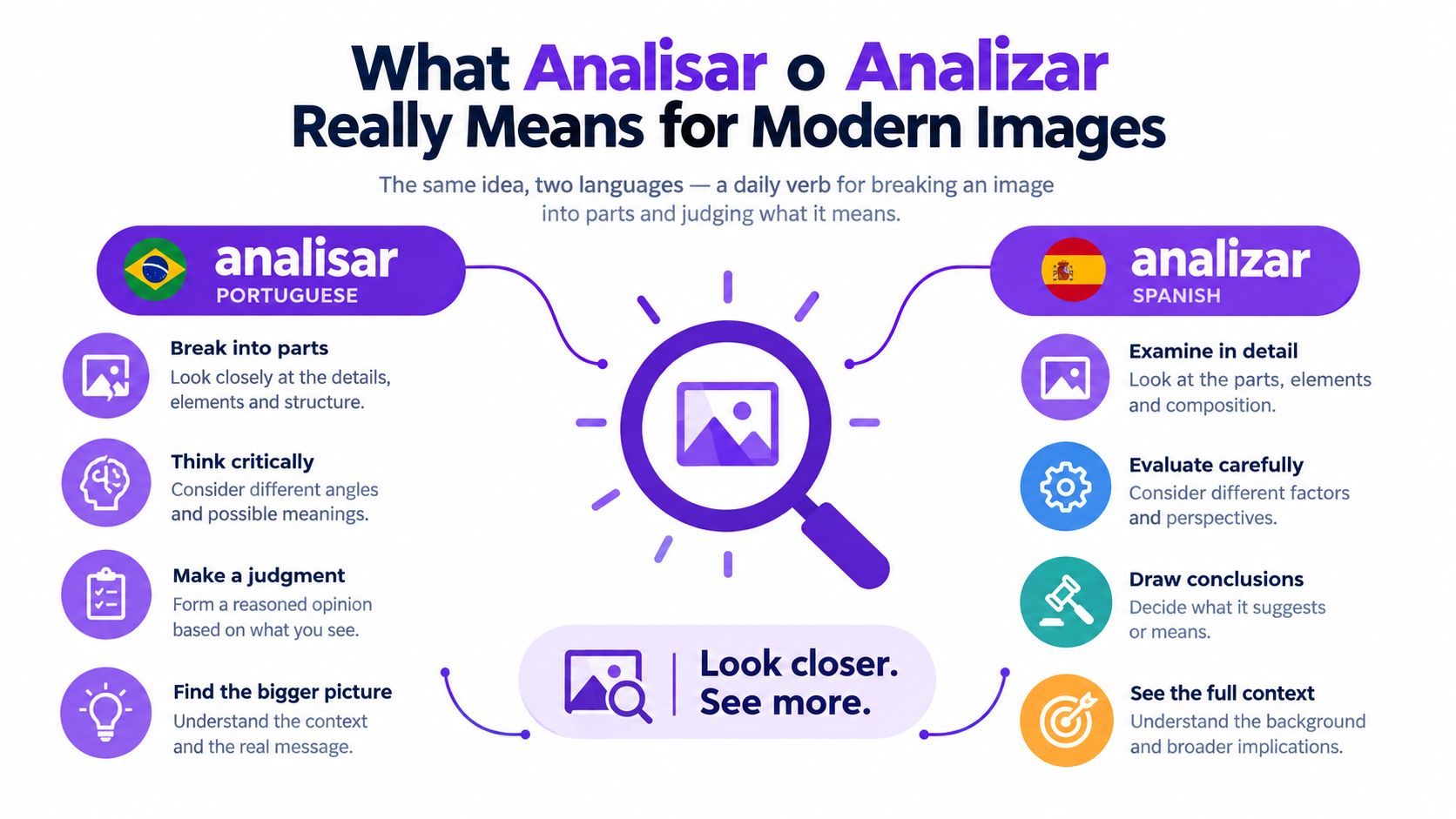
To analisar an image is to separate it into meaningful parts and ask what those parts imply. You might examine a face, a shadow, a background, a caption, or the file's history. In Spanish, you'd write analizar. The meaning is shared, but the spelling belongs to different language systems.
For modern image verification, analysis goes beyond asking whether a picture looks attractive, dramatic, or realistic. It means testing the file for patterns that can distinguish a camera-created image from one produced or altered by generative software. A detector examines statistical features that ordinary viewers can't reliably judge by eye, which is increasingly important as synthetic imagery becomes more photorealistic.
The newsroom meaning of the verb
A practical analyst asks several questions in sequence:
- What is visible? Check anatomy, lighting, reflections, text, and object edges.
- What is statistically unusual? Look for noise, texture, compression, and frequency patterns.
- What does the detector report? Separate a label from the confidence behind it.
- What does the source history show? Compare the file with its claimed origin, earlier versions, and surrounding evidence.
This approach prevents a common mistake: treating a detector as an oracle. The result is one piece of evidence, not an automatic publication decision.
By the end of this guide, you'll be able to read a detector verdict, understand why its confidence score may be uncertain, recognize common failure patterns, and place image checks inside editorial workflows. You'll also know when to write analisar and when to write analizar, a small distinction with practical value for Portuguese and Spanish teams.
Working rule: Analyze the image, the file history, and the language around it. None of the three should be treated in isolation.
Why Image Analysis Has Become a Daily Necessity
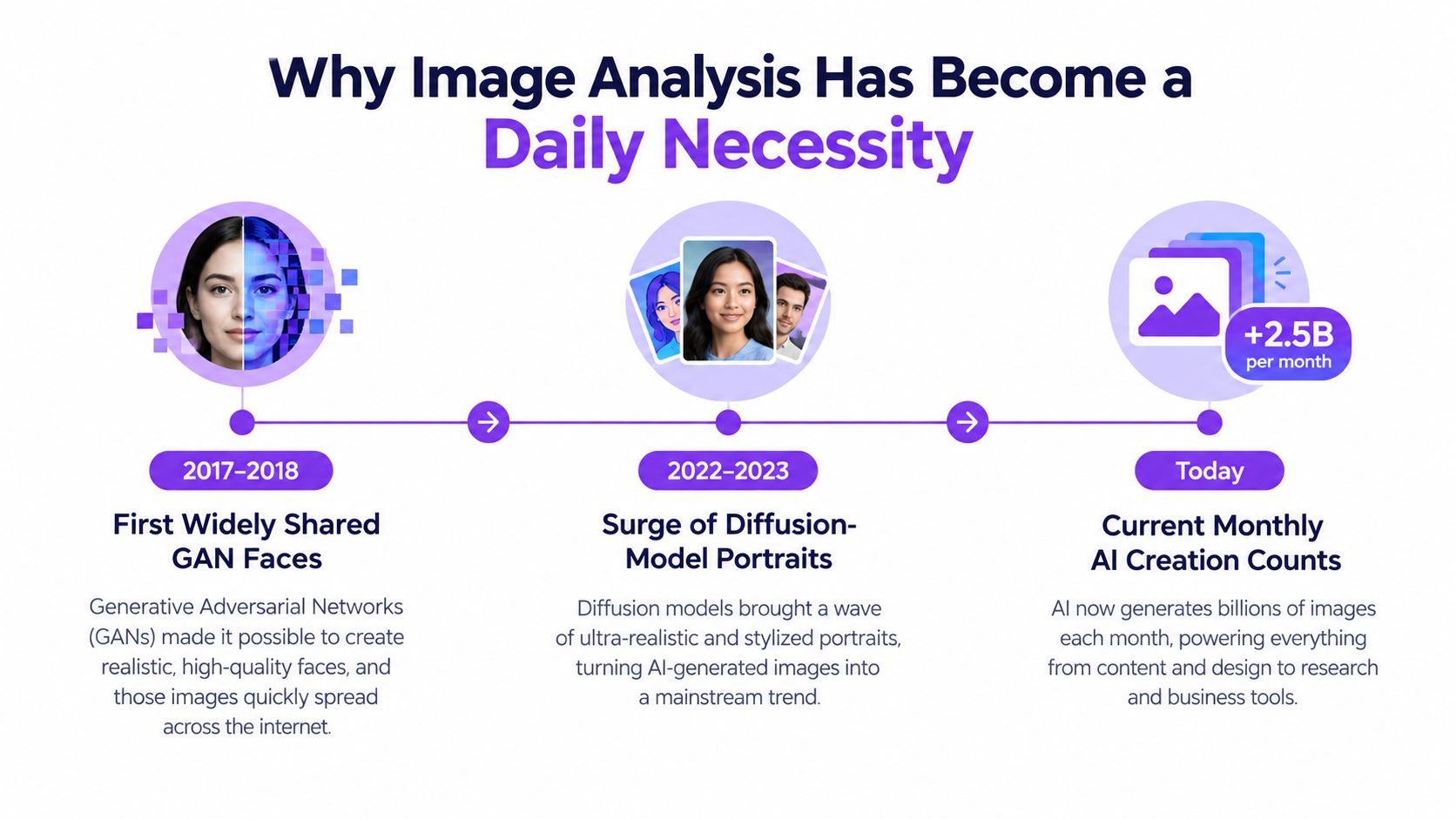
Synthetic imagery moved from technical demonstrations to routine production quickly. Consumer image-generation tools became widely available in 2022, and industry summaries report that more than 30 billion AI images had been created since then. The same summaries describe daily global creation at around 80 million AI images, while one major launch in March 2025 reportedly generated more than 700 million images during its first nine days (industry summary of AI image generation milestones).
That volume changes the job. A human reviewer can inspect a small queue carefully, but a publisher, educator, or moderation team may receive synthetic-looking material faster than staff can examine it manually. The operational question is no longer whether AI images exist. It's how to decide which files deserve deeper review before they reach an audience.
From obvious defects to credible evidence
Early synthetic faces often attracted attention because their defects were visible. A reviewer might notice strange teeth, malformed fingers, or backgrounds that dissolved into noise. Diffusion-based systems made those clues less dependable by producing images that can resemble ordinary portraits, product shots, or documentary scenes at a glance.
A journalist checking a submitted photograph now needs a repeatable process. An educator assessing a visual assignment needs a way to triage uncertainty without accusing a student on appearance alone. A platform moderator needs a first-pass signal before a trained reviewer examines context and policy risk.
The same logic applies across those settings: sharing happens constantly, so checking must become routine. Image analysis is a hygiene step between receiving a file and trusting it, much like checking a source name, date, or quoted statement before publication.
How AI Image Detector Performs the Analysis
An AI image detector turns a visual file into measurable evidence. The process usually begins when a user drags an image into an upload area. Behind that simple action, the system prepares the file, extracts features, compares them with learned patterns, and returns a classification with a confidence estimate.
The pipeline in plain language
Preprocessing makes the input consistent. A system might resize an image to a standard working dimension, remove or ignore metadata, and normalize color information. This helps the model focus on visual structure rather than differences caused by device settings or file packaging.
Feature extraction converts the image into fingerprints. These can include pixel-noise behavior, repeated textures, edge patterns, compression artifacts, and frequency-domain signals. A fingerprint isn't a visible mark. It's a mathematical description of how small parts of the image behave together.
Model comparison matches those features against reference examples associated with human-created and synthetic imagery. The model doesn't ask whether the image “feels fake.” It calculates how closely the file resembles patterns it learned during training.
The verdict presents the result in a form a person can use. Depending on the product, the report may show a label such as likely human or likely AI-generated, a confidence score, and sometimes an explanation or visual highlight.
A practical overview of this upload-to-verdict process is available in the AI image detector tool guide. The important point is that the polished interface hides several interpretive decisions. Cropping, resizing, recompression, screenshots, and editing can change the signals the system receives.
The score summarizes a model's assessment of evidence. It doesn't establish the image's complete history.
That distinction keeps a newsroom from over-trusting a single result. A detector can prioritize files for review, identify suspicious regions, and add technical context to source checking. It can't replace provenance records, eyewitness testimony, original camera files, or editorial judgment.
The Hidden Signals Behind Every Verdict
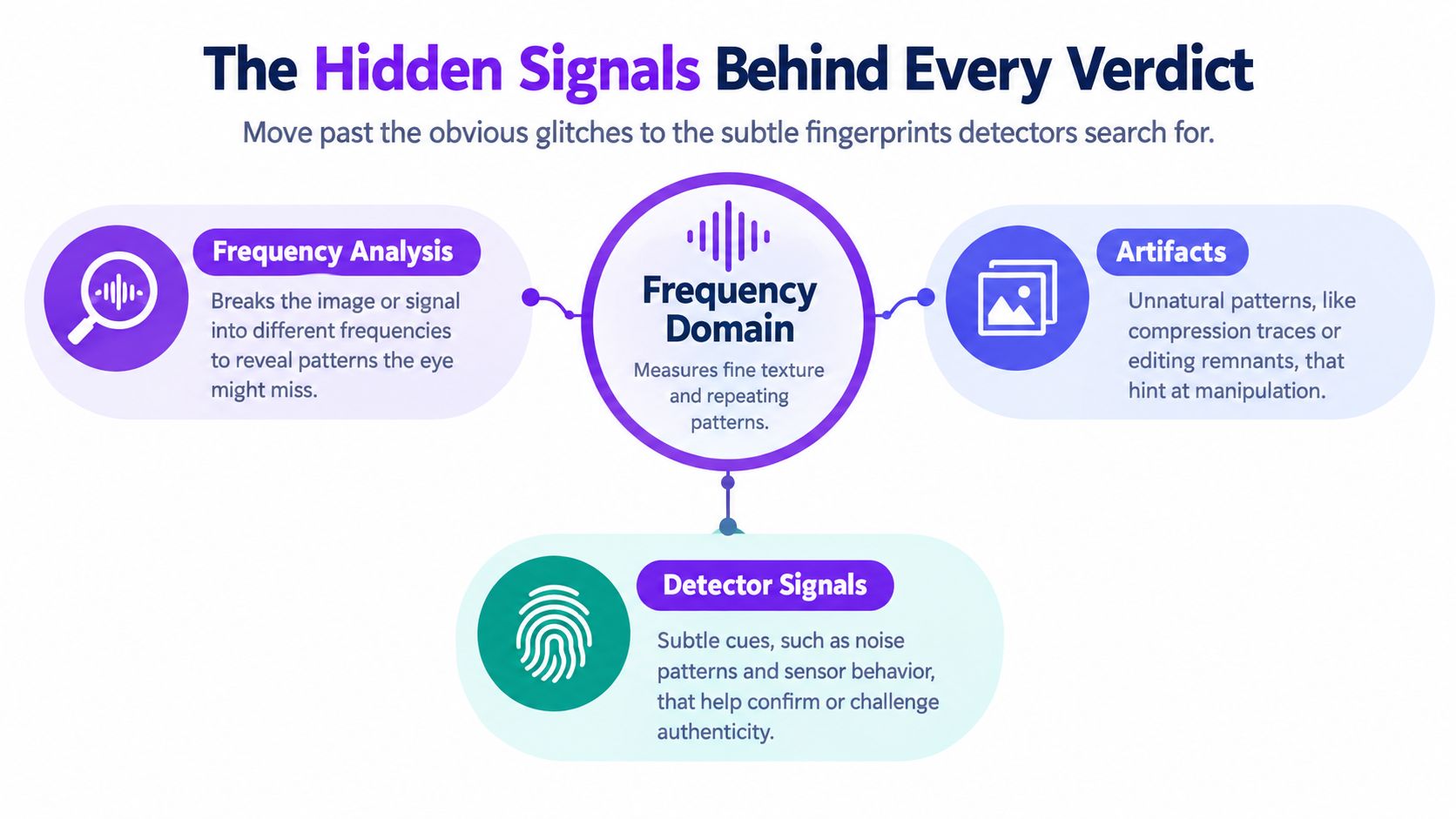
Visible glitches are only the most accessible clues. Modern forensic analysis often searches for statistical inconsistencies that remain hidden when an image looks polished. One important method examines the frequency domain, a mathematical view of how fine textures and repeated patterns are distributed across an image.
Generative systems can leave repeatable spectral fingerprints. Independent forensic research reports pronounced peaks in the Fourier spectrum of denoised noise residuals, with recurring periods of 4, 8, or 16 samples in both directions. Researchers also describe rings, ovals, and circular structures that may be associated with decoder upsampling or biases inherited from training data (forensic research on spectral fingerprints).
What the detector can measure
Think of the image as having two layers. The first is the scene you recognize, such as a person, building, or outdoor view. The second is the fine-grained statistical texture beneath it, including tiny variations in noise and repetition. Frequency analysis examines that second layer, where synthetic processes may behave differently from camera sensors and optical systems.
Other signals can contribute to a layered assessment:
- Compression behavior: Edited regions may compress differently from surrounding areas, especially around faces or inserted objects.
- Lighting relationships: A face, shadow, and reflective surface may each imply incompatible light directions.
- Biometric structure: Earrings, eyes, teeth, fingers, and facial symmetry can contain subtle inconsistencies.
- Metadata context: Missing or altered camera information may raise questions, although metadata alone doesn't prove an image is synthetic.
A classical inspection focuses on what a person can see immediately. Forensic inspection asks whether the image's statistical components agree with one another. That's why a file can look flawless and still produce suspicious evidence.
For readers who want a more technical treatment, a frequency analysis tool for AI images provides useful context for this kind of signal. Video presents similar challenges, but motion adds another layer of evidence. A separate guide on how to spot fake AI footage can help teams extend the same skeptical habit beyond still images.
Reading Confidence Scores and Verdicts
A detector report usually contains three elements: a verdict label, a numerical confidence score, and, in some tools, a heatmap or explanation showing areas that influenced the result. Read them together. A headline label without the score can hide uncertainty, while a score without context can encourage false precision.
A result near the middle should trigger more investigation, not a quick approval. A score of 51% isn't a green light, and a score of 95% is a strong flag, but neither one tells you who created the image, when it was made, or whether a person edited an originally synthetic file.
Confidence Score Interpretation Guide
| Score Range | Verdict Label | Recommended Action |
|---|---|---|
| Lower range | Likely Human | Check provenance and use visual review before publication |
| Middle range | Inconclusive | Seek the original file, compare versions, and request a second review |
| Higher range | Likely AI-Generated | Treat the result as a strong lead, then verify source and context |
The precise boundaries vary by detector, so don't transfer one tool's thresholds to another. A face sub-score, lighting sub-score, or noise indicator may describe only one region or feature family. It isn't necessarily the same as the overall classification.
A careful reading routine
Start with the source. Ask who supplied the file, whether the sender has an original, and whether the image has passed through a screenshot or messaging platform. Then repeat the scan after removing unnecessary borders or interface elements, because a crop can change what the model evaluates.
Edited and recompressed images deserve special caution. The probability versus certainty guide captures the central discipline: confidence expresses the strength of a model's evidence, not absolute knowledge. Record the result, preserve the original, and let human review decide what happens next.
Where Image Analysis Fits Across Real Workflows
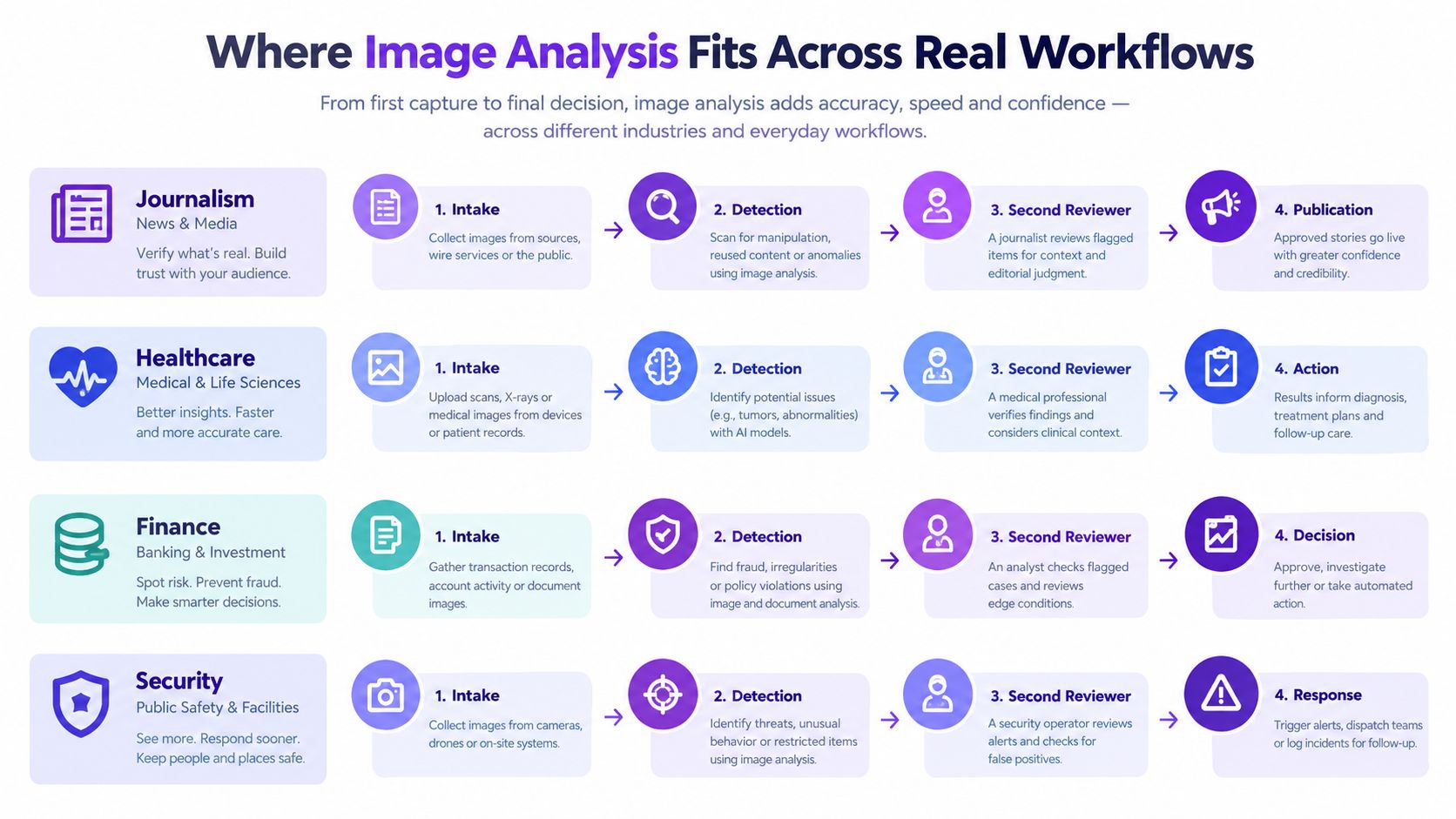
The same upload-and-verify loop can serve different professions, but each profession assigns responsibility differently. A newsroom may prioritize publication risk. A teacher may prioritize fairness. A moderation team may prioritize queue speed and policy consistency. A corporate risk group may prioritize impersonation and brand protection.
Four practical applications
Journalism: A reporter or producer checks the file at intake, preserves the submitted version, and records the detector result. A second reviewer examines files that receive a high-confidence synthetic signal or conflict with the source's account. Publication follows only after the visual result agrees with provenance and reporting.
Education: A teacher can use detection to triage a questionable image, not to issue an immediate accusation. The student should have an opportunity to provide drafts, source files, or an explanation of editing tools before an academic-integrity decision is made.
Content moderation: The detector works as a first-pass filter. Likely synthetic items can move to trained moderators with the relevant policy context, while ambiguous cases remain available for human review rather than being removed automatically.
Corporate risk: A company checking an executive portrait, recruitment image, or marketplace listing may prefer escalation over fast approval. The cost of falsely accepting an impersonation can exceed the inconvenience of sending a legitimate file to a reviewer.
The threshold changes by setting, but the architecture stays stable:
- Receive and preserve the file.
- Run automated analysis.
- Attach the score and explanation to the record.
- Escalate according to policy.
- Verify the source before release or action.
That consistency makes multilingual labeling important too. A Portuguese team can document analisar, while a Spanish team can document analizar, without treating the spelling difference as a difference in investigative method.
Honest Limits Every Analyst Should Know
No detector is infallible. Generators change, and a system trained on one family of artifacts may perform poorly on an unfamiliar generator, a resized file, a recompressed image, or a partially edited one. Recent synthetic-image research describes a sharp decline in performance when obvious visual cues disappear and warns that detectors can overfit to the artifacts of a particular model instead of learning signals that generalize across generators (research on generalization limits).
A detector may also behave differently across image types. Scenery pictures, paintings, screenshots, heavily compressed JPEGs, and AI-assisted human edits can present weaker or conflicting evidence. Training-data imbalance can create uneven performance across subjects and demographics, so teams should avoid treating a score as equally reliable in every context.
Common Failure Modes for AI Image Detectors
| Failure Mode | Why It Confuses Detectors | Recommended Action |
|---|---|---|
| Unseen generator | The model may not recognize its artifact pattern | Seek provenance and obtain a second assessment |
| Resizing or recompression | Editing can alter noise and frequency evidence | Preserve the original and compare versions |
| Screenshot of an image or text | The capture process adds a new visual layer | Request the underlying file |
| AI-assisted human edit | Human and synthetic signals may coexist | Review suspicious regions and editing history |
| Low-resolution source | Important features may be missing | Mark the result as limited and avoid a sole-source decision |
The goal isn't to abandon automated analysis. It's to use it with discipline. A score can prioritize review, expose a hidden inconsistency, or challenge an unsupported claim. It can't prove intent, establish authorship, or substitute for source verification.
Evidence standard: A detector result should change what you investigate, not decide what you publish by itself.
Privacy, Workflow, and a Quick Start Checklist
Image verification often involves sensitive material. Before uploading, consider whether the file contains identifiable faces, private documents, location clues, or metadata that could expose a source. Redact what you don't need, use trusted local tools when the material is confidential, and review the retention policy of any third-party service.
A repeatable workflow starts with preservation rather than detection. Keep the original download, document where it came from, note the claimed date and creator, and save relevant surrounding messages. Then run the detector and record the verdict, confidence level, timestamp, and file version.
Five steps for the next review
- Capture the original: Avoid relying on a screenshot or social-media preview when a direct file is available.
- Document provenance: Record the sender, URL, context, and stated origin.
- Run detection: Treat the output as a triage signal, not a final judgment.
- Cross-check externally: Use reverse-image search, earlier versions, and independent reporting.
- Log the decision: Preserve the score, reviewer notes, and reason for publication, escalation, or rejection.
A compact checklist helps under deadline pressure:
- Verify the source before the pixels: Ask who supplied the image and why.
- Prefer lossless downloads: Avoid unnecessary conversions that can erase forensic evidence.
- Record every result: Save the file version and the detector's confidence.
- Escalate ambiguous cases: Never publish from one low-confidence result.
- Revisit old assessments: A new generator or updated detector can change the interpretation.
For property, commerce, and listing teams, guidance on how to verify listing video before publishing offers a useful parallel. The principle is the same for still images: establish the source, inspect the file, document the decision, and keep a person accountable for the final call.
AI Image Detector analyzes uploaded images for synthetic patterns and returns a confidence score with an explanatory verdict, helping teams distinguish likely human, edited, and AI-generated content during routine review. Visit AI Image Detector to run your next image check and build a more consistent verification habit.


