

How to Check for AI Usage in Images and Spot Fakes

If you want to check for AI usage in an image, a quick visual scan for oddities like warped hands or jumbled text is a good starting point. But for a definitive answer, you really need a dedicated AI detection tool. These tools are built to spot the subtle digital fingerprints and pixel-level patterns that AI generators leave behind, giving you a reliable confidence score in just a few moments.
Why We Need to Check for AI Usage in Images
Not too long ago, verifying a digital image was a specialized skill. Today, it’s becoming an essential one for everyone. With synthetic media flooding our feeds, telling a real photo from an AI-generated fake is crucial for maintaining a baseline of trust and authenticity online.
This isn't an abstract problem. The sheer volume of AI-generated content is mind-boggling. Between 2022 and 2023, text-to-image models churned out over 15 billion images. For perspective, it took traditional photography nearly 150 years to reach that milestone. A single model was responsible for roughly 80% of that output, which just shows how fast this new content engine is running.
The Problem with Manual Checks
Trusting your eyes alone to spot a fake is a losing game. Sure, early AI art had tell-tale signs—the infamous six-fingered hands or bizarrely twisted faces—but the latest models are far more sophisticated. In fact, studies have shown that most people are barely better than a coin flip at telling real images from AI ones.
This isn't just a casual concern; it has serious real-world implications across different fields:
- Journalism and Media: Picture a breaking news situation. Fact-checkers are inundated with user-submitted photos and have minutes to decide what's real and what's manufactured misinformation.
- Academic Integrity: Teachers and professors now face the challenge of verifying that images in student papers—from scientific diagrams to historical photos—are genuine and not just AI-generated shortcuts.
- Platform Safety: For social media networks and online marketplaces, image verification is a frontline defense against fake profiles, scam product listings, and dangerous deepfakes.
The heart of the issue is that AI models are designed to fool us. They learn from reality to create convincing duplicates that sail right past our instincts. Guessing is not a strategy when the information landscape is saturated with synthetic content.
A Multi-Layered Approach is Essential
The only reliable way forward is to combine sharp human judgment with purpose-built technology. It's a two-step process: start with your own visual inspection for anything that seems "off," but always confirm your suspicions with a tool made for the job. This guide will walk you through building that exact workflow.
If you want to dive deeper into the tech behind these changes, you can explore current AI solutions and developments. Ultimately, learning how to check https://www.aiimagedetector.com/blog/images-for-authenticity has become a vital skill for anyone navigating our increasingly complex visual world.
Spotting the Telltale Signs of AI Generation
Before you even think about using a tool, your own eyes are often the best first pass to check for AI usage. AI models are getting alarmingly good, but they still make weird, subtle mistakes that a human artist or photographer wouldn't. Think of it as developing a gut feeling for what looks "off."
This isn't about guesswork; it's about knowing where the current generation of AI models still trips up. A quick visual scan, focused on these common weak spots, can be a surprisingly effective way to flag a suspicious image right from the start.
Unnatural Anatomy and Proportions
Hands have long been the Achilles' heel of AI image generators. For a while, it was almost a running joke—you'd constantly see people with six fingers, thumbs on the wrong side, or fingers that just sort of... melt into each other. While the latest models have gotten much better, these anatomical glitches still sneak through.
Look closely at the fiddly bits. How do limbs connect to the torso? Are the proportions of a face symmetrical? AI also has a strange relationship with teeth, sometimes creating a few too many or arranging them in a perfectly uniform, unnervingly straight line that screams digital rendering, not a real smile.
And don't forget the eyes. Are the pupils the same size? Does the reflection—that little glint of light called the catchlight—actually match the lighting in the rest of the scene? When the eyes don't look right, it’s a major red flag.
The Weird World of AI Text and Patterns
If you see any text in a suspected AI image, zoom in. This is one of the easiest tells. More often than not, AI produces garbled, nonsensical characters that just look like letters but are completely unreadable. A sign on a building might look fine from a distance, but up close, it's nothing but a jumble of warped shapes.
The same logic applies to repeating patterns on things like wallpaper, tiles, or clothing. An AI might create a beautiful, intricate design, but if you follow the pattern, you'll often find a break in the logic. Lines won't connect properly, or the repeating element will suddenly morph into something else entirely. Real-world objects have consistency; AI-generated ones can fall apart when you look too closely.
My rule of thumb: If you see text in an image and you can't read it (and it's not clearly a foreign language), you should be highly suspicious that you're looking at an AI-generated picture.
Physics-Defying Lighting and Reflections
The real world operates under a strict set of rules, especially when it comes to how light and shadow work. AI models don't have an intuitive grasp of physics, which leads to some bizarre visual slip-ups.
Start with the shadows. Do they all fall in the same direction, consistent with the light source? I've seen images where a person's shadow points left while the shadow of the lamppost next to them points right. It's a dead giveaway.
Reflections are another place where things go wrong. When you see a mirror, a pane of glass, or a puddle of water, ask yourself a few questions:
- Does the reflection actually show what's in the room? Sometimes, AI will just invent objects in the reflection that don't exist in the scene.
- Is the perspective right? The reflection should be distorted correctly based on the shape of the reflective surface.
- Are the light sources accounted for? If there's a lamp and a window, both should appear as highlights and reflections where appropriate.
Finally, be on the lookout for that telltale "AI sheen." It’s an overly smooth, almost waxy or plastic-like finish you often see on skin, fabric, and other surfaces. It lacks the tiny imperfections, pores, and micro-textures that make things look real, giving the whole image a sterile, unnaturally perfect vibe. These manual checks won't catch everything, but they're a crucial first step in any good verification workflow.
Using an AI Image Detector for Accurate Results
When your gut tells you an image just isn't right, it's time to bring in a specialist. This is where a dedicated AI image detector becomes your most valuable tool. These platforms are engineered to spot the tiny, almost invisible digital fingerprints that generative AI models leave behind—artifacts the human eye almost always misses. Using a good tool gives you a quick, data-driven second opinion without compromising privacy.
The whole point is to make it easy. Most modern detectors, including ours at AI Image Detector, use a simple drag-and-drop system. You just upload the image file (common formats like JPEG, PNG, or WebP are standard) and let the software get to work. No installations, no complicated menus—just a clear path to an answer.
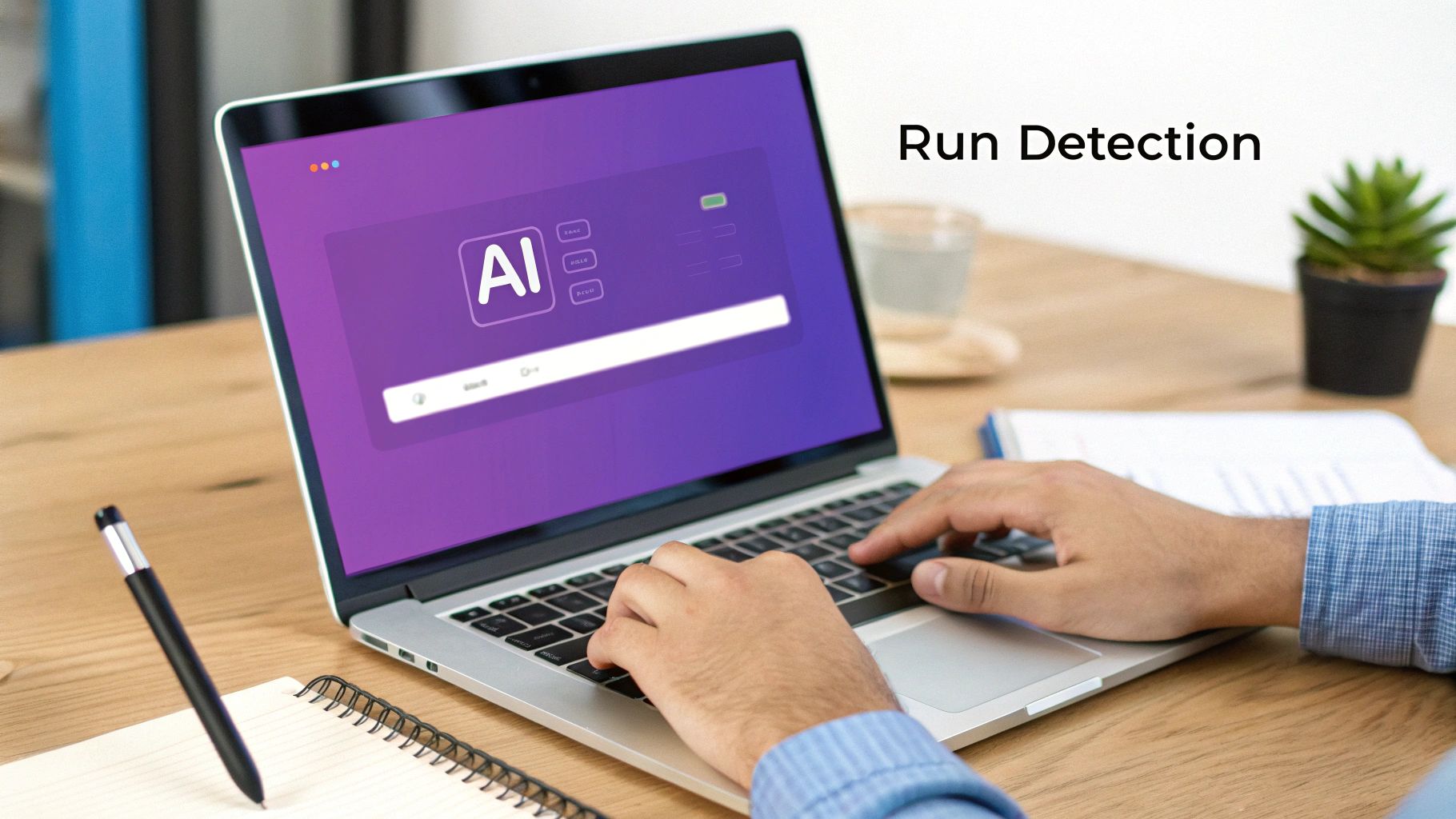
Within seconds, the analysis is complete, and you get a verdict based on a deep scan of the image's properties.
Decoding the Confidence Score
The result you get back isn't just a simple "AI" or "Human." That's because reality is more complicated. Instead, you'll see a confidence score or a verdict like "Likely AI-Generated." This nuance is crucial, as many images aren't one or the other but a hybrid of both—think of a real photograph that's been heavily retouched with AI-powered editing tools.
Learning to read these scores is key. The table below breaks down what the results typically mean and how you should react to them.
Interpreting AI Detection Confidence Scores
| Confidence Score / Verdict | What It Means | Recommended Action |
|---|---|---|
| High AI Probability (e.g., 95% AI) | This is a strong signal that the image was created entirely by a generative model. The tool has found clear, undeniable markers of AI generation. | Proceed with high confidence that the image is synthetic. Document the finding and treat the image as AI-generated in your workflow. |
| Medium / Ambiguous Score (e.g., 50-70% AI) | The result is inconclusive. This often points to a hybrid image—a real photo with AI elements (like a swapped background) or significant AI-powered editing. | Investigate further. Use other methods like reverse image search or metadata analysis to gather more context. Avoid making a definitive judgment based on this score alone. |
| High Human Probability (e.g., 98% Human) | The detector found no significant evidence of AI generation. All signs point to an authentic photograph or human-created digital art. | Treat the image as authentic, but remain aware that no tool is 100% foolproof. If other red flags exist, keep them in mind. |
Ultimately, a confidence score is a powerful piece of evidence, not the final word. The best tools will often highlight why they reached a conclusion, pointing to specific artifacts or patterns that influenced the score. For a closer look at the tech behind these results, our guide on the essentials of an image AI detector is a great resource.
What to Look for in a Good Detector
Not all detection tools are built the same. When you're picking one to trust, privacy is non-negotiable. A reputable service will have a clear policy stating that it does not store your images. This is an absolute must, especially if you're working with sensitive or proprietary content.
Beyond that, look for a tool that's actually pleasant to use. You want fast, clear results without needing a PhD in digital forensics. A clean interface and plain-language explanations are signs that the tool was designed for real-world users, not just lab technicians.
Pro-Tip: Get a feel for your chosen tool by testing it on images where you already know the origin. Upload a few pictures from your phone, then feed it some images you made with Midjourney or DALL-E. Seeing how it responds to known samples will help you better understand its nuances and build your own confidence in interpreting its results.
Putting It All Together for a Reliable Verdict
An AI image detector is a powerful ally, but it's not meant to work in isolation. The most reliable verification process combines your own visual check with the tool's data-driven analysis. This layered approach turns a gut feeling into a well-supported conclusion.
Think of a journalist verifying a photo from an unvetted source. They might first spot weird shadows or unnaturally smooth skin. Running the image through a detector then provides that crucial second layer of technical evidence, confirming (or refuting) their initial suspicion.
By building a quality AI detector into your workflow, you’re swapping guesswork for a systematic, evidence-based process. It's a small change that empowers anyone, from teachers fact-checking a student's project to platform moderators fighting disinformation, to make sound decisions about the media they encounter every day.
Digging Deeper with Forensic Techniques
An AI detection tool gives you a powerful, data-driven starting point, but it should never be the final word. To conduct a proper investigation, you need to combine that automated analysis with some old-school digital forensics. This layered approach is what separates a casual user from a serious investigator, helping you build a much stronger case for an image's origin.
Think of it like this: the AI detector tells you what the image likely is (AI or human-made), but forensic techniques can help you figure out where it came from and how it was put together. When the stakes are high, this deeper dive isn't just a good idea—it's absolutely essential for reaching a conclusion you can stand behind.
Tracing an Image's Footprint with a Reverse Search
One of the most valuable tools in your kit is the reverse image search. Instead of typing in words, you use the image itself as your search query. It’s a simple move that can instantly reveal an image’s entire public history online.
I always start with tools like Google Images, TinEye, and Bing Visual Search. Just upload the image in question, and these engines will crawl the web for identical or visually similar copies. The results are often incredibly illuminating.
A quick reverse search can tell you a lot:
- The image might be a known fake that’s already been debunked by fact-checking organizations.
- You might find it used in dozens of unrelated contexts, which often means it's just a stock photo.
- An original, unaltered version may pop up, proving the image you have was manipulated.
- It could lead you straight to a digital artist's portfolio, where they proudly label it as an AI creation.
This search provides the context that a detector alone can't. An image flagged as 90% AI that also shows up on a known disinformation site is a slam dunk.
Finding Clues Hidden in the Metadata
Every digital image contains a hidden bundle of information called metadata, or EXIF data (Exchangeable Image File Format). This data is automatically generated by the device or software that created the file. While it can be altered or stripped away, its presence—or conspicuous absence—is a huge clue.
When you inspect the metadata, you might find:
- Creation Software: Sometimes, the metadata hands you the answer on a silver platter, explicitly listing software like "Adobe Photoshop" or even an AI model name like "Midjourney."
- Camera Details: Real photos are packed with specifics—camera model, lens type, aperture settings, shutter speed. AI-generated images simply don't have this authentic digital fingerprint.
- Timestamps: These can help build a timeline. If an image claims to be from a protest this morning, but its metadata timestamp is from three years ago, you have a problem.
Keep in mind that metadata isn't foolproof. It can be edited or wiped clean. But a complete lack of any EXIF data on a photo pretending to be a spontaneous, real-world shot is incredibly suspicious on its own. If you want to get your hands dirty, you can learn exactly how to check the metadata of a photo and add this skill to your workflow.
By weaving these methods together, you create a robust verification process. Start with a quick visual check, run it through a good AI detector, then immediately follow up with a reverse image search and a metadata inspection. Each step adds another layer of evidence, guiding you toward a conclusion you can actually trust.
Building Practical Verification Workflows
Knowing which tools to use is a great start, but the real power comes from building a repeatable, effective process. When you're under pressure, a solid workflow turns that knowledge into muscle memory, letting you check for AI usage confidently and consistently. The idea is to create a verification model that actually works for your specific job, whether you're a journalist on a breaking news deadline or an educator doing a thorough investigation.
Different roles have completely different demands. A fact-checker trying to verify an image for a story going live in ten minutes has different needs than a teacher reviewing a student's project. By tailoring your workflow, you can strike the right balance between speed and accuracy to make the right call when it matters most.
A Workflow for Journalists and Fact-Checkers
In a newsroom, every second counts. Misinformation can circle the globe in minutes, so your verification process has to be incredibly fast without sacrificing reliability. The focus is on a quick triage to decide if a photo is trustworthy enough to publish.
Here’s a practical sequence I've seen work well in high-pressure environments:
- The 15-Second Scan: First, just look at the image. Spend 10-15 seconds hunting for the obvious giveaways we've talked about—the mangled hands, nonsensical text, wonky shadows, or that uncanny, too-perfect AI sheen. If you spot a major red flag right away, the image is immediately suspect.
- Run the AI Detector: Don't hesitate. Get the image into a trusted tool like the AI Image Detector. This gives you an immediate, data-backed assessment. A high AI probability score is often all you need to kill the image or at least flag it for a much deeper look if you have time.
- Quick Reverse Image Search: While the detector is doing its thing, pop open another tab and run a reverse image search. You're looking for the image's history. Has it appeared anywhere before? Is it tied to known disinformation sites or just meme accounts?
- Vet the Source: Where did this image come from? A trusted colleague or a random, anonymous account on social media? The context of who sent it is a huge piece of the puzzle.
You can get through this entire process in less than two minutes. It provides a strong, defensible basis for making a swift judgment call on a photo's authenticity.
A Process for Educators Upholding Academic Integrity
For educators, the game is different. Speed isn't the main concern; it's about being thorough and fair while maintaining academic standards. The workflow here is more of an investigation, aimed at gathering enough evidence to have a productive conversation with a student about their submission.
Try this more methodical approach:
- Initial Review: As you're grading, keep an eye out for any images that just feel off. Maybe they look a little too professional, don't match the student's other work stylistically, or don't quite align with the assignment's brief.
- AI Detection as a Standard Step: For any images you've flagged, run them through an AI detector. Make sure to document the confidence score and any specific explanations the tool provides.
- Forensic Deep Dive: If the detector comes back with a high probability of AI, it's time to dig in. Check the image's metadata for any clues about its origin. A file completely stripped of EXIF data is a big red flag in an academic context.
- Build a Dossier: Pull all your findings together: the initial visual oddities you noticed, the AI detector's official report, and anything you found from metadata and reverse image searches. This gives you a clear, evidence-based file to work from before you even approach the student.
Following a structured process like this ensures that any concerns about academic dishonesty are backed by solid proof, not just a gut feeling.
This infographic lays out what a streamlined forensics process can look like, showing how the different pieces—AI detection, reverse searching, and metadata analysis—fit together.
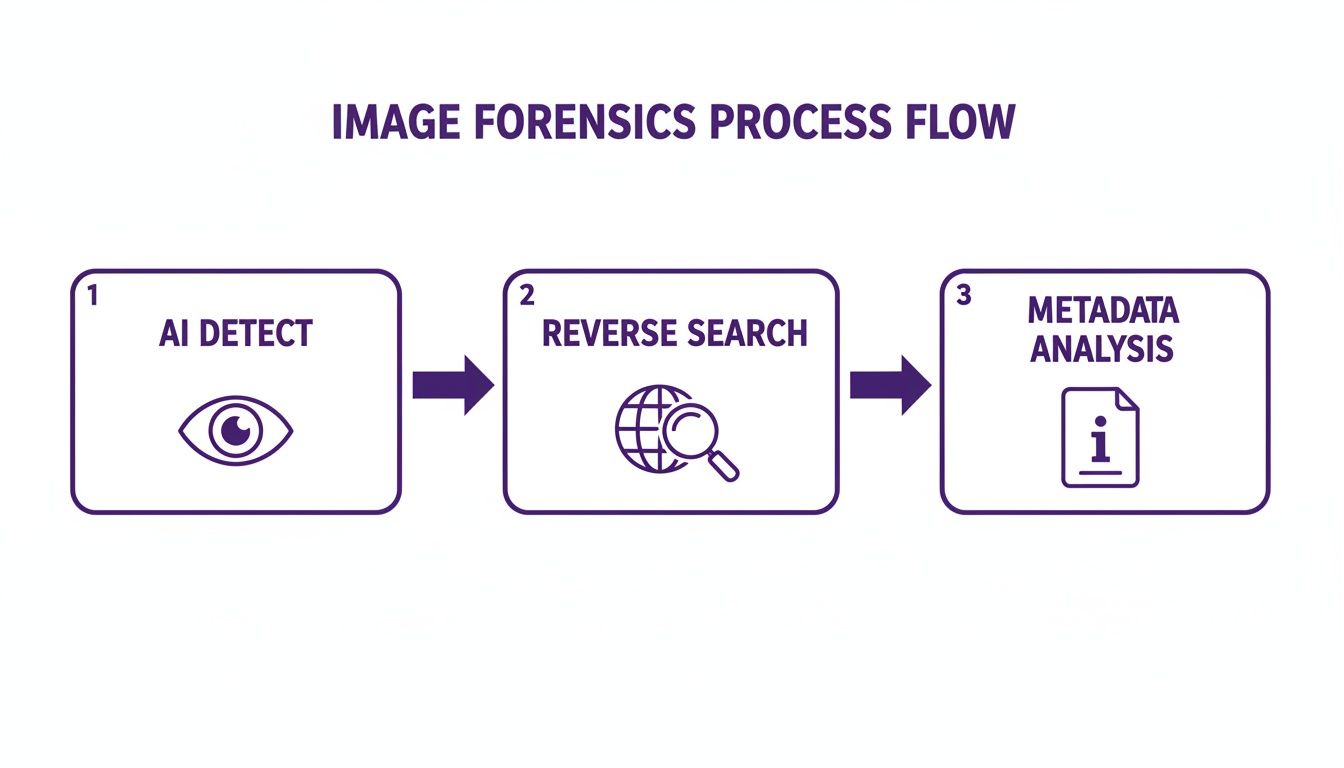
As you can see, a multi-layered approach gives you a much more robust conclusion than you'd get from relying on any single technique alone.
Scaling Verification for Trust and Safety Teams
For the folks on trust and safety teams, the challenge is sheer scale. Content moderators can't possibly inspect every single image uploaded to a platform. For them, the solution lies in automating detection and integrating it directly into their moderation systems to flag suspicious content efficiently.
The workflow here is all about system-level thinking:
API Integration: The best approach is to use an AI detection API to automatically scan all user-generated images as they're uploaded, whether it's profile pictures, marketplace listings, or anything else. This lets platforms check for AI usage in real-time without needing a human in the loop for every single file.
Tiered Review System: When the API flags an image with a high AI confidence score, it can be automatically sandboxed or funneled into a human review queue. This frees up moderators to focus their expertise on the most complex and harmful cases instead of getting bogged down by millions of harmless images.
This type of automated workflow is the only realistic way for platforms to proactively fight spam accounts, fraudulent activity, and dangerous synthetic media at scale. Manual checks alone just can't keep up. The hard truth is that humans are notoriously bad at spotting AI fakes.
In fact, our success rate hovers just a little above a coin toss. One major experiment found that people could correctly identify AI-generated images only 63% of the time, revealing a massive gap in our natural ability to tell real from synthetic. You can explore the full findings to see just how challenging manual verification really is.
By building these kinds of practical, role-specific workflows, you can move from simply reacting to suspicious images to proactively managing the flow of visual information in your professional life.
Frequently Asked Questions About AI Image Detection
Even when you have a solid process for checking images, you're bound to run into questions. This technology is new, and the results are rarely a simple "yes" or "no." Let's walk through some of the most common things people ask, so you know how to handle tricky results, understand the tool's limits, and even use detection in your own apps.
Think of this as the next layer of your verification toolkit—practical answers to help you get unstuck and decide what to do next.
What Should I Do with an Ambiguous Result?
Getting an "inconclusive" or "medium confidence" score can feel like a dead end, but it's actually a crucial piece of the puzzle. It often points to a hybrid image: a real photo that’s been heavily edited using AI tools. Imagine a real portrait where the background was completely swapped out by a generator—that’s a classic case.
When this happens, it's your cue to shift gears and bring in other forensic methods. The score is a starting point, not the final word.
- Look for the Seams: Get in close. Zoom in on the edges between the parts you think are real and the parts that feel artificial. Can you spot any weird blurring, unnatural transitions, or lighting that just doesn't match up?
- Run a Reverse Image Search: This is a big one. A quick search might turn up the original, unedited photo, showing you exactly what was added or changed.
- Analyze the Narrative: Step back and ask what the edit does to the story. An AI-generated crowd added to a photo of a lone protestor is a massive, misleading change.
An ambiguous score isn't a failure of the tool. It's a signal to put on your detective hat and combine the data with your own critical eye.
Can Editing an Image Fool an AI Detector?
Yes, sometimes it can. Someone trying to be sneaky might intentionally add digital "noise," compress the image file heavily, or use filters to cover up the tiny digital fingerprints that an AI detector looks for. It's a constant cat-and-mouse game; as detection tools improve, so do the techniques to get around them.
But here's the thing: those evasive tactics often leave their own trail. An image that's been compressed to death will look blurry or pixelated, which should raise a red flag on its own.
Remember, no single tool is a silver bullet. This is exactly why a multi-step verification process is non-negotiable. When you pair an AI detector with metadata checks and a reverse image search, you build a much more robust defense against fakes.
How Can Developers Integrate This Technology?
If you're running a platform with tons of user-generated content, checking every single image by hand is simply not an option. That’s where an Application Programming Interface (API) comes in. An API is a way for developers to plug AI image detection directly into their own websites, apps, or content moderation workflows.
With an API, the whole process can be automated. A social media site, for example, could automatically scan every profile picture the moment it's uploaded. If an image gets flagged with a high AI score, it can be instantly routed to a human moderator for a second look. This frees up your trust and safety teams to focus their energy on the most high-risk cases.
It’s a proactive way to protect communities from a flood of fake accounts, scams, and synthetic media designed to mislead people.
Ready to add a layer of certainty to your image verification process? The AI Image Detector provides fast, private, and reliable analysis to help you separate authentic images from AI fakes. Try our free tool today and see the results for yourself.


