

How to Identify AI Images A Guide for Realists

Spotting an AI-generated image comes down to a few key approaches: training your eyes to catch subtle mistakes, digging into the file's hidden data, and using specialized software designed for the job.
No single method is perfect, but when you combine them, your chances of figuring out what's real and what's synthetic go way up. Let's walk through how you can do it.
The Unseen Rise of AI-Generated Images
It really wasn't long ago that AI images were a joke. You could spot them from a mile away—blurry, distorted, and full of weird, nightmarish artifacts that screamed "fake."
That's not the world we live in anymore. Today’s AI generators can pump out photorealistic portraits, landscapes, and scenes that are incredibly difficult to tell apart from real photographs. This jump in quality has created a massive challenge for digital trust.
This flood of synthetic content isn't just for fun, either. It has real consequences. Misinformation campaigns can spread like wildfire, fake social media profiles look completely convincing, and simply verifying if an image is authentic has become a critical skill for everyone.
Knowing how to identify AI images is no longer just for tech experts or journalists; it's a fundamental part of being digitally literate. You can get a deeper look at verifying images for authenticity in our detailed guide.
Your Three Core AI Detection Methods
To keep up, you need a solid strategy. We're going to focus on three core techniques that, when used together, give you a reliable framework for sniffing out fakes. Before we dive deep, here's a quick look at the methods we'll be covering.
Your Three Core AI Detection Methods
| Detection Method | What It Involves | Best For |
|---|---|---|
| Visual Inspection | Training your eye to spot unnatural details, weird physics, and other common AI mistakes. | Quick, on-the-fly assessments where you don't have access to special tools. |
| Metadata Analysis | Looking at the hidden EXIF data in an image file to find clues about its origin. | Finding technical proof, especially when an image claims to be from a specific camera. |
| AI Detection Tools | Using specialized software and reverse image search to analyze an image for digital artifacts. | Getting a second opinion or when visual cues and metadata are inconclusive. |
Think of these as layers of investigation. Each one gives you a different piece of the puzzle, and together they create a much clearer picture of an image's origins. By combining sharp human observation with the right tech, you can move past just guessing and start making informed decisions about the content you see online.
Training Your Eyes to Spot AI Giveaways
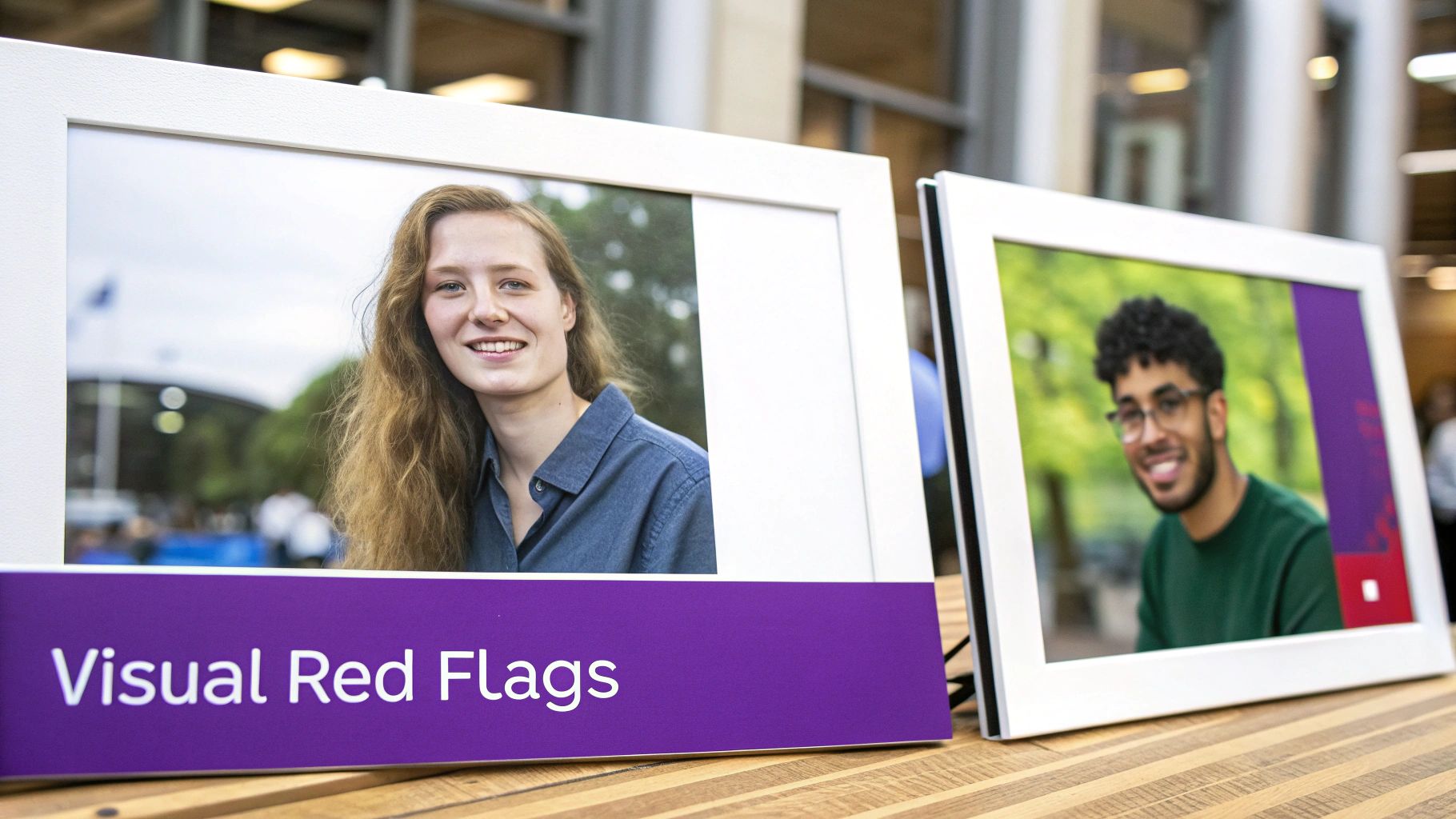
Before you even think about using a special tool or software, remember that your own eyes are your most powerful asset. AI image generators have gotten scarily good, but they still trip up on the little details our brains process without a second thought. The first step in learning how to identify AI images is simply training yourself to spot the things that just feel off.
We often call this feeling the "uncanny valley"—that slight sense of unease when something looks almost human but has subtle flaws that make your brain scream "fake!" Trust that gut feeling. If a portrait looks a little too perfect or a scene feels sterile, it’s worth digging deeper.
The Anatomy of an AI Mistake
AI models learn from vast oceans of data, but they don't actually understand what they're looking at. They're just incredible pattern-matching machines. This is precisely why they fall apart when trying to render things that require a genuine, logical grasp of anatomy, physics, or even language.
When you're inspecting an image, start by zooming in on the classic AI failure points. These are the areas I always check first because they're where the algorithms consistently get it wrong:
- Hands and Fingers: This is the big one. AI is notorious for creating hands with the wrong number of fingers, joints that bend in impossible ways, or fingers that seem to unnaturally fuse together.
- Teeth and Eyes: Look for a smile that's a little too perfect. AI often generates eerily uniform, bright-white teeth that don't look real. With eyes, you might spot mismatched pupils, bizarre reflections, or just a glassy, lifeless stare.
- Weird Asymmetry: Pay attention to things like jewelry. Are a person's earrings perfect mirror images? In reality, the way they hang and catch the light would create subtle differences. AI often misses these nuances and creates a symmetrically flawless look that isn't natural.
An image that is flawless is often flawed. Real photography captures imperfections—stray hairs, slight asymmetries, minor blemishes. AI-generated images frequently lack this organic messiness, resulting in a sterile, overly polished look that can be a dead giveaway.
Scrutinizing the Background and Environment
After you've checked out the main subject, let your eyes wander to the background. This is often where the AI's logic completely breaks down, leaving behind a goldmine of clues. It’s one thing to render a face, but it's another to maintain coherence across an entire, complex scene.
Keep an eye out for these specific red flags hiding in the environment:
- Gibberish Text: This is a huge tell. If you see any text on signs, books, or clothing, zoom in. AI often generates warped, nonsensical characters that only look like real letters from a distance.
- Inconsistent Shadows and Lighting: Ask yourself where the light is coming from. Do the shadows make sense? Are the reflections on glass or metal surfaces behaving correctly? It's common for AI to create scenes with multiple, conflicting light sources that no real camera could capture.
- Warped or Merged Objects: Scan the background for things that blend together when they shouldn't. You might see a tree branch merging seamlessly into a building or a chair with five legs. These are classic signs that the AI struggled to separate individual objects.
By approaching your visual check-up like a detective with a list, you move from a vague gut feeling to spotting concrete evidence. Focus on these known weak spots—anatomy, text, and the logic of the environment—and you'll be amazed how quickly AI-generated images start to reveal themselves.
Becoming a Digital Detective with File Data
While your eyes are a great first line of defense, some of the most compelling evidence isn't in the pixels you see. It's hidden in the data tucked away inside the image file itself.
Every photo taken with a real digital camera contains a mountain of information called EXIF data (Exchangeable Image File Format). Think of it as a digital fingerprint, recording details about how, when, and even where the photo was taken. Learning how to check this data can be a dead giveaway for an AI fake.
To do this properly, you need the original file. If you're looking at an image on a website, it's always best to download files from a URL and inspect it on your own computer.
Uncovering Hidden Clues in EXIF Data
Getting to this information is easier than you might think. On a Windows or Mac computer, you can usually just right-click the image file, select "Properties" or "Get Info," and look for a "Details" tab.
This is where the magic happens. You’ll often find the camera's make and model, the lens that was used, the exact time the photo was snapped, and sometimes even the GPS coordinates of the location.
An utter lack of this data is a massive red flag. If you're looking at a photorealistic image that claims to be a candid shot, it should have this information. If the EXIF fields are completely empty, you can be pretty confident the image never came from a real camera.
Pro Tip: Look for more than just missing data. I've found that some AI generators leave their own clues behind. You might find notes in the metadata that flat-out name the AI model used (like "Midjourney" or "DALL-E") or even include the text prompt that generated the image.
Real-World Limitations to Metadata Analysis
Now, it's crucial to understand where this method falls short. While it's fantastic for original files, EXIF data is almost always stripped away when images are uploaded to social media or processed through certain editing tools. This metadata stripping is done automatically to save file space and protect user privacy.
This means if you grab an image directly from a platform like Instagram or X (formerly Twitter), the metadata will probably be gone, whether it was real or AI-generated.
Here’s a quick breakdown of when this technique really shines:
- Most Effective: When you're analyzing original image files you received directly—think email attachments, downloads from a personal portfolio, or files from a cloud service.
- Least Effective: When you're looking at images saved directly from social media feeds, messaging apps, or websites that heavily compress images.
Because of this, you should always use metadata analysis alongside visual inspection, not as your only tool. If the metadata is missing from a social media post, you can't jump to the conclusion that it's AI. It just means you’ll need to rely more heavily on visual cues and other clues to figure out its origin.
Using AI Detection Tools and Reverse Image Search
When your own eyes can't quite tell and the metadata has been scrubbed clean, it's time to bring in the big guns. A growing number of online tools are built specifically for this fight, analyzing an image and giving you a probability score of whether it’s AI-generated. Think of them as a valuable second opinion.
These tools aren't foolproof, but they are powerful allies in your verification process. Beyond just looking for odd details, various specialized AI image detection tools scan for the subtle, mathematical fingerprints left behind by generative models. This approach moves you beyond a gut feeling and into a more data-driven assessment.
How AI Image Detectors Work
The basic idea is pretty straightforward: you upload an image, and the tool’s algorithm hunts for the tell-tale signs of artificial creation. It’s trained to spot patterns in pixels, textures, and digital noise that are common in synthetic media but incredibly rare in real photographs. For a closer look at the tech behind this, our guide on how an AI photo analyzer works breaks it all down.
Here’s a real-world example of what you'd see when you run an image through a tool like AI or Not.
The tool gives you a clear, immediate verdict. In this case, it flagged the image as likely created by AI, which is exactly the kind of quick feedback you need when you're on the clock.
But interpreting these results takes a bit of savvy. The world of generative AI is moving at lightning speed, especially since 2022. As the models improve, the old detection methods start to struggle. It’s a constant cat-and-mouse game.
Just remember, these tools provide a probability, not a certainty. A "90% Likely AI" result is a very strong signal, but it's not ironclad proof. Always treat these scores as just one piece of the puzzle.
Putting Reverse Image Search to Work
Alongside dedicated detectors, one of the oldest tricks in the book is still one of the best: reverse image search. Services like Google Images, TinEye, and Bing Visual Search let you upload an image and find out where else it lives online. This isn't about pixel analysis; it's about digging into the image's history and context.
Using this method can help you answer some crucial questions:
- Where did it come from? A quick search might lead you right to a photographer's portfolio or a legitimate stock photo site, confirming it's real.
- Is this a known fake? If the image is part of a debunked story or misinformation campaign, your search results will likely be filled with articles calling it out.
- Has it been messed with? You might discover older, original versions of the photo, which proves that the one you have has been digitally altered in some way.
Think of it as a two-pronged attack. Start with an AI detector for the technical deep-dive, then switch to a reverse image search to investigate its backstory. Combining these two methods gives you a much more robust and reliable way to spot AI fakes than just relying on one technique alone.
Putting It All Together with Context and Source
Spotting weird visual artifacts and digging into metadata are great skills to have, but they don't give you the full picture. When it comes down to it, your most powerful tool for figuring out how to identify AI images is your own critical thinking. The context surrounding an image is everything.
You don't need to be a digital forensics expert to do this. It’s really just about building a habit of healthy skepticism and asking a few simple questions whenever an image seems a little too perfect, too shocking, or just plain weird. The first two questions should always be: who shared this, and where did it really come from?
Vetting the Source and Story
Think of yourself as a detective. Your first move is always to size up the source. Are you looking at a post from a major news outlet with a long track record, or is it from an anonymous account that popped up last week? A quick glance at a social media profile can tell you a lot about who you're dealing with.
Next, try to follow the breadcrumbs back to the image's origin. A reverse image search is perfect for this. It lets you see if the story being told today matches how the image was originally presented. It's incredibly common for real photos to be snatched and repurposed for a completely different, often false, narrative.
Let's say a wild photo of a political figure in a compromising situation lands in your feed. Before you even think about hitting that share button, run through this mental checklist:
- Who first posted this? Was it a credentialed photojournalist on the scene, or an account with a clear political axe to grind?
- Is anyone else reporting it? If something this big actually happened, you can bet legitimate news organizations would be all over it. Silence is suspicious.
- Does the story even add up? Check the little things. Do the details in the picture align with known facts, like the date, location, or even the weather on that day?
This simple decision-making process is a great first line of defense.
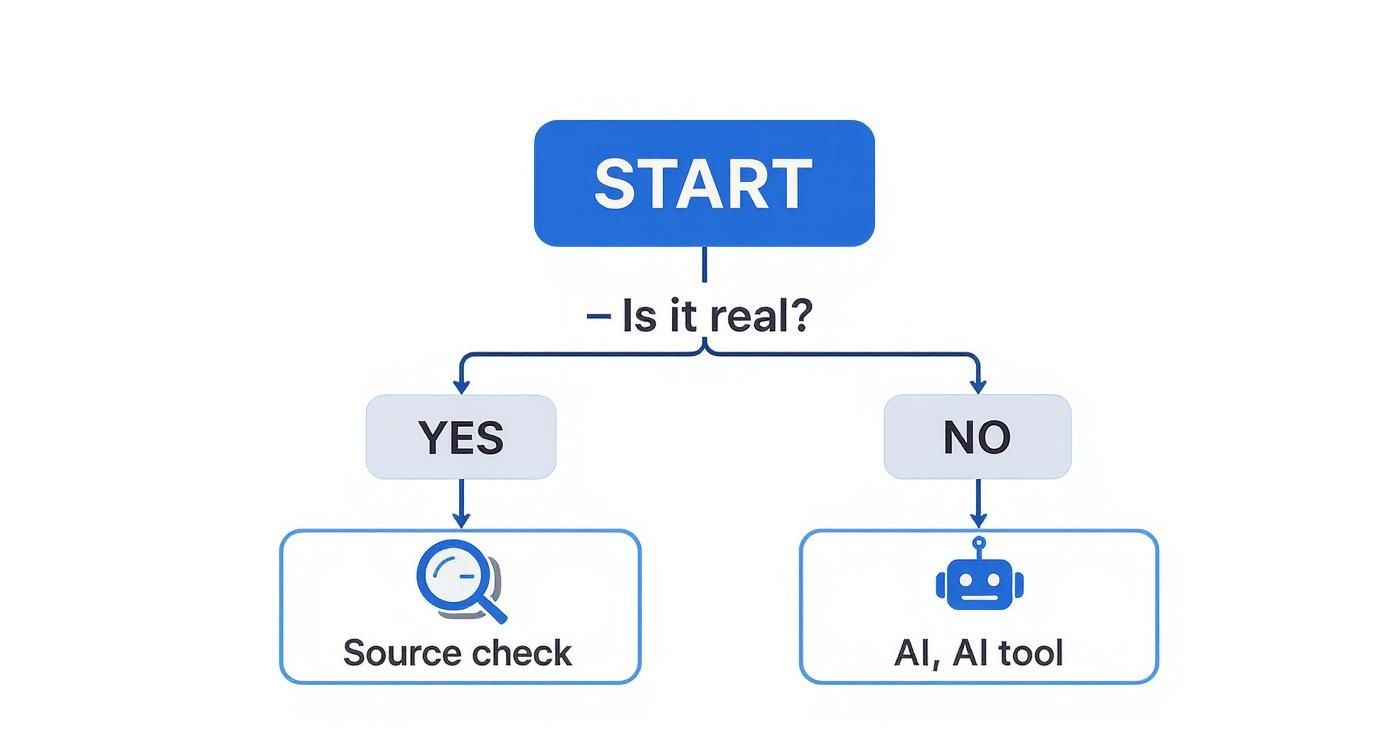
As the infographic shows, your first step should always be to check the source and context before you start zooming in on funky-looking hands or weird textures. This approach can often debunk a fake in a matter of minutes. If you want to get more into the weeds, you can explore our guide on how to check if a photo is real.
Always remember that an image doesn't exist in a vacuum. The narrative attached to it is just as important as the pixels themselves. If the story feels designed to provoke a strong emotional reaction, that's your cue to slow down and investigate.
This has never been more important. Social media is awash with synthetic content. Some data even suggests AI-generated images can get up to 56% more user interaction than human-created ones. That's a huge incentive for people to pass off fakes. Asking these critical questions is your best defense against getting fooled.
Got Questions? Let's Talk About Spotting AI Images
As you start digging into AI-generated images, you'll naturally run into some practical questions. The whole process can feel a bit murky at times, and getting a handle on the real-world challenges of detection will help you make much more confident calls. Let's tackle some of the most common questions that pop up when you're trying to figure out what's real and what's not.
Think of this as moving past the theory and into the nitty-gritty of applying these skills, especially when you're scrolling through your feeds online.
So, Are AI Detection Tools Actually Reliable?
The short answer is no, not completely. It's really important to get why. AI detection tools are a massive help, but they aren't magic bullets. They’re trained on a diet of known digital artifacts and patterns found in AI content, but the image generators are getting better at covering their tracks every single day.
Most of these tools give you a probability score, not a simple "yes" or "no." It's more of a strong hint than a final verdict. A high "Likely AI" score is definitely a red flag, but both false positives and negatives happen.
The smartest way to use these tools is as one part of a bigger puzzle. Always back up a tool's analysis with your own visual check and, most importantly, a healthy dose of critical thinking about where the image came from.
Can I Really Spot an AI Image on Social Media?
It's a lot tougher, but you're not totally out of luck. The main problem is that platforms like Instagram, Facebook, and X (formerly Twitter) are notorious for compressing images and stripping out their metadata. That process wipes away all the handy EXIF data we talked about, leaving you with very few technical clues.
So, you have to lean much more heavily on other tactics:
- Zoom in and look hard: Get right in there and search for those classic AI weirdnesses—funky hands, gibberish text in the background, or textures that just feel off.
- Play detective: Who posted it? Dig into their profile history and see if they seem credible. Don't forget to scan the comments; other users might already be calling it out.
- Run a reverse image search: This can help you trace the image back to its source. You might find it's already been debunked on another site or that it originated from a well-known AI art community.
What's the Single Biggest Tell for an AI Image?
If you only have time to check one thing, make it the hands and any text in the image. This is where even the most sophisticated AI models still mess up constantly. Human hands are incredibly complex, and AIs often produce them with the wrong number of fingers, twisted joints, or a strange, waxy look.
Text is the other major weak spot. A sign or a book cover might look fine from a distance, but zoom in, and you'll often see a jumble of warped, nonsensical characters. The models are getting better, but for now, hands and text remain the most reliable visual giveaways you can find.
Ready to go beyond just using your eyes? The AI Image Detector gives you a powerful, automated second opinion in just a few seconds. Our models are trained to catch the subtle digital fingerprints the human eye can't see. Upload an image today and see what it finds at https://aiimagedetector.com.


