

How to Spot Fake IDs A Practical Verification Guide

Spotting a fake ID isn't a single action; it's a process. It starts with a simple hands-on inspection—feeling the card's texture and weight, tilting it to see the holograms catch the light. From there, you move on to digital checks, scanning barcodes and using tools like UV lights to reveal hidden security features. But the most convincing fakes, the ones that look and feel real, demand a much deeper look to uncover the subtle digital clues and inconsistencies that give them away. That's where specialized tools and a trained eye become indispensable.
Why Spotting Fake IDs Is More Critical Than Ever
The world of identity verification has gotten a lot more complicated. What used to be a simple challenge for bouncers has morphed into a high-stakes security issue for professionals in all sorts of fields. Journalists need to verify anonymous sources, online moderators have to secure their platforms, and compliance teams are the last line of defense against serious financial crime. They're all facing the same threat: fraudulent documents that are frighteningly realistic.
The stakes have never been higher because the forgeries have never been better. We're way past the days of flimsy laminated cards with fuzzy photos. Today's fakes are crafted with high-end printers, advanced software, and even generative AI to create synthetic identities that can fool a quick glance. These aren't just shoddy copies anymore; they are often completely fabricated identities that look legitimate.
The Rise of AI-Powered Forgery
The explosion of artificial intelligence has put incredibly powerful creative tools in the hands of the public, and fraudsters were paying close attention. This has completely changed the game, with AI now being a primary tool for creating convincing fake documents.
For example, AI-assisted document forgery went from being practically non-existent to accounting for 2% of all fake documents globally in 2025. In that same timeframe, sophisticated fraud attacks—the kind that mix deepfakes with synthetic documents—shot up by a staggering 180%. This shift tells us that criminals are now prioritizing quality over quantity, making fewer fakes that are far more likely to succeed. You can dig into the full report on how identity fraud is evolving in the age of AI.
This new reality means that relying on manual inspection just isn't enough anymore. Foundational skills are still vital, but they have to be paired with modern techniques to have any chance of catching these advanced fakes.
A common mistake is assuming all fakes have physical tells. The most dangerous forgeries today are often digitally perfect but logically flawed. The data encoded in the barcode might contradict what’s printed on the front, or the photo might have subtle AI artifacts that you’d never spot with the naked eye.
Comparing Old Threats to New Challenges
To really grasp what it takes to spot a fake ID today, you have to appreciate just how much the threat has grown. The old tricks that worked a decade ago are practically useless against the AI-enhanced forgeries we see now.
This table gives a quick snapshot of how things have changed.
Evolution of Fake ID Threats
| Threat Type | Traditional Fakes (Pre-AI) | Modern Fakes (AI-Enhanced) |
|---|---|---|
| Creation Method | Basic photo editing software, home printers, lamination. | Generative AI models, deepfake technology, professional-grade templates. |
| Key Weakness | Physical imperfections like blurry text, poor laminate, incorrect holograms. | Digital artifacts, pixel inconsistencies, and logical data mismatches. |
| Detection | Relied on manual inspection of physical security features. | Requires a combination of manual, tool-assisted, and AI-powered analysis. |
This evolution is a clear signal that anyone tasked with verification needs to up their game. This guide is built to give you a practical, step-by-step workflow that covers the full spectrum of modern ID fraud, from hands-on physical checks all the way to advanced digital forensics.
Your First Line of Defense: Manual and Physical ID Checks
Before you ever reach for a scanner or a blacklight, your most powerful verification tools are the ones you have with you right now: your own eyes and hands. You’d be surprised how many forgeries, even some of the more sophisticated ones, completely fall apart under a basic physical inspection. Getting this initial hands-on check right is your first and most critical line of defense.
Just start by holding the ID. A genuine government-issued card, especially a modern driver's license, is almost always made from a high-quality, stiff material like polycarbonate. It has a distinct rigidity and weight to it. Fakes, on the other hand, are often churned out using cheaper PVC or even just laminated paper, which can feel flimsy, bend way too easily, or feel strangely light in your hand.
Give the card a gentle bend. A real ID has some give; it will flex slightly and snap right back to its original shape without leaving a crease. A cheap fake might feel brittle, make a little cracking sound, or even start to delaminate. You might see air bubbles appear under the surface. This simple stress test is a fantastic way to immediately expose shoddy materials and poor construction.
Forgery methods have come a long way, and understanding their evolution helps you know what to look for.

As you can see, the game has changed from simple paper fakes to incredibly complex, AI-assisted digital creations. That’s why a multi-layered approach to verification is no longer optional—it's essential.
Scrutinizing the Visual Details
Once you've gotten a feel for the card itself, it's time to get your eyes on the details. This is where most forgers slip up. You have to look past the obvious information and really examine the fine print and finishing touches.
The edges of the ID are a great place to start. Real IDs are cut with professional die-cutters, which produce perfectly smooth, uniform, and rounded corners. A fake might have rough, uneven, or even slightly squared-off edges, which is a dead giveaway that it was cut by hand or with cheap equipment. Peeling laminate is another immediate red flag.
Next, get a close look at the printed text. Government-issue cards are printed with high-resolution equipment that creates exceptionally sharp, clean typography. On a counterfeit, you’re likely to spot:
- Blurry or fuzzy font: The text just won't be as crisp, especially on the smaller print.
- Inconsistent spacing: You might see letters or words bunched too closely together or spaced awkwardly apart.
- The wrong font: Forgers often use a font that’s close to the official one but not an exact match. It just looks a little... off.
An experienced forger might nail the overall look, but they almost always mess up the tiny details. Keep an eye out for misspellings of common words like "department" or even city names. It sounds basic, but in a rush to produce a counterfeit, these simple errors are incredibly common.
Examining the Photograph and Holograms
The cardholder’s photo is a goldmine for spotting inconsistencies. On a legitimate ID, the photo is integrated directly into the card material itself. If it looks like it’s just pasted on top, with visible edges or a slightly raised surface, be suspicious. The background should also be uniform and solid; if you see any signs of digital tinkering, like a blurry outline around the person's head, that’s a huge warning sign.
And, of course, compare the photo to the person standing in front of you. While things like hair and weight can change, basic facial structures—the spacing of the eyes, the shape of the nose, the position of the ears—don't. Remember, a borrowed ID is still the most common type of fake. In fact, approximately 95% of ID fraud cases involve someone using a real ID that simply isn't theirs.
Finally, you need to inspect the security holograms. These are one of the toughest features for a forger to replicate well.
- Tilt the card: The holographic images should shimmer, and you should see them appear to move or change as the light hits them from different angles.
- Check the detail: Real holograms are intricate and clear. A fake hologram often looks flat, cloudy, or just doesn't have that dynamic, shifting effect. Some of the worst fakes use what's basically a reflective sticker that doesn't change at all when you tilt it.
By methodically running through these checks—the card's material, its edges, the text, the photo, and the holograms—you build a strong foundation for verification. If an ID fails any of these simple manual tests, it absolutely warrants a much closer look with more advanced tools.
Uncovering Hidden Security Features with Basic Tools
Once you’ve given the ID a solid visual once-over, it’s time to dig a little deeper. Some of the most sophisticated security features are completely invisible to the naked eye, and that’s by design. This is where a couple of simple tools—a UV light and a good magnifying glass—can make all the difference, turning a hunch into a confident decision.
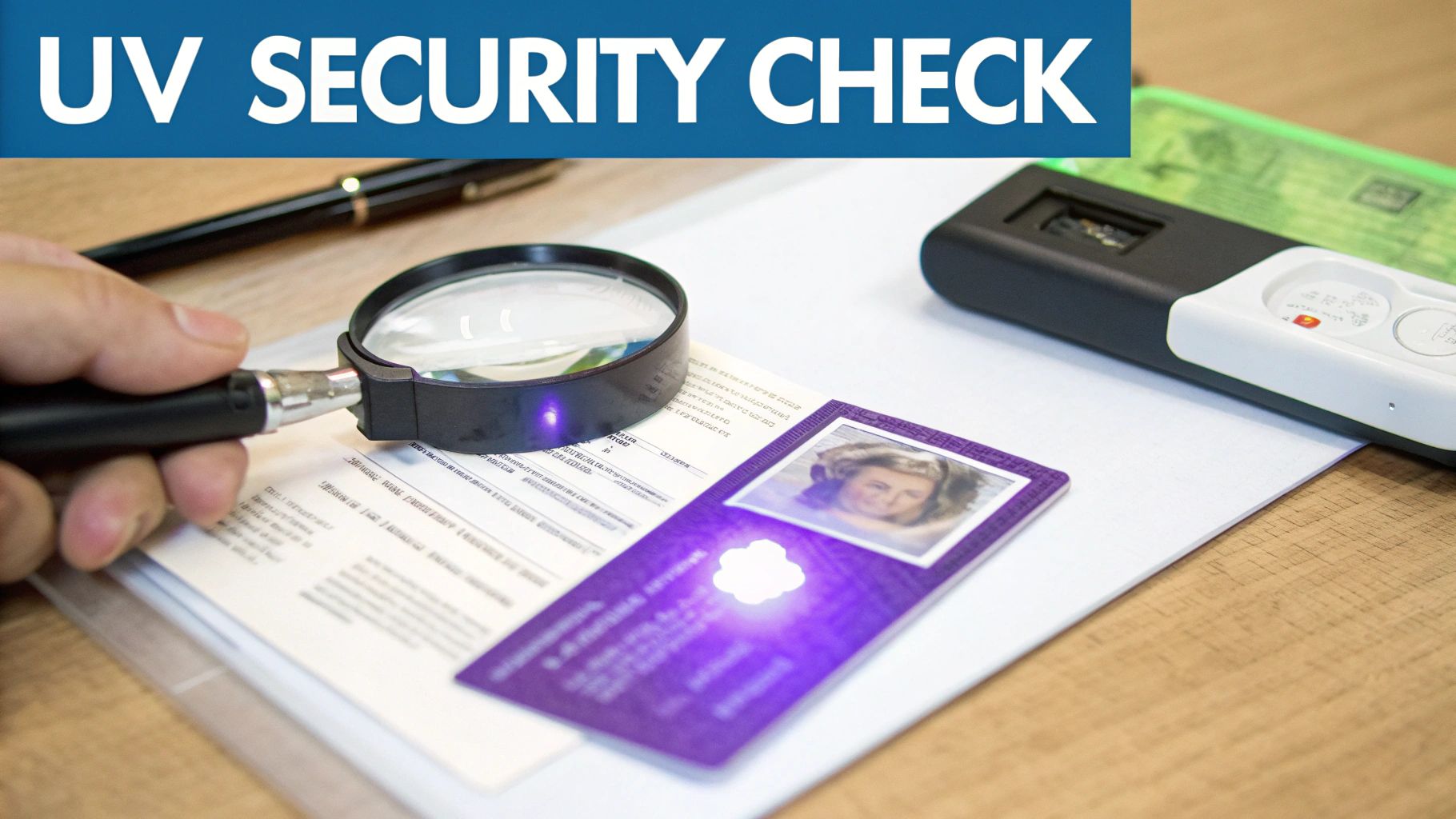
You don't need a high-tech forensics lab for this. These tools are cheap, easy to get, and surprisingly effective, whether you're a compliance officer or a journalist trying to verify a source. They let you spot the covert features that counterfeiters almost always struggle to replicate convincingly.
Illuminating Clues with a UV Light
One of the most tried-and-true security features baked into government IDs is ultraviolet (UV) ink. Flip on a UV light (often called a blacklight), and a genuine ID should reveal patterns, images, or text that were hidden just a moment before.
What you’re looking for will change depending on the state or country that issued the ID, but some common tells include:
- Glowing State Seals: Many driver's licenses have a state seal or emblem that pops with a bright fluorescence under UV.
- Intricate Patterns: You might find complex, glowing lines or wavy designs woven across the card.
- A Secondary "Ghost" Image: Some IDs feature a fainter, duplicate version of the main photo that only appears under blacklight.
Here's a classic mistake forgers make: they use materials that react to UV light across the entire surface. The whole card will glow a hazy blue or purple. A real ID is precise; only specific, isolated elements will light up while the rest of the card stays dark. Of course, if you get no reaction at all, that's just as big of a red flag.
Don't just take my word for it. In a 2024 analysis of over 150 million ID scans, a staggering 36% of fraudulent IDs were flagged by security checks like UV scans and hologram detection. It just goes to show how often fakes fail this simple test. You can see more data like this in the 2025 ID Fraud Report.
Magnifying the Tiniest Details
Next up in your toolkit is a basic magnifying glass or a jeweler's loupe. With it, you're hunting for microprinting—another feature that standard printers simply can't handle. It's incredibly tiny text, often repeating a word like "SECURITY" or the state's name, that looks like a plain solid line from a normal distance.
Grab your magnifier and check these common spots:
- The border lines of the ID
- Along the cardholder's signature line
- Framing the primary photo or the ghost image
On a genuine ID, the text will be sharp and perfectly legible under magnification. On a fake, that "line" will be a blurry, smudged mess. The forger's printer just doesn't have the resolution, so it comes out looking like a string of dots or a faint smudge instead of actual letters.
A great real-world scenario is a platform moderator looking at a user-submitted photo of an ID. If the image is high-res, you can often zoom in on your screen and spot what should be microprinting. While it's not as foolproof as a physical check, seeing blurry or nonexistent "text lines" in a sharp image is a strong clue that it's been digitally altered. For more on this, our guide on how to check the metadata of a photo can show you other digital breadcrumbs to follow.
Putting these two checks together—UV light for hidden fluorescence and a magnifier for microprinting—massively boosts your ability to spot a fake. You’re no longer just looking; you’re verifying the presence of security features that amateur forgers almost always get wrong.
Cracking the Code: What Barcodes and MRZs Can Tell You
What you see on the front of an ID is only half the story. Most modern identification cards hide a treasure trove of digital data that counterfeiters often stumble over. That strange-looking, black-and-white square on the back of most driver's licenses? That's a PDF417 barcode, and it’s basically a digital twin of everything printed on the front. If you're serious about spotting fakes, checking this data isn't optional—it's essential.
The logic here is dead simple: the information you scan from the barcode has to be a perfect, 1:1 match with what you see on the front. Even a tiny inconsistency is a massive red flag. You don't need fancy equipment, either. Plenty of mobile apps, both free and paid, can handle the scan and show you the raw data.
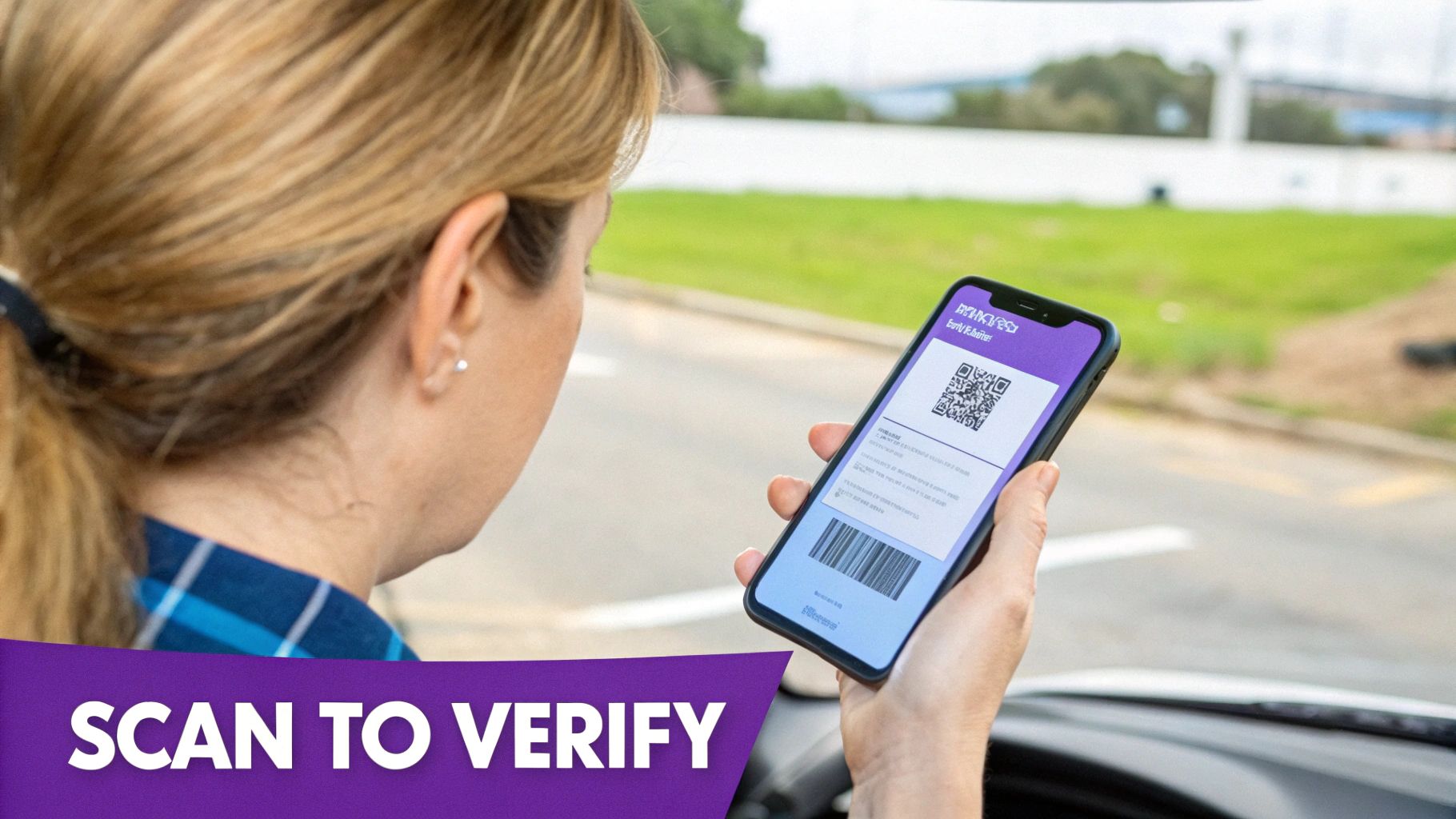
Barcode Red Flags to Watch For
When you scan that barcode, you’re on the hunt for specific tells. The most obvious sign of a fake is a barcode that won't scan at all. It might be a blurry copy or a complete fabrication. But even a barcode that scans can expose the fraud.
Here's what I've learned to look out for:
- Mismatched Data: This is the most common giveaway. The scan pulls up a different name, date of birth, or address than what’s printed on the card. Game over.
- Placeholder Nonsense: Sometimes, the barcode contains generic filler like "123 Main Street" or a birth date that makes no sense.
- Garbled Results: If the scanner spits out junk data or a flat-out error, it’s a sign the forger didn't format the barcode correctly.
A compliance team I know once handled a near-perfect fake ID. It sailed through every visual test. But the moment they scanned the barcode, the truth came out. The encoded date of birth was exactly ten years off from what was printed on the front—a classic trick to fool age checks.
This step is so effective because lazy counterfeiters pour all their effort into the visual details, gambling that nobody will bother to scan the back. For teams working with digital submissions, learning how to convert image to text can be a handy skill for pulling this data from a photo of an ID.
Reading the Machine-Readable Zone (MRZ)
Passports and passport cards have their own version of this: the Machine-Readable Zone (MRZ). It’s those two or three lines of text, numbers, and <<<< symbols at the bottom of the main page. It might look like gibberish, but it's actually standardized identity data designed for quick scanning.
You can even do a rough manual check of the MRZ. The format follows a strict global standard, and certain numbers, called "check digits," are the result of a specific formula applied to the rest of the data. A forger who just types out an MRZ without knowing that formula will get the check digits wrong, and any proper scanner will reject it instantly.
Digging into these digital elements takes you beyond just looking and feeling. Many newer IDs also include embedded chips, and understanding Safety Assurance Technologies like NFC can give you a leg up on validating the latest digital credentials. When you verify these digital fingerprints, you're moving from a subjective visual inspection to objective data analysis—a place where it's much harder for a forger to hide.
Using AI to Detect Sophisticated Digital Forgeries
You’ve checked the holograms, felt the edges, and scanned the barcode, but something still feels off. That nagging doubt is often justified. The most advanced forgeries today aren’t designed to fool just the human eye; they’re crafted to beat the entire manual inspection process. This is exactly where artificial intelligence becomes your most powerful ally.
Modern digital fakes, especially those submitted online as photos, can be incredibly deceptive. AI-powered image detectors are built to catch these by analyzing the image file itself, hunting for pixel-level inconsistencies that are completely invisible to us.
These tools look for the subtle digital fingerprints left behind during manipulation. We're talking about things like unnatural lighting that doesn't quite match the rest of the photo, strange digital artifacts around the text or portrait, and pixel patterns that scream "AI-generated face." For a journalist verifying a source's identity from a photo or a platform moderator screening new profiles, this tech provides a crucial, data-backed second opinion when a manual check just isn't enough.
How AI Image Detectors Work in Practice
The process itself is refreshingly straightforward. You simply take the digital image file of the suspicious ID and upload it directly into an AI detection tool. There's no complex setup—it’s usually a simple drag-and-drop interface.
Within seconds, the AI model gets to work, scrutinizing the image. It cross-references the photo's digital characteristics against a massive dataset containing thousands of examples of both genuine and synthetic images. This training allows it to spot even the faintest traces of digital tampering or AI generation.
The tool then gives you an easy-to-understand verdict, often as a confidence score. Instead of a simple "yes" or "no," you'll get a result on a spectrum—from "Likely Human" to "Likely AI-Generated." This nuance is key, as it helps you understand the probability of a forgery and make a more informed judgment. For a deeper look at the underlying mechanics, you might find our guide on how AI can analyze an image for you useful.
Here's what a typical results screen might look like, giving a clear verdict and confidence level.
This screenshot shows a high confidence score for AI generation, which is a critical piece of evidence when you're assessing an ID's legitimacy. This kind of instant feedback empowers you to act quickly and with confidence.
Why AI Is a Non-Negotiable Tool Today
The need for this technology is driven by some alarming trends in digital fraud. Recent data shows that industries like financial services (with a 24.55% fraud rate) and mobility (23.54%) are prime targets. Consider this: over 70% of all fraud incidents are now digital, and synthetic identity fraud is projected to account for 30% of cases.
On top of that, we've seen a 10x increase in deepfake incidents and a staggering 704% rise in liveness bypasses in recent years. Manual checks alone just can't keep up. You can discover more insights about these escalating fraud statistics and their impact.
AI’s ability to spot these fakes provides an essential layer of defense for any organization. For a real-world look at how advanced AI combats digital forgeries, it's worth reading about how Visa's GenAI for Fraud Detection successfully blocked a massive surge in fraudulent activity.
Manual vs AI-Powered ID Verification Checks
It’s helpful to see exactly where AI gives you a distinct advantage over traditional inspection. While both are important parts of a thorough verification process, they excel at spotting completely different types of flaws.
Key Takeaway: AI doesn't replace manual checks—it enhances them. A physical inspection might catch a flimsy, poorly made card, but only an AI tool can reliably detect a digitally perfect but completely synthetic identity submitted online.
This table breaks down the core differences in what each method can catch.
| Verification Check | Manual Inspection (Human Eye) | AI Image Detection |
|---|---|---|
| Photo Analysis | Compares photo to the person; checks for obvious edits. | Detects subtle AI artifacts, unnatural lighting, and pixel inconsistencies. |
| Data Verification | Reads printed text; compares to scanned barcode data. | Can identify font tampering and inconsistencies invisible to the naked eye. |
| Forgery Type | Best for physical fakes: poor materials, bad laminate, fake holograms. | Excels at catching digital forgeries, deepfakes, and synthetic identities. |
| Speed & Scale | Slow, subjective, and difficult to scale for high volumes. | Nearly instant analysis, allowing for rapid, consistent verification at scale. |
Ultimately, integrating AI into your verification workflow is about adapting to the modern threat. As fraudsters get smarter and their tools become more powerful, our defenses have to evolve, too. An AI image detector gives you the ability to look "under the hood" of a digital ID, catching sophisticated forgeries that would otherwise slip right through.
Navigating the Gray Areas: Common ID Verification Questions
Even with the best workflow, you'll eventually face a situation that makes you pause. An ID that just feels… off. A document from a country you've never seen before. Knowing how to handle these moments confidently is just as crucial as spotting an obvious fake.
This is your field guide for those "what do I do now?" scenarios. We'll walk through the most common questions that pop up, giving you practical advice to handle tricky situations professionally, whether you're a journalist verifying a source or a compliance officer reviewing an account.
What Should I Do If I Suspect an ID Is Fake?
The first rule is simple: stay calm. Getting accusatory is the fastest way to escalate a situation. Instead, stay professional and continue your verification process methodically. Think of yourself as a fact-finder, not an enforcer.
If you’re handling a physical ID and your gut tells you something is wrong, here are a few non-confrontational ways to get more information:
- Ask for a second form of ID. This is my go-to move. Requesting a credit card, student ID, or even a Costco card can clear things up fast. A legitimate person almost always has other documents with a matching name.
- Quiz them on their own information. Casually ask, "Can you confirm your zip code for me?" or "What's your birth year?" Any hesitation or a wrong answer is a massive red flag.
- Compare the signature. Hand them a pen and paper and ask for a signature. It’s amazing how many forgers spend all their time on the holograms and forget to practice the signature.
What if the ID was submitted digitally and your AI tool flags it? The best approach is to request a resubmission. Don't accuse. Just frame it as a technical problem—"The image came through a bit blurry, could you try taking a new one in better light?" This gives them a chance to submit a real document and gives you a fresh image to analyze.
Is It Legal to Confiscate a Suspected Fake ID?
This one is critical, and the answer is almost always a hard no. Unless you are a sworn law enforcement officer or have a very specific legal authority (like some state liquor control agents), you should never confiscate a suspected fake ID.
Taking someone's property, even if you believe it's fake, can open you and your organization up to serious legal risks, including accusations of theft. It can also turn a simple verification into a hostile and potentially dangerous confrontation.
Your job is to refuse service, deny access, or flag an account—not to be a vigilante. Document the incident, note the details of the suspicious ID, and if necessary, contact the proper authorities. But do not take the card.
How Do I Handle Out-of-State or Foreign IDs?
Let's be honest, verifying an ID from another state or country can be intimidating. You don't know what it's supposed to look like. But that doesn't mean you have to throw your hands up and approve it. This is where your process and tools really prove their worth.
A high-quality ID scanner or a modern verification app is your best first step. These tools have huge databases of document templates from all over the world and can instantly check the layout and security features against a known genuine example.
If you're stuck doing a manual check, here’s how to tackle it:
- Pull up a reference guide. Keep a link handy to a good online resource (like the Driver's License Guide Company) that shows what real IDs from every state and many countries look like. Pay close attention to the UV patterns and microprint locations they highlight.
- Focus on universal quality signs. Even if the design is unfamiliar, a real government-issued ID feels a certain way. Look for the basics: crisp, sharp printing (no fuzzy text!), properly embedded holograms that aren't just pasted on, and a professional-grade material like polycarbonate.
- Scan the digital data. This is your secret weapon. The barcode or Machine-Readable Zone (MRZ) on the bottom of a passport card is standardized internationally. If the data you scan from the back matches what's printed on the front, that's a very strong indicator of legitimacy, no matter how strange the design looks to you.
By leaning on your digital tools and sticking to universal security principles, you can confidently and consistently verify documents from anywhere.
Ready to add a powerful layer of defense against modern digital forgeries? AI Image Detector provides instant, accurate analysis to help you spot AI-generated and manipulated ID photos in seconds. Protect your platform, verify sources, and secure your operations with our free, privacy-first tool.