

How to Tell If Art Is AI Generated

Knowing how to tell if art is AI generated used to be about spotting the weird stuff—the bizarre, six-fingered hands or the eyes that didn't quite line up. Those were the good old days. Now, the AI tools have gotten so good that just giving an image a quick once-over often isn't enough.
The Challenge of Spotting AI Generated Art
The line between human and machine creativity has become incredibly blurry. Being able to tell the difference is no longer a niche skill for tech geeks; it's a crucial ability for artists, collectors, journalists, and frankly, anyone who cares about authenticity.
The old tricks are fast becoming obsolete. A couple of years ago, you could almost always count on finding distorted faces or warped hands. Today's AI models have learned from those mistakes, making the obvious giveaways much harder to find.
The New Landscape of Digital Art
This new reality requires a new approach. To get good at this, you first need to accept how much things have changed and train your eye to look for much more subtle clues—the tiny inconsistencies that separate a human touch from a purely algorithmic one.
The market tells the same story. North America currently dominates, pulling in over 40% of all AI art revenue. And the technology itself is moving just as fast, with machine learning now powering more than 40% of the entire AI art market.
Why It Is Getting Harder
The core of the problem is how these systems learn and create. They’re not just copying and pasting; they’re building images based on massive datasets, which is why understanding the generative AI workflow is so insightful. This process produces something entirely new, often called synthetic media.
Synthetic media refers to any content—images, video, audio, or text—that has been generated or significantly modified by artificial intelligence. This covers everything from deepfake videos to the hyper-realistic portraits flooding social media.
With these tools becoming easier to use every day, the sheer amount of AI content is exploding. Trying to manually check everything is impossible without a smart, structured approach. For a more detailed look, you can read our complete guide on https://www.aiimagedetector.com/blog/what-is-synthetic-media.
What to Look For: A Visual Inspection Guide
Before you even think about using a tool or an app, the best detector you have is your own two eyes. Learning to spot the subtle, and sometimes not-so-subtle, tells of AI is the first and most important skill you can develop. It’s about more than just counting fingers on a hand; it's about seeing the little details where the machine's logic just doesn't quite hold up.
This isn't always easy. A recent, eye-opening study found that 38% of people can't reliably tell the difference between human and AI-created art. That’s how good the technology has become. You can see the full deepfake statistics study here to get a sense of the scale.
The giveaways are often in the odd proportions, strange textures, and details that just feel off. So, let's train your eye on where to look.
Scrutinize the Lighting and Shadows
Light is one of the first places an AI's logic starts to break down. A human artist, whether they're a painter or a photographer, has a lifetime of experience understanding how light works. An AI, on the other hand, is just following patterns it has learned, and those patterns can have gaps.
Look really closely at the shadows. Do they all point away from the main light source? Sometimes you'll find shadows going in multiple directions for no reason. Are they too dark, too faint, or just missing entirely where you'd expect to see one?
Imagine a portrait where a strong light hits one side of the face. A human artist knows that the shadows cast by the nose, lips, and hair all need to be consistent with that single light source. An AI might get the nose shadow perfect but then add a reflection in the eyes that suggests a completely different light. It's these tiny mismatches that give the game away.
Examine Textures and Surfaces
AI generators are incredible at creating things that look good from a distance, but they often struggle with rendering complex textures up close. A human artist naturally adds tiny imperfections and variations, but an AI can create patterns that are just a little too perfect, a little too clean.
Here are a few specific things to zoom in on:
- Hair and Fur: Does the hair look like a single, unified shape, almost like a helmet? Real hair has flyaways, individual strands, and a certain chaotic quality that AI often smooths over into a blurry, uniform mass.
- Fabric and Textiles: Check the pattern on a shirt or the texture of a blanket. Is it perfectly repeating, almost like a digital wallpaper? A real piece of fabric would have subtle wrinkles, folds, and tiny imperfections that disrupt the pattern.
- Wood, Stone, and Nature: AI can stumble with natural elements, too. You might see a forest where every leaf is weirdly similar, or a wooden plank where the grain pattern repeats itself in an unnatural way.
AI often goes for overall aesthetic beauty at the expense of physical accuracy. It creates a stunning image that starts to fall apart the closer you look, revealing textures that feel more like a filter than a real surface.
Check for Logical and Physical Consistency
This is where you put on your detective hat and simply ask, "Does this actually make sense?" AI models don't understand the world; they just replicate patterns. This means they often create images with subtle logical flaws that a human brain immediately flags as strange.
For example, look at how objects interact. I once saw a gorgeous AI image of a knight, but the intricate filigree on his metal gauntlet continued seamlessly right onto the sword he was holding—a physical impossibility. Look for things like a necklace that seems to melt into the skin, or eyeglasses reflecting a scene that isn't there.
A structured visual check can help you catch these errors before turning to any digital tools. Think of it as a quick audit for common AI quirks.
Here’s a quick reference table to guide your inspection.
Common Visual Clues in AI-Generated Art
| Visual Anomaly | What to Look For | Common Example |
|---|---|---|
| Anatomical Errors | Unnatural blending of limbs, odd proportions, asymmetrical features that aren't intentional. | A hand with a thumb that appears to merge with the palm, or eyes that are slightly different sizes and styles. |
| Physics Defiance | Floating objects, impossible architecture, illogical reflections or refractions. | A building with a staircase that leads nowhere, or a glass of water casting a solid, opaque shadow. |
| Detail Inconsistencies | Patterns that don't align, text that becomes gibberish, jewelry that morphs into skin. | The pattern on a sleeve not matching the pattern on the torso, or earrings that lack a clear point of connection to the ear. |
By methodically checking these three areas—lighting, textures, and logic—you’re not just looking at a picture; you're interrogating it. It’s about training your brain to see what the algorithm missed.
Using Digital Tools for AI Art Detection
Sometimes, your own eyes can only get you so far. When you’ve scrutinized an image and still aren't sure, it's time to bring in some digital backup. These tools and techniques help you move beyond a gut feeling to find more concrete clues about where an image really came from.
While there's no single magic button to get a definitive answer, a solid workflow can make all the difference when you're trying to figure out how to tell if art is AI generated.
The best place to start is often with a classic reverse image search. It's a foundational technique for a reason. By uploading the image to a service like Google Images or TinEye, you're not just looking for a copy—you're tracing its history across the web.
This simple search can tell you if the image has ever appeared on:
- Known AI art platforms, like Midjourney’s public galleries or DeviantArt channels tagged with "AI art."
- Stock photo sites that are known to host AI-generated content.
- Artists' social media accounts or portfolios where they openly talk about their AI process.
A reverse image search is all about context. If the image only pops up on sites dedicated to AI generation, that's a pretty strong signal. On the other hand, if it traces back to a well-known illustrator's portfolio filled with a consistent, human-made style, you have a good reason to believe it's authentic.
Using Specialized AI Detection Tools
If the reverse search comes up empty, specialized AI detection tools are your next stop. These platforms are designed to spot the subtle, often invisible fingerprints that AI models leave behind. They analyze the image at a pixel level, searching for digital artifacts your eyes would almost certainly miss.
The sheer volume of new digital art makes these tools more important than ever. An incredible 15 billion AI images have been generated since 2022, with platforms like Midjourney and DALL·E cranking out around 34 million new images every single day. For perspective, it took traditional photography nearly 150 years to reach that volume. This explosion of content makes manually verifying everything virtually impossible.
These tools don't just give you a "yes" or "no." They provide a confidence score, something like, "92% likely to be AI-generated." The key is knowing how to interpret that number. Our guide on how to use a dedicated image AI detector walks through this process in more detail.
A confidence score isn't a final verdict. Think of it as a strong piece of corroborating evidence. A high score should be your cue to look even closer, combining the tool's findings with your own visual and contextual checks.
Interpreting the Results and Knowing the Limits
So, what do you do with that confidence score? If a tool flags an image with a high probability, go back and look at it again. Can you now see the flaws you might have missed before? The unnaturally smooth skin, the shadow that falls the wrong way, that weirdly repeating texture in the background? The tool can help guide your eye to the problem spots.
Just remember, these detectors aren't perfect. They can be thrown off by a few things:
- Hybrid Artwork: Images where a human artist has heavily edited or painted over an AI base can confuse the algorithm.
- Heavy Compression: Low-resolution or heavily compressed JPEGs often lose the subtle data that detectors rely on.
- New AI Models: As AI generators get better, detection tools have to play catch-up to recognize their new tricks.
A low AI score doesn't automatically clear an image, just as a high score isn't a slam dunk. The most reliable method is to build a complete picture.
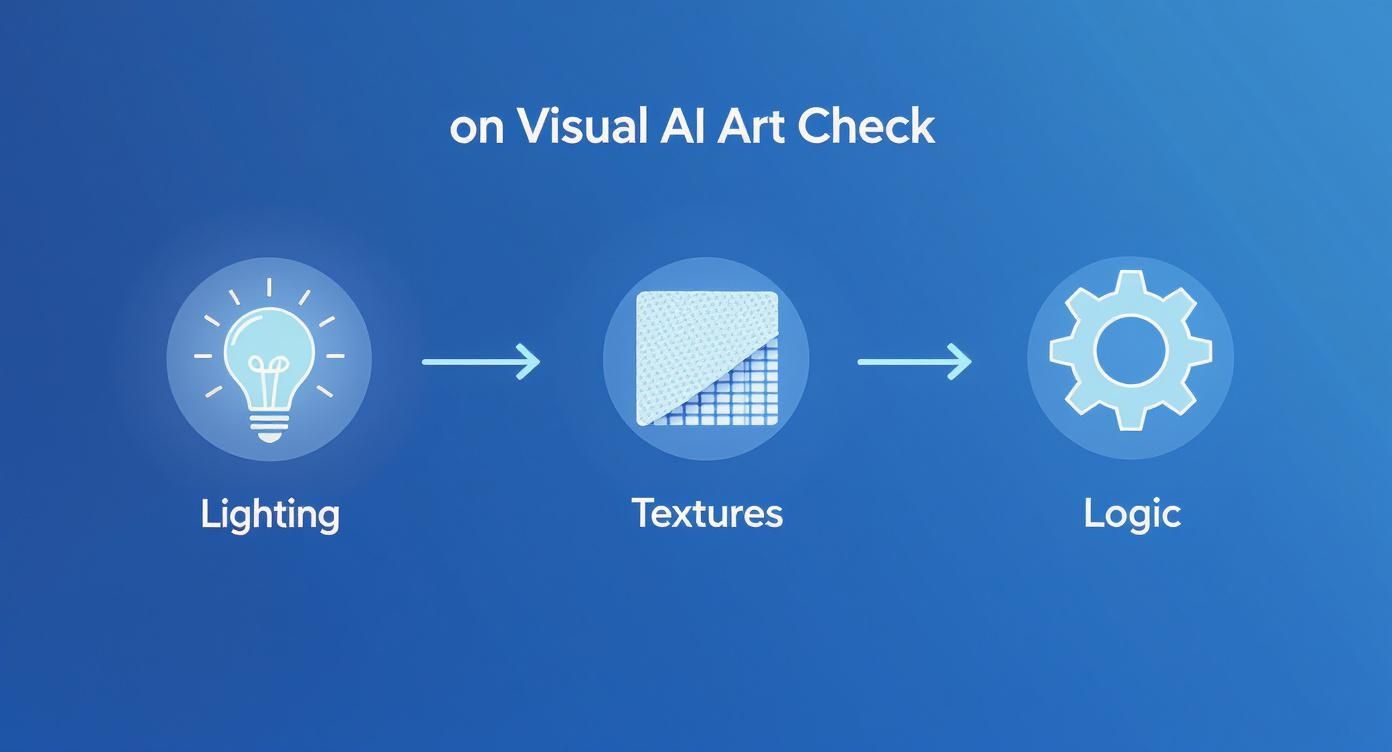
This workflow shows how to combine your visual check (looking at light and textures) with the logical analysis that digital tools can help confirm.
Treat it like building a case. One piece of evidence is rarely enough. But when you have a suspicious reverse image search, a high confidence score from a detector, and your own eyes are spotting weird inconsistencies, you can make a much more informed and confident call.
Going Beyond the Pixels: Investigating an Artwork's Origin

Sometimes, the most telling clues aren't in the image itself but in its backstory. To really get to the bottom of things, you have to play detective and trace the artwork’s history—a process we call verifying its provenance. This step is vital when you need to know how to tell if art is AI generated with more confidence.
Good detective work often starts with the person claiming to be the artist. It's the human element, or sometimes the complete lack of one, that can be the biggest giveaway.
Analyze the Creator’s Digital Footprint
Start by looking into the creator’s background. An established artist will almost always have a consistent body of work and a digital trail that tells a story. A sudden, dramatic shift in style or an explosion of flawless new work out of nowhere should make you suspicious.
As you look through their portfolio or social media, ask yourself a few questions:
- Is their style consistent? Human artists develop a unique voice over years of practice. An account that abruptly starts posting hyper-realistic fantasy portraits after years of simple cartoons is worth a closer look.
- Do they show their process? Most artists I know love sharing their work-in-progress. Look for sketches, time-lapse videos, or blog posts where they talk about their techniques and inspirations. A total absence of this "human touch" is a red flag.
- How do they engage with others? Real artists often talk about their struggles, their favorite tools (like a specific Wacom tablet or a custom Procreate brush), and what inspires them. An account that feels more like a sterile gallery with generic, one-word captions is a dead giveaway.
An artist with a deep history, process shots, and genuine interaction builds a strong case for authenticity. On the flip side, a brand-new profile filled with perfect, stylistically diverse images should be treated with skepticism.
A lack of a verifiable history is one of the strongest indicators of AI generation. Authentic creation almost always leaves a trail; AI art often appears out of thin air, fully formed and without a past.
Digging Into the Image Metadata
Beyond the artist, the image file itself can hold hidden clues. This technical data, called metadata or EXIF data, is like a digital fingerprint. While many social media platforms strip this information to save space, its presence—or specific details within it—can be incredibly revealing.
Metadata can contain a goldmine of information, such as:
- Creation Date and Time: This helps establish a timeline for the artwork's existence.
- Camera and Lens Info: A photo from a phone will include the model (e.g., iPhone 15 Pro) and camera settings. The presence of this data strongly suggests a real photograph.
- Software Used: Programs like Adobe Photoshop or Procreate often leave a tag in the metadata. Some AI tools do the same, occasionally including a tag that explicitly names the AI model used.
- Copyright and Author Info: While this can be faked, it might provide a name or username you can cross-reference.
Just because metadata is missing doesn't automatically mean it's AI, since removing it is common practice. However, finding specific AI-related tags or even the text prompt embedded in the file is a smoking gun. For a more technical walkthrough, our article on how to check the metadata of an image breaks it down step-by-step.
By combining these investigative techniques, you build a powerful, multi-layered approach. You go from being a passive viewer to an active investigator, piecing together clues from the artist's history and the file's data. This contextual analysis is what gives you the most complete picture of an artwork's true origin.
Understanding the Limits and Ethics of AI Detection
https://www.youtube.com/embed/a4EtxeiJH8g
Figuring out if a piece of digital art was made by a human or an AI isn't just a technical puzzle—it's an ethical minefield. The tools and tricks we've covered are incredibly useful, but they're far from perfect. If we're going to use them, we have to be keenly aware of their limits to avoid doing real harm.
The biggest danger here is the false positive. Imagine telling a talented artist their work is AI-generated when they poured their heart and soul into it. That's not a small slip-up; an accusation like that can wreck a reputation, get them harassed online, and completely undermine their credibility. The bar for making a public claim has to be extraordinarily high.
And what about when a detector comes back with an "inconclusive" result? That doesn't mean the image is human-made. It just means the algorithm couldn't find enough of the digital fingerprints it was trained to look for. This is a crucial point to remember: these tools deal in probabilities, not certainties. They're just one piece of the puzzle, not the final answer.
The Rise of Hybrid Artistry
The whole "human vs. AI" debate is getting more complicated by the day, thanks to the explosion of hybrid art. The simple binary is already feeling outdated. Many professional artists now use AI as just another tool in their digital toolbox, much like a custom Photoshop brush or a specialized filter. They might use it to brainstorm ideas, generate unique textures, or lay down a basic composition that they then spend hours refining.
This workflow really blurs the lines. An artist could use Midjourney to generate a fantasy landscape, then bring that image into Procreate or Photoshop to paint over it for hours, fixing the weird AI artifacts, adjusting the lighting, and adding their own distinct style. The final image is a true collaboration between human creativity and machine processing.
So, is that piece AI-generated? The answer isn't a simple yes or no.
- Is it partially AI? Absolutely. An algorithm created the foundation.
- Is it human art? Yes, because a human's creative vision and technical skill guided the entire process and finished the piece.
This new category of art doesn't fit neatly into our old boxes and forces us to rethink what authorship even means. Unsurprisingly, detection tools often get confused by these hybrid works, returning low-confidence scores because the human touch has painted over the AI's telltale signs.
When it comes to hybrid art, transparency is everything. The most ethical artists are upfront about their process, explaining how and where AI was used. The goal shouldn't be about playing "gotcha," but about understanding and appreciating their creative method.
The Future of Verification and Authenticity
As AI image generators get scarily good, trying to spot them with the naked eye will become next to impossible. The real solution isn't just about getting better at detection after the fact; it's about building a verifiable digital trail from the moment an image is created.
This is where initiatives like Content Credentials come in. Spearheaded by the Coalition for Content Provenance and Authenticity (C2PA), this technology embeds secure, tamper-evident metadata directly into a file when it's made. Think of it like a digital birth certificate for your images.
This baked-in data can tell you things like:
- Which tool created the image: Was it "Adobe Firefly" or a "Canon EOS R5"?
- What edits were made: It can track major changes made in software like Photoshop.
- Who created it: The artist can cryptographically attach their identity to the work.
This creates a clear chain of custody, so anyone can look under the hood and see where an image came from and what's been done to it. Big players like Adobe, Microsoft, and Sony are already building this technology into their products. It won't stop a bad actor from taking a screenshot to strip the data, but it’s a massive leap forward in building a digital world we can actually trust.
Frequently Asked Questions About Spotting AI Art
As you get better at spotting AI-generated images, you'll start running into some tricky situations. The technology is a moving target, context is everything, and the lines are getting blurrier by the day. Let's tackle some of the most common questions that pop up when you're trying to figure out if an image was made by a human or an algorithm.
Think of this as your field guide for those gray areas where the answer isn't so clear-cut.
Are AI Detection Tools Actually Reliable?
The short answer is no, not 100%. It’s important to know how these tools work. They’re trained to spot statistical patterns and digital footprints left behind by current AI models. The problem is, as soon as those models get an update, their tell-tale signs change, and the detectors have to play catch-up.
This is why you'll almost always see a probability score, not a simple "yes" or "no." A score of "95% Likely AI-Generated" is a very strong signal, but it’s not airtight proof.
My Advice: Use the score from an AI detector as a single, powerful piece of evidence—not the final verdict. Always pair it with your own visual check and a little digging into the artwork's history and creator.
Combining technology with your own eyes and intuition is the only truly reliable way to make an informed call.
What if an Artist Just Uses AI as Part of Their Process?
This is where things get really interesting. Many artists are now weaving AI into their creative workflow, creating what's often called "hybrid art." This makes a simple "AI or not" label almost meaningless.
For example, an artist might use an AI model to:
- Kickstart ideas by generating a few rough concepts.
- Create intricate textures or background plates they can then paint over.
- Block out a composition before they add their own style and detail.
In these scenarios, detection tools might throw up their hands and give you an inconclusive or even a "likely human" result. That's because a human has heavily modified the final image. The conversation then shifts from detection to transparency. Many artists who use these methods are upfront about their process, so checking their social media or portfolio can give you the answer.
Can Copyright Tell Me Anything?
Believe it or not, the legal side of things can offer some clues. The rules around AI art are still being written, but right now, in places like the U.S., a piece of work generated entirely by AI without significant human input is generally not eligible for copyright.
So, if you come across an image that screams "AI-generated" but is being sold with a bold copyright claim, that's a potential red flag. The seller might not understand the current legal landscape, or they could be misrepresenting how the image was made.
It's also a good idea to check the terms of service for the AI tool that might have been used. Some platforms have specific rules about commercial use, which adds another layer to your investigation if you see the image in an ad or for sale. The legal status isn't a technical smoking gun, but it's another valuable piece of the puzzle.
Ready to put your detection skills to the test? AI Image Detector gives you a fast, free, and private way to analyze images. Our tool provides a clear confidence score and breaks down its reasoning in seconds, helping you make smarter decisions without ever storing your data. Try it now at https://aiimagedetector.com.

