

Your Guide to a Photoshopped Image Detector

Before you even think about using a sophisticated photoshopped image detector, remember that your own eyes are your first and best line of defense. Honing your ability to spot visual oddities is the most fundamental skill in this field. It's often the subtle, intuitive feeling that something is 'off' that reveals a fake, sometimes catching things an automated tool might miss.
How to Spot a Photoshopped Image Without Software
With digital fakes becoming more common, the skill of manually checking images is more important than ever. The sheer scale of this problem is reflected in the market for detection tools; valued at roughly USD 818.5 million in 2023, it's expected to rocket to USD 7.32 billion by 2030. This explosive growth shows just how badly verification is needed, but every good investigation starts with a sharp human eye. You can see the full industry report here for more on that trend.
Follow the Light and Shadows
One of the surest signs of a doctored photo is messed-up lighting. It’s incredibly difficult to drop a person or object into a new scene and get the light to match perfectly. The first question you should always ask is: where is the light coming from?
Once you've identified the source, check the shadows. Do all the shadows from different objects point in the same direction? Do they have the same sharpness? For example, someone standing in direct, harsh sunlight should cast a well-defined shadow. If their shadow is soft and blurry, or points in a completely different direction from everything else, you've found a huge red flag.
Look Closely at Skin and Proportions
Real human skin isn't flawless—it has pores, fine lines, and subtle shifts in color. Overly edited portraits often give the skin an unnatural, plastic-like smoothness. If you see a complete absence of texture, it’s a good bet that heavy-handed airbrushing was involved.
Proportions are another area where edits often fall apart. Tools can easily resize or warp features, but it rarely looks right. Do the eyes, nose, or limbs seem just a little too big or small for the rest of the body? These tweaks can also cause subtle but telling distortions in the background.
Pro Tip: Keep an eye out for bent lines or patterns behind a person. If a straight doorframe or window ledge suddenly warps or curves near someone's waist or arm, that's a classic sign the 'liquify' tool was used to alter their shape.
Spot Repeating Patterns and Cloned-Out Areas
The clone stamp is a favorite tool for getting rid of unwanted elements, whether it’s a person in the background or a blemish on a cheek. It works by copying pixels from one area and pasting them over another.
To catch this, you need to zoom in and hunt for identical patterns. Are you seeing the same face pop up multiple times in a crowd? Does a specific patch of grass, clouds, or bricks look suspiciously repetitive? These cloned sections are a dead giveaway that something was erased or covered up.
- Be wary of unnaturally perfect backgrounds. A sky with no variation or a brick wall without a single flaw can be a sign that imperfections were cloned away.
- Scan for blurry patches. Amateurs often leave behind soft or smudged areas where they used a healing brush or clone tool too aggressively.
Developing these visual detective skills is essential. If you want to go even deeper, check out our guide on how to check if a photo is real. By training your eye first, you'll be much better equipped to interpret the results when you eventually use a photoshopped image detector to confirm your suspicions.
Digging for Clues with Digital Forensics and Metadata
When your eyes can’t quite confirm a fake, it’s time to look past the pixels and into the image’s digital DNA. Every photo carries a hidden trail of information, almost like fingerprints at a crime scene. Learning to read this data can give you hard evidence that an image has been manipulated, even when the edit itself is visually flawless.
This is where you stop being a casual viewer and start acting like a digital detective. We're moving beyond what looks right to focus on what the file is.
Unpacking the Story in EXIF Data
Every time you snap a picture with a modern camera or smartphone, it embeds a ton of information directly into the file. This is called Exchangeable Image File Format (EXIF) data, and for investigators, it’s a goldmine.
What can you find in there? A whole lot:
- Camera & Phone Info: The exact model and make.
- Capture Settings: Details like shutter speed, aperture, and ISO.
- Timestamps: The precise date and time the photo was taken.
- GPS Coordinates: The geographical location, if location services were on.
- Software Markers: Critically, information about software used to view or edit the image.
That last point is a dead giveaway. If the EXIF data says a photo was taken with an iPhone but also has a digital stamp from Adobe Photoshop, you have concrete proof of editing. These software fingerprints are often left behind unintentionally. To get a feel for this, our guide on how to check metadata on a photo is a great place to start.
A major red flag is when EXIF data is completely missing. While some social media sites strip this info for privacy, a total absence of data from an original file is suspicious. It often means someone scrubbed it clean to hide the image's true origin or editing history.
Revealing Hidden Edits with Error Level Analysis
When an image is saved in a format like JPEG, it gets compressed. If someone edits a piece of that image and saves it again, that specific area will have a different compression level than the rest of the original photo. Error Level Analysis (ELA) is a forensic technique that makes these differences visible.
An ELA tool highlights parts of an image with mismatched compression rates. In a genuine, untouched photo, the ELA result should look fairly uniform across the board. But in a photoshopped image, the manipulated sections will often jump out, appearing significantly brighter or darker than their surroundings.
It's like painting over a small section of a wall. To the naked eye, the new paint might blend in perfectly. But under a special light that detects different layers, that patch would stick out like a sore thumb. That’s exactly what ELA does for digital images.
Spotting Mismatched Compression and Noise
Beyond ELA, just paying close attention to digital noise and compression artifacts can expose composite images—those made by mashing together elements from different sources.
Noise Analysis: Every digital camera sensor produces a unique, random pattern of pixel variations called digital noise. In a real photo, this noise pattern should be consistent. If one person in a group shot looks grainier or smoother than everyone else, they were almost certainly pasted in from another picture.
JPEG Artifacts: JPEG compression is "lossy," meaning it throws away some data to shrink the file size. This process creates little blocky or blurry artifacts, especially around sharp edges. If you see areas where these artifacts are inconsistent—some edges are crisp while others are blurry messes—it’s a solid sign that different parts of the image have been compressed separately.
These forensic clues are powerful because they are incredibly difficult for an editor to fake. A skilled artist might fool your eyes, but it's much harder to fool the underlying data. When you combine these techniques with a sharp visual inspection, your ability to spot a manipulated image goes way up.
How to Use an AI Photoshopped Image Detector
When your own eyes and a metadata check still leave you scratching your head, it's time to bring in the big guns. AI-powered detection tools offer a powerful, data-driven way to scan an image for manipulation, often catching the subtle digital fingerprints that are completely invisible to us.
These tools aren't just looking for blurry edges or weird shadows. They're digging deep into complex patterns, compression artifacts, and digital noise to spot inconsistencies. Think of it as a digital forensics lab that fits in your browser and gives you an answer in seconds.
Choosing Your AI Detection Tool
First things first, you need to pick the right tool for the job. The market for these platforms is blowing up, and different detectors have different strengths. Some are fantastic at sniffing out AI-generated images, while others are laser-focused on classic Photoshop tricks like cloning or splicing.
When you're shopping around, here are a few things to keep in mind:
- Analysis Types: Does it check for specific manipulations like cloning, splicing (pasting parts of different images together), or full-blown AI generation? A solid tool will cover all the bases.
- Clear Results: A simple "real" or "fake" isn't good enough. You want a tool that gives you confidence scores and, even better, visual heatmaps that show you exactly where the suspected edits are.
- Ease of Use: A simple drag-and-drop interface should be a given. You shouldn't need a computer science degree just to upload a file.
It also really helps to understand what you're up against. Getting familiar with modern manipulation methods, like advanced virtual staging AI techniques used in real estate, can make you much better at spotting fakes. Knowing how they're made is half the battle.
Your Practical Detection Workflow
Once you have a tool, the process itself is simple, but how you interpret the results is what truly matters. Just uploading an image and taking the first answer as gospel is a recipe for error.
Here’s how a typical workflow should look:
- Upload the Image: Start with the highest-resolution version you can find. Compression from social media or messaging apps can literally shred the digital evidence you need, so always hunt down the original file if you can.
- Run the Analysis: Kick back and let the AI do its thing. It will scan the image for inconsistencies in pixel patterns, noise levels, and JPEG compression artifacts.
- Review the Initial Report: The tool will spit out its findings, usually with a big headline verdict and a confidence score. This is where your work begins, not where it ends.
This whole process is built for speed. Our own AI Image Detector, for example, delivers an initial analysis in under ten seconds, which is a lifesaver for journalists and moderators on a tight deadline. To get a better feel for what's happening under the hood, you can check out our detailed guide on how an image AI detector works.
Interpreting Confidence Scores and Heatmaps
This is where your human expertise comes in. A result like “75% Likely Manipulated” is not a final verdict; it's a statistical probability based on the clues the AI found.
Key Takeaway: Confidence scores are not proof, they are signposts. A low score doesn’t guarantee authenticity, and a high score doesn’t automatically mean it's fake. Use these numbers to guide your next steps.
Here’s a practical way to think about the scores:
- Scores below 70%: This tells me the tool found some minor oddities but nothing conclusive. It could be a heavily compressed but totally real photo, or a very slick, subtle edit. Tread carefully.
- Scores between 70-90%: Okay, now we're talking. This is a strong signal that something is fishy. At this point, I’m immediately looking for a heatmap to pinpoint the suspicious areas and comparing that with what my own eyes are telling me.
- Scores above 90%: This is a five-alarm fire. The AI is highly confident the image has been altered. The evidence is probably strong and something the algorithm spotted easily.
The image below is from a forensic tool using Error Level Analysis (ELA). The brighter spots highlight areas with different JPEG compression levels—a classic giveaway for edits.
See how the outlines around the person are much brighter? That could mean they were dropped onto this background, because their compression "history" doesn't match the rest of the scene.
There are also a number of fantastic tools out there, each with its own strengths.
Popular Photoshopped Image Detector Tools
When you're trying to figure out if an image has been manipulated, having the right tool makes all the difference. Some specialize in metadata, others use sophisticated AI, and some combine multiple methods. Here’s a quick comparison of a few popular options to help you choose the best fit for your needs.
| Tool Name | Detection Type (AI, ELA, Metadata) | Ease of Use | Ideal Use Case |
|---|---|---|---|
| FotoForensics | ELA, Metadata | Moderate | Technical users who want to deep-dive into compression and metadata analysis. |
| AI Image Detector | AI, Algorithmic | Very Easy | Journalists, moderators, and general users needing a fast, accurate verdict. |
| JPEGsnoop | Metadata, Compression Signature | Technical | Photographers and forensics experts verifying camera origins and file integrity. |
| Forensically | ELA, Noise Analysis, Clone Detection | Moderate | Investigators needing a suite of visual tools to locate specific edits. |
Ultimately, the best approach is to use more than one tool. What one might miss, another could catch. Think of them as different specialists offering a second (or third) opinion.
The demand for these solutions is massive. In 2024, the market segment for detection solutions held about 52% market share, driven by the urgent need to flag misleading content. But it's an arms race; as AI image generators get better, detection accuracy on the trickiest fakes can drop to around 68%, forcing developers to constantly update their algorithms.
At the end of the day, an AI detector is just one part of your verification toolkit. It works best when combined with a careful manual inspection and a thorough metadata check. No single tool is a magic bullet, but when you use it wisely, it’s an absolutely essential asset in the fight against digital fakery.
Identifying Subtle Edits and Complex Fakes
Forget the obvious, laughably bad fakes that go viral. The most dangerous manipulated images are the ones you don't even notice—a person quietly edited out of a group photo, a product seamlessly added to an influencer's shot, or a portrait that's just a little too perfect. These subtle tweaks can completely change an image's story, making them incredibly deceptive and hard to catch.
To spot these more sophisticated fakes, you have to go beyond a quick glance. It's about training your eye to see the tiny inconsistencies that even skilled editors can leave behind. Think of it as digital forensics; every edit leaves a trace.
Hunting for Microscopic Clues
When an image is a composite—pieced together from different sources—the parts rarely blend perfectly at the pixel level. The real trick is to look for tiny mismatches in things like texture, resolution, and digital noise.
Let's say you're looking at a group photo where one person seems a bit off. Zoom way in. Compare the texture of their skin to the person standing right next to them. Is one slightly blurrier? Does the digital grain on their jacket look different from everyone else's? These are classic signs. They often happen because the original photos were shot with different cameras, in different lighting, or have been compressed differently.
- Resolution Mismatches: If an object was copied from a low-res source and pasted into a high-quality photo, its edges will look soft or pixelated when you get up close.
- Inconsistent Color Grading: Look for small shifts in color. Does one person in the photo have a slightly warmer or cooler skin tone than others who are supposedly in the same light? This suggests they were color-corrected separately before being dropped in.
- Noise Pattern Analysis: Every camera sensor produces a unique, fingerprint-like noise pattern. A good photoshopped image detector can analyze these patterns. If one area of an image has a totally different noise structure, it’s a huge red flag that it wasn't originally part of the scene.
It's helpful to understand the tools of the trade. Knowing how common image manipulation techniques like background blurring are achieved makes it much easier to spot the tell-tale signs of their use.
Decoding Composite Images
Composite images are the heavyweights of photo fakery. They blend multiple photos so well that the final product looks like a single, authentic shot. This is how you get a politician appearing at a rally they never attended or a dramatic storm cloud hanging over a calm landscape.
Here’s a simple visual of how a modern AI-powered detector approaches these complex fakes.
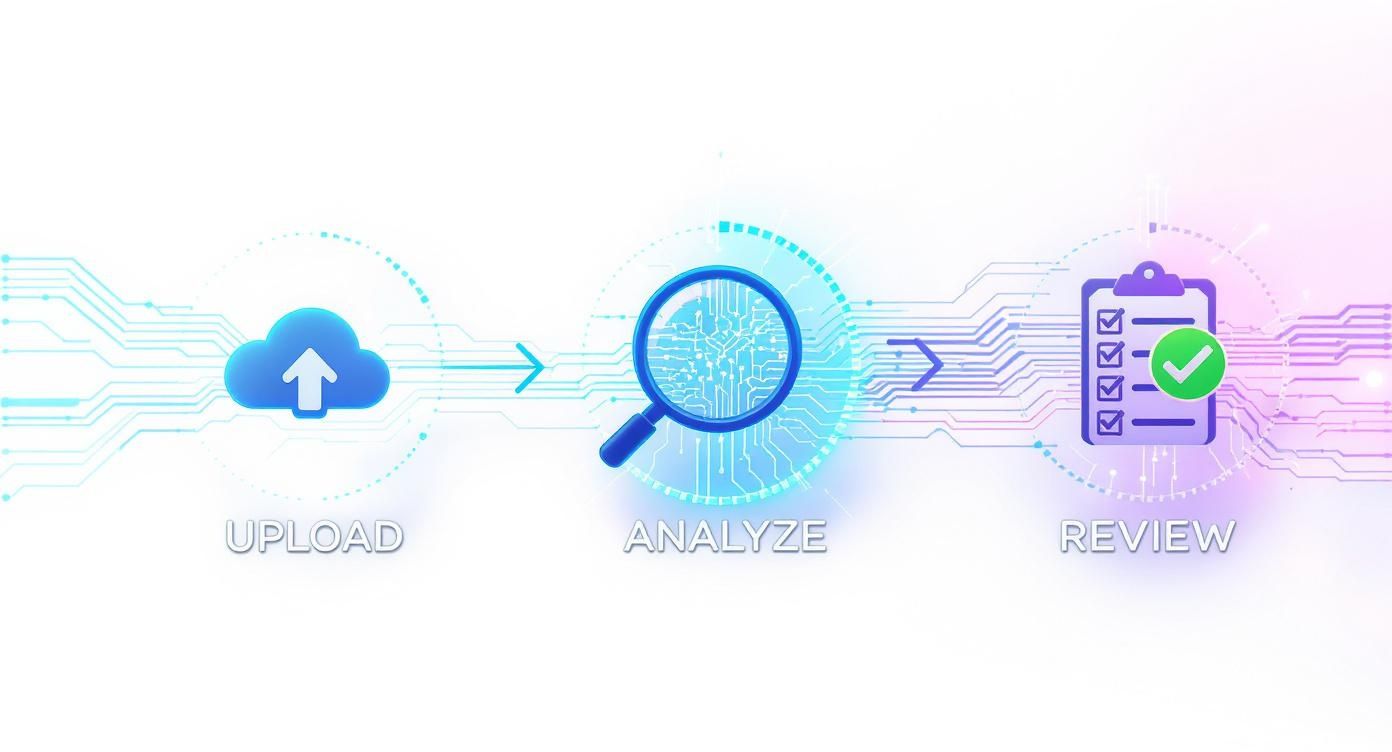
This workflow—upload, analyze, review—handles the heavy technical lifting, letting you focus on interpreting the findings.
When you're dealing with a suspected composite, pay close attention to the edges where different elements meet. Even with today's advanced blending tools, getting a perfect transition is extremely difficult. You might spot:
- Unnatural Edges: Look for edges that are either too sharp or too blurry compared to the rest of the scene. A pasted-in object might even have a faint, unnatural "halo" or glow around it.
- Lighting Source Conflicts: This is a rookie mistake but surprisingly common. If a person in the photo is lit from the left, but the shadows of the objects around them clearly show the sun was on the right, the scene is physically impossible.
Real-World Scenario: An ad shows a celebrity holding a new phone. But a close look reveals the reflection in their sunglasses doesn't match the background. That tiny detail proves the phone was digitally added later—a common but misleading practice.
Today's AI tools, like Adobe's Generative Expand, can create new background content out of thin air, making it even tougher to see where the real image ends and the fake begins. This is exactly why you need a two-pronged approach: a sharp human eye combined with a powerful photoshopped image detector. Your eyes might spot the strange lighting, but the tool can confirm it by analyzing the underlying pixel data.
The Ethical and Legal Side of Manipulated Images
So, you've used a tool and confirmed an image is photoshopped. That's the easy part. The real work—and the real responsibility—starts now. What you do with that information is where things get complicated, and understanding the ethical and legal minefield of manipulated content is critical for anyone who deals with images online.
The fallout from a doctored photo isn't just digital noise; it has real, tangible consequences. A single manipulated image can torpedo someone's reputation, stir up public chaos, or sway an election based on a complete fabrication. We're not just talking about spotting a funny meme here. This is about recognizing how easily images can be weaponized to deceive and cause harm.
Intent is Everything
At the heart of this whole debate is one simple question: what was the intent? Was the image created as a piece of satire or art, or was it a calculated piece of disinformation designed to mislead? Learning to tell the difference between harmless creativity and malicious deception is the most important judgment call you'll have to make.
Think about it this way: a graphic designer using Photoshop to create a stunning fantasy world is using the tool for art. A political operative altering a photo to place their opponent at a crime scene is using the exact same tool to manipulate and destroy. The software is identical, but the intent—and the ethical line—couldn't be more different.
The Bottom Line: The ethical weight of a photoshopped image isn't about the quality of the edit. It’s about the purpose behind it. Always ask yourself: Was this made to entertain, to create art, or to deceive and cause harm?
Who is Responsible Here?
In a world flooded with fakes, everyone has a part to play in keeping things honest. The duty to verify what we see before we share it is no longer just for professional newsrooms; it's become a fundamental part of being a responsible person online.
- Journalists & Media Outlets: For you, the obligation is absolute. Running an image through a photoshopped image detector should be a standard, non-negotiable step in your workflow before anything goes to print or online. Your credibility is on the line with every single image you publish.
- Content Moderators: The folks on platform trust and safety teams are the frontline defense. Your job is to enforce community standards, which almost always prohibit deceptive content. The tricky part is striking the right balance between removing genuinely harmful fakes and protecting satire and free expression. It's a tough, nuanced job.
- The Rest of Us: Every time you share something, you’re endorsing it. Before you reflexively hit that "retweet" or "share" button, just pause for a second. A quick reverse image search or popping the image into a detection tool can stop a lie from spreading further.
This problem is so massive that big money is flowing into finding solutions. The market for fake image detection is projected to skyrocket from USD 751.6 million in 2023 to an incredible USD 10.85 billion by 2033. That number alone shows you just how urgent this is. You can see the full breakdown in this fake image detection market research.
Navigating the Legal Landscape
Creating and sharing manipulated images can land you in serious legal hot water, depending on where you are and what the image shows. While just using Photoshop isn't illegal, how you use it can quickly cross the line into criminal activity.
For instance, if you use a doctored image to defame someone, you could be facing a libel lawsuit. If you're creating a fake ID or an official-looking document with edited photos, that’s fraud and forgery—both serious criminal offenses. In the business world, using faked images in ads can lead to false advertising claims and massive fines.
The law is still playing catch-up with the technology. As AI and editing tools get easier for everyone to use, you can bet we'll see new laws aimed specifically at the malicious creation and spread of fake media. Making an informed, responsible decision after a detection tool flags an image isn't just good ethics; it's a crucial step to keep yourself out of legal trouble.
Answering Your Top Questions About Image Detectors
As you get your hands dirty with image detection tools, you'll quickly run into some practical questions. It’s one thing to know how to use a tool, but it's another to understand what it can and can't do. Let’s tackle some of the most common questions I hear, so you can get results you can actually trust.
Can a Detector Really Find 100% of All Edits?
The honest answer? No. There's no magic bullet here. No single tool, no matter how sophisticated, can guarantee it will catch 100% of every single manipulation out there. Think of it like a top-notch home security system—it’s a powerful deterrent, but a really clever thief might still find a blind spot.
These detectors are incredibly sharp, but they aren't infallible. A very subtle change, like a minor color balance tweak or a professional-level airbrushing job, might not leave enough digital breadcrumbs for an algorithm to flag with any real confidence. This problem gets even worse when the image is uploaded to social media, where heavy compression can literally erase the very artifacts the tool was built to find.
This is precisely why you can't rely on just one method.
- Trust Your Gut (and Your Eyes): Always start with a simple visual check. You might be the one to spot an impossible shadow, a strangely warped background, or something that just feels off.
- Go Deeper with Forensics: Pop the hood and look at the metadata. Run an Error Level Analysis (ELA). These methods give you a completely different angle on the problem.
- Bring in the AI: Finally, use a powerful photoshopped image detector as your specialist. It analyzes the image at a pixel level, looking for clues that are invisible to the human eye.
When you combine these techniques, you're building a system of checks and balances. Where one method falls short, another often picks up the slack. It's this combined approach that gets you closer to the truth.
Spotting Photoshop vs. AI-Generated Images
People often lump Photoshop edits and AI-generated images together, but they leave behind completely different digital fingerprints. A good detector needs to be trained to spot the unique clues for each.
A classic Photoshop edit is an alteration of a real photograph. The detector is essentially hunting for inconsistencies within that original image's data. It’s looking for things like:
- Clashing compression levels where one part of an image was copied and pasted onto another.
- Weird noise patterns between the original pixels and the newly added elements.
- Tell-tale fuzzy edges or halos around objects that have been cut out.
An AI-generated image, however, is built from scratch by an algorithm. There is no "original" photo. Instead, the detector is searching for the specific, often bizarre, artifacts of the creation process itself. These can include:
- Slightly illogical details—the classic six-fingered hand or garbled text in the background.
- An unnaturally smooth, almost waxy texture that real photos rarely have.
- Subtle repetitive patterns or a total lack of the random, organic imperfections found in real-world photography.
The best detectors are built to look for both, especially since many of the most convincing fakes are actually hybrids—an AI-generated scene that has been touched up with Photoshop.
How Do You Verify a Compressed Social Media Image?
This is the big one. Trying to verify a low-quality, heavily compressed image you pulled from Facebook or X (formerly Twitter) is one of the toughest challenges in this field. These platforms strip out most of the useful metadata and re-compress images aggressively to save bandwidth, often destroying the very forensic evidence a detector needs.
But don't give up just because you're starting with a blurry, pixelated image. Your first, most critical move is to run a reverse image search. Use tools like Google Images or TinEye to hunt for the original, high-resolution version. If you can track it back to the source, you’ll have a much cleaner file to work with.
If the original is nowhere to be found, you have to work with what you've got. A detector might struggle, but it can sometimes still pick up on major edits. This is where your own visual inspection skills become paramount. Look for obvious logical flaws—things that simply don't make sense in the physical world. After heavy compression has wiped away the pixel-level data, those common-sense errors are often the last clues left behind.
Ready to put these ideas to the test? The AI Image Detector is designed to give you a quick, clear read on whether an image is human-made, AI-generated, or edited. Just drag and drop your file for a free analysis that respects your privacy, and get the clarity you need in seconds. Try AI Image Detector now.
