

Analysing a Photo in the AI Era A Practical Guide

Analyzing photos used to be a job for forensics experts, but in a world flooded with AI-generated images, it's become a critical skill for everyone. This guide lays out a practical workflow for checking an image's authenticity, blending old-school detective work with modern AI analysis to help you trust what you see.
Why Photo Analysis is a Must-Have Skill
We're all swimming in a sea of hyper-realistic images. Every day, millions of photos—some real, some entirely synthetic—are fighting for our attention online. Taking a fake image at face value can lead to real problems, from spreading dangerous misinformation to getting tricked by a sophisticated scam.
The good news is you don't have to rely on guesswork. This guide is built on a clear, three-part framework that takes you from a hunch to a well-supported conclusion. Think of it as building a case, where each step adds another layer of evidence. Learning this process is a huge step toward improving your media literacy and staying ahead of digital fakes.
Building a Case for Authenticity
The key is to approach verification systematically. You wouldn't build a house without a foundation, and you shouldn't analyze an image without a structure. We'll break it down into three core pillars.
The table below outlines this workflow, which we'll explore in detail throughout this guide. It’s a roadmap for moving from basic checks to deep, technical analysis.
Three Pillars of Modern Photo Analysis
| Analysis Stage | Primary Goal | Key Actions |
|---|---|---|
| Foundational Checks | Uncover the image's history and context. | Examine metadata (EXIF data), check file properties, and run a reverse image search. |
| Deep Visual Forensics | Spot inconsistencies invisible at first glance. | Analyze lighting, shadows, reflections, textures, and known AI weak spots like hands and eyes. |
| AI-Powered Analysis | Detect digital artifacts and manipulation patterns. | Use specialized tools to scan for AI signatures and get a data-driven confidence score. |
This structured approach is more crucial than ever, especially with the explosive growth of AI. The AI image generator market, valued at USD 1.8 billion, is expected to skyrocket to USD 22.66 billion by 2032. During one recent election, fact-checkers looked at over 1,200 suspicious images and found a staggering 28% were AI-generated—up from just 2% in the past. You can read the full research about AI image generator market growth to see just how massive this trend has become.
The real power comes from combining your own critical eye with the right technology. The goal isn't just to label an image "real" or "fake," but to build a habit of questioning and verifying everything you see online. Let's get started.
2. Kicking Off With Foundational Checks
Before you ever start squinting at pixels and looking for strange artifacts, the most powerful clues are often hiding in plain sight—inside the file itself. These initial checks are your first line of defense and can often tell you everything you need to know in just a few minutes. Think of it as building a case file on the image before you put it under the microscope.
The golden rule is to always work with the best-quality version of the image you can find. Avoid screenshotting at all costs. Doing so strips away critical metadata and degrades the image, making your job infinitely harder. Always try to download the original file directly from its source to preserve the data packet that travels with it.
Unpacking the Image Metadata
Every photo taken with a digital camera or phone contains a hidden layer of information called EXIF data (Exchangeable Image File Format). It’s essentially the photo's digital birth certificate, recording details about how, when, and where it was created.
Getting to this data is surprisingly easy. On most computers, you can simply right-click the image file and select "Properties" (Windows) or "Get Info" (Mac). For a more thorough look, plenty of free online EXIF viewers will lay everything out for you. This is a non-negotiable step in any serious photo analysis.
For a deep dive into the process, our guide on how to check the metadata of a photo breaks down what every field means.
So, what are the smoking guns to look for?
- Camera Model: Does the metadata list a specific camera like a "Canon EOS R5" or an "iPhone 15"? If a photo claims to be from a historical event in the 1980s but the EXIF data points to a modern smartphone, you’ve found a huge red flag.
- Software Tags: Keep an eye out for entries under "Software." If you see "Adobe Photoshop" or another editor listed, it’s a clear sign the image has been manipulated. Crucially, AI generators often leave their own digital fingerprints here, sometimes even naming the model used to create the image.
- Date and Time: Does the "Date Time Original" field match the context of the photo? A picture supposedly from a morning protest with a timestamp of 10:00 PM is immediately suspect.
A quick word of warning: Metadata can be deliberately stripped or altered. But its presence—or its conspicuous absence—is a powerful piece of evidence. A completely blank metadata field on a photo that's supposed to be a raw image from a news scene is a major red flag in itself.
The Power of Reverse Image Search
After you've looked inside the file, your next move is to check its history on the web. A reverse image search is your best friend here. Instead of typing in keywords, you upload the image itself, and the search engine scours the internet for other places it has appeared.
Free tools like Google Images and TinEye are fantastic for this. Just upload the photo, and within seconds, you can see where else it exists online.
This simple step can reveal a lot. For example, you might discover that a "brand new" photo from today's news was actually first posted five years ago in a completely different country—a classic misinformation tactic. The search results can also lead you to the original photographer or agency, allowing you to verify the source directly. By tracing an image’s journey across the web, you can build a timeline that either confirms its story or exposes it as a fraud.
Mastering the Art of Visual Forensics
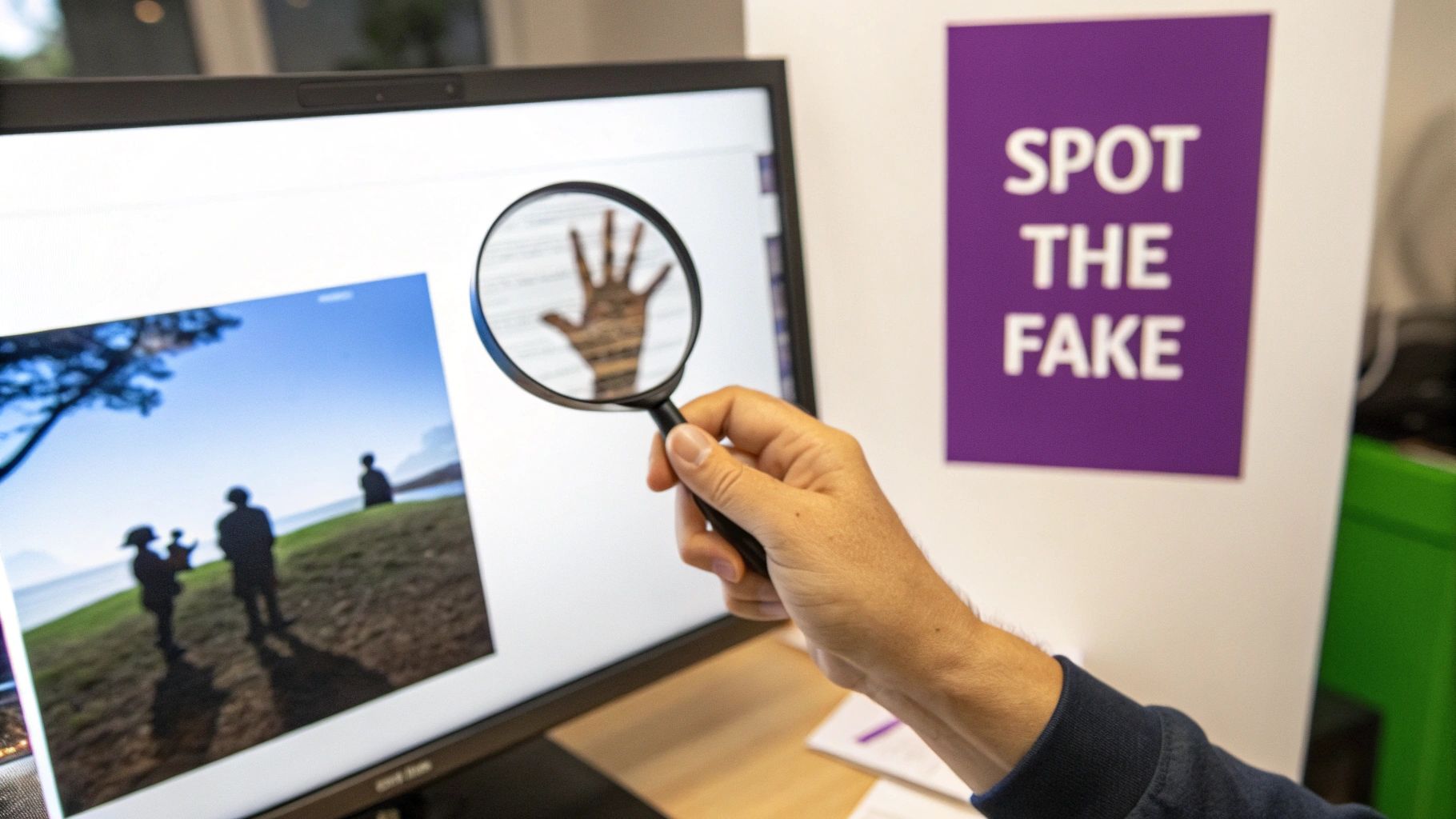
Alright, you've checked the file's backstory and metadata. Now comes the fun part—playing digital detective. This is where you really need to trust your eyes and intuition, looking for the subtle tells that AI generators and even skilled photo editors often miss.
Forget about finding one single "gotcha" moment. The real goal is to build a case. You're looking for a collection of small, strange inconsistencies that, when you put them all together, scream "fake." Your own powers of observation are your best weapon here, as long as you know what to look for.
Scrutinizing Light and Shadows
One thing AI still has a tough time with is physics. In any real photo, light and shadows follow predictable rules. All light sources should create shadows that are consistent in their direction, sharpness, and intensity. When you're analysing a photo, this is usually the first place you'll find cracks in the facade.
Start with the main light source. Are the shadows on someone's face falling in the same direction as the shadow from a tree next to them? A classic mistake in composite images is mashing together elements lit from completely different angles. You might see one person's shadow pointing left while another's points right—a physical impossibility.
The quality of the shadow is another big clue. Harsh, direct light, like the sun at high noon, creates crisp, well-defined shadows. An overcast day or a fluorescent-lit office, on the other hand, produces soft, diffused shadows. If you spot a person with a razor-sharp shadow standing in what's supposed to be a foggy landscape, something is very wrong.
Identifying AI's Notorious Weak Spots
Generative AI is getting scarily good, but it still consistently fumbles certain complex details that our brains process in a split second. These are the weak spots you can exploit.
Hands and Eyes Are the Classic Telltale Signs:
- Hands: Always, always zoom in on the hands. AI models are infamous for getting anatomy wrong, giving people six fingers, bizarrely bent knuckles, or hands that seem to merge into the objects they're holding. Just counting the fingers is a simple, powerful check that can debunk an image instantly.
- Eyes: Get up close and personal with the eyes. AI-generated portraits often have eyes that look glassy, dead, or have reflections that don't match the surrounding scene. Look for misshapen pupils or irises with unnaturally perfect, symmetrical patterns.
When you find one of these classic AI errors, it’s a strong signal the image is not authentic. While the models are improving, these biological complexities remain a significant hurdle for algorithms to get right every single time.
Examining Textures and Unnatural Surfaces
The real world is messy and imperfect. AI, however, has a habit of creating surfaces that are just a little too perfect. That unnatural smoothness can be a dead giveaway. For example, skin might look like polished plastic, completely missing the pores, tiny blemishes, and fine lines that make a human face look real.
Keep an eye out for other textural oddities:
- Fabric and Hair: Does the weave on a shirt look realistic, or is it a flat, repeating pattern? Is hair flowing naturally, or are there weird, disconnected strands that seem to float in space?
- Background Details: This is a big one. Look for garbled, nonsensical text on signs, books, or posters in the background. AI often understands the shape of letters but struggles to assemble them into coherent words.
- Reflections: Check anything reflective—windows, mirrors, sunglasses, even a puddle on the ground. Does the reflection logically match what should be visible in the scene? An AI might generate a reflection showing a completely different room or forget to include objects that should be there.
Think about a photo of someone standing in front of a shop window. You should see their reflection and the street scene behind the photographer. If that reflection is missing or, worse, shows an empty, pristine room, you've just found a critical flaw. By methodically checking these visual cues, you stop being a passive viewer and become an active analyst, ready to spot the deception hidden in the pixels.
Using AI Tools to Fight AI Fakes
When your own eyes have done all they can, it's time to bring in the machines. Visual forensics are powerful, but some manipulations are just too subtle for even a trained eye to catch. This is where specialized AI detection tools become a crucial part of your verification workflow, acting as a digital magnifying glass to spot the synthetic fingerprints left behind by image generators.
These tools are built to see what we can’t. They don’t just look for oddities like six-fingered hands; instead, they analyze pixel patterns, compression artifacts, and other statistical anomalies that are invisible at a glance. Think of them as giving you a powerful second opinion, one based on pure data.
How to Run an AI Image Check
Getting started is surprisingly simple. Most detectors, including the AI Image Detector, are web-based, so there’s no software to install. You just upload your file and let the platform do the work.
It usually boils down to a few quick actions:
- Prep Your File: Always try to get the highest-quality version of the image you can find. A low-resolution screenshot from social media will work in a pinch, but the original JPEG or PNG file gives the AI far more data to analyze, which means a more reliable result.
- Upload the Image: Most tools feature a simple drag-and-drop interface. Just pull the file from your desktop right into the browser window.
- Let It Run: The analysis is incredibly fast, often taking less than ten seconds. In that time, the tool’s models are scanning the image and comparing its digital DNA against a massive database of both human-shot and AI-generated content.
Here's a look at the AI Image Detector's interface. The design is clean and focused on getting you a result quickly.
You just drop your file into the designated area, and the technology takes it from there.
Interpreting the Detector's Verdict
Once the analysis is done, you won’t get a simple "real" or "fake" answer. The results are more nuanced, typically including a confidence score. This is where your expertise comes back into play.
A result like "95% Likely AI-Generated" is a very strong signal. On the flip side, "98% Likely Human" gives you high confidence in the photo's authenticity. But what about the murky middle? A verdict of "Likely Edited" or a score closer to 50% could point to a mixed-media image—maybe a real photo where someone used AI to add a new background. For a deeper dive, check out our guide on how to perform an AI-generated image check and make sense of the full range of results.
To truly get a handle on this, it's also helpful to understand the creation side of things. Techniques like AI face swap technology are common, and knowing how they work helps you understand what the detector is looking for.
Now, let's break down how to interpret these scores in a practical way.
Interpreting AI Detector Results A Quick Guide
The verdict from an AI detector is more than just a number; it's a guide for your next steps. This table breaks down what different scores and verdicts typically mean.
| Detector Verdict | Confidence Score Range | What It Means & Next Steps |
|---|---|---|
| Highly Likely Human | 90% - 100% | The image shows almost no signs of AI generation. It's likely an authentic photo. You can proceed with high confidence, but always cross-reference with contextual clues. |
| Likely Human | 70% - 89% | Most indicators point to a human origin, but there might be minor digital artifacts or heavy editing. Worth a closer look for subtle manipulations. |
| Uncertain / Mixed | 30% - 69% | This is the gray area. The image could be heavily edited, a composite (human + AI elements), or a very sophisticated fake. This requires more manual investigation. |
| Likely AI-Generated | 70% - 89% | The tool found significant evidence of AI synthesis. This is a strong red flag. Look for corroborating evidence from your visual forensics checks. |
| Highly Likely AI-Generated | 90% - 100% | The digital fingerprints are clear and overwhelming. It is almost certainly a synthetic image. Document your findings from the tool alongside visual anomalies. |
Remember, no tool is perfect. The score should always be used as one piece of the puzzle, alongside your own investigation.
The confidence score isn't a measure of certainty; it's a measure of probability based on the evidence the AI found. Think of it as one powerful piece of evidence in your overall investigation, not the final word.
The need for these tools is growing at an incredible pace. The global AI detector market is booming, projected to jump from USD 453.2 million to an astonishing USD 5,226.4 million by 2033. This growth is driven by a very real problem: a recent NewsGuard analysis of 5,000 viral images found that a staggering 41% were AI-synthesized.
Ultimately, an AI detector isn’t meant to replace your judgment—it's there to augment it. It provides data-driven insights that complement your visual forensic skills, helping you build a much stronger, evidence-based case for or against an image's authenticity.
Putting It All Together: From Clues to Conclusion
You've done the legwork. You’ve dug into the metadata, run a reverse image search, scrutinized every pixel for visual oddities, and gotten a verdict from an AI detection tool. Now comes the crucial part: connecting the dots to form a final judgment. Photo analysis isn't about finding a single "gotcha" moment; it’s about weighing the entire body of evidence.
This process is rarely clean and simple. You'll often find yourself staring at conflicting signals. Maybe the EXIF data looks totally normal, but the lighting on someone’s face just feels… wrong. Or perhaps an AI detector gives the image a "Likely Human" score, but you’ve spotted garbled text lurking in the background.
When this happens, don't just dismiss the conflicting evidence. Let it point you toward deeper questions. For example, clean metadata on a visually suspect image could signal a sophisticated edit where someone intentionally scrubbed the original data. A "Likely Human" score on a picture with obvious AI artifacts might mean you're looking at a composite—a real photo that's been altered with AI tools.
Weighing Conflicting Evidence
Your real skill as an analyst comes down to deciding which clues are the most reliable. Not all evidence carries the same weight.
- Strong Evidence: Think of these as smoking guns. Glaring impossibilities like shadows pointing in multiple directions, classic AI tells like six-fingered hands or nonsensical text, and a high-confidence AI detector score (over 90%) are all powerful indicators.
- Moderate Evidence: These are the red flags. Missing metadata or a strange texture on clothing is suspicious but not definitive on its own. These clues need support from other findings to build a strong case.
- Weak Evidence: This is where you start, not where you finish. A gut feeling that "something looks off" or a lukewarm AI score in the 50-60% range just means you need to dig deeper.
A simple decision tree can help map out this journey from initial check to final verdict.

This kind of workflow shows how you can move methodically from one step to the next, interpreting the results along the way.
The technology behind these detectors is advancing rapidly. The AI image recognition market is already valued at USD 13.07 billion and is expected to soar to USD 36.36 billion by 2030. News organizations like the BBC and CNN are already using these tools at a massive scale, analyzing 2.8 million images in a single year and flagging 37% for potential issues. As this tech becomes more common, your ability to blend its output with your own critical eye is what will set your analysis apart. You can discover more insights about the AI image recognition market here.
Documenting Your Analysis for a Clear Conclusion
The final, and perhaps most important, step is to document your process. This isn’t just for writing up a formal report—it’s a critical thinking tool that helps you organize your thoughts and confidently explain your conclusion to an editor, a manager, or even your social media followers.
I always recommend creating a simple checklist or summary. Just jot down your findings from each stage—metadata, reverse search, visual forensics, and AI detection. This creates a clear, logical trail of evidence that backs up your final call.
Here’s what that might look like in practice:
- Metadata: Completely empty. This suggests the file was scrubbed or is simply a screenshot.
- Reverse Image Search: Zero results. The image is likely new and hasn't circulated widely online.
- Visual Forensics: Shadows on the main subject are inconsistent with the light source. Text in the background is unreadable gibberish.
- AI Detector Score: 92% Likely AI-Generated.
By laying it all out like this, you transform a collection of scattered facts into a cohesive, evidence-based argument. This complete picture, blending sharp human instinct with powerful AI insights, is the bedrock of responsible and effective photo verification.
Common Questions About Analysing a Photo
Even with a solid workflow, some images just feel… tricky. As you gain more experience, you'll run into all sorts of confusing, heavily edited, and cleverly disguised fakes. This is where we tackle the most common questions that pop up, giving you clear answers to get you through those head-scratching moments.
Think of this as your troubleshooting guide for the real world. These are the situations that often leave people stumped, from dealing with screenshots to understanding the limits of AI detection.
Can an AI-Generated Image Be Completely Undetectable?
While AI models are getting scarily good, a truly undetectable image is still incredibly rare. Even the most sophisticated generators leave behind subtle digital fingerprints. These aren't always obvious flaws; they can be unnaturally perfect geometric patterns in the background, or logical inconsistencies in complex details like hands, text, or reflections.
The trick is to change how you look at the problem. Stop searching for one single, glaring mistake and start thinking in layers.
A slick, convincing image might fool the naked eye on its own, but it's much harder to fool a combined approach. By layering your investigation—mixing visual inspection, a metadata check, and a powerful AI detector—you build a much stronger defense. It's this multi-pronged strategy that catches the fakes that would otherwise slip through.
What If a Photo Is Edited but Not Fully AI-Generated?
This is probably the most common scenario you'll face. The photo itself is real, but key parts have been added, removed, or tweaked. The first thing to figure out is the nature of the edit. Was a person airbrushed out of a group shot, or was the entire background swapped with an AI-generated scene?
Modern tools can often flag this kind of content, giving you a verdict like "Mixed" or "Edited." When you're looking at an image like this, pay close attention to the boundaries where the original and altered parts meet.
Look for these specific signs of manipulation:
- Mismatched Lighting: Does the light on an added object seem to come from a different direction than the light in the rest of the photo?
- Shadow Inconsistencies: Does a new element cast a shadow that matches the others in terms of direction, softness, and color?
- Resolution Differences: Is one part of the image noticeably sharper or blurrier than everything else around it?
Context is everything here. An undisclosed edit that changes the fundamental meaning of a photo is a massive red flag, especially for journalists and fact-checkers.
Does Screenshotting an Image Remove AI Evidence?
Screenshotting is a classic move to obscure an image's origins, but it's not the silver bullet some people think it is. Taking a screenshot does two things: it strips the original metadata from the file and it degrades the overall image quality. Both of these make analysis harder, which is exactly the point.
However, screenshotting does not erase the visual artifacts baked into the image itself. All those telltale signs of AI—like weirdly smooth textures, odd lighting, and messed-up hands—are still there in the pixel data.
Sure, a low-resolution screenshot is tougher to analyze than a crisp, original file, but it’s far from impossible. Good AI detectors are trained to look at deep pixel patterns and can often find compelling evidence of manipulation even in a degraded image.
Beyond forensic investigation, analysing a photo can also involve understanding its aesthetic qualities and impact; for example, exploring what factors contribute to a photo being 'photogenic' offers insight into visual perception.
Are There Free Tools for Analysing a Photo?
Absolutely. You don't need an expensive software suite to build a powerful verification workflow. Many of the most effective tools are completely free, putting serious verification power in everyone's hands.
Here’s a quick rundown of what's available at no cost:
- Metadata Viewers: Your computer’s built-in file properties viewer (just right-click and select "Properties" or "Get Info") can show basic EXIF data. For a deeper dive, countless free online EXIF viewers are just a quick search away.
- Reverse Image Search: Powerhouses like Google Images and TinEye are completely free and are your best friends for tracing an image's history across the web.
- AI Detection: Services like the AI Image Detector offer robust, free analysis for individual images. While paid plans might exist for high-volume users, the core detection engine is typically accessible to all.
These free resources level the playing field, empowering students, journalists, and everyday users to fight back against digital deception.
Ready to put these skills to the test? The AI Image Detector gives you the power to verify images in seconds. Upload a file and get a clear, data-driven analysis to see if it's human-made or AI-generated. Try it for free today and make informed decisions with confidence. https://aiimagedetector.com


