

A Creator's Guide to Check Images for Copyright

Using an image without the right permissions isn't a minor slip-up; it's a serious gamble with very real consequences. Before we get into the nuts and bolts of how to check an image's copyright, it’s crucial to understand why this step is non-negotiable.
Why You Must Verify Image Copyright
Skipping this check exposes you, your blog, or your business to significant legal and financial trouble. That quick, convenient image search can easily turn into a costly demand letter or a public relations disaster down the road.
The Financial and Legal Fallout
Let's talk money, because that's often the most immediate risk. Copyright holders are well within their rights to take legal action for unauthorized use of their work. This isn't some rare, theoretical threat—it happens every single day.
- Hefty Statutory Damages: Laws like the U.S. Digital Millennium Copyright Act (DMCA) are no joke. Penalties for willful infringement can skyrocket to $150,000 per image.
- Mounting Legal Fees: On top of fines, you could be on the hook for the copyright holder's attorney fees, which can quickly add up to tens of thousands of dollars.
- Forced Licensing: Often, the first demand you'll get is for a "retroactive license," forcing you to pay for past use at a rate that's usually much higher than the original cost.
Your Reputation Is on the Line
Beyond the financial hit, a public copyright dispute can do a number on your brand's image. Being called out for stealing an image makes your organization look unprofessional, careless, and even unethical. It's a quick way to erode the trust you've worked so hard to build with your audience and partners.
The scale of this problem is massive. Unauthorized image usage costs the global creative economy billions each year. A staggering 80% of online images are reportedly used without proper licensing, leading to over $10 billion in annual losses for creators. You can find more insights about the image copyright market and its challenges online.
Taking the time to verify an image isn't just about dodging a bullet. It's a fundamental part of creating content ethically and legally.
Mastering Reverse Image Search to Trace an Image's Origins
When you're trying to figure out if you can use an image, your first port of call should almost always be a reverse image search. Think of it as your digital detective kit—it helps you follow an image’s footprints across the internet to uncover where it came from and how it's been used.
It's a surprisingly straightforward process. Instead of typing in keywords, you upload the image itself to a search engine like Google Images, TinEye, or Bing Visual Search. The engine then scours its index for exact matches and visually similar pictures. This is a game-changer for finding the creator’s portfolio, a stock photo page, or the very first place the image was published.
Getting the Most From Your Search
Just finding copies isn't enough; the real goal is to pinpoint the oldest version of the image, as this is most likely the original. A little refinement in your search can make all the difference.
- Filter by Date: On Google, look for the "Tools" option after you search. You can sort the results by time, which is incredibly useful for cutting through all the recent reposts and getting closer to the original upload.
- Look for High-Resolution Copies: The best-quality version of an image is usually found at the source. If your search points you to a crisp, high-resolution file on a site like Adobe Stock or Getty Images, you've probably hit the jackpot—complete with clear licensing information.
- Analyze the Context: Where is the image showing up? If you see it on multiple professional sites and it's always credited to the same photographer or agency, that's a pretty strong clue about who owns the rights.
This simple flowchart breaks down the risk you take by skipping this crucial step.
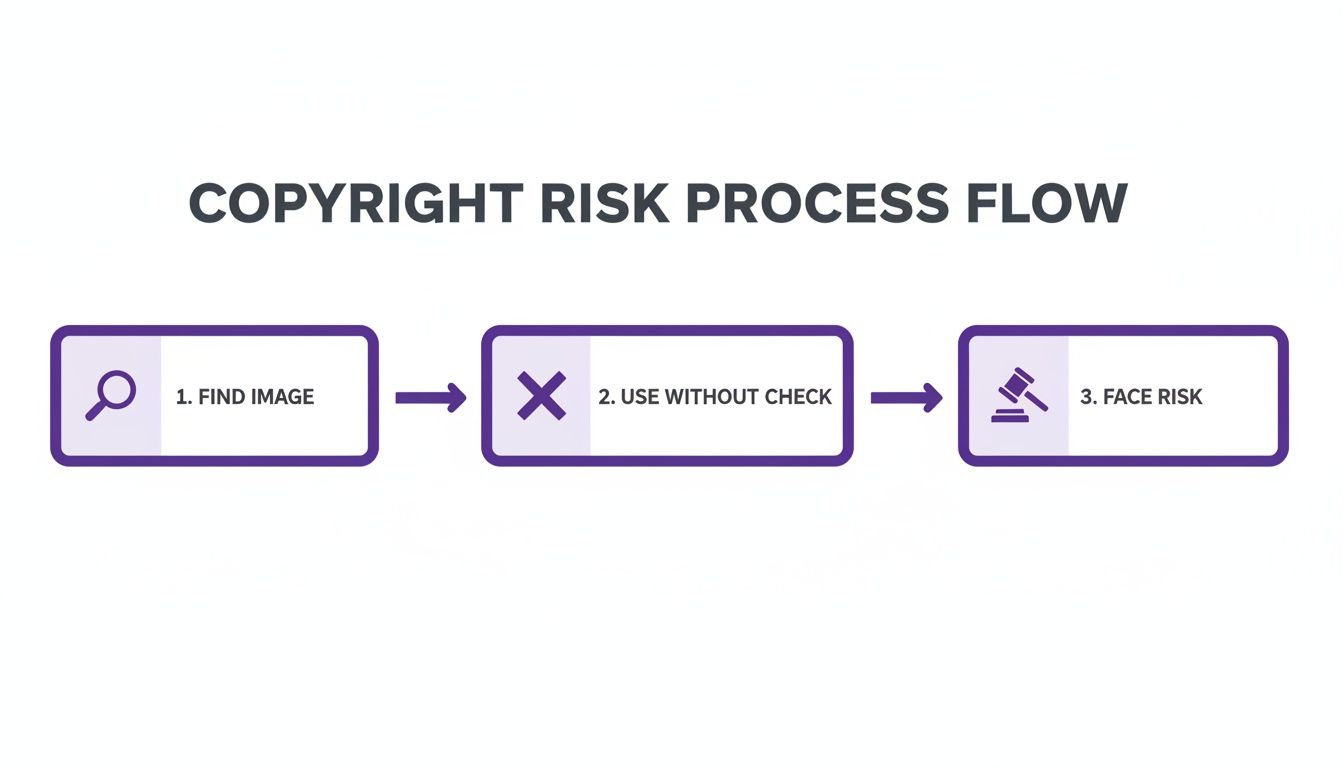
As you can see, failing to verify an image's origin is a direct path to potential legal and financial headaches. It’s a step you just can't afford to skip.
To get the most comprehensive results, I recommend using a few different tools. Each has its own strengths and can uncover different pieces of the puzzle.
Comparing Reverse Image Search Tools
Here's a quick comparison of the top reverse image search tools to help you choose the best one for your needs.
| Tool | Key Feature | Best For |
|---|---|---|
| Google Images | Its massive index finds the most visually similar images. | General-purpose searching and finding context. |
| TinEye | Chronological tracking shows how an image has been used over time. | Tracing an image's history and finding the oldest version. |
| Bing Visual Search | Strong at identifying objects within an image. | Identifying products, landmarks, or people in a photo. |
| Yandex | Excellent facial recognition and finding exact duplicates. | Finding different sizes and versions of the same image. |
No single tool is perfect, which is why a multi-pronged approach often works best. Start with Google, but then run the image through TinEye to see its historical journey.
This detective work is absolutely fundamental. For anyone working with visuals today—especially with AI-generated images becoming more common—understanding an image's background is non-negotiable. In fact, you can learn more about how AI reverse image search is changing the game in our detailed guide. Putting in this effort up front protects you from copyright claims and ensures you're using visuals both legally and ethically.
2. Dig Into the Image’s Digital Fingerprint: Metadata
If a reverse image search comes up empty, your next move is to play detective and look for clues hidden within the image file itself. Most digital photos carry a wealth of information called metadata, which essentially acts as a digital fingerprint, recording key details about the image's origin and ownership.
This data is your best friend when you need to check images for copyright information left by the creator. It’s often the fastest way to find a name or a company to contact.
What to Look for in EXIF and IPTC Data
This hidden data usually comes in two flavors: EXIF (Exchangeable Image File Format) and IPTC (International Press Telecommunications Council).
Think of EXIF as the technical stuff the camera records automatically—things like shutter speed, aperture, and the exact date and time the photo was taken. While useful, the real gold is usually in the IPTC data. This is information added later by the photographer or a photo agency, and it’s where you’ll often find explicit copyright notices, creator names, and contact details.
Getting to this information is surprisingly simple. You don’t need any fancy software; your computer’s built-in tools can do the job.
- On a Windows PC: Just right-click the image file, choose "Properties," and click on the "Details" tab.
- On a Mac: Open the image using Preview, head to "Tools" in the top menu, and select "Show Inspector."
Once you're in, scan for fields like "Author," "Creator," or "Copyright." These are your primary targets. Finding a name or an agency here gives you a solid lead to follow up on.
For a more detailed breakdown of what all those fields mean, our guide on how to check image metadata covers everything you need to know.
Don't Overlook Watermarks (Visible and Invisible)
Sometimes, the most important clue is staring you right in the face. A visible watermark—that semi-transparent logo or text layered over the picture—is a direct and intentional claim of ownership.
Expert Tip: Never, ever try to edit out a watermark. Removing it is almost always a copyright violation on its own. Instead, treat it as a gift. Use the name, logo, or website URL in the watermark to track down the original creator and ask about proper licensing.
The trick, however, is that this data isn't always permanent. Be aware that many social media platforms, like Facebook and Instagram, strip most metadata from images during the upload process to save space. This makes relying solely on metadata a bit of a gamble for photos you find on social feeds.
Less common, but far more persistent, are digital watermarks. This is copyright information embedded directly into the image file, making it invisible to the naked eye but readable by special software. This technology is designed to survive resizing, cropping, and compression. If you're dealing with a professional-looking image from a commercial source, it's safest to assume a digital watermark might be present and that the image is definitely protected.
Navigating the New World of AI-Generated Images
The visual world just got a lot more complicated. With the explosion of AI image generators, we're facing a brand-new kind of content that throws a wrench into everything we thought we knew about copyright. The core question is no longer just "who took this photo?" but "was a human even involved?"
This isn't just a philosophical debate; it has real legal implications. In many places, including the United States, copyright law is built on the foundation of human authorship. For a work to be protected, a person has to create it. That means an image spit out by an AI from a simple text prompt, with no real creative shaping by a human, might not have a copyright owner at all. It could exist in a legal no-man's-land.
Why AI Image Copyright Is So Tricky
This uncertainty is a double-edged sword. On one hand, you might think these images are a free-for-all. On the other, using them without a clear green light is wading into murky waters. You have to consider the specific terms of service of the AI tool, the potential for the AI to have trained on copyrighted material, and the fact that courts are still figuring all this out.
The flood of synthetic content is staggering. Some industry estimates suggest that 15-20% of new images hitting the web are now AI-generated, which seriously blurs the lines of originality. This has given rise to tools that can spot the subtle digital fingerprints of AI—like weird lighting or strange artifacts—often in less than 10 seconds. Platforms like AI Image Detector are becoming essential, especially in areas like e-commerce, where AI fakes fueled an estimated $2.5 billion in scams last year alone.
How to Spot an AI-Generated Image
Before you even think about the legal side, you have to figure out if you’re looking at a real photo or a synthetic one. This is now a crucial first step when you check images for copyright. While the technology is advancing at a breakneck pace, AI still makes some classic mistakes.
I’ve found that the biggest giveaways are often in the tiny details. AI really struggles with things that require logical consistency, like hands, text, or intricate repeating patterns. You'll see fingers that are just a little too long, or maybe one too many. Text inside an image often looks like a jumbled mess of characters that almost form words, but don't.
Keep an eye out for these common red flags:
- Unnatural Textures: Skin can look unnervingly smooth and poreless, or surfaces might have a strange, waxy sheen.
- Inconsistent Lighting: Look for shadows that fall in the wrong direction or highlights that don't match any obvious light source.
- Bizarre Details: You might spot objects melting into each other, asymmetrical faces, or weird, distorted shapes lurking in the background.
When you need a more definitive answer, specialized tools are the way to go. An AI Image Detector analyzes an image for these digital clues and gives you a confidence score on whether it's human-made or machine-generated. This kind of verification is becoming non-negotiable for anyone who needs to trust their visuals.
If you're curious to learn more about the creative side of this technology, this guide on how to generate AI images offers a good look under the hood.
So you’ve done the sleuthing and tracked down the person or agency that owns the rights to an image. What now? The next step is simply to ask for permission. This might feel a bit daunting, but in my experience, a clear, professional, and respectful request goes a long way.
Vague emails are easy to ignore, so you want to make it as easy as possible for the creator to say "yes." Be direct and give them everything they need to know right from the start.
Crafting the Perfect Permission Request
When you reach out, specificity is your best friend. Don't make the rights holder guess what you want or how you plan to use their work. A well-thought-out email can make all the difference between a quick approval and radio silence.
Here’s a simple checklist for what to include in your message:
- A Clear Link: Always include a direct link to the specific image you're interested in.
- Your Intended Use: Be precise. Explain exactly where and how you want to use it. Think: "in a blog post about digital marketing on my company's website," not just "on my website."
- The Scope of Use: Detail the context. Is it for a commercial or non-commercial project? How long do you plan to use it? Will it be seen globally or in a specific region?
- Your Offer: Be upfront about terms. State clearly if you're prepared to pay a licensing fee or if you're hoping for permission in exchange for something else, like attribution.
This straightforward approach shows you respect their time and their ownership, which immediately increases your chances of getting a positive response. Getting this part right is a fundamental aspect of protecting intellectual property rights for both creators and users.
Demystifying Common Licensing Terms
If you get a reply, it will probably come with some licensing jargon. It's absolutely crucial to understand these terms before you agree to anything, as they spell out exactly what you can and can't do.
The three big ones you'll run into are Royalty-Free, Rights-Managed, and Creative Commons. Mixing them up can easily lead to accidental copyright infringement, so let’s break them down.
- Royalty-Free (RF): This is a popular one. You pay a one-time fee to use the image multiple times across different projects without having to pay more royalties down the line. It offers great flexibility, but always read the fine print for any hidden restrictions.
- Rights-Managed (RM): This license is much more specific and restrictive. It grants you a one-time use for a very particular purpose, duration, and geographic location. It often provides more exclusivity, but you lose the flexibility of an RF license.
- Creative Commons (CC): This is a set of public licenses that often allow free use, but usually with strings attached. You have to check the specific type of CC license—some require attribution (BY), some prohibit commercial use (NC), and others forbid you from making any changes (ND).
What to Do When Permission Is Denied
Sometimes, the answer is just no. Or, more commonly, you never hear back at all. When that happens, there's only one rule: do not use the image. The legal and financial risk is never worth it.
Fortunately, you have plenty of other great options.
Reputable stock photo libraries like Adobe Stock or Getty Images are filled with millions of properly licensed images. If you're on a budget, platforms like Unsplash or Pexels offer fantastic, high-quality photos with their own permissive licenses.
But the absolute safest bet? Create your own visuals. Taking your own photos or designing your own graphics gives you 100% control and completely eliminates any copyright headaches.
Common Copyright Traps and How to Sidestep Them
Even when you're trying to do the right thing, image copyright can be a real minefield. I've seen countless creators get into hot water because of a few persistent myths and simple misunderstandings. Knowing what these traps are ahead of time is the best way to keep your projects safe and avoid legal headaches.
One of the biggest—and most dangerous—assumptions is that giving credit is the same as getting permission. It isn't. Tacking on a "Photo by Jane Doe" to an image you found online doesn't magically make it legal to use.
Attribution is only part of the deal when an image is explicitly shared under a license that requires it, like certain Creative Commons licenses. Otherwise, you need direct, unambiguous permission from the creator. Think of it this way: credit is a condition of a license, not a substitute for one.
Another pitfall is the loose interpretation of "fair use." It’s not a get-out-of-jail-free card, especially for commercial projects. Fair use is a nuanced legal concept, usually reserved for very specific contexts like criticism, news reporting, or parody. Just assuming your company blog post or marketing material qualifies is a huge gamble.
Busting a Few More Copyright Myths
Let's clear the air on a few other common beliefs that trip people up all the time.
"If it looks old, it must be public domain." Not so fast. An image's age is a terrible indicator of its copyright status. Copyright terms are long and vary wildly by country and when the work was created—often lasting 70 years after the creator’s death. Never assume.
"I paid for it on a stock site, so I can use it however I want." This one gets a lot of businesses in trouble. Your stock photo license has specific rules. A standard license, for example, might prevent you from using the image on products you sell or in content about sensitive topics. You have to read the fine print.
"I grabbed it from Pinterest, so it's fair game." Absolutely not. Just because an image is on a social media platform doesn't strip it of its copyright. The original creator still holds the rights, and the platform’s terms of service don't give you a license to republish their work on your own site.
These aren't just minor slip-ups; they have real financial consequences. Unauthorized image use is a massive problem, causing an estimated $5-10 billion in global losses every single year. A lot of this comes from simple confusion, with some studies showing that up to 70% of businesses misuse stock images without even realizing it. The legal ground is always shifting, so it pays to stay informed by following the major copyright cases to watch.
Have More Questions? Here Are Some Quick Answers
Working with images online can feel like navigating a minefield of rules. If you're still a bit unsure about the do's and don'ts, you're not alone. Let's tackle a few of the most common questions that come up.
Is It Okay to Use an Image If I Just Give Credit?
Unfortunately, no. Giving credit or attribution is a nice gesture, but it doesn't magically grant you legal permission to use someone's work. Think of it this way: you can't borrow a photographer's camera just by leaving a thank you note.
The creator holds the exclusive rights to their image. Unless they've released it under a specific license that only requires attribution (like certain Creative Commons licenses), you need their direct permission or a paid license. The safest bet is to always assume permission is needed.
But What About Images on Social Media? Are Those Fair Game?
This is a huge misconception. Images posted on social media are almost never free for the taking. The original creator still owns the copyright, plain and simple.
When someone posts on a platform, they agree to that platform's terms of service, which usually gives the platform itself certain rights. Those rights don't extend to you. Grabbing a photo from someone's Instagram or X feed and using it on your blog or website is a classic case of copyright infringement.
To get a solid grasp on the legal side of things, it’s worth brushing up on the fundamental principles of copyright law. Understanding the basics is your best defense against making a costly mistake.
What's the Real Difference Between "Royalty-Free" and "Copyright-Free"?
These two terms sound similar but mean very different things. It's a critical distinction.
- Royalty-Free: This is a popular licensing model. You pay a one-time fee to a stock photo site, which gives you the right to use the image in multiple projects without paying royalties for each use. You're buying a license, not the image itself. The copyright still belongs to the original creator.
- Copyright-Free: This isn't an official legal term, but it generally refers to images in the public domain. This happens when a copyright has expired or the creator has explicitly waived all their rights. These images truly are free for anyone to use for any purpose.
When you're unsure if an image is human-made or AI-generated, get a clear and fast answer with AI Image Detector. Verify your images for free today.

