

A Practical Guide to Detect Photoshopped Images

Spotting a photoshopped image isn't about one single trick. It’s a process, a layered approach that starts with what you can see with your own eyes and can go all the way to advanced digital forensics. You begin by looking for the obvious stuff—mismatched shadows, weirdly warped backgrounds, or textures that just feel off. From there, you can dig deeper, using specialized tools to analyze metadata and compression artifacts that often hold the definitive proof.
Why Image Verification Is More Important Than Ever

In a world completely saturated with digital media, learning to tell what's real from what's fake has become a fundamental survival skill. This isn't just for journalists verifying a source; it's for everyone. The ability to question and validate what we see online protects us from misinformation, scams, and outright fraud.
And it's getting harder. With the explosion in AI-generated media, understanding the nature of AI-generated content is no longer optional. The consequences of getting it wrong are huge—manipulated images can sway elections, destroy reputations, and even taint legal evidence. This guide is your roadmap, a toolkit designed to help you move from a gut feeling of suspicion to a confident, evidence-based analysis.
The High Stakes of Image Integrity
This isn't just a social media problem. The issue of image integrity reaches into the most trusted corners of our society, including academic research. When a scientist publishes their findings, the images they present are considered evidence, a cornerstone of their work's validity.
But what happens when that evidence is tampered with? It's more common than you'd think. Systematic screening at major scientific journals found that a staggering 20–25% of accepted articles had figures that broke the rules on image manipulation. While most were minor tweaks, about 1% of those cases were so serious they led to formal investigations into scientific misconduct. That’s how seriously this is taken at the highest levels.
Image verification is no longer a niche skill for forensic experts. It's a fundamental aspect of digital literacy required to navigate our complex media environment responsibly.
A Layered Approach to Verification
To really get good at this, you need a workflow—a series of steps that build on each other. Relying on a single technique is a recipe for failure. The process I'll walk you through is structured in layers, each one increasing in technical complexity, so you’ll always have the right tool for the job.
As you learn https://www.aiimagedetector.com/blog/how-to-check-if-photo-is-real, you'll move through these key stages:
- Visual Inspection: First, you train your eyes. I'll show you how to spot the subtle, tell-tale signs of manipulation that are often hiding in plain sight.
- Metadata and Provenance: Next, you become a detective. We'll dig into an image file's hidden data to trace its history and origins.
- Digital Forensics: This is where we pull out the bigger guns. You'll learn specialized techniques like Error Level Analysis (ELA) to reveal alterations the naked eye could never see.
- AI-Powered Detection: Finally, we'll look at modern tools that use artificial intelligence to spot the complex fingerprints left behind by today's sophisticated editing software.
I've put together a quick table to summarize this workflow. Think of it as your cheat sheet for knowing which approach to use and when.
Four Levels of Image Verification
| Verification Level | Technique | Complexity | Best For |
|---|---|---|---|
| Level 1 | Visual Inspection | Low | Quick, initial assessments and spotting obvious fakes. |
| Level 2 | Metadata & Provenance | Low-Medium | Verifying a file's origin, date, and camera details. |
| Level 3 | Digital Forensics (ELA, etc.) | Medium-High | Finding subtle edits, cloning, or compression mismatches. |
| Level 4 | Automated & AI Tools | Varies | Detecting sophisticated AI forgeries and high-volume analysis. |
By mastering these layers, you build a robust and reliable verification process. It's a skill set that will equip you to confidently tackle everything from simple social media fakes to complex, AI-assisted forgeries.
Training Your Eyes to Spot Inconsistencies
Before you even think about running an image through software, your most powerful tool is right there in your head. The human brain is incredible at spotting things that just feel wrong, but you have to train it what to look for. This isn't just about "looking closely"; it's a systematic process of questioning the reality presented in the frame.
The biggest mistake I see people make is focusing only on the main subject. Instead, zoom out and start with the fundamentals that hold the entire scene together. The most common errors in manipulated photos aren't necessarily sloppy edits—they're a complete disregard for the laws of physics.
Chasing Shadows and Light
Light is the ultimate truth-teller in a photograph. In any real scene, a single light source (like the sun) casts shadows that all point in the same direction and share a similar softness. The moment you see shadows going rogue, you’ve found a massive red flag.
Imagine a photo of a group of people standing outside. If the person on the left casts a shadow straight behind them, but the person on the right has one angled sharply to the side, it's a near-certainty one of them was dropped into the scene later. The light simply doesn't lie.
Pay close attention to the quality of the light. Does the warm, soft glow of a sunset on a person's face match the harsh, midday light on the building behind them? Mismatched color temperatures are a classic giveaway.
Also, don’t forget to check highlights and reflections. A person wearing sunglasses should have a reflection that accurately mirrors the environment they're in. If that reflection is missing or shows something totally out of place, you've almost certainly found a composite image.
Finding Flaws in the Fabric of an Image
Digital editing tools almost always leave behind subtle fingerprints. Learning to spot these digital artifacts is key to catching even skillfully done manipulations. A great place to start is by examining the areas where different elements meet.
- Unnatural Edges: When an object is cut from one photo and pasted into another, its edges are often too sharp or, conversely, too blurry compared to everything else. A real photo has edges that interact naturally with the light and focus. Look for a faint halo or an unnaturally crisp outline around a person or object.
- Warped Backgrounds: The "liquify" tool is a favorite for subtly altering body shapes. An inexperienced editor will often focus so much on the subject that they forget to check the background, leaving behind warped or bent lines where things should be straight—like door frames, lampposts, or the horizon.
- Cloning Giveaways: The clone stamp is the go-to tool for removing blemishes or unwanted objects by copying pixels from another part of the image. The trick is to look for repeating patterns in textures like clouds, grass, or brick walls. If you spot the exact same distinctive cloud shape twice, it’s a dead giveaway.
Scrutinizing People and Proportions
People are notoriously difficult to edit convincingly, which makes them a prime hunting ground for inconsistencies. Our eyes are so finely tuned to faces and bodies that even minor alterations can set off our internal alarms.
Take skin, for instance. Real skin has texture, pores, and subtle tonal shifts. Over-edited portraits often create an unnaturally smooth, plastic-like effect. One common mistake is perfecting the face while leaving the neck or hands completely untouched, which creates a jarring mismatch in texture.
Proportions are another area where fakes fall apart. When facial features get resized, they can look slightly stretched or squashed. More importantly, check the perspective. Does the size of a person make sense relative to other elements in the scene? If something in the background appears larger or sharper than an object in the foreground, you should be suspicious. This often happens when elements from different photos, shot with different focal lengths, are combined.
By training your eye on these specific details, you build a powerful internal toolkit to detect photoshopped images without touching a single piece of software.
Using Digital Forensics to Uncover Hidden Clues

Sometimes, a visual inspection just isn't enough. You get that gut feeling that something’s off, but you can’t quite put your finger on it. That's when it's time to go deeper and use digital forensics.
Think of it as looking inside the image file instead of just at it. Every digital image is packed with hidden data—a kind of digital DNA that tells its origin story. This is where you can find the hard evidence that even the most skillful edits can't erase.
Digging into Image Metadata
Almost every photo snapped with a modern camera or smartphone comes with a rich set of embedded information called EXIF data (Exchangeable Image File Format). This metadata is the image's birth certificate, automatically logging all the crucial details right at the moment of creation.
If someone claims a photo is raw and untouched from a specific event, the EXIF data is your first stop for verification. But be warned: this data can be intentionally stripped or altered. An absence of metadata can be just as suspicious as data that doesn't add up. For a deeper dive, check out our guide on how to check image metadata.
Here's what to keep an eye out for:
- Software Tags: This is often the smoking gun. If the metadata lists "Adobe Photoshop" or another editor, you have definitive proof the image was opened and re-saved.
- Camera and Lens Info: The data records the exact camera model, lens, and settings used. If an image looks grainy and low-quality but the metadata says it was shot on a high-end DSLR, that's a major red flag.
- Timestamps: Look for the
DateTimeOriginalfield. Does the date and time line up with when the event supposedly took place?
Error Level Analysis: The Hidden Compression Map
So, what do you do when the metadata has been completely wiped? You turn to a powerful forensic technique called Error Level Analysis (ELA). ELA is like an X-ray for an image, revealing its "scar tissue" by looking at its compression levels.
Here’s the thing about JPEGs: every time one is saved, it loses a tiny bit of quality. This is called lossy compression. An original, untouched photo should have a fairly consistent compression level across the entire frame. But when you paste in a section from another photo, that new part will have a totally different compression history.
ELA highlights these discrepancies. When you run an image through an ELA tool, the manipulated parts often light up, appearing much brighter or differently textured than the rest of the image. They practically scream that they don't belong.
ELA isn’t about spotting visual flaws. It’s about finding inconsistencies in the file’s compression history. A uniform, dark ELA result suggests authenticity. Bright, glowing regions are a dead giveaway that something's been altered.
How to Interpret ELA Results
Using an online tool like FotoForensics is simple, but reading the results takes a little practice. Here’s a quick primer on what you're looking at:
- High-Contrast Edges: Real photos naturally show brighter lines along high-contrast edges in an ELA scan. That's normal. The red flag is when entire objects glow brightly against a muted background.
- Uniform Textures: Large, consistent areas like a clear sky or a solid-colored wall should look dark and uniform in the ELA result. If you spot bright, noisy patches there, it could mean something was cloned out or added in.
- The Rainbow Effect: Heavily compressed JPEGs can sometimes show a rainbow-like artifact in ELA. This isn't a guaranteed sign of manipulation, but it does tell you the image is very low quality.
The field has come a long way. Modern forensic methods can now pinpoint specific edits with incredible accuracy. Research has demonstrated that techniques designed to spot things like gamma correction or JPEG recompression can hit detection rates over 99%, with a false alarm rate below 7%. You can learn more from this detailed academic paper about detecting digital image forgeries. This level of precision gives investigators a huge advantage when they need to detect photoshopped images.
How AI Is Changing Image Verification
When your eyes and traditional forensic tools can't give you a clear answer, artificial intelligence steps in. This is the new frontier of image verification. The most convincing fakes floating around today are often so well-made that they leave no obvious visual clues or tidy metadata trails. This is exactly where AI-powered tools shine, completely changing the game.
These systems aren't just scanning for clumsy Photoshop jobs. They’re running on complex deep learning models—specifically convolutional neural networks (CNNs)—that have been trained on millions of images, both real and fake. All that training teaches the AI to spot the incredibly subtle digital fingerprints left behind by editing software and AI image generators.
Seeing the Invisible Patterns
An AI image detector works on a level that’s pretty much impossible for the human eye to see. It’s digging into the file itself, analyzing tiny inconsistencies that give away the manipulation. This adds a whole new dimension to the effort to detect photoshopped images.
Here’s a look at what these systems are actually hunting for:
- Pixel Noise Signatures: Every camera sensor has a unique noise pattern, kind of like a digital fingerprint. If an image is a mashup of photos from different cameras, an AI can spot the clashing noise patterns.
- Compression Artifacts: AI models learn to recognize the tell-tale signs of JPEG compression. When a new element is dropped into an image, it carries its own compression history, creating a subtle mismatch the AI can flag instantly.
- Lighting and Color Inconsistencies: A person might spot a shadow that’s clearly pointing the wrong way, but an AI can analyze the physics of light across millions of pixels. It can detect tiny variations in color temperature and reflections that just don't add up in a single, real-world scene.
To really get a handle on modern image verification, it’s helpful to understand what synthetic media is and how AI creates it. The technology is moving so fast, and this context is key to understanding why AI detection has become a necessity.
The Power of Deep Learning in Detection
The real magic of AI is its ability to learn and adapt without someone needing to code a new rule for every new type of fake. Older forensic methods relied on specific algorithms designed to find one thing, like cloning or resizing. Today’s AI models figure out these patterns on their own, making them incredibly versatile.
This is a massive leap forward. For example, research into using CNNs for this purpose has produced some stunning results. One Drexel University study showed an average accuracy of 99.10% in identifying four common manipulation types, like blurring and noise, without any hands-on prep work. You can check out the full research on universal image manipulation detection for the technical details.
This is exactly the kind of power that tools like our own AI Image Detector put at your fingertips. Our platform analyzes these deep-level patterns to give you a straightforward confidence score. To see how it all works under the hood, you can learn more about AI image identification.
Platforms like Sentinel AI are also providing tools to tackle deepfakes and other synthetic media, showcasing the industry's shift toward accessible forensic analysis.
As you can see, the focus is on clear, user-friendly dashboards that make complex analysis much more manageable.
Automation at Scale Through APIs
Let's be realistic. For any organization dealing with a flood of user-generated content—news outlets, social media platforms, trust and safety teams—checking every image by hand is impossible. This is where an Application Programming Interface (API) becomes essential.
An API is basically a bridge that lets different software systems talk to each other. For image verification, it means your platform can automatically send an image to an AI detection service and get the results back without a human ever clicking a button.
This kind of automated workflow is a game-changer. It allows organizations to:
- Screen Content in Real-Time: Images can be checked for manipulation the second they’re uploaded, stopping fakes before they have a chance to spread.
- Prioritize Human Review: The API can flag the most suspicious images, so your human moderators can focus their expertise where it's most needed.
- Maintain Consistency: An automated system applies the exact same standards to every single image, eliminating the risk of human bias or simple mistakes.
By plugging in AI detection, organizations can build a scalable, efficient defense against the constant threat of manipulated media. It’s about protecting your platform and your users, and it’s quickly becoming the new standard for content moderation.
Building a Real-World Verification Workflow
Knowing the individual techniques is one thing, but the real power comes from stringing them together into a logical, repeatable process. When you're on a tight deadline in a newsroom or a trust & safety queue is piling up, you don't have time to guess. You need a structured workflow that moves from the big picture down to the pixel-level details, gathering evidence at each stage to make a final, defensible call.
Let's walk through a common scenario. Imagine you're an editor, and a photo lands in your inbox from an anonymous source. It claims to show a dramatic scene from a breaking news event. It looks compelling, but is it real? Your credibility is on the line. Rushing to publish an altered image can destroy public trust in an instant. This is exactly where a systematic verification workflow becomes your most critical tool.
This process is all about layering your analysis, starting broad and getting progressively more granular.
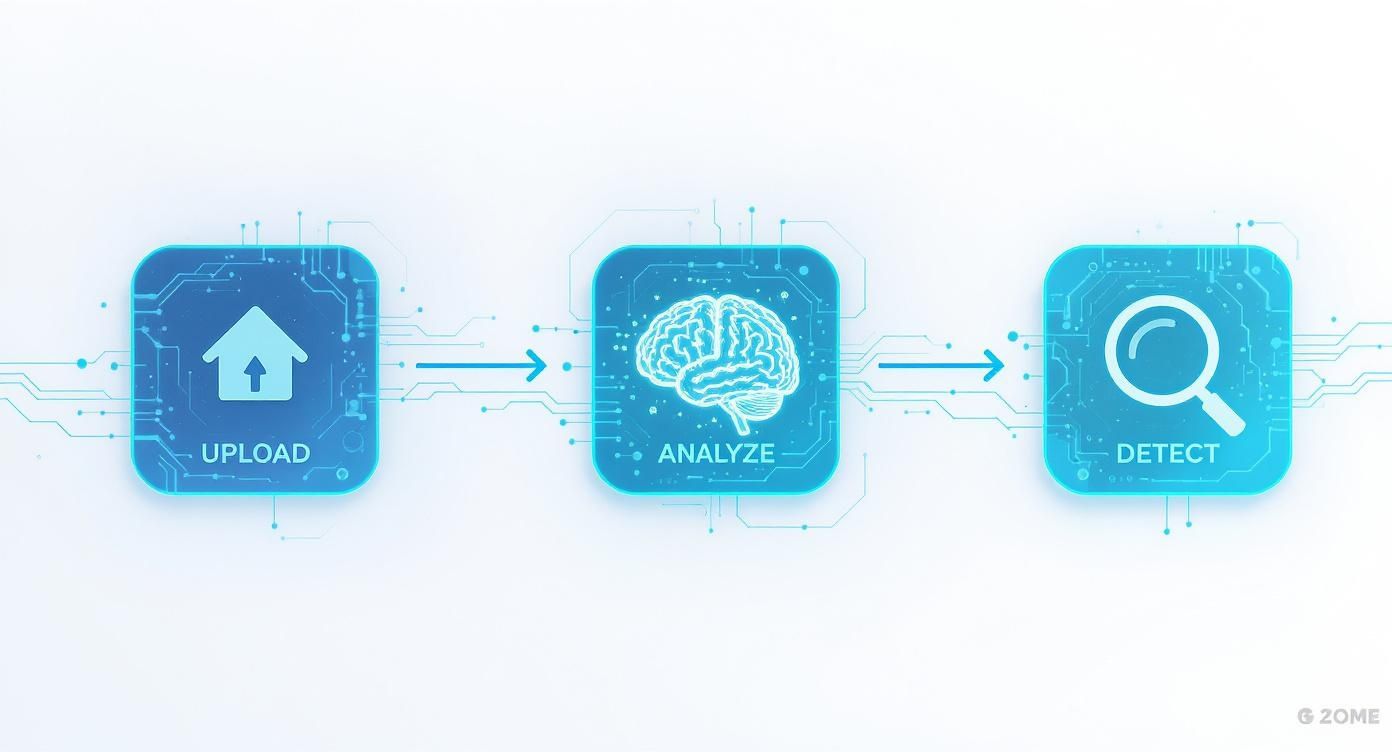
This workflow isn't just a checklist; it’s a way of thinking that blends human intuition with powerful automated tools to get to the truth.
Initial Triage and Visual Sweep
Before you even think about running any software, your first move should be a quick visual assessment. Don't get lost in the pixels just yet. Instead, ask the high-level questions. Does the scene even make sense? Do the weather, clothing, and visible landmarks line up with what you know about the event?
Next, do a quick visual sweep for the most obvious red flags. I’m talking about bizarre shadows, warped lines in the background, or edges around a person that look unnaturally sharp or blurry. This initial check takes less than a minute and can often expose low-effort fakes immediately. If the image passes this first sniff test, it's time to dig deeper.
Tracing the Image's Origin Story
Now, we need to figure out the image’s provenance. Where did it come from, and has it appeared online before? This is where a reverse image search is your best friend. Using tools like Google Images, TinEye, or Yandex, you can upload the photo to see its history across the web.
This search can reveal a few key things:
- The image is old: You might find it was published months or years ago in a completely different context, proving it’s being misrepresented.
- It’s a stock photo: The search could link back to a stock photography site, a common source for faked "eyewitness" images.
- Higher-quality versions exist: You might discover the original, higher-resolution file, which is always better for forensic analysis.
If the reverse image search comes up empty, that doesn't automatically mean it's authentic—it just suggests the image might be new. So now, you pivot to the file's embedded data. Check the EXIF metadata for clues. Look for software tags like "Adobe Photoshop" or timestamps that don't match the event's timeline.
A complete lack of metadata can be just as suspicious as conflicting data. While many social platforms strip EXIF data on upload, an image sent directly from a source should ideally have it. Its absence begs the question: what happened to the file on its journey to you?
Deep Forensic and AI Analysis
If an image has survived the first two stages, it's time for the final, most intensive phase. This is where you combine digital forensic techniques with the power of AI to uncover manipulations that are invisible to the naked eye.
Start by running the image through an Error Level Analysis (ELA) tool. You're looking for those bright, glowing regions that indicate different compression histories—the classic tell-tale sign of a composite image.
At the same time, submit the image to a dedicated AI detection platform. Tools like our AI Image Detector are trained to spot the subtle artifacts and pixel-level inconsistencies that even skilled human editors leave behind. The AI gives you a confidence score, offering a powerful, data-driven assessment of whether the image has been manipulated.
Making the Final Call
The last step is to bring all the evidence together. No single tool gives a definitive "yes" or "no" answer. Your job is to weigh the findings from each stage of this workflow.
- Visual Check: Did you spot any obvious, common-sense flaws?
- Provenance: Is the source credible? Did the reverse image search raise any red flags?
- Forensics: Did the metadata or ELA reveal evidence of tampering?
- AI Detection: What was the confidence score for manipulation or AI generation?
By following this layered approach, you build a comprehensive case for your final judgment. This methodical process helps you confidently detect photoshopped images and ensures your decision to publish—or not—is based on verifiable evidence, not just a gut feeling.
To help put this into practice, here is a simple checklist that summarizes the workflow.
Image Verification Workflow Checklist
| Step | Action | Key Question to Answer |
|---|---|---|
| 1. Contextual Check | Review the source and surrounding narrative. | Does the story behind the image make logical sense? |
| 2. Visual Sweep | Perform a quick visual inspection for obvious flaws. | Do lighting, shadows, and perspectives look natural? |
| 3. Reverse Image Search | Use tools like TinEye or Google Images. | Has this image appeared online before in a different context? |
| 4. Metadata Analysis | Inspect the EXIF data for clues. | Does the file data (camera, software, date) match the story? |
| 5. Forensic Analysis | Apply techniques like Error Level Analysis (ELA). | Are there signs of inconsistent compression or copied regions? |
| 6. AI-Powered Detection | Submit the image to an AI detection tool. | Does an AI model detect signs of digital manipulation or generation? |
| 7. Final Synthesis | Review evidence from all steps collectively. | Does the balance of evidence point toward authenticity or manipulation? |
Following these steps in order creates a powerful filter, allowing you to quickly dismiss obvious fakes and focus your deeper analytical efforts on the images that truly require a close, expert look.
Common Questions About Detecting Fake Images
As you start digging into image verification, a few key questions always seem to pop up. The line between a simple touch-up and a deliberate fake can feel a bit fuzzy, and it's vital to know what your tools can and can't do. Let's walk through some of the most common queries that come up in the field.
Is All Image Editing Bad?
Not even close. In fact, almost every professional photo you've ever seen has been edited in some way. Standard adjustments to brightness, contrast, and color balance are part of the normal workflow. A photographer might lighten up a shadowy corner to bring out some detail or make the colors in a sunset pop a little more.
The real difference comes down to intent. Ethical editing is about enhancing what’s already there. Deceptive manipulation, on the other hand, is about changing reality—adding things, removing people, or altering key elements to fool you. An edit crosses the line when it fundamentally changes the story the photo is telling.
Can AI Tools Catch Every Single Fake?
AI detectors are incredibly powerful, but no single tool is a magic bullet. The best models can spot tiny inconsistencies a human would never see, but it’s a constant game of cat and mouse. New editing and generation tools are always emerging, pushing the boundaries of what's possible. An AI might get tripped up by very subtle changes or by images that have been compressed over and over, which can muddy the digital fingerprints it looks for.
It's best to think of an AI detector as one of your most important instruments, not your only one.
The gold standard is to never rely on a single method. A solid verification process layers AI analysis with a careful visual inspection, a metadata check, and a reverse image search. This combination lets you build a conclusion based on multiple pieces of evidence.
This multi-pronged approach is your best defense against sophisticated fakes.
What If the Metadata Is Missing?
It's actually very common to find an image with no EXIF data, and it doesn't automatically mean something is wrong. Most social media platforms and messaging apps automatically strip metadata when you upload a photo to protect user privacy. So, an image that's been passed around a few times is almost guaranteed to be scrubbed clean.
But context is everything. If you're a journalist and a source sends you a photo they claim to have just taken on their phone, a complete lack of metadata is a huge red flag. It strongly suggests the file was opened in an editor and re-saved, wiping the original data. In that situation, missing data is a clue that you need to dig deeper with forensic tools like ELA.
Can a Photo Be Both Real and Photoshopped?
Yes, and this is a critical concept. Many fakes are composites, meaning they’re stitched together from multiple, perfectly authentic photos. Imagine a real photo of a protest, but a politician from an entirely different event has been digitally inserted into the crowd.
Individually, the elements are real, but the final scene is a complete fabrication—it never happened. This is why the question isn't just "is it real?" but "does this image accurately represent the event it claims to?" Tools that look for cloning, mismatched lighting, and inconsistent shadows are crucial for sniffing out these kinds of complex fakes.
Ready to stop guessing and start verifying? AI Image Detector uses advanced analysis to give you a clear, fast verdict on any image. Protect yourself from misinformation and ensure the content you share is authentic. Try AI Image Detector for free today.


