

Digital Literacy for Teachers A Practical Guide

Digital literacy for a teacher used to be a nice-to-have, but now it’s as fundamental as reading and writing. At its core, it's the ability to skillfully find, evaluate, create, and share information using digital tools. This is absolutely critical if we want to prepare our students for college and careers where technology is at the center of everything.
Why Digital Literacy Is a Core Teaching Skill
Not too long ago, digital literacy was seen as the IT person's job or something you checked off the list by having students make a quick slideshow. That view is completely outdated. Today, it’s a foundational piece of great teaching in every single subject.
Being "tech-savvy"—knowing your way around an app or a tablet—isn't the same as being digitally literate. True digital literacy goes so much deeper. It’s the critical thinking that helps a student spot misinformation. It's the ethical reasoning that guides how they behave online. It's the analytical skill to understand how technology is shaping their world.
Think of it as the new literacy. Just as we teach students to decode words on a page, we now have to teach them how to "read" the digital world around them. That means they need to be questioning, analyzing, and creating—not just passively scrolling.
Beyond Employability to Empowerment
Of course, we want to get our students ready for the future job market. But the real power of digital literacy is about empowerment. It ensures every single student, no matter their background, can participate fully and fairly in a society that runs on digital tools.
This includes things like:
- Securely Accessing Services: Knowing how to safely use online platforms for school, health, and civic life.
- Making Informed Decisions: Understanding how to protect their personal information and manage privacy settings.
- Critically Evaluating Content: Being able to tell the difference between fact, opinion, and outright falsehoods online.
To get a better sense of why this is so important, it’s worth exploring the many virtual learning benefits that technology offers. Those advantages are only unlocked when both teachers and students have strong digital skills.
The goal is to move beyond teaching students how to use technology and toward teaching them how to think with technology. It's the difference between following a recipe and understanding the science of cooking.
Every Teacher Has a Role
This isn't a burden that falls on one person’s shoulders. Every single educator plays a part in building these essential skills.
A history teacher can show students how to verify the authenticity of an old photograph they find online. A science teacher can run a collaborative research project using shared cloud documents. Every time technology is used in your classroom, it's a teachable moment for digital literacy. By embracing these skills, you’re not just teaching your subject—you’re preparing your students for life.
The Five Pillars of Digital Literacy in the Classroom
When we talk about “digital literacy,” it’s easy to think of it as one big, complicated skill. But in reality, it’s much more manageable. I like to think of it as a sturdy structure built on five distinct pillars. Each one is essential, and together they support our students as they move from just using technology to becoming thoughtful, critical, and responsible digital creators.
As teachers, we are at the very center of building this structure, guiding everything from student research to how they learn and prepare for the future.
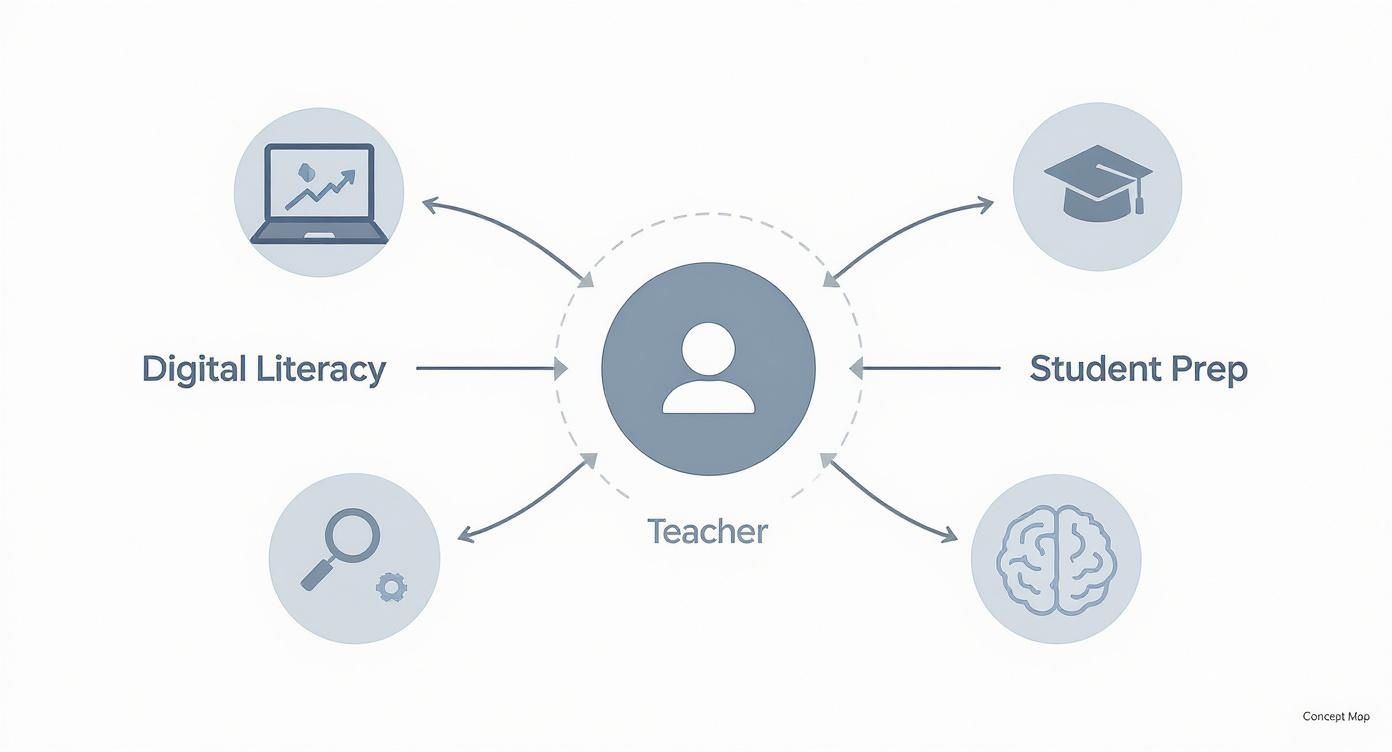
This map isn't just a diagram; it's a reminder that teaching digital literacy isn’t an add-on. It’s a core function that’s woven into every part of a student’s growth. Let's break down each of those five pillars.
Pillar 1: Information Literacy
The first and most foundational pillar is Information Literacy. Think of it as the modern-day version of "learning how to learn." It’s the ability to navigate the massive ocean of online information to find what you need, figure out if it's trustworthy, and then use it effectively.
This goes way beyond just typing a question into Google. It’s about turning students into digital detectives.
- Finding Information: We can guide students to use advanced search operators, explore academic databases, and venture beyond the first page of search results to find credible primary sources.
- Evaluating Information: This means teaching them to constantly ask: Who made this? Why did they make it? Is there solid evidence here? It includes skills like spotting sponsored content and understanding what different domain names (.com vs. .edu vs. .gov) mean.
- Using Information: Finally, it's about showing students how to pull together information from different places, give credit where it's due, and steer clear of plagiarism.
A great real-world example? A social studies teacher could ask students to find three different online articles about a historical event and analyze each one for author bias and factual accuracy.
Pillar 2: Media Literacy
Next up is Media Literacy, a close cousin to information literacy. This pillar is all about critically analyzing the messages flying at us from every direction—news videos, social media posts, ads, even memes. It’s about deconstructing how a message is put together to influence its audience.
This skill is absolutely crucial for helping students see through the noise in a world saturated with persuasive and often misleading content. A media-literate student gets that every piece of media is constructed with a purpose.
The real goal of media literacy is to shift a student’s thinking from "Is this true?" to "Why was this made and who is it for?" That subtle change sparks a much deeper level of critical thinking.
In a science class, you could have students look at different infographics on climate change. They could discuss how the choice of colors, charts, and statistics can completely change how a viewer interprets the data.
Pillar 3: Digital Citizenship
The third pillar, Digital Citizenship, is really the ethical heart of it all. It covers the norms of being a responsible, safe, and respectful person online. It’s about understanding your rights and responsibilities in digital spaces and acting with empathy and integrity.
The key components here are:
- Digital Etiquette: Understanding the unwritten rules of online communication.
- Digital Law: Knowing the basics of copyright, fair use, and plagiarism.
- Digital Safety: Protecting personal information and staying safe from online risks.
Teaching this isn't about lectures; it's about real-life scenarios. You could have students role-play how to respond to a cyberbullying incident or have a frank discussion about the permanent consequences of sharing personal photos online.
Pillar 4: Communication and Collaboration
Next, we have Communication and Collaboration. This pillar is about using digital tools not just to talk, but to truly work together, share ideas, and connect with a wider audience. It acknowledges that so much of modern work and learning happens in teams, often connected by technology.
It’s one thing for a student to write an essay on their own. It’s a whole other level for a group to co-author a report in a shared document like Google Docs, give each other feedback using comments, and then present their findings in a collaborative slide deck. These are the real-world workflow and teamwork skills they'll need.
Pillar 5: Creativity and Innovation
Last but not least is Creativity and Innovation. This is where we empower students to go from being consumers of content to creators of it. It’s the ability to use digital tools to make something new, solve a problem, or express a unique idea.
This can be as simple as a first-grader using a drawing app to illustrate a story or as complex as a high schooler coding a simple game to explain a scientific concept. The goal is to show them that technology is a powerful tool for invention.
This pillar, however, is where many of us feel the least prepared. A surprising 70% of educators report feeling unequipped to teach these creative tech skills, even though 85% of us agree they are absolutely essential for our students' futures. This gap shows a clear need for better support and professional development for teachers. You can read more about the state of digital literacy preparedness to get a fuller picture of this challenge.
To tie this all together, here’s a quick summary of how these five pillars translate into the classroom.
The Five Pillars of Digital Literacy for the Classroom
| Competency | Core Skill | Classroom Example |
|---|---|---|
| Information Literacy | Finding, evaluating, and ethically using online information. | Students compare three different online sources on a historical event, noting bias and verifying facts. |
| Media Literacy | Critically analyzing and deconstructing messages in various media formats. | A class analyzes how different news channels cover the same story, discussing tone, imagery, and framing. |
| Digital Citizenship | Acting safely, responsibly, and ethically in online environments. | Students participate in a debate about the privacy implications of a popular new social media app. |
| Communication & Collaboration | Using digital tools to share ideas and work effectively with others. | A group of students uses a shared presentation tool to create and deliver a project on a science topic. |
| Creativity & Innovation | Using technology as a tool to design, create, and solve problems. | Students design a simple website or create a short animated video to explain a mathematical concept. |
By focusing on these five areas, we can ensure we’re not just teaching students how to use a device, but how to be confident, capable, and conscientious participants in a digital world.
How to Weave Digital Literacy into Your Existing Curriculum
Here's the good news: integrating digital literacy doesn't mean you have to invent a whole new subject for your already packed schedule. The best and most sustainable approach is to simply weave these essential skills into the lessons you're already teaching. Think of it less like building something from scratch and more like upgrading your existing assignments for a connected world.
When we do this, digital literacy stops being an abstract idea and becomes a practical tool that actually deepens subject-area learning. Instead of having a separate “tech time,” students start using these skills in authentic, meaningful ways. The goal is to make digital know-how a natural part of how they learn everything else.
A Simple Framework for Any Lesson
You don't need to be a tech wizard to get started. All you need is a simple way of thinking about how to adapt any lesson plan. This three-step process helps you spot opportunities to embed digital skills without feeling like you have to overhaul your entire curriculum.
Start with Your Core Learning Goal: First, what's the main academic point of your lesson? Is it analyzing a historical event, understanding a scientific process, or interpreting a piece of literature? Always begin with your content standard.
Pinpoint a Relevant Digital Skill: Next, ask yourself which digital literacy competency—like Information Literacy, Media Literacy, Digital Citizenship, Communication, or Creativity—best supports that academic goal.
Select the Right Tool for the Job: Finally, choose a digital tool that helps students practice that skill while achieving the learning objective. The key is that the tool should always serve the learning, not the other way around.
This framework is all about starting small and building momentum. You'll find that one thoughtfully designed activity can make a much bigger impact than a dozen unfocused tech tasks.
What This Looks Like in the Classroom
So, let's look at how this works in real classrooms. The beauty of digital literacy for teachers is its incredible flexibility—you can adapt the same core skills for any grade level or subject. These examples should help you see how to jump from theory to practice.
History or Social Studies
Instead of just reading about historical events, a history class can become a place where students critically examine the very sources that document them. While studying a particular period, for instance, you could ask students to find a primary source photograph online. But their task isn't just to find any old picture; it's to become digital detectives.
- Learning Goal: Analyze the authenticity and context of primary source documents.
- Digital Skill: Information and Media Literacy.
- Activity: Students have to verify the photograph's origin. They can use reverse image search tools to trace where it first appeared online and then research its historical context. They should also dig into the image's digital footprint. Our guide on how to check the metadata of an image offers some great techniques for this.
Science
In any science class, collaboration and presenting data are non-negotiable. A traditional lab report can easily be transformed into a dynamic, collaborative project that actually mirrors how modern scientific teams get work done.
- Learning Goal: Collect, analyze, and present experimental data.
- Digital Skill: Communication and Collaboration.
- Activity: Have students work in groups using a cloud-based platform like Google Docs to co-author their lab report. They can embed videos of their experiment, create interactive charts from their data, and give each other real-time feedback using commenting features.
This simple shift teaches so much more than the scientific method; it teaches the workflow of modern research. Students learn project management, version control, and how to synthesize contributions from multiple people into one cohesive final product.
English Language Arts
Literary analysis can finally break free from the rigid five-paragraph essay. By bringing in multimedia, students can demonstrate their understanding in richer, more engaging ways that tap into their creative side.
- Learning Goal: Analyze literary themes in a novel.
- Digital Skill: Creativity and Innovation.
- Activity: Instead of a traditional essay, students could create a multimedia presentation or a short video essay exploring a novel's themes. Using presentation software, they can combine text, licensed images, and even audio clips of themselves reading key passages to build a compelling and nuanced argument. This pushes them to think critically about audience, tone, and visual storytelling.
By embedding these kinds of low-lift, high-impact activities, you’re not just enhancing your existing curriculum—you're arming students with the durable digital skills they’ll need to succeed long after they leave your classroom.
Essential Tools for Teaching Digital Verification Skills
Part of our job now is to arm students with a healthy dose of skepticism. In today's information-rich environment, they can't just be passive consumers of content; they need to become active, critical investigators. This means giving them a practical toolkit and a simple workflow for checking the things they see every day, from news articles to viral memes.
You don’t need a bunch of complicated software to get started. Honestly, the best tools are often free, straightforward, and designed to do one thing really well: trace digital content back to its origin. By showing students how to use these in the classroom, you empower them to ask the most important question of all: "How do I know this is true?"
Uncovering a Photo's Past with Reverse Image Search
One of the most powerful—and often eye-opening—techniques you can teach is the reverse image search. It completely flips the usual search process around. Instead of typing words to find a picture, you use a picture to find out where it's been online.
This is a game-changer for debunking misinformation. Think about all those dramatic photos from protests, supposed historical events, or natural disasters that go viral. A quick reverse image search can reveal if a photo is being used in the wrong context. Tools like Google Images and TinEye make this incredibly easy for students of any age.
Let's take a look at how TinEye works. You can simply upload an image or paste its URL. The results then show you a timeline of where that image has appeared online, giving students a clear look at its digital history and its original context. It's a fantastic "aha!" moment for them.
Building a Verification Workflow
A single tool is great, but a repeatable process is even better. We need to give students a mental checklist they can run through whenever they come across something that feels a bit off.
- Check the Source: Teach them to look beyond the article itself. Who is behind the website? Does the "About Us" page give any real information? Is there an editorial policy or a way to contact them? A lack of transparency is a huge red flag.
- Read Laterally: This is what professional fact-checkers do. They don't just stay on one page. They open new tabs to research the author, the publication, and the claims being made. This habit of cross-referencing information across multiple trusted sources is one of the most reliable ways to get to the truth.
- Inspect the URL: Little details can tell you a lot. Is the domain what you’d expect (like .com vs. an odd .co)? Look for weird subdomains or spelling errors designed to look like a real news site.
A great classroom activity is to give students two articles about the same event—one from a reputable news source and one from a known misinformation site. Have them work through this checklist and see what differences they can spot.
Addressing AI-Generated Content
The recent explosion of artificial intelligence has added a whole new layer of complexity. AI can now create incredibly realistic images, text, and even videos, making it harder than ever to tell what's real. While this presents a new challenge, it’s also a perfect opportunity to deepen our students' critical thinking skills.
Start by showing them examples of AI-generated content. Point out the common giveaways, like weird details in hands or backgrounds in images, or text that sounds just a little too generic and formulaic. Then, you can introduce them to AI detection tools. It's important to explain that these tools aren't perfect—they can make mistakes—but they serve as another helpful data point in their investigation.
To help them get ready for what’s next, it's also worth looking into resources on prompt engineering for kids. This teaches them not just how to use AI, but how to communicate with it effectively and critically evaluate what it produces.
For a more in-depth look at this specific topic, check out our guide on how to detect AI-generated content. At the end of the day, our goal is to foster a mindset of critical awareness, teaching students that just because something looks and feels real doesn't mean it is.
Overcoming Common Classroom Technology Hurdles
Let's be honest: trying to teach digital literacy can feel like an uphill battle sometimes. If you've ever planned the perfect lesson only to be thwarted by spotty Wi-Fi, a cart of dead laptops, or ancient school hardware, you are definitely not alone. These are real, systemic problems, not personal failures.
It's completely valid to feel frustrated when an internet outage brings your class to a halt. These aren't small hiccups; they're often the result of budget shortfalls and infrastructure gaps far outside a single teacher's control.
This isn't just a local issue, either. Globally, teachers are running into the same roadblocks. A study in the Asia-Pacific region, for instance, found that a shocking 77% of teachers didn't even have a personal device for teaching. That's on top of unreliable internet and, in some cases, inconsistent electricity. You can discover more insights about these digital age challenges in the full report.
Shifting Focus to Practical Solutions
So, what do we do? Acknowledging the barriers isn't about throwing in the towel. It’s about getting creative and strategic. We can shift our energy from what we can't control to what we can. This means being smart with our advocacy, resourceful in our planning, and leaning on our community for support.
One of the best things you can do is team up with colleagues to advocate for better resources. Start documenting technology failures and show how they impact student learning. When you can walk into an administrator's office with specific data—like "we lost three hours of instruction this month because the internet was down"—your requests suddenly have a lot more power.
The most resilient digital literacy programs aren't built on the fantasy of perfect tech. They’re built on flexible, adaptable teaching strategies that work with the resources you actually have, not just the ones you wish you had.
Another game-changer is to build a toolkit of high-quality offline and low-bandwidth options. Digital literacy doesn't always have to happen online. So many critical thinking skills can be taught "unplugged" through activities that don't need a Wi-Fi signal at all.
Strategies for Low-Tech and No-Tech Environments
Even with major limitations, you can still teach the core concepts of digital literacy. The trick is to focus on the thinking skills behind the tools, not just the tools themselves.
Offline Media Analysis: Grab some print magazines, newspapers, or even junk mail. Have students physically deconstruct ads to spot the target audience, persuasive language, and hidden bias. These are the exact same skills they'll need to analyze a website or a social media post.
Low-Bandwidth Tools: Look for tools that don't hog bandwidth or that have offline modes. Think text-based collaboration platforms, downloadable software, or apps that let you save content ahead of time. These can be absolute lifesavers.
Peer-to-Peer Learning: Your colleagues are your best resource. Tap into your professional learning communities (PLCs), either in your school or online. Sharing workarounds, low-tech lesson ideas, and just venting with people who get it is incredibly valuable.
Bridging the Digital Divide with Equity in Mind
Finally, we have to think about how these technology gaps impact our students directly. The digital divide isn't just about whether a student has a device at school. It’s about whether they have reliable internet at home, how much experience they have with technology, and the socioeconomic factors at play.
To make sure your efforts are equitable, it's a good idea to survey your students to get a sense of their home access and comfort levels. This simple step can help you design projects that don't accidentally leave some students behind. By being mindful and proactive, you can help make technology a tool that empowers every single student in your classroom.
Finding High-Impact Professional Development
Taking the leap to strengthen your own digital literacy skills can feel like one more thing on an already-full plate. If you feel unprepared to teach these concepts, you're not alone—far from it. This is a systemic challenge, not a personal failure.
The gap between knowing these skills are vital and feeling equipped to teach them is a real hurdle for teachers everywhere. A study looking at educator skills in Latin America revealed that 39% could only handle basic digital tasks, while a tiny 13% were ready for more complex work. Outdated teacher training programs often make this problem worse, leaving passionate educators without the tools they need to succeed. You can read the full analysis on this digital skills gap for a deeper dive.
This is exactly why effective professional development (PD) is so important. But let’s be honest, not all PD is created equal. The best opportunities are more than just one-off workshops; they provide real, ongoing support that you can actually use.
What to Look for in Quality PD
When you're searching for a PD program, you need to know what separates the truly useful from the forgettable. High-impact training is about much more than just showing you a new app.
Here’s what to keep an eye out for:
- Hands-On Application: You should be doing, not just listening. Great training gets you actively creating and experimenting with the tools and strategies yourself.
- Ongoing Support: What happens after the session ends? The best programs offer follow-up coaching, a rich resource library, or a community of fellow teachers to lean on.
- Curriculum Integration: The focus should be on weaving digital skills directly into what you already teach. Look for concrete examples and lesson plans you can adapt for your own classroom.
The goal of professional development shouldn't be to make you a tech expert. It should be to make you a confident facilitator of learning in a world where technology is everywhere.
Where to Find Trusted Training
Finding the right program is all about looking in the right places. Plenty of reputable organizations offer fantastic training specifically designed to build digital literacy for teachers.
Start by exploring these avenues:
- University Continuing Education Programs: Check out local or online universities for certificates and courses focused on educational technology. They often have programs built for working teachers.
- Non-Profit Educational Organizations: Groups like ISTE (International Society for Technology in Education) and Common Sense Education are gold mines for high-quality, research-backed training and resources.
- Peer-Led Learning Groups: Never underestimate the power of your own colleagues. Starting a professional learning community (PLC) in your school can be incredibly effective. A PLC is the perfect setting to explore new tools and share what works, like discussing how to check for plagiarism in Google Docs to uphold academic integrity.
By being intentional about finding PD that offers practical, sustained support, you can build the confidence and skills you need to guide your students through our complex digital world.
A Few Common Questions About Digital Literacy
Even with the best plans, new questions always pop up when you start bringing ideas to life in the classroom. Let's tackle some of the most common ones teachers ask about digital literacy. My hope is that these practical answers will help you feel more confident moving forward.
How Can I Teach Digital Literacy with Limited Technology?
This is a big one, but the answer is encouraging: you don't need a laptop for every student. The heart of digital literacy isn't about the latest gadget; it's about critical thinking. And you can teach that with or without a screen.
Start with "unplugged" activities that build the right mindset. Have students dissect print ads from magazines to spot media bias. You could role-play tough online scenarios to explore digital citizenship, or even do an old-school fact-checking mission in the school library. When you do have access to a few shared devices, make them count with collaborative, high-impact projects.
Can I Still Teach Digital Literacy If I'm Not a Tech Expert?
Yes, absolutely. Your job isn't to be a tech guru; it's to be a facilitator and a fellow learner. The most powerful tool you have is your own curiosity and a willingness to ask questions—and you can model that for your students every single day. Your expertise is in teaching, not coding.
Center your lessons on critical conversations about technology. Ask the big "why" questions: Why is it so important to double-check our sources? Why does being respectful online matter so much? Don't be afraid to show your students that you're learning right alongside them. Your honesty and curiosity will give them permission to be learners, too.
Your job is to guide the thinking, not to know how every app works. By focusing on critical inquiry, you model the most important digital literacy skill of all—the ability to learn and adapt.
What Is the Most Important Digital Literacy Skill to Teach First?
While all the skills we've discussed are connected, I always recommend starting with Information and Media Literacy. The ability to look at something online and ask, "Is this for real?" is the foundation for everything else. In a world overflowing with information (and misinformation), it’s a non-negotiable survival skill.
Get your students into the habit of asking probing questions: Who is behind this? What’s their motive? Where else can I find this information? The best way to start is by thinking out loud. Every time you pull up a website or show a video in class, model that critical evaluation process for them. You’re making the invisible work of a critical thinker visible, tangible, and something they can start doing themselves.
Here at AI Image Detector, our mission is to give teachers and students the tools they need to navigate the digital world with skill and confidence. Our free tool is a great starting point for verifying images, helping you build a classroom culture where asking questions is second nature. Give it a try and see just how simple it can be to spot the difference between human- and AI-generated content.