

The 12 Best Picture Recognition Software Tools for 2026

In an era saturated with digital images, from news reporting and academic research to social media feeds, understanding the content and origin of a picture is more critical than ever. Picture recognition software provides the necessary tools to automate this process, enabling organizations and individuals to moderate content, verify sources, track copyright, and detect increasingly sophisticated AI-generated fakes. The challenge, however, is that the market is filled with diverse solutions, each with its own strengths and weaknesses.
Some platforms excel at broad object detection for cataloging vast image libraries, while others specialize in nuanced facial analysis for security applications. A new, essential class of tools focuses specifically on discerning synthetic media from authentic visuals, a critical need for journalists, educators, and trust and safety teams. This comprehensive guide cuts through the complexity, offering a detailed comparison of the top 12 solutions available today. We dive deep into each platform's core capabilities, ideal use cases, and crucial considerations like accuracy, privacy, and API integration.
Our goal is to help you find the perfect fit for your specific requirements, whether you're a developer needing a flexible API, a researcher analyzing visual data, or a content moderator working to maintain platform integrity. Each entry includes a practical breakdown, screenshots, and direct links to help you make an informed decision quickly and efficiently. We will explore everything from enterprise-grade cloud services like Google Cloud Vision AI and Amazon Rekognition to privacy-first, real-time tools like AI Image Detector, ensuring you find the right software to navigate and make sense of the visual web.
1. AI Image Detector
Best for Privacy-First, Real-Time AI Image Verification
AI Image Detector establishes itself as a premier tool in the picture recognition software landscape, offering a specialized and highly focused solution: rapidly determining if an image was created by AI. Its core strength lies in a privacy-first architecture, a critical differentiator for professionals handling sensitive or proprietary content. Unlike platforms that may store user uploads, this service analyzes images in real time without retaining them on its servers, directly addressing data security concerns for journalists, legal teams, and trust and safety moderators. The user experience is exceptionally low-friction, allowing anyone to upload an image and receive a verdict in seconds without mandatory registration.
for identifying and assessing items.
In-Depth Analysis
The platform excels by delivering more than a simple "AI or not" answer. Its output includes a clear confidence score and visual indicators (heatmaps) that highlight potential AI-generated artifacts. This granular feedback is invaluable for educators verifying student submissions or content moderators assessing user-generated content, as it provides a basis for informed decisions rather than a black-box judgment.
For developers and organizations, the available API is a significant asset. It enables the integration of automated AI detection into existing workflows, such as content management systems or marketplace platforms, to screen large volumes of images for authenticity at scale. This makes it a practical solution for preventing fraud and maintaining platform integrity.
Pros & Cons
| Strengths | Weaknesses |
|---|---|
| Privacy-First Model: No server-side image storage protects user data and sensitive information. | Probabilistic Nature: As with all AI detectors, results are not 100% infallible and can be ambiguous. |
| Exceptional Speed: Analysis completes in seconds, ideal for high-volume or time-sensitive tasks. | Unclear Enterprise Terms: API pricing and precise high-volume usage limits are not transparently listed. |
| Actionable Insights: Provides detailed explanations and visual cues to support human verification. | File Size Ambiguity: Conflicting information on exact file size limits may require user testing. |
| High Accessibility: Core features are free and require no sign-up, removing barriers to entry. |
Website: aiimagedetector.com
2. Google Cloud Vision AI
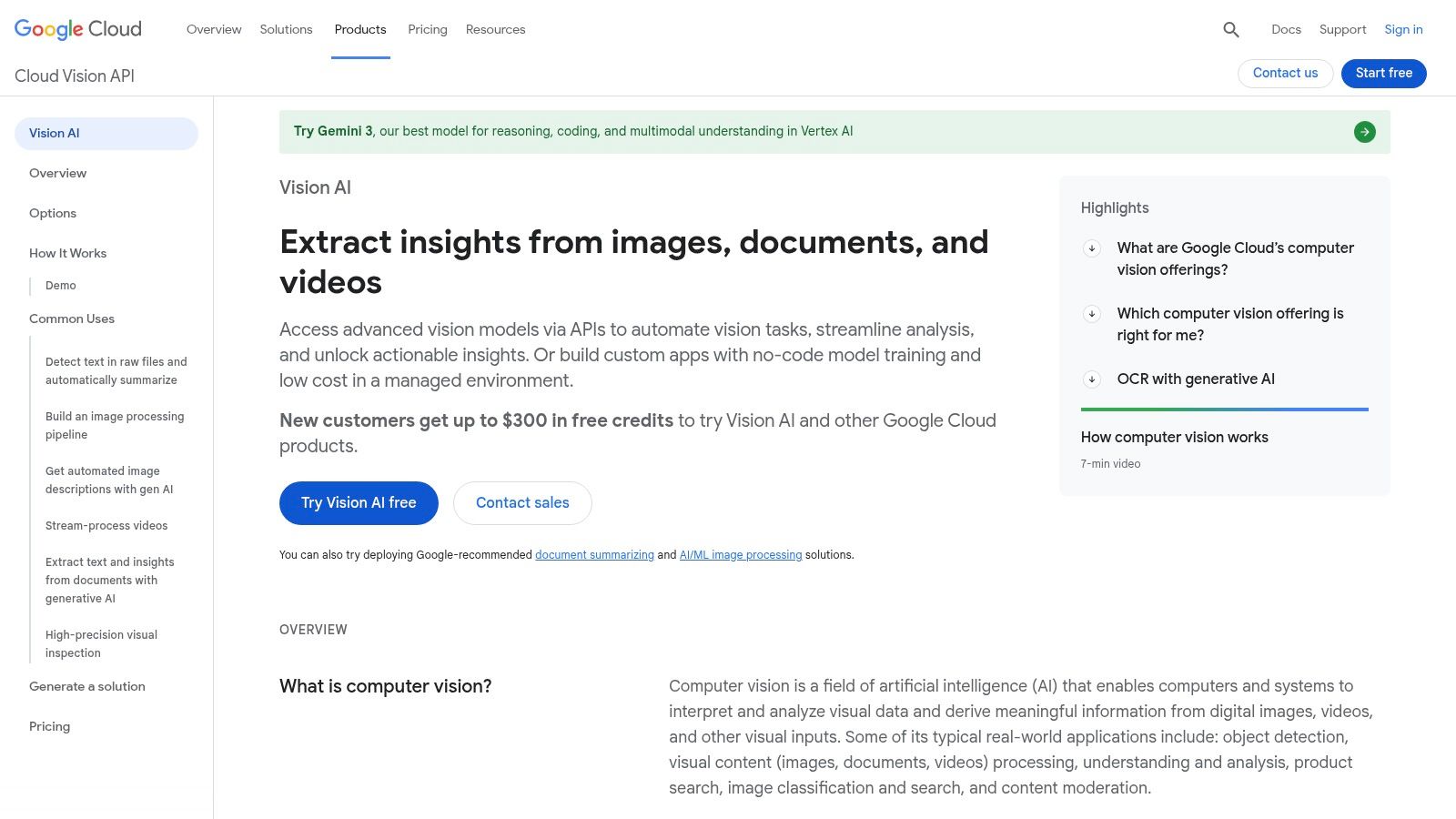
Google Cloud Vision AI is a comprehensive, cloud-based picture recognition software API designed for developers and businesses needing scalable image analysis. It leverages Google's powerful machine learning models to provide deep insights into visual content. Users can integrate its capabilities into their applications to automate tasks like content moderation, digital asset management, and retail cataloging.
The platform stands out due to its mature ecosystem and robust feature set. It goes beyond simple labeling to offer specialized tools like Optical Character Recognition (OCR) for text extraction, landmark and logo detection for brand monitoring, and object localization to identify specific items within an image. Its integration with the broader Google Cloud Platform (GCP) makes it a seamless choice for teams already using services like Google Cloud Storage.
Key Features & Use Cases
- Content Moderation: The SafeSearch feature automatically detects explicit content (adult, violent, racy), making it invaluable for trust and safety teams moderating user-generated content.
- Retail & E-commerce: Its Product Search API allows users to build visually similar product recommendation engines, enabling customers to find items by simply uploading a photo.
- Media & Archiving: Journalists and archivists can use OCR and label detection to automatically tag and transcribe vast image libraries, making historical photos and documents searchable.
- Video Analysis: The companion Video Intelligence API extends these capabilities to video, providing per-minute analysis for scene changes, explicit content, and object tracking.
Pricing and Implementation
Google Cloud Vision AI operates on a pay-as-you-go model with a generous free tier, offering 1,000 free units per feature each month. Pricing is granular, with different costs for each API call (e.g., label detection vs. OCR). While this provides flexibility, costs can accumulate if multiple features are used on every image. Implementation is developer-focused, requiring API integration via well-documented SDKs for popular languages. For more information, explore our detailed analysis of Google Cloud Vision AI capabilities.
| Pros | Cons |
|---|---|
| Mature, scalable, and well-documented API | Granular pricing can become complex and costly at scale |
| Generous free tier (1,000 units/month) | Some features may be deprecated, requiring monitoring |
| Deep integration with Google Cloud services | Primarily designed for developers, not a standalone GUI |
| Wide range of specialized features (OCR, logos) | Requires management of API keys and cloud project setup |
Website: https://cloud.google.com/vision
3. Amazon Rekognition (AWS)
Amazon Rekognition is a powerful, fully managed picture recognition software service from Amazon Web Services (AWS) that simplifies adding image and video analysis to applications. It's designed for developers and businesses looking for a scalable, cloud-native solution that integrates seamlessly into the AWS ecosystem. Users can leverage pre-trained models or build custom ones to automate workflows, from content moderation to identity verification.
The platform's key advantage lies in its deep integration with other AWS services like S3 for storage and Lambda for serverless processing, making it an ideal choice for organizations already invested in AWS. It offers a broad set of features, including object and scene detection, facial analysis and search, text-in-image extraction (OCR), and unsafe content detection, providing a comprehensive toolkit for visual data processing.
Key Features & Use Cases
- Public Safety & Identity Verification: Its robust facial recognition and search capabilities allow organizations to create managed face collections for identity verification, user authentication, or finding persons of interest in media.
- Content Moderation: Rekognition can detect explicit, violent, and otherwise inappropriate content in both images and videos, helping platforms enforce community guidelines and maintain brand safety at scale.
- Media Analysis: Broadcasters and media companies can use Rekognition to automatically generate metadata by identifying celebrities, objects, and activities, making large video archives easily searchable.
- Custom Labels: For industry-specific needs, users can train custom models to recognize unique objects and scenes relevant to their business, such as company logos, specific products, or machinery parts.
Pricing and Implementation
Amazon Rekognition offers a perpetual AWS Free Tier that includes analysis of 5,000 images and storage for 1,000 faces per month. Beyond that, it follows a pay-as-you-go model where costs are tiered based on volume and the specific API used. Implementation is developer-centric, requiring the use of the AWS SDKs. Its tight coupling with AWS services means that while powerful, it's best suited for teams comfortable with the AWS environment.
| Pros | Cons |
|---|---|
| Robust scalability and enterprise governance | Pricing can be complex to estimate across different API groups |
| Generous 12-month and perpetual free tiers | Face features may incur storage charges and require data governance |
| Deep integration with AWS services (S3, Lambda) | Best suited for those already within the AWS ecosystem |
| Detailed usage monitoring via CloudWatch | Not a standalone tool; requires API-level implementation |
Website: https://aws.amazon.com/rekognition/
4. Microsoft Azure AI Vision (Computer Vision)
Microsoft Azure AI Vision is an enterprise-grade picture recognition software service integrated into the Azure cloud ecosystem. It offers developers a suite of powerful AI models to analyze images and extract rich, actionable information. The platform is engineered for businesses that need robust, scalable, and secure image analysis tools that fit seamlessly within an existing Microsoft technology stack.
What sets Azure AI Vision apart is its strong focus on enterprise needs, including deep integration with Azure services like Azure Monitor and private networking for enhanced security. Its Optical Character Recognition (OCR) capability, marketed as the 'Read' API, is particularly advanced, excelling at extracting printed and handwritten text along with document layout information. This makes it a preferred choice for document digitization and process automation workflows.
Key Features & Use Cases
- Document Processing: The advanced 'Read' API accurately extracts text, tables, and selection marks from documents, making it ideal for automating invoice processing, digitizing forms, and archiving records.
- Retail Analytics: Spatial Analysis features can process video streams to count people, measure dwell times, and analyze foot traffic in physical stores, all while respecting privacy guidelines.
- Brand Management: Businesses can use object and brand detection to monitor their logo's presence across digital media, track brand visibility, and manage user-generated content.
- Content Moderation: The service provides tools to detect adult, racy, and gory content in images and videos, helping platforms enforce community standards and maintain a safe user environment.
Pricing and Implementation
Azure AI Vision uses a consumption-based pricing model with a free tier that includes 5,000 transactions per month for many features. Pricing varies by feature and is managed through the Azure portal, where users can set budgets and alerts. Implementation is developer-centric, requiring API calls through SDKs for languages like Python, C#, and Java. For a closer look at its capabilities, read our guide on AI image identification tools.
| Pros | Cons |
|---|---|
| Strong integration with Microsoft 365 and Azure | Pricing can be complex, often requiring the Azure calculator to estimate costs |
| Powerful OCR and document layout extraction | Service names and SKUs can change, requiring users to stay updated |
| Enterprise-grade security, SLAs, and compliance | Like other cloud APIs, it is not a standalone GUI for non-developers |
| Flexible deployment options, including on-premises containers | Cost control requires active management within the Azure portal |
Website: https://azure.microsoft.com/en-us/products/ai-services/vision/
5. Clarifai
Clarifai is an end-to-end AI platform that provides robust picture recognition software for teams needing a flexible, enterprise-grade solution. It offers a comprehensive suite of tools, from pre-trained models for immediate use to advanced capabilities for building and deploying custom vision models. This makes it ideal for businesses that want to move beyond off-the-shelf APIs and create highly tailored image analysis workflows.
The platform distinguishes itself with its focus on the complete AI lifecycle, encompassing dataset management, custom training, and versatile deployment options. Users can manage their data, annotate images, train models using a low-code interface, and deploy them across SaaS, private cloud, or even on-premise environments. This level of control is particularly valuable for organizations with strict data governance or unique operational requirements.

Key Features & Use Cases
- Custom Model Training: Teams can upload their own datasets to train models for specific tasks like industrial defect detection, unique product identification, or specialized content moderation.
- Enterprise-Grade Deployment: Clarifai supports hybrid deployments (SaaS, VPC, on-premise/air-gapped), making it suitable for government, finance, and healthcare sectors with stringent data privacy needs.
- Vector Search: Its deep-indexed visual search allows developers to build applications where users can find images based on visual similarity rather than just metadata tags, improving product discovery and asset management.
- Comprehensive AI Models: Beyond simple classification, the platform offers object detection, segmentation, and visual search, providing a full toolkit for advanced computer vision applications.
Pricing and Implementation
Clarifai provides a mix of pricing models, including published per-request rates for smaller pre-built models and clear per-input pricing for training custom models. This transparency is helpful for teams starting out. However, pricing for larger models, dedicated infrastructure, and enterprise-level features with SLAs typically requires engagement with their sales team. Implementation is developer-centric, but the low-code UI and platform tools aim to simplify the model development process for a broader audience.
| Pros | Cons |
|---|---|
| Strong enterprise options with private and on-premise deployments | Costs for larger models and enterprise tiers require sales contact |
| End-to-end platform covering data management to deployment | Enterprise features may be priced beyond small-scale users or startups |
| Excellent capabilities for custom model training and tuning | Can be more complex to set up than a simple API-only service |
| Published, transparent pricing for basic models and training | The full platform might be overly comprehensive for simple use cases |
Website: https://www.clarifai.com/
6. Imagga
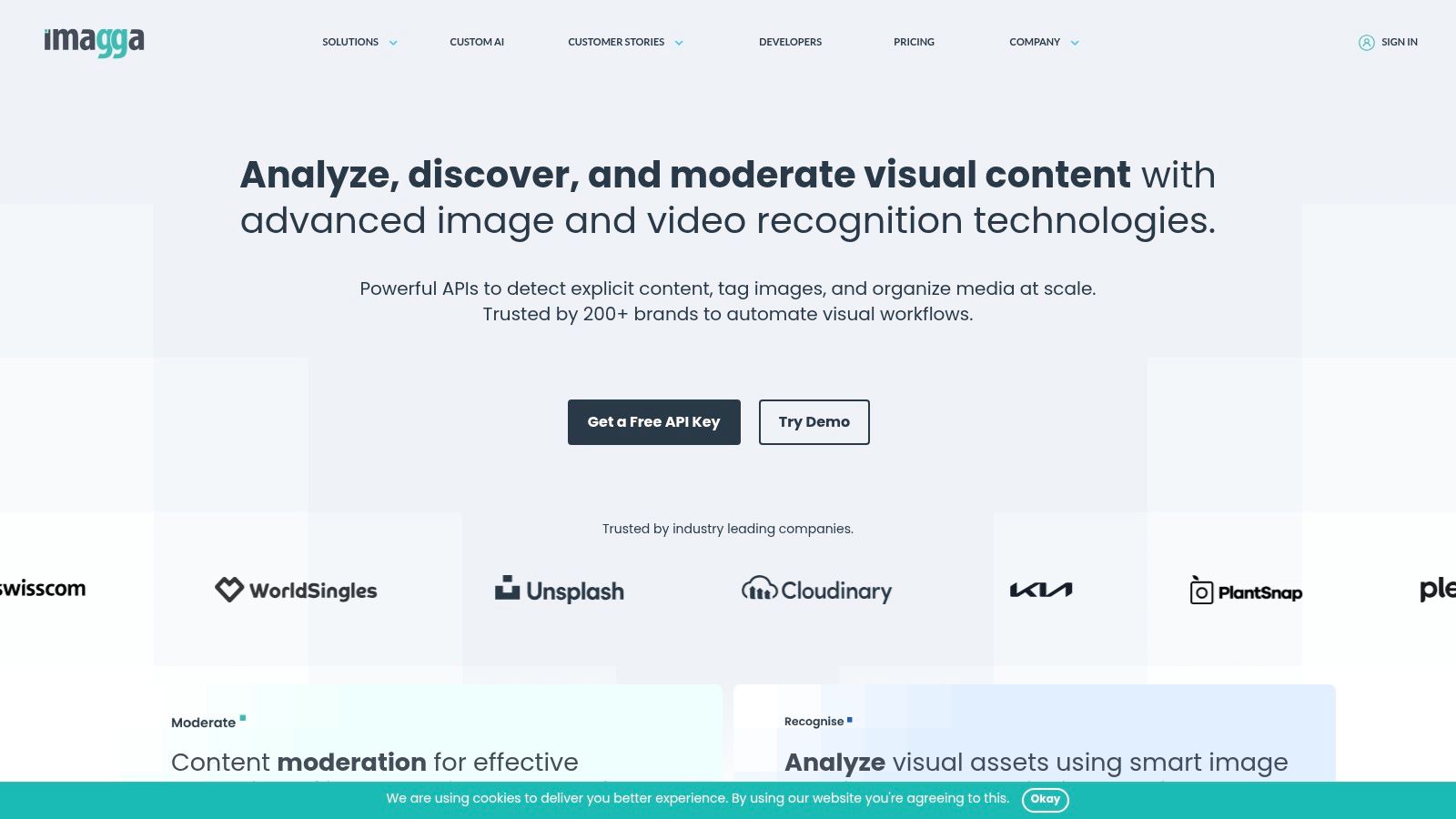
Imagga offers a suite of powerful image recognition APIs designed for businesses and developers who need an all-in-one solution for visual analysis. It focuses on providing a straightforward, easy-to-integrate toolkit for tasks like automated tagging, categorization, and color extraction. This makes it an ideal piece of picture recognition software for media companies organizing digital assets or e-commerce platforms enhancing product discovery.
The platform distinguishes itself with a focus on simplicity and predictable pricing. Unlike pay-as-you-go models, Imagga provides tiered monthly plans, making it easier for businesses to budget for their API usage. Its feature set extends beyond basic analysis to include practical tools like background removal and visual search, which are highly valuable for creating clean product listings and building recommendation engines.
Key Features & Use Cases
- Automated Content Tagging: Automatically generates relevant tags and categories for large image libraries, saving countless hours of manual labor for stock photo sites and digital asset management (DAM) systems.
- E-commerce Enhancement: Its background removal API is perfect for creating professional, uniform product images. The visual search feature allows customers to find similar items by uploading a picture.
- Brand & Media Analysis: The color extraction API helps brands analyze visual trends and ensure brand consistency across marketing materials. Barcode and text recognition (OCR) can be used to digitize physical product information.
- Flexible Deployment: For organizations with strict data privacy requirements, Imagga offers both cloud-based and on-premise deployment options, providing greater control over data handling.
Pricing and Implementation
Imagga uses a tiered subscription model, starting with a free plan that includes 100 API requests, which may require branding attribution. Paid plans (Indie, Pro) offer higher request quotas and more features, providing clear, fixed monthly costs. Enterprise and on-premise solutions are available with custom pricing. Implementation is developer-friendly, centered around a simple REST API with clear documentation and SDKs for common programming languages.
| Pros | Cons |
|---|---|
| Transparent, fixed-quota monthly plans | Free plan is very limited (100 requests) |
| All-in-one APIs (tagging, background removal, etc.) | High-volume usage requires moving to more expensive paid plans |
| Simple REST API and clear documentation | Some advanced features like face recognition are in higher tiers |
| On-premise and private cloud deployment options available | May lack the hyper-specialized features of larger cloud providers |
Website: https://imagga.com/
7. Roboflow
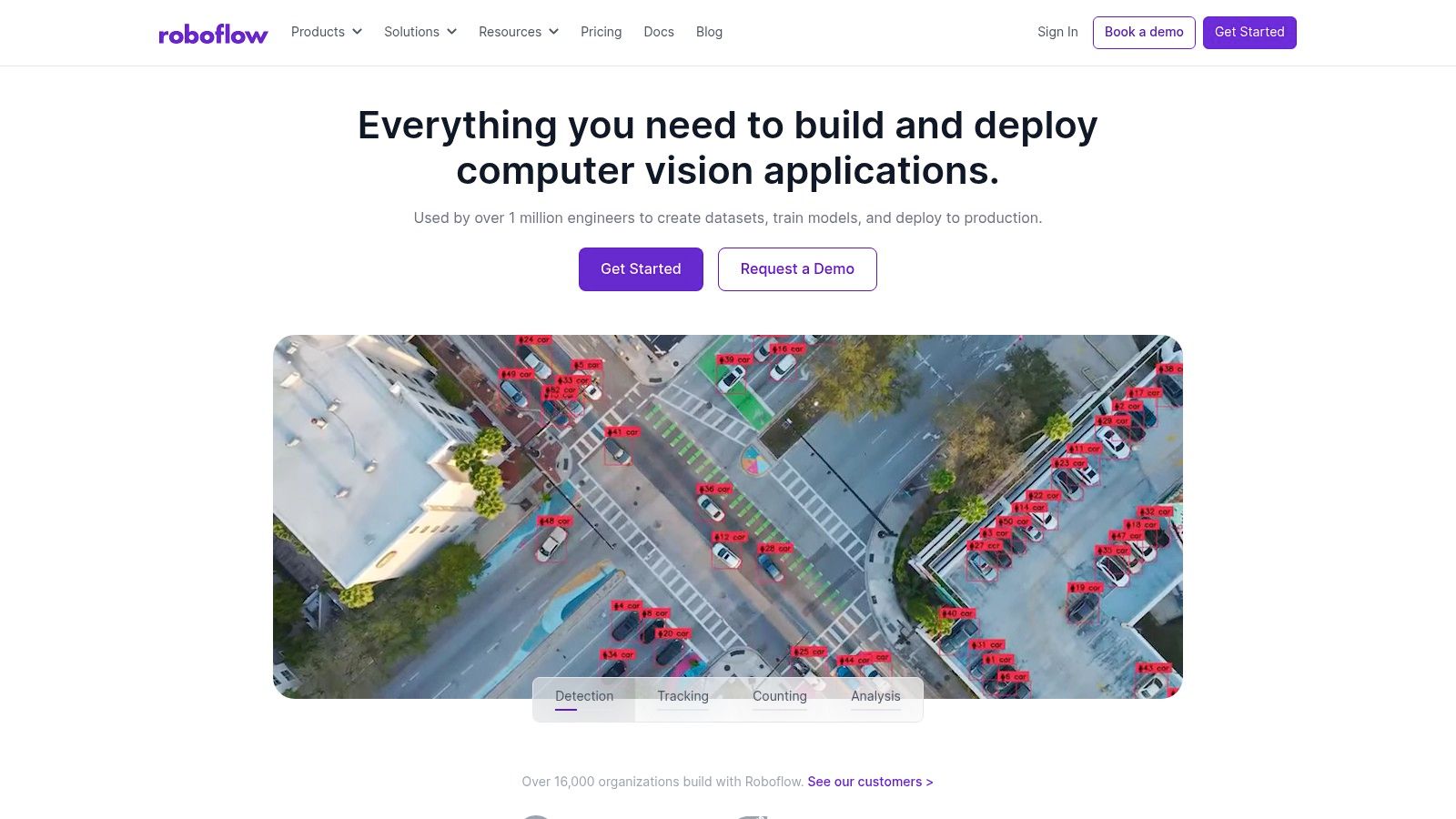
Roboflow is an end-to-end platform designed to streamline the entire computer vision workflow, from dataset management to model deployment. It empowers teams to build, train, and deploy custom picture recognition software without needing to manage complex MLOps infrastructure. This makes it an ideal choice for developers and businesses looking to create bespoke solutions for specific object detection or classification tasks.
The platform stands out by offering a unified, user-friendly interface that covers data labeling, augmentation, training, and deployment. Users can upload raw images, use integrated tools to annotate them, and then generate augmented datasets to improve model robustness. Roboflow simplifies the process of training custom models and provides flexible deployment options, including a hosted API or exporting to various edge device formats.
Key Features & Use Cases
- Custom Model Training: Teams can build highly specific detectors for unique objects, such as identifying defective parts on a manufacturing line or tracking specific types of wildlife for ecological research.
- Data Augmentation: Automatically generate modified versions of your training images (rotated, flipped, color-shifted) to create a more resilient and accurate model, crucial for real-world performance.
- No-Code/Low-Code Interface: The platform is accessible to users without deep machine learning expertise, enabling faster prototyping and development of computer vision applications.
- Edge Deployment: Models can be optimized and deployed directly to edge devices like NVIDIA Jetson or Raspberry Pi, allowing for real-time analysis in environments with limited connectivity.
Pricing and Implementation
Roboflow operates on a credit-based system with a generous free tier for public projects, which is perfect for students, hobbyists, and open-source contributors. Paid plans offer private projects, increased usage limits, and advanced features. The credit system covers dataset storage, training time, and inference calls. While this model is flexible, estimating costs for large-scale, high-volume deployments requires careful planning to manage credit consumption effectively. Implementation is straightforward, with a web-based GUI for most tasks and well-documented APIs for programmatic access.
| Pros | Cons |
|---|---|
| Speeds up the entire custom vision model pipeline | Credit-based pricing can be difficult to forecast for large projects |
| Strong community and excellent documentation | Can be more expensive than self-hosting for very high-volume use |
| Free public plan for exploration and learning | Primarily focused on custom models, not pre-built general APIs |
| Includes commercial licensing for popular models | Reliance on a third-party platform for core model development |
Website: https://roboflow.com/
8. Hugging Face Inference Endpoints
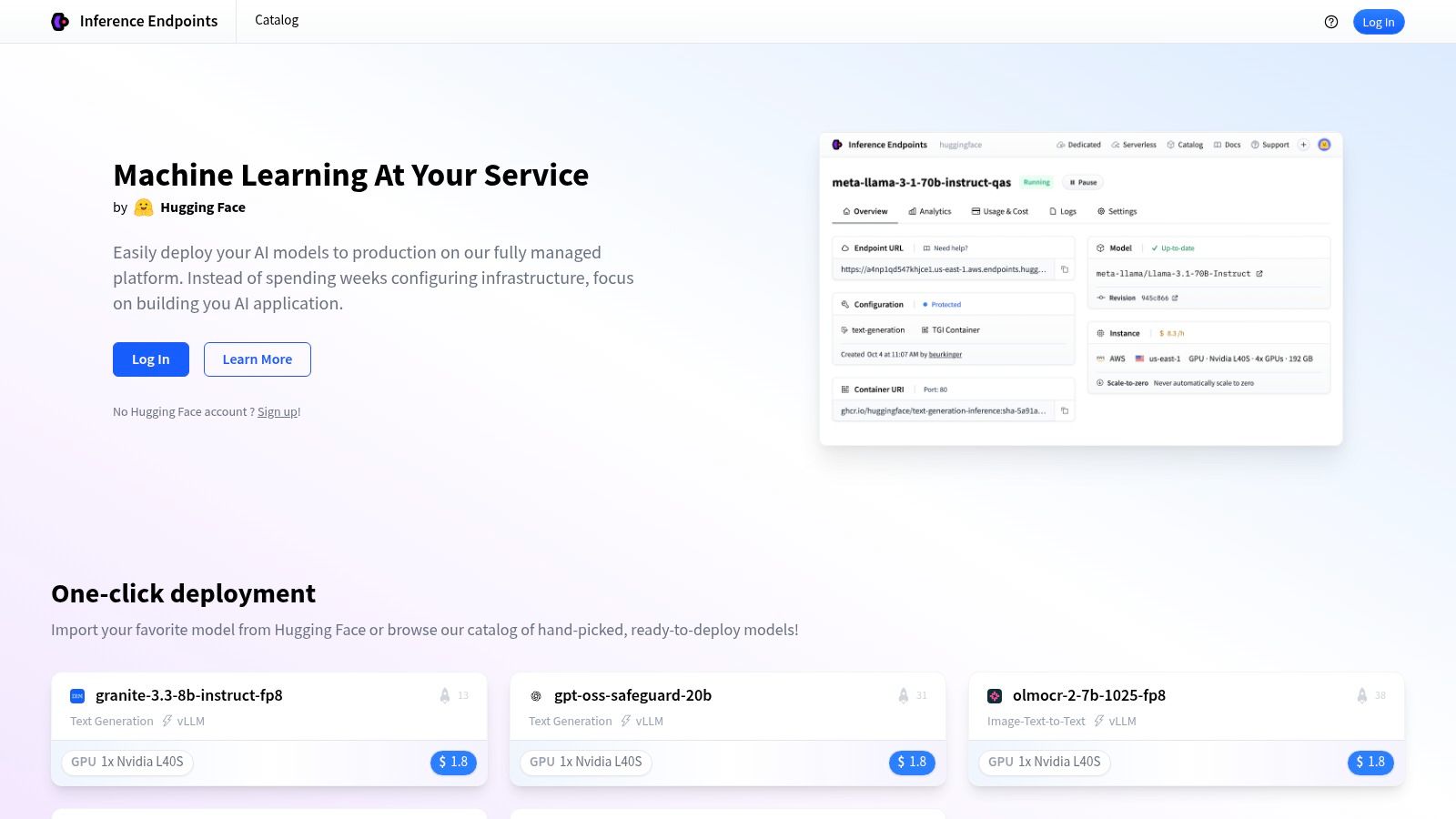
Hugging Face Inference Endpoints offers a powerful solution for developers who want to deploy custom or open-source picture recognition software on dedicated infrastructure. Instead of providing a single, pre-trained API, it gives teams the tools to host a vast array of vision models from the Hugging Face Hub, including those for classification, object detection, and segmentation. This approach grants unparalleled control over model choice and performance.
The platform is ideal for organizations that need to move beyond generic, black-box APIs and require fine-tuned control over their image analysis pipelines. It manages the complexities of autoscaling and infrastructure, allowing developers to focus on model selection and integration. Users can deploy models on various CPU, GPU, and accelerator instances across multiple cloud providers, ensuring a balance between cost and performance.
Key Features & Use Cases
- Custom Model Deployment: Data science teams can deploy their privately trained or fine-tuned vision models for specific tasks like medical image analysis or specialized product recognition.
- Open-Source Model Access: Researchers and startups can easily experiment with and deploy state-of-the-art open-source models (e.g., Vision Transformers, YOLO) without managing servers.
- Scalable AI Applications: Developers can build applications that require dynamic scaling, such as a user-generated content analysis tool that handles traffic spikes by automatically adding resources.
- Flexible Infrastructure: Supports custom containers, giving advanced users full control over the runtime environment, dependencies, and inference logic for optimized performance.
Pricing and Implementation
Hugging Face uses a transparent, resource-based pricing model where you pay per-minute or per-hour for the underlying compute instances (CPU/GPU) you select. Costs vary significantly based on the instance type and usage duration. This model provides cost predictability but requires users to manage instance selection and scaling settings to control expenses. Implementation is developer-centric, requiring interaction with the Hugging Face platform to configure and deploy endpoints, which are then accessed via an API.
| Pros | Cons |
|---|---|
| Full control over model choice from a vast open-source hub | Requires users to manage model selection and optimization |
| Transparent, resource-based hourly and per-minute pricing | Not an out-of-the-box solution for a specific recognition task |
| Autoscaling and scale-to-zero options to manage costs | Overall cost is dependent on the chosen instance type and traffic |
| Managed infrastructure simplifies deployment complexity | Steeper learning curve compared to single-purpose APIs |
Website: https://endpoints.huggingface.co/
9. OpenCV (and OpenCV.ai)
OpenCV (Open Source Computer Vision Library) is the de-facto industry standard for developers building custom picture recognition software. This free, open-source library provides over 2,500 optimized algorithms for real-time computer vision, making it the foundational tool for countless applications in robotics, autonomous vehicles, and research. It’s ideal for teams with the technical expertise to build, train, and deploy their own vision pipelines from the ground up.
While the core library is a DIY toolkit, the ecosystem is supported by OpenCV.ai, which offers professional services, consulting, and training through OpenCV University. This dual approach provides the ultimate flexibility: developers can leverage the free library for custom projects or engage the core team for enterprise-grade support and specialized solutions. This makes it a powerful choice for those who need complete control over their vision stack.

Key Features & Use Cases
- Custom Application Development: Engineers can use its extensive C++, Python, and Java libraries to build highly specific vision systems for tasks like industrial quality control, medical image analysis, or agricultural monitoring.
- Real-Time Processing: Optimized for performance, OpenCV is the go-to for applications requiring real-time object detection and tracking, such as security surveillance and interactive art installations.
- Education & Research: The vast documentation, tutorials, and community make it an essential learning tool for students and researchers exploring the fundamentals of computer vision.
- Professional Services: Through OpenCV.ai, companies can hire the core development team for consulting, custom algorithm development, and deploying optimized pipelines, bridging the gap between open-source power and commercial-grade implementation.
Pricing and Implementation
The OpenCV library itself is completely free under a permissive Apache 2 license, making it suitable for both academic and commercial use. The cost comes from the engineering resources required to build, host, and maintain a solution. Implementation is entirely developer-driven, requiring deep knowledge of programming and computer vision principles. For those needing support, OpenCV.ai offers paid courses and project-based consulting services with custom pricing.
| Pros | Cons |
|---|---|
| Free, open-source, and proven for real-time vision | Requires significant technical expertise to implement |
| De-facto industry standard with a huge community | No managed, out-of-the-box cloud API without custom setup |
| High degree of control and customization | You must build and host your entire solution |
| Paid courses and pro services available from core team | Can be slower to adopt cutting-edge models than commercial APIs |
Website: https://opencv.org/
10. Viso Suite (Viso.ai)
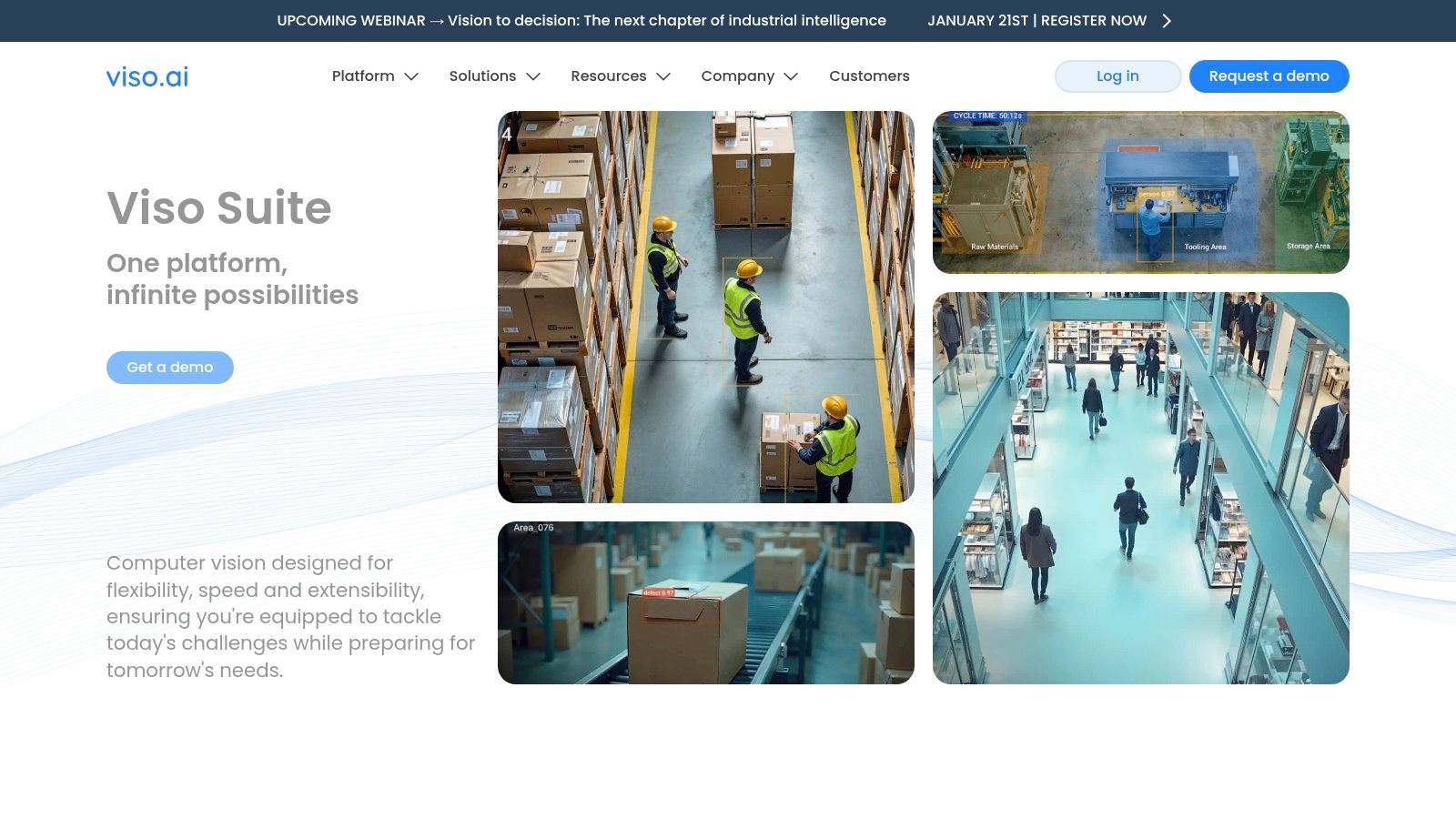
Viso Suite is an end-to-end computer vision platform designed for enterprises that need to build, deploy, and manage picture recognition software applications at scale. Its no-code/low-code approach allows organizations to create and orchestrate complex vision workflows across large fleets of edge devices or in the cloud. The platform is particularly well-suited for industrial applications like retail analytics, manufacturing quality control, and smart city infrastructure.
What sets Viso Suite apart is its focus on the entire application lifecycle, from development to deployment and ongoing monitoring. It provides a visual workflow builder that simplifies the creation of sophisticated AI vision systems, combined with robust tools for device management and orchestration. This makes it an ideal solution for companies looking to move beyond experimentation and into production-grade computer vision deployments across multiple locations.
Key Features & Use Cases
- Edge AI Deployment: The platform excels at orchestrating and monitoring computer vision applications on edge devices, enabling real-time processing for use cases like public safety, traffic management, and in-store customer behavior analysis.
- Industrial Automation: Manufacturers can use Viso Suite to build automated quality inspection systems, monitor production lines for defects, and enhance worker safety protocols through real-time video analysis.
- No-Code Application Builder: The visual editor allows teams with limited coding expertise to design and deploy complex vision pipelines, significantly reducing development time and democratizing access to AI technology.
- System Integration: It offers built-in integrations for industry-standard protocols (MQTT, OPC, PLC), allowing the vision applications to communicate directly with existing industrial hardware and software systems.
Pricing and Implementation
Viso Suite’s pricing is sales-led and tailored to enterprise requirements, meaning there are no self-serve or publicly listed plans. Implementation is a hands-on process guided by their team, focusing on ensuring successful deployment within an organization's specific infrastructure. This model is designed for large-scale projects rather than individual developers or small experiments, providing enterprise-grade support and security from the outset.
| Pros | Cons |
|---|---|
| Tailored for production CV apps at scale across device fleets | Pricing is sales-led and not published publicly |
| Hands-on onboarding and enterprise-grade security | Best suited for enterprise deployments, not small experiments |
| Built-in orchestration and monitoring for edge deployments | May have a steeper learning curve than simple API-based tools |
| No-code/low-code visual workflow builder | Less flexibility for developers who prefer pure code solutions |
Website: https://viso.ai/
11. TinEye (Reverse Image Search + APIs)
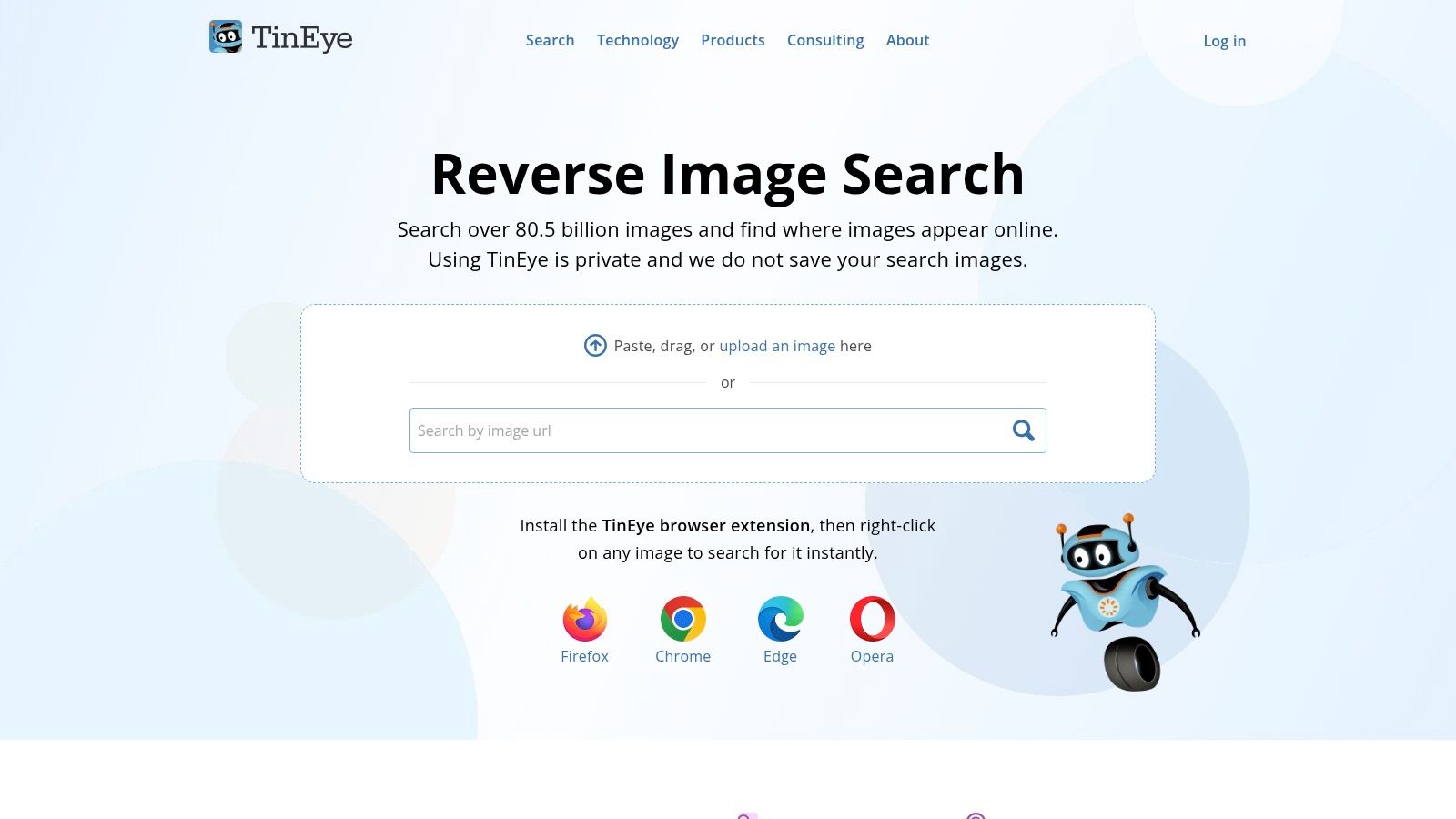
TinEye is a specialized picture recognition software focused almost exclusively on reverse image search. It excels at finding the provenance of an image, tracking its usage across the web, and identifying modified versions. While its public-facing search engine is popular for personal use, its real power lies in commercial APIs like MatchEngine, which are designed for high-volume copyright enforcement, brand monitoring, and large-scale image collection deduplication.
The platform stands out for its straightforward, dedicated functionality. Unlike comprehensive AI platforms, TinEye is built for one core task: matching an image against its massive, proprietary index of web images. This makes it an invaluable tool for journalists verifying the source of a photo, creators tracking unauthorized use of their work, and businesses ensuring the integrity of their digital assets.
Key Features & Use Cases
- Copyright & Provenance Checks: Journalists and legal teams use TinEye to determine where an image first appeared online, helping to verify its authenticity and track copyright.
- Brand Monitoring: Companies can monitor where their logos or product images are being used without permission, protecting brand identity and combating counterfeit goods.
- Fraud Detection: It helps identify stock photos or stolen images used in fake social media profiles, online scams, or fraudulent listings.
- Large-Scale Deduplication: The MatchEngine API allows organizations with vast image libraries to find and remove duplicate or near-duplicate images, optimizing storage and management.
Pricing and Implementation
TinEye offers a free-to-use reverse image search for non-commercial purposes directly on its website. For commercial or high-volume use, it provides API access through prepaid search bundles. These bundles start at a higher price point aimed at businesses and developers, with costs decreasing per search as the bundle size increases. Implementation is API-driven, allowing for programmatic integration into existing workflows and applications for automated image matching. For a deeper look into this technology, check out our guide on AI reverse image search tools.
| Pros | Cons |
|---|---|
| Highly specialized and accurate for image matching | Lacks broader AI analysis features like object or text detection |
| Trusted tool for copyright enforcement and provenance checks | Commercial use requires paid bundles, which may be costly for small users |
| Scales effectively for very large image collections | The free consumer search has usage limitations and is for non-commercial use |
| Simple, task-focused interface and API | Focus is solely on matching, not interpreting image content |
Website: https://tineye.com/
12. AWS Marketplace – Computer Vision
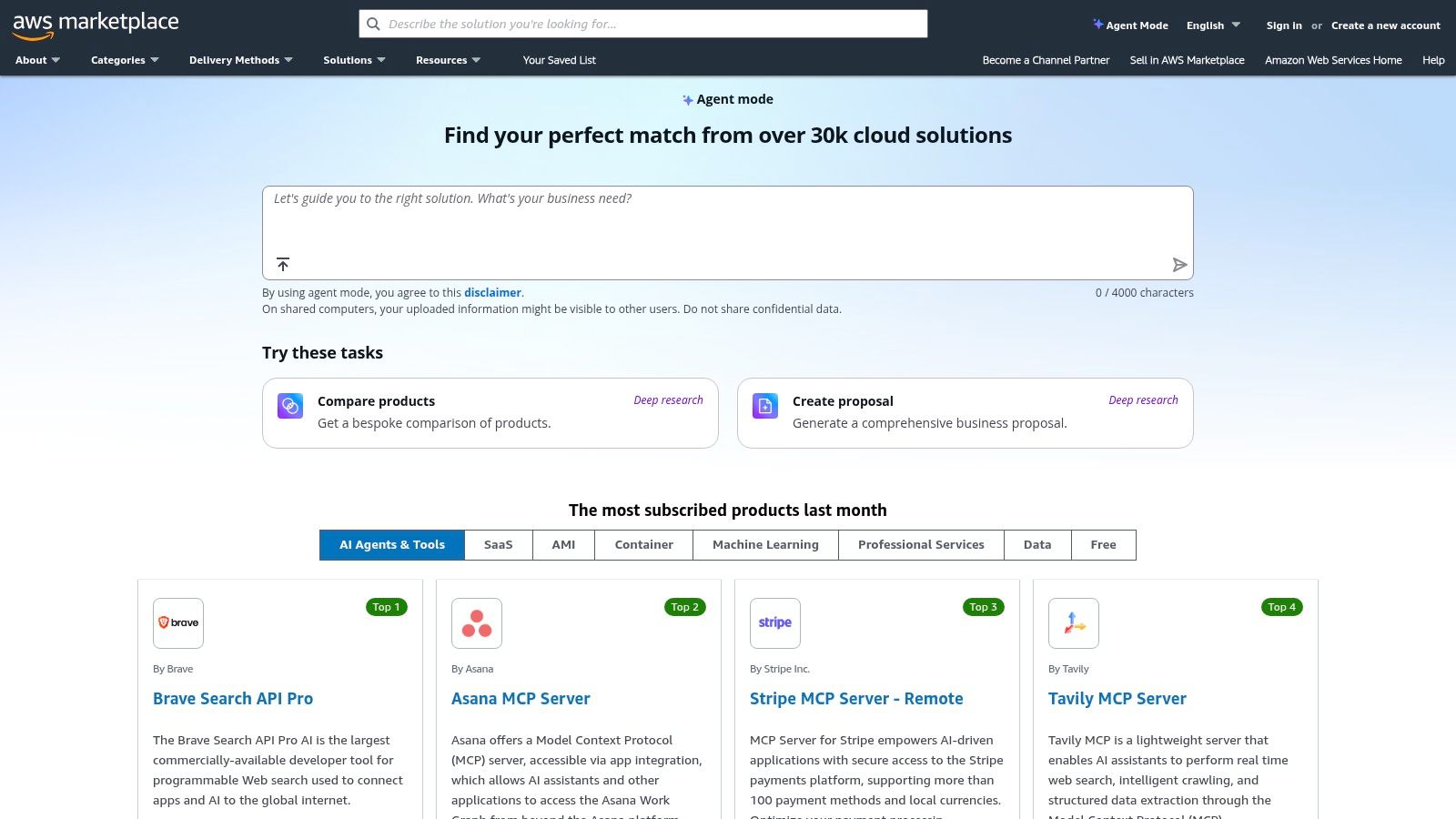
AWS Marketplace offers a centralized hub for discovering and deploying third-party computer vision software, rather than being a single tool itself. It provides a curated selection of pre-built models, SDKs, and full-stack solutions that can be integrated directly into an organization's Amazon Web Services environment. This platform is ideal for enterprises seeking specialized, vetted picture recognition software without the lengthy procurement cycles.
The key advantage of the marketplace is its streamlined deployment and billing process. Businesses can find highly specific tools, such as retail visual search engines or industrial quality control analytics, and launch them with one-click deployment into their AWS accounts. This simplifies compliance and vendor management by consolidating everything under the existing AWS billing and governance framework, making it a powerful resource for teams already invested in the AWS ecosystem.
Key Features & Use Cases
- Specialized Industry Solutions: Users can find niche solutions for manufacturing (defect detection), retail (in-store analytics), and media (content tagging) that are ready to deploy.
- Enterprise Procurement: Simplifies the buying process with standardized licensing, metered billing, and private offer capabilities, allowing for controlled and compliant software acquisition.
- Flexible Deployment Options: Software is available in various formats, including Amazon Machine Images (AMIs), containers, and SaaS subscriptions, catering to different architectural needs.
- Rapid Prototyping: Development teams can quickly test and evaluate multiple third-party computer vision models for a specific project before committing to a long-term solution.
Pricing and Implementation
Pricing on the AWS Marketplace is determined by each individual vendor and can vary significantly, from hourly rates for AMIs to monthly SaaS subscriptions and usage-based models. All charges are consolidated into the user's AWS bill. Implementation is also vendor-specific; while deployment is standardized through AWS, integrating the chosen software into existing applications will depend on the vendor’s provided APIs and documentation. Thorough evaluation of each listing is essential.
| Pros | Cons |
|---|---|
| Centralized procurement and compliance for enterprises | Quality, support, and pricing vary widely by vendor |
| Broad selection of specialized, third-party vendor solutions | Many listings are not standalone and require integration work |
| Standardized deployment and billing within AWS | Finding the right fit requires careful research and evaluation |
| Access to niche tools not available from major cloud providers | Some solutions may have less comprehensive documentation than native AWS services |
Website: https://aws.amazon.com/marketplace/
Top 12 Picture Recognition Tools Comparison
| Provider | Core features | Privacy & data handling | Speed & accuracy (UX) | Best for / Use cases | Pricing & scalability |
|---|---|---|---|---|---|
| AI Image Detector | AI vs human detection, confidence score, visual indicators, supports JPEG/PNG/WebP/HEIC | Real-time analysis, images not stored on servers; privacy-first | Fast (sub-10s typical, some <2s); high accuracy claims; probabilistic on ambiguous images | Journalists, educators, trust & safety, artists, ID/fraud, marketplaces; API for automation | Core detection free/no signup; accounts unlock history; API/enterprise pricing via sales; file-limit notes (10–50MB) |
| Google Cloud Vision AI | Labeling, OCR, logos/landmarks, face analysis, SafeSearch, product/web detection | Cloud-hosted on GCP with Google compliance controls | Mature models, strong SLAs, per-feature quality | Teams needing scalable, feature-rich vision within Google Cloud | Clear per-feature pricing; 1,000 free units/month; scales with GCP |
| Amazon Rekognition (AWS) | Labels, OCR, face detection/search, moderation, custom labels | AWS-hosted; face collections/storage require governance | Enterprise-grade scalability; integrated monitoring (CloudWatch) | AWS-native integrations (S3/Lambda), moderation, face search | 12‑month free tier; variable per-API pricing; enterprise options |
| Microsoft Azure AI Vision | Tags, object/brand detection, OCR ("Read"), spatial analysis, moderation | Azure compliance, private networking and enterprise security | Strong OCR/layout extraction; enterprise SLAs | Organizations standardized on Microsoft 365/Azure; OCR-heavy workflows | Pricing via Azure calculator or sales; flexible regional deployment |
| Clarifai | Pre-trained & custom models, dataset mgmt, segmentation, vector search, low-code | Hybrid deployments (SaaS, VPC, on‑prem) and private control planes | Dedicated inference/training nodes for enterprise performance | Teams needing custom training, private deployments, enterprise control | Published per-request for small models; enterprise tiers via sales |
| Imagga | Tagging, categorization, color extraction, visual search, background removal, OCR | SaaS with enterprise/on‑prem deployment options | Simple API, predictable performance for common tasks | Media, e‑commerce teams needing image tagging & processing | Transparent monthly plans (Free → Pro → Enterprise); free plan limited (100 requests) |
| Roboflow | Dataset labeling, augmentation, training, evaluation, cloud & edge deployment | Private or public projects; credit-based access controls | Speeds model prototyping and deployment; DIY performance | Teams building custom detectors without full MLOps | Credits-based pricing; free public plan; commercial licensing available |
| Hugging Face Inference Endpoints | Managed autoscaling endpoints, HF model hub integration, custom containers | Private model hosting possible, control over infra | Performance depends on instance type; autoscale & scale-to-zero | Teams who choose open-source models and control hosting | Transparent hourly/min billing by instance; cost varies by compute |
| OpenCV (and OpenCV.ai) | 2,500+ CV algorithms, cross-language libs, training & consulting | Self-hosted (Apache-2); paid consulting via OpenCV.ai | Optimized for real‑time when implemented well; DIY tuning needed | Research, custom pipelines, teams able to self-host or buy services | Free open-source; paid courses/consulting via OpenCV.ai |
| Viso Suite (Viso.ai) | No-code visual workflows, edge orchestration, device mgmt, monitoring | Enterprise security, onboarding, device-level controls | Built for production fleet performance and monitoring | Enterprises deploying vision apps across device fleets | Sales-led pricing, enterprise SKUs; focused on large deployments |
| TinEye (Reverse Image Search + APIs) | Reverse image search, MatchEngine API, dedupe, copyright tracking | Consumer search non-commercial; commercial APIs for businesses | High-performance indexed search for provenance & matching | Copyright enforcement, provenance checks, product/label recognition | Prepaid API search bundles, pay-as-you-go; business-focused pricing |
| AWS Marketplace – Computer Vision | Curated vendor listings (AMIs, containers, SaaS), one-click deploy | Vendor-dependent; deploys into customer AWS accounts | Varies by vendor and solution | Enterprises procuring specialized CV tools for AWS deployment | Marketplace billing, vendor-specific pricing and procurement controls |
Making the Right Choice for Your Visual Intelligence Needs
Navigating the landscape of picture recognition software can feel overwhelming, but as we've explored, the diversity of tools reflects the vast array of problems they solve. From massive, enterprise-grade platforms to focused, privacy-conscious detectors, the perfect solution is the one that aligns precisely with your specific goals, technical capabilities, and ethical considerations.
The journey through this guide has illuminated a clear division in the market. On one side, you have the foundational pillars: Google Cloud Vision AI, Amazon Rekognition, and Microsoft Azure AI Vision. These platforms are the go-to choices for developers needing scalable, pre-trained models for a wide range of common tasks like object detection, facial analysis, and OCR. They offer robust APIs and extensive documentation, making them powerful assets for building complex applications.
On the other side, you have platforms that empower customization and specialized development. Tools like Clarifai and Roboflow provide end-to-end ecosystems for creating, training, and deploying custom models without requiring deep machine learning expertise. For those who possess that expertise, the open-source power of OpenCV remains the unrivaled standard for granular control and innovation.
Key Considerations for Your Final Decision
As you move forward, your decision-making process should be guided by a few critical factors. Answering these questions will help you filter the options and identify the best picture recognition software for your needs:
- Build vs. Buy: Do you have the in-house talent and resources to build a custom solution with a framework like OpenCV, or does a managed API from a provider like Imagga or AWS make more sense? The answer often comes down to a trade-off between control and speed-to-market.
- Scale and Cost: Are you processing a few hundred images a day or millions? The pricing models of the major cloud providers are designed for scale, but costs can quickly escalate. For a comprehensive look at managing expenditure across these platforms, consider these 12 Best Cloud Cost Optimization Tools to ensure your project remains financially viable.
- Specificity of Task: Is your goal general object recognition, or do you need to identify nuanced, industry-specific items? If your use case is highly specialized, platforms that facilitate custom model training, like Viso Suite or Roboflow, will be far more effective than general-purpose APIs.
The Emerging Imperative: Authenticity and Trust
Perhaps the most crucial takeaway is the rising importance of image authenticity. The proliferation of sophisticated AI-generated content has created a new, urgent need for tools that can distinguish between real and synthetic media. This is no longer a niche concern; it is a fundamental requirement for maintaining trust in journalism, education, and digital platforms.
This is precisely where specialized tools carve out their essential role. While a general-purpose picture recognition software can tell you what's in an image, a dedicated detector tells you where the image came from. For journalists verifying a source, educators teaching digital literacy, or trust and safety teams protecting their platforms, this capability is non-negotiable. The privacy-first, real-time analysis offered by a tool like AI Image Detector exemplifies this new paradigm, prioritizing user safety and delivering fast, actionable insights without data retention.
Ultimately, the power of picture recognition technology lies not just in its ability to see, but in its capacity to help us understand, verify, and make sense of our increasingly visual world. By choosing the right tool, you equip yourself not just with technology, but with a new lens through which to view reality.
In an era of deepfakes and AI-generated content, verifying visual media is more critical than ever. Protect your work and promote digital trust with AI Image Detector, a privacy-first tool designed for fast, accurate analysis without ever storing your images. Try our free AI Image Detector to instantly assess the authenticity of any picture.


