

A Practical Guide to Software Image Recognition

Think about how you instantly recognize a friend's face in a crowd or a specific type of car on the street. It feels effortless, right? Software image recognition is the technology that tries to give computers that same ability—to look at a picture and understand what's in it.
Instead of eyes, the software uses complex algorithms to pore over the digital data of an image, finding patterns in the pixels to identify objects, people, places, and even actions.
How Software Learns to See and Understand Images
At its core, image recognition is about teaching a machine to interpret visual information. It’s the magic behind your phone unlocking when it sees your face, social media suggesting who to tag in a photo, or an online store letting you search for a jacket just by uploading a picture of it.
The real goal isn't just for the software to "see" pixels but to make sense of them. This is done by feeding algorithms enormous datasets—we're talking millions of images—where everything is already labeled by humans. By analyzing all these examples, the software starts to connect specific arrangements of pixels to concepts. It learns that a certain collection of lines, fuzzy textures, and pointy shapes means "cat," while a different set of metallic sheens and round forms means "car."
From Pixels to Recognition
The whole process works by building up from the tiniest details to the big picture, a bit like putting together a massive jigsaw puzzle.
Here's a simplified look at the journey from a sea of pixels to a confident identification:
- Pixel Analysis: The software starts by looking at the image at its most basic level: a grid of millions of colored dots (pixels).
- Pattern Detection: From there, it starts finding simple patterns by grouping those pixels—things like edges, corners, and textures.
- Object Assembly: More sophisticated layers of the algorithm take these simple patterns and piece them together into larger components, like a tire or a headlight, eventually forming a complete object.
- Final Labeling: Finally, the system makes a call, assigning a label like "motorcycle" or "skyscraper" to the object it has identified. You can get a deeper look into the different kinds of photo recognition software and how they pull this off.
To make this a bit clearer, here’s a quick summary of the core ideas behind how software recognizes images.
Breaking Down How AI Vision Works
| Concept | Simple Analogy | Technical Term |
|---|---|---|
| Pixel Breakdown | Looking at a photograph with a magnifying glass to see the individual dots of ink. | Pixel-level Analysis |
| Feature Finding | Identifying the basic lines and curves in a child's connect-the-dots drawing. | Feature Extraction |
| Pattern Assembly | Recognizing that a circle on top of a rectangle on top of two more circles looks like a car. | Object Composition |
| Classification | After seeing thousands of cats, confidently saying, "That's a cat." | Labeling/Classification |
Each step builds on the last, turning raw, meaningless data into useful information.
The concept map below provides a great visual for how this all comes together, moving from raw pixels to a final, meaningful label.
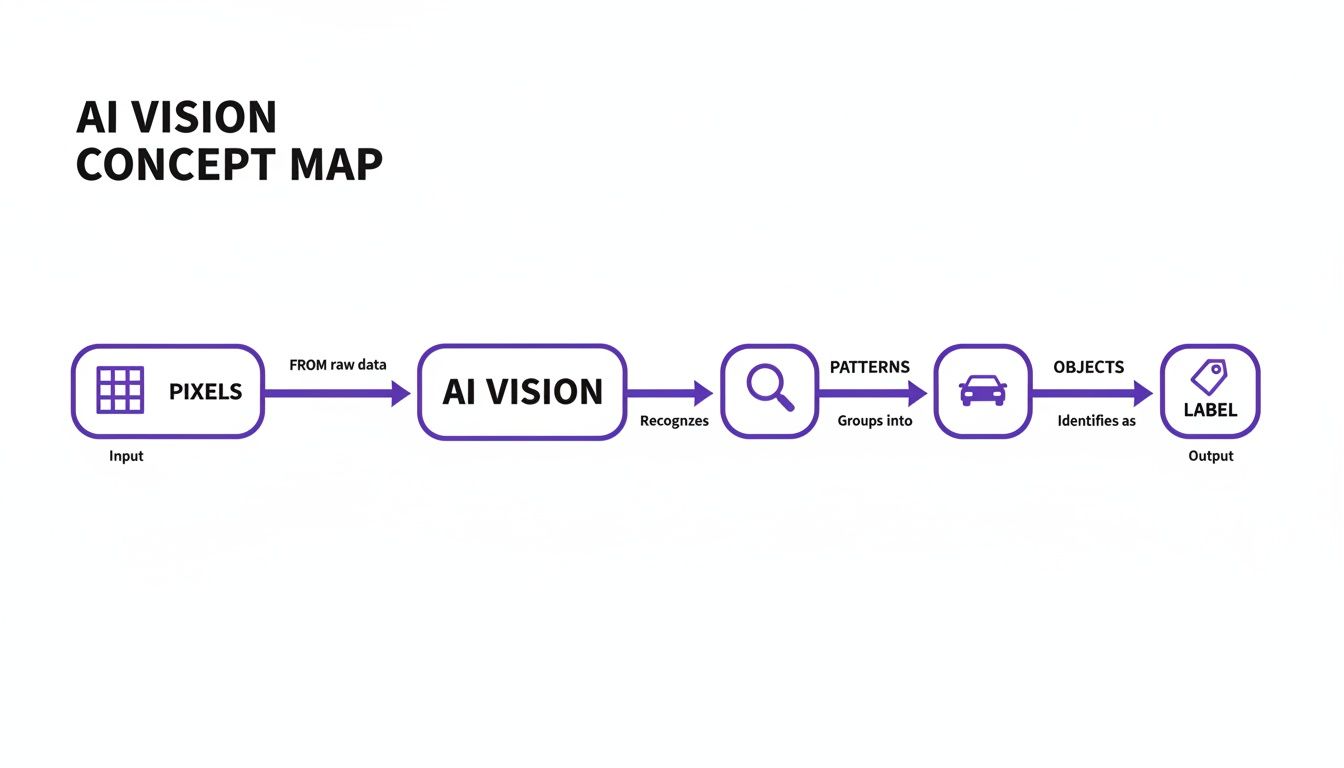
As you can see, the system moves from simple, granular data up to complex, high-level understanding one step at a time.
The Building Blocks of Computer Vision

So, how does a machine actually learn to tell a cat from a car? It's not magic. The secret is a set of clever techniques that, in a way, copy how our own brains make sense of the visual world. At the heart of it all is the Convolutional Neural Network (CNN), a special kind of algorithm built just for crunching image data.
Think of a CNN as an assembly line of experts, each with a very specific job. They work in layers, passing their findings down the line.
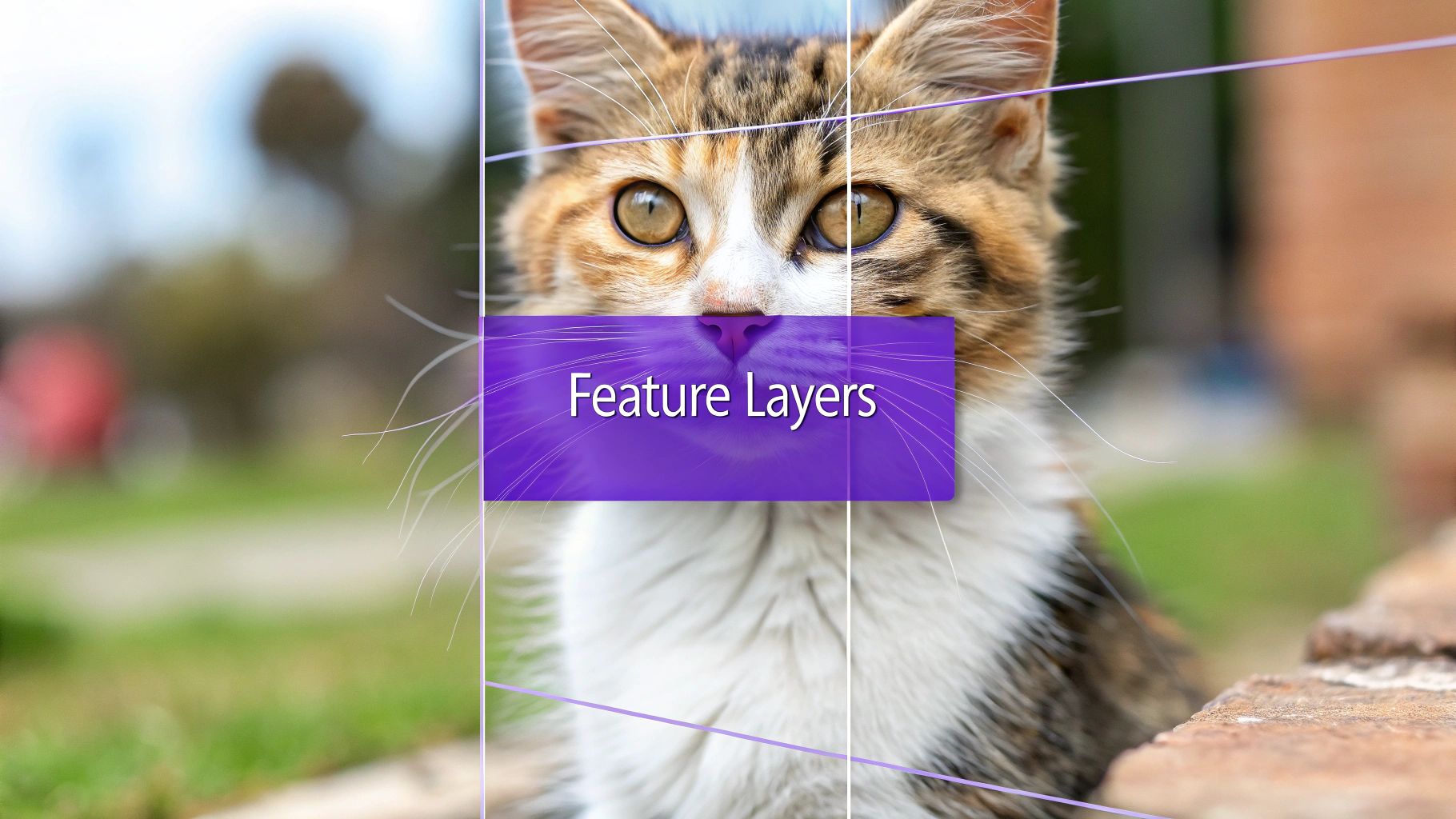
The first group of experts looks for the absolute basics: simple edges, sharp corners, and gradients of color. The next group takes those simple shapes and starts combining them into more complex textures, like the pattern of fur or the smooth glint of metal. Deeper down the line, other layers piece these textures into recognizable parts—an ear, a whisker, or a tire. Finally, the last layer puts all the pieces together and makes the call: "That's a cat."
Extracting the Essential Details
This entire process relies on something called feature extraction. It’s the art of zeroing in on the most important, tell-tale patterns in a picture while filtering out all the distracting noise. For a cat, critical features might be its triangular ears and slit pupils; for a car, they might be its wheels and headlights.
Software image recognition models figure out which features matter most by training on thousands upon thousands of labeled examples. Over time, they become incredibly good at spotting these key identifiers, which is the secret to their impressive accuracy.
By focusing only on the most predictive patterns, feature extraction allows an algorithm to make quick, accurate judgments without getting bogged down by every single pixel in an image.
Taking a Shortcut with Transfer Learning
Now, building a top-tier CNN from the ground up is a massive undertaking. It demands huge amounts of computing power and millions of images, which is simply out of reach for most people and projects. This is where transfer learning comes in—it's a game-changing shortcut.
Imagine an expert chef who has spent years perfecting a foundational tomato sauce. If you ask them to create a new pasta dish, they don't start from scratch by re-learning how to chop an onion or balance salt. They take their master sauce and adapt it, adding new spices or ingredients to create the new recipe.
That’s exactly how transfer learning works for AI. You start with a pre-trained model—one that a company like Google or Facebook has already trained on a massive dataset to recognize thousands of common objects. Then, you simply fine-tune that existing model for your specific task. This approach saves a staggering amount of time and resources, making sophisticated software image recognition accessible to everyone, not just those with supercomputers.
Software Image Recognition in Action
It’s one thing to understand the theory behind image recognition, but seeing it solve real-world problems is where it really clicks. This technology is already working hard behind the scenes in many of the digital tools we use every day, making them faster, safer, and more useful.
From the apps on your phone to the systems running global news organizations, image recognition is taking on tedious jobs that used to require a human eye. This widespread adoption is what’s behind its massive market growth.
The global image recognition market was valued at USD 53.3 billion in 2023 and is on track to hit USD 128.3 billion by 2030. This isn't just a niche tech; it’s becoming fundamental to how countless industries operate.
Safeguarding Digital Communities
One of the most powerful applications is automated content moderation. Think about the sheer volume of images uploaded to social media platforms every second. Image recognition systems are the first line of defense.
These systems scan millions of uploads in near real-time, trained to spot and flag content that violates community guidelines—like hate speech or graphic violence. By catching it early, they help keep online spaces safe at a scale no team of human moderators could ever achieve.
Enhancing Accessibility and Commerce
Image recognition is also a game-changer for digital accessibility. For users with visual impairments, tools can now analyze an image and generate an audible description. This simple function opens up a visual world that was once locked away.
Over in e-commerce, it’s the engine behind visual search. Ever seen a piece of furniture you loved but had no idea how to describe it? Now, you can just snap a photo. The system analyzes the image and pulls up similar items for sale. This is especially popular in fashion, where tools like an AI virtual try on let you see how an outfit might look before you add it to your cart.
By turning a picture into a search query, image recognition closes the gap between seeing something you want and actually finding it online. It makes shopping feel far more natural.
Verifying Media Authenticity
In the world of journalism and fact-checking, image recognition is an essential tool for verifying a photo’s authenticity. Professionals use it to track down the original source of an image or confirm a location, helping them combat the spread of fake news.
But this has gotten much harder with the explosion of AI-generated images. A standard recognition tool can tell you there's a cat in a photo, but it can't tell you if the cat is real or was created by an AI. This is where a specialized image analyzer AI becomes critical. These tools are designed to spot the subtle clues left behind by generative models, helping us trust what we see.
Understanding the Strengths and Weaknesses of the Technology

No technology is perfect, and to use software image recognition well, you have to be honest about what it can—and can't—do. Let's start with the good stuff. These systems are incredibly fast and can operate at a scale that's impossible for humans. They can analyze millions of images in the time it takes a person to look through a handful.
When a model is trained on the right data for a specific job, its accuracy can be astounding, sometimes even better than a human expert. This is what drives the huge efficiency boosts in fields like manufacturing quality control or automated data entry. You can hand off the repetitive visual work to the machine, letting your team tackle the more nuanced problems.
But for all that power, there are some serious limitations you need to keep in mind.
The Challenge of Algorithmic Bias
One of the biggest hurdles is algorithmic bias. Here’s the simple truth: an image recognition model is a direct reflection of the data it learned from. If that training data is skewed or lacks diversity, the model will be just as biased.
Imagine a facial recognition system trained almost exclusively on photos of one demographic. It’s practically guaranteed to struggle when it encounters people from underrepresented groups. This isn't just a technical glitch; it can lead to inaccurate and unfair outcomes when deployed in the real world.
A biased algorithm doesn't just make random errors. It makes consistent, patterned mistakes that can deepen existing societal inequalities. Fixing this isn’t a one-time task; it requires a constant commitment to building and maintaining diverse training datasets.
This is why ongoing testing and auditing are non-negotiable. You have to ensure the system works fairly for everyone it might affect. Otherwise, a tool built with the best intentions can end up causing real harm.
Vulnerabilities and Ethical Lines
Beyond bias, you might be surprised at how fragile these systems can be. They're vulnerable to something called adversarial examples. These are images that have been tweaked in ways a human would never notice, but these subtle changes can completely confuse an AI.
For instance, a tiny, invisible modification to a picture of a stop sign could trick an AI into labeling it as a "speed limit" sign. It's a sobering reminder that AI doesn't "see" the way we do, and this brittleness can open up some serious security holes.
And, of course, there are the massive privacy questions. The power to automatically identify people in photos, track their movements, or analyze personal images at scale demands a serious conversation about ethics. Without strong data protection rules and clear guidelines, the potential for misuse is enormous.
How to Choose the Right Image Recognition Solution
So, you're ready to bring image recognition into your project. Great. Now comes the hard part: picking the right tool for the job. This is a big decision, and it boils down to a balancing act between cost, performance, and just how much heavy lifting you want to do yourself.
Your first major fork in the road is deciding between a third-party API and a custom on-device solution.
Think of an API as hiring a world-class chef. You give them your ingredients (the images), and in moments, you get back a perfectly analyzed result. This approach is fast, scales beautifully, and requires very little setup. For most businesses that need reliable software image recognition without maintaining a dedicated AI team, this is the way to go.
Building an on-device solution, on the other hand, is like constructing your own professional kitchen from scratch. It gives you complete control and unmatched privacy since the data never leaves the device. It even works offline. But be warned: this path demands serious expertise, a hefty budget, and a lot of time to build and maintain.
API vs. On-Device: A Quick Comparison
To make the right call, you have to be honest about your project's goals. There's no single "best" answer, only the best fit for you. Here’s a quick breakdown to help you think it through:
- Speed of Deployment: APIs are essentially plug-and-play. You can be up and running in days, not the months it takes to build a custom model.
- Privacy and Security: If you're dealing with sensitive data like medical scans or private photos, an on-device model is the fortress you need. Everything stays local.
- Cost Structure: APIs usually operate on a pay-per-use basis, which is perfect for managing costs with fluctuating workloads. A custom model has a huge upfront cost for talent and infrastructure.
- Offline Capability: Need your app to work on a remote oil rig or in a warehouse with spotty Wi-Fi? On-device processing is your only real option.
This isn't just a technical decision; it's influenced by global trends. The Asia-Pacific region, for instance, has become the fastest-growing market for this technology, clocking a CAGR of 15.61%. Massive government investment and new infrastructure have turned it into a hub for innovation. According to Mordor Intelligence, this growth is accelerating.
The Critical Role of Provenance Detection
Finally, ask yourself a simple but vital question: what are you trying to identify? Is it just objects in a picture, or is it the picture's authenticity?
A standard image recognition model can tell you a photo contains a public figure, but it can’t tell you if that photo is a real press image or a deepfake.
This is a massive distinction. For any situation where trust is on the line—think news verification, fraud prevention, or protecting your brand's reputation—you need more. You have to pair your recognition system with a specialized AI image detector.
These tools are built for one purpose: to spot the subtle digital fingerprints left behind by AI generation. They add a layer of verification that standard models simply weren't designed to provide. You can explore our other articles to learn more about selecting the right software for image recognition that includes these crucial capabilities.
Where We're Headed: A Smarter Visual Future
The way we interact with technology is about to be completely rewired by visual AI. We're moving far beyond just sorting photos into albums. The next generation of software image recognition is all about understanding the world in real-time, in full context, and weaving that understanding into both our digital and physical lives.
You can already see the signposts for this future. Think real-time video analysis that can manage a bustling city square or guide a self-driving car through a chaotic intersection. At the same time, breakthroughs in 3D object recognition are finally making augmented reality feel real, letting us overlay useful digital information directly onto our view of the world.
AI That Sees the Whole Picture
The biggest leap forward is probably multimodal AI. These aren't just systems that see an image; they understand it by connecting it to the text, sounds, and other data that go along with it. Imagine an AI that doesn't just identify a dog in a photo, but also reads the caption and hears the background audio to figure out the entire story—the joy, the setting, the full context of that moment.
This is a much deeper, more human-like way of understanding, and it’s going to fuel some incredibly smart and intuitive new tools.
Once these powerful abilities are widespread, our entire relationship with images and videos will change. Knowing if a photo is real will no longer be a job just for journalists—it will become a basic requirement for trusting anything we see online.
Authenticity is the New Bedrock
In a world filled with sophisticated AI that can create stunningly realistic images from scratch, the line between what’s real and what’s fake is getting harder to see. This makes being able to tell the difference absolutely critical for everything from online shopping to breaking news.
This is where specialized AI detection tools become non-negotiable. They'll work right alongside standard image recognition systems, acting as a new layer of security. They are set to become the gatekeepers of digital truth, making sure that as our world gets more visual, it also stays trustworthy.
Frequently Asked Questions
Even after getting a handle on the basics, a few practical questions always seem to pop up when we talk about software image recognition. Let's tackle some of the most common ones to clear up any lingering confusion.
Image Recognition vs. Object Detection
So, what's the real difference between image recognition and object detection? It's a classic question.
Think of it like this: image recognition gives you the big picture. It looks at an image and tells you the main subject, like "a day at the beach." It's about classifying the entire scene with one main label.
Object detection, on the other hand, is a specialist. It goes into that same beach photo and starts pointing things out. It draws little boxes around individual items and labels them: "person," "umbrella," "dog," "beach ball."
Essentially, recognition gives you the what of the whole image, while detection finds the where for multiple objects within it.
How Much Data Do You Need to Train an AI Model?
This is the "how long is a piece of string?" of AI, and the honest answer is: it depends.
If you're working on a relatively simple task, you might get away with a few thousand labeled images. This is especially true if you use a pre-trained model as your foundation—a technique called transfer learning. It's a fantastic head start.
But for a highly specialized model built from the ground up, you're looking at a much bigger number. We're talking hundreds of thousands, or even millions, of high-quality, diverse images. You need this massive dataset to teach the model nuance and help it perform accurately without baked-in biases.
A model is only as good as its training data. Insufficient or non-diverse data is the primary cause of poor performance and algorithmic bias.
Can Standard Image Recognition Detect AI-Generated Images?
In a word: no. At least, not reliably.
A standard image recognition model is trained to identify the content of an image—a cat, a car, a tree. It has no concept of how that image was created. Because of this, it can be easily tricked by a photorealistic AI-generated cat because, well, it looks like a cat.
To spot synthetic media, you need a different tool for the job. Specialized models, like an AI Image Detector, are trained to see the invisible fingerprints and subtle artifacts that AI generation leaves behind. They look for pixel inconsistencies and digital patterns that a standard model isn't built to see.
The two technologies are complementary, not interchangeable. One tells you what's in the picture, and the other tells you where it came from.
Ready to verify the authenticity of your images? Use the AI Image Detector for a fast, free, and accurate analysis. Try it now at aiimagedetector.com.

