

Detecting AI Generated Images A Guide for Modern Verification

Spotting an AI-generated image isn't about one single trick. It's more like detective work—a layered process where you combine a sharp eye for visual oddities with some technical sleuthing and good old-fashioned contextual research. It’s a crucial skill now that incredibly convincing fakes are everywhere.
Why We All Need to Get Better at AI Image Verification
Let's be honest: "seeing is believing" is a phrase that has officially expired. Being able to tell a real photo from an AI fake is no longer a niche skill for tech geeks. It’s becoming a fundamental part of digital literacy for everyone—journalists, researchers, and anyone scrolling through their social media feed.
The generative AI models creating these images are evolving at a breakneck pace. What looks impressive today will seem clunky and obvious tomorrow. This makes having a reliable detection process more critical than ever.
The stakes are high. These images can seriously erode public trust. Think about political deepfakes designed to manipulate an election or fake product shots used to scam people online. The potential for harm is huge. This guide is about building a practical defense against this kind of sophisticated misinformation.
The Scale of the Challenge
This explosion of synthetic media isn't happening in a vacuum. It's being supercharged by enormous investment and rapid technological leaps. In 2024–2025 alone, private investment into generative AI is projected to hit around $33.9 billion globally. That kind of money accelerates everything.
Naturally, this has led to a flood of malicious content. Some estimates show the number of known deepfake files ballooning from about 500,000 in 2023 to several million by 2025. You can read more about these AI industry trends to grasp just how fast this is moving. It’s a constant game of cat and mouse, and our verification skills have to keep up.
At its core, detecting AI-generated images is about rebuilding digital trust. Each image you verify reinforces the value of authenticity, while every fake you identify helps inoculate us all against the spread of false narratives.
A Multi-Layered Verification Strategy
There’s no magic bullet for this. The best defense is a multi-pronged approach that layers several techniques.
- Visual Analysis: This is where you train your eye to spot the subtle giveaways. AI models still struggle with things like illogical shadows, weird skin textures, and anatomical impossibilities (count the fingers!).
- Technical Inspection: Every digital image has a footprint. We'll dig into the metadata and check for emerging standards like C2PA credentials, which act like a digital birth certificate for images.
- Contextual Research: This involves tracing an image back to its source. Using tools like reverse image search, you can see where a picture first appeared online and judge the credibility of who posted it.
For a wider view on how AI is changing content creation and why verification is becoming so central, resources like the AI Tools Brief Blog offer some great ongoing insights. In this guide, we're going to break down each of these layers and give you the actionable steps you need to build a detection workflow you can trust.
Training Your Eye to Spot AI Artifacts
Before you even think about running an image through a detector, your first line of defense is right behind your own eyes. While automated tools are a crucial part of the process, nothing replaces the foundational skill of a manual visual audit. It's about more than just spotting the obvious stuff, like a person with six fingers; it's about training your brain to catch the subtle, illogical details that generative models still get wrong.
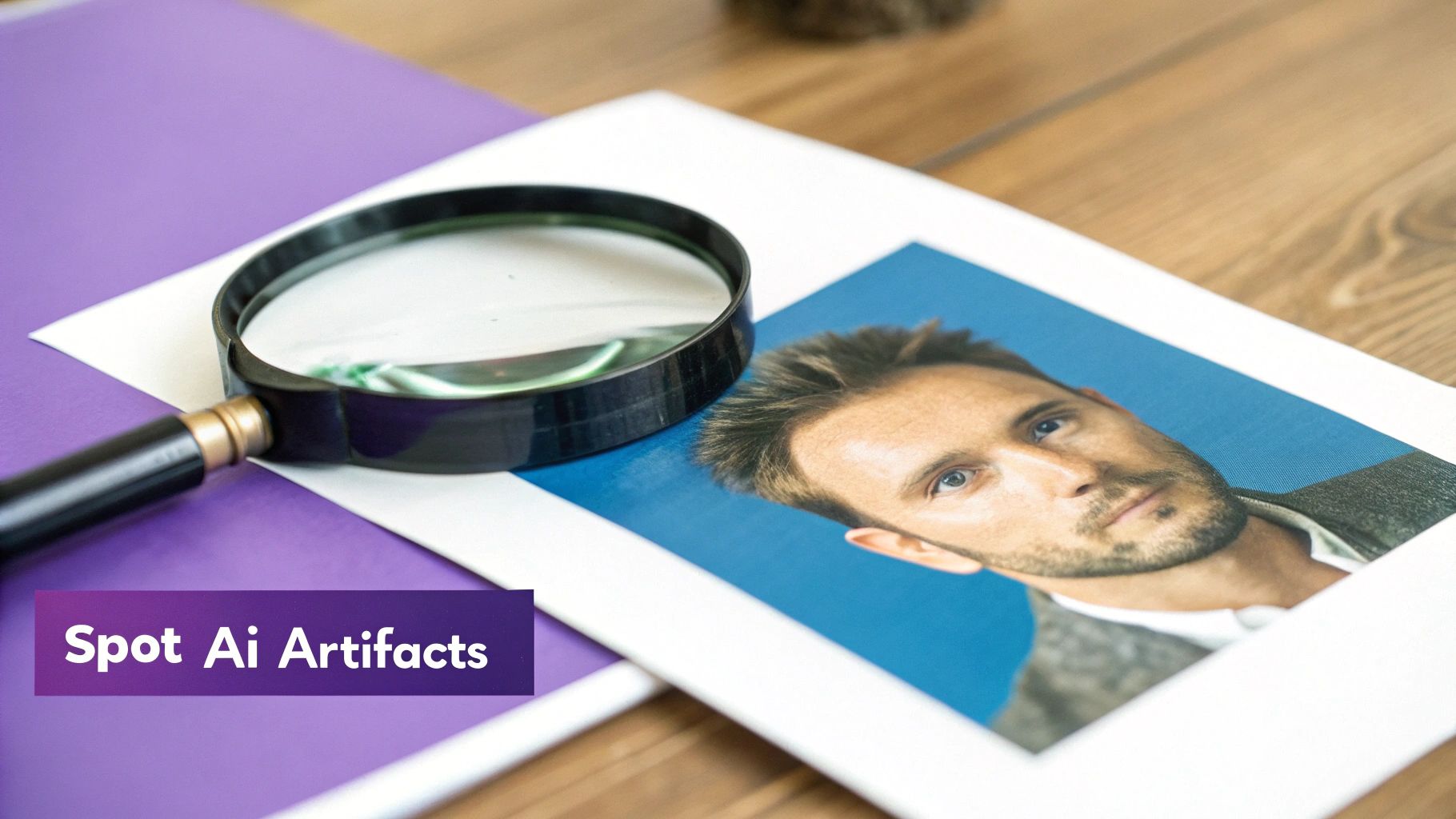
This process helps you build an intuition—a gut feeling for what looks real versus what feels just a little "off." At first, this can be surprisingly difficult. We all like to think we can spot a fake, but the data tells a different story. Recent studies show human accuracy rates are hovering around 50–52%, which is basically a coin toss. In one survey, a mere 9% of people managed to correctly identify over 70% of the AI images shown to them.
Clearly, there's a gap between confidence and actual skill. To close it, you need to know exactly what to look for.
Anatomy and Proportions Gone Wrong
AI models are trained on billions of images, but they don’t actually understand what a human body is or how it works. This fundamental gap in comprehension leads to some truly bizarre errors, especially in complex areas.
- Hands and Fingers: This is the classic giveaway for a reason. Look for fingers that are too long or short, extra or missing digits, and hands that bend or merge in physically impossible ways.
- Teeth and Eyes: AI has a notoriously hard time with teeth, often rendering them as a single, uniform strip or a jumbled, unnatural mess. With eyes, check for mismatched pupil sizes, bizarre reflections that don't match the environment, or irises with chaotic, nonsensical patterns.
- Ears and Jewelry: Ears are another weak spot. They can appear misshapen, asymmetrical, or have distorted lobes. You’ll often see earrings that defy gravity, are mismatched, or seem to be fused directly to the skin.
Our brains are hardwired to recognize human features, so these anatomical mistakes can often trigger an immediate sense of unease, even if you can't pinpoint why at first. If you want to dive deeper into this, our guide on https://www.aiimagedetector.com/blog/how-to-tell-if-art-is-ai offers some great insights.
Pro Tip: Zoom in. Always zoom in. An image that looks flawless from a distance can fall apart completely when you inspect the hands, background text, or fine textures up close.
Inconsistencies in the Environment
Once you've checked the main subject, scan the background. The surrounding environment is often a goldmine for spotting AI-generated content because models struggle to maintain logical consistency across the entire frame.
Pay close attention to light and shadow. Do the shadows fall in a direction that makes sense with the main light source? A classic AI mistake is creating multiple, conflicting shadows in a scene that should only have one source of light, like a single sun in the sky.
Reflections are another huge tell. Check any reflective surfaces—mirrors, windows, puddles, even sunglasses. Does the reflection accurately show what should be there? More often than not, an AI will generate a distorted, incomplete, or completely fabricated reflection that shatters the illusion of reality.
Unnatural Textures and Patterns
AI models can produce some beautiful surfaces, but they frequently stumble on the fine details, especially with textures that should have natural, random variations.
To help you get started, here's a quick reference table for the most common visual red flags.
Common AI Image Artifacts and Where to Find Them
| Artifact Type | Common Location | What to Look For |
|---|---|---|
| Anatomy Errors | Hands, teeth, eyes, ears | Extra/missing fingers, jumbled teeth, mismatched pupils, distorted ears. |
| Physics Flaws | Shadows, reflections | Shadows pointing the wrong way, reflections that don't match the scene. |
| Texture Issues | Skin, hair, clothing, wood | Overly smooth "plastic" skin, waxy hair, repeating patterns on fabric. |
| Background Noise | Text, signs, distant objects | Garbled or nonsensical text, objects that blend into each other unnaturally. |
| Asymmetry | Jewelry, facial features | Mismatched earrings, eyes or ears that aren't quite symmetrical. |
Getting familiar with these common issues will give you a solid framework for your initial visual check.
- Skin: AI skin often looks too perfect—completely poreless and smooth, almost like a heavily airbrushed photo from a decade ago. Sometimes it has a strange, plastic-like sheen.
- Hair: Look for individual strands that merge together, float disconnected from the head, or have a uniform, "waxy" appearance instead of the subtle variety of real hair.
- Fabric and Wood: Patterns on clothing might not wrap realistically around a person's body. The grain on a wooden table might repeat in a tiled, synthetic-looking pattern.
It also helps to understand how prompt engineers try to cover these tracks. Checking out resources on prompt key words to make images less fake looking gives you a behind-the-scenes look at the very flaws they're trying to hide. By knowing what they're trying to fix, you'll know exactly where to search for those lingering imperfections.
Digging Deeper with Digital Forensics and Provenance
A visual inspection is a great starting point, but the real detective work begins when you look under the hood of the image file. Every digital image has a backstory, a kind of digital fingerprint that can point straight to its origins. When we move beyond just looking at the picture to analyzing the data it contains, we can find the hard evidence we need.
This means digging into the image's metadata and looking for what we call content provenance. It’s a lot like checking the chain of custody for a piece of evidence in a crime scene. This technical analysis gives you the objective data to back up (or debunk) your initial gut feeling.
What the Image Metadata Tells You
Almost every digital camera, from a professional DSLR to the one in your smartphone, embeds a ton of information right into the image file. This is called EXIF (Exchangeable Image File Format) data, and it’s essentially the technical story of how a photo was taken.
Digging into this data can reveal specific, verifiable details about a real photograph. You can often find things like:
- Camera Info: The exact model and make, like a Canon EOS R5 or Apple iPhone 15 Pro.
- Capture Settings: Techy details such as aperture, shutter speed, and ISO sensitivity.
- Date and Time: A precise timestamp of when the picture was snapped.
- Software Used: Notes if the image was opened or edited in programs like Adobe Photoshop or Lightroom.
Finding detailed, plausible camera-specific metadata is a strong sign that you're looking at a genuine photograph. On the flip side, the complete absence of this data, especially on a high-quality image that looks like a photo, is a major red flag. Most AI image generators simply don't create EXIF data, leaving the file suspiciously blank. You can easily learn how to check image metadata with free online tools.
A quick word of warning, though: Metadata isn't foolproof. It can be edited or stripped out completely. Many social media platforms automatically remove EXIF data when you upload an image to protect user privacy. So, while its presence is a good sign and its absence is suspicious, it's not a silver bullet.
The New Standard: Content Provenance
To create a more reliable and secure way to verify images, a new standard called C2PA (Coalition for Content Provenance and Authenticity) is gaining ground. Backed by major players like Adobe, Microsoft, and Intel, C2PA is a direct response to the rise of misleading digital content.
Think of C2PA as a tamper-proof digital nutrition label for media. It securely attaches information about how, when, and where a piece of content was created, and by what tools.
This creates a verifiable trail from creation to consumption. When an image is captured or generated, a C2PA-compliant tool can embed a manifest with all these details. For example, an image from Bing Image Creator or Google Gemini might include embedded "credits" that identify an AI as the source.
As more cameras, software, and AI platforms adopt this standard, checking for these credentials will become a routine part of verification. It provides a cryptographic guarantee of an image's origin story, getting us much closer to a world where we can actually trust what we see online.
Putting It Into Practice
So, how do you actually do this? When you come across a questionable image, build these forensic checks right into your workflow, immediately after your visual scan.
- Check the EXIF Data: Upload the image to a free online EXIF viewer. Are there camera details? Do the settings make sense? If it's completely empty, your skepticism should be high.
- Look for C2PA Credentials: Use a service like the Content Credentials Verify site. It can scan an image for an embedded C2PA manifest and show you its authenticated history.
- Analyze for AI Fingerprints: This is a more advanced technique, but some AI models leave behind subtle, unique patterns in the image data itself. Specialized tools are emerging that can detect these model-specific signatures.
By layering these digital forensic techniques on top of a sharp visual eye, you're building a much stronger, evidence-based process for spotting AI-generated images.
When your own eyes aren’t quite enough, it’s time to call in some backup. Specialized AI image detectors can act as a powerful second opinion, scanning for the subtle digital fingerprints and artifacts that even a trained human eye can miss. These tools provide the hard data you need to either confirm your suspicions or put them to rest.
But let's be realistic. These detectors aren't magical truth-tellers. Think of them as highly specialized assistants that bring forward evidence, not a final verdict. Their real-world effectiveness hinges on the AI models they were trained on and the quality of the image you’re analyzing.
The Real Story Behind Accuracy Scores
You’ll see some pretty impressive numbers thrown around for AI detection models. While it’s true that some can hit balanced accuracy near 95% in a controlled lab setting, their performance out in the wild can be a different story. Those high scores often take a nosedive when the tool comes across an image from a new generator it’s never seen before.
The practical gap is that their performance often degrades with common manipulations like JPEG compression or simple cropping. You can learn more about how these detection models perform under different conditions.
This means a tool that’s a rockstar at spotting older Midjourney V4 images might get stumped by the latest DALL-E 3 creations. The AI generation field moves so fast that detection tools are in a perpetual game of catch-up.
An AI detector is a powerful tool for probability, not certainty. Use its output as one piece of a larger puzzle, alongside visual inspection and contextual research, to build a confident conclusion.
How to Interpret the Results
When you upload an image to a detector, you're not going to get a simple "Real" or "Fake" stamp. What you'll get is a confidence score, usually a percentage. This is where a little bit of know-how goes a long way.
A score of "75% Likely AI-Generated" doesn't mean there's a 75% chance the image is fake. It’s a measurement of the model's own confidence. It’s saying, "Based on everything I've been trained on, this image's characteristics match what I know about AI-generated content with 75% confidence."
Here’s a practical way I’ve learned to think about these scores:
- Scores above 90%: This is a very strong signal. The detector has found multiple, significant artifacts that are classic tells of current generative models. You should proceed with high suspicion.
- Scores from 60% to 89%: Welcome to the gray zone. The tool has picked up on some questionable patterns, but they aren't a slam dunk. This could signal a heavily edited human photo, an image from a brand-new AI generator the tool doesn't recognize yet, or a genuine AI image that’s been compressed or altered. This score means it’s time to dig deeper.
- Scores below 60%: This suggests the image is probably authentic or has been so heavily modified that any AI fingerprints have been wiped away. A very low score (say, under 10%) is a strong vote of confidence for a human-made photograph.
Popular Tools and What They Offer
A number of platforms are out there for spotting AI-generated images, and each takes a slightly different tack. While we offer a powerful free tool right here at AI Image Detector, it helps to know what else is available. Some tools are built for everyday photos, while others are fine-tuned for things like scientific or artistic imagery.
When you're picking a tool, here's what to look for:
- Transparency: Does it tell you why it made its decision? The best platforms will highlight potential artifacts or explain the reasoning behind their score.
- Specialization: Is the detector trained on the kinds of images you actually work with? One that's great with photorealism might not be your best bet for verifying anime-style art.
- Privacy: Where do your uploads go? For sensitive work, you'll want a privacy-focused tool that processes images on the fly without storing them.
Let’s walk through a quick scenario. Say you’re a journalist trying to verify a photo from an alleged protest that just hit social media. You run it through our detector and get an 82% confidence score for "Likely AI-Generated."
That’s not the end of your investigation—it's the beginning of the next phase. That score is your cue to immediately escalate. Now you double down on a reverse image search to see if that photo exists anywhere else and start scrutinizing the account that posted it. The detector didn’t solve the case for you, but it pointed you exactly where to look next. And that’s its real power.
Putting the Pieces Together: Researching an Image's Story
Visual glitches and metadata can tell you what's in an image, but they can't tell you the where, when, or why. An image never really exists in a vacuum. It's part of a conversation, a news story, or maybe a marketing campaign somewhere out on the web. This last part of the investigation is all about finding that original story.
By digging into an image's online footprint, you can often find the most definitive proof of whether it's real or AI-generated. This is where you answer the big-picture questions the image file itself simply can't.
The Power of a Reverse Image Search
Think of a reverse image search as your own personal digital time machine. Instead of typing words to find a picture, you use a picture to find every place it lives online. It's an absolutely essential tool for figuring out where an image came from and the life it's lived.
Your go-to tools here are services like Google Images, TinEye, and even Yandex. You just upload the image or paste its link, and they'll scour the internet for copies and similar-looking visuals. The real skill, though, isn't just running the search—it's knowing how to read the results.
As you sift through what comes back, keep an eye out for these clues:
- Find the Ground Zero: Try to sort the results by date. Where did this image first pop up? If a photo claiming to be from a breaking news event actually first appeared on some obscure blog two years ago, you've found a huge red flag.
- Follow the Trail: Look at how the image has been used over time. Was it originally part of a legitimate news story and later turned into a meme? Or did it just materialize out of thin air on a known disinformation account?
- Read the Room: Pay close attention to the captions, articles, and comments that go along with the image on different websites. The text surrounding an image gives you vital clues about how people have framed it and what they thought it was.
A reverse image search is the single fastest way to debunk old content pretending to be new. It instantly shows you if a real photo is being used in a misleading way or if a viral image has been bouncing around different contexts for years.
For example, I've seen incredible images claiming to show a recent hurricane that a quick reverse image search traced back to a storm from a decade ago. That kind of contextual failure is just as damning as finding a person with six fingers.
Vetting the Source: Who's Behind the Image?
Okay, so you've found where the image came from. That's only half the job. Now you have to decide if you can actually trust that source. An anonymous account on X (formerly Twitter) with ten followers just doesn't carry the same weight as a major news organization with decades of journalistic integrity.
When you trace an image back to its first appearance, put that source under a microscope. This is a non-negotiable step in any serious detection workflow.
Ask yourself these questions about whoever published it:
- Who are they? Is it a real person, a company, an organization? Do they have a clear "About Us" page, a history of credible work, or a professional reputation they need to protect?
- What's their angle? Does the website or account have an obvious bias? Do they mostly post inflammatory, one-sided, or emotionally manipulative content? A source’s track record is one of the best predictors of its reliability.
- Do they show their work? Trustworthy outlets usually credit the photographer or say where an image came from. A total lack of sourcing is, at best, lazy. At worst, it’s a sign they’re trying to hide something.
Let's walk through a real-world scenario. You're fact-checking a photo of a politician supposedly spotted at a controversial protest. A reverse image search leads you to one place: an anonymous social media account that posted it an hour ago. The account has no profile picture, no bio, and a feed full of conspiracy theories.
This context is every bit as important as any weird visual artifacts in the photo. The source has zero credibility, and the timing is suspicious. The odds are overwhelming that the image is a fake, created specifically to mislead people. When you layer this kind of source analysis on top of your visual and technical checks, you can be far more confident in your final call.
Creating Your Own Reliable Verification Workflow
Spotting AI-generated images isn't about finding a single "gotcha" moment. It’s about building a solid, repeatable process that combines a keen eye, technical checks, and good old-fashioned research. Think of it less like a checklist and more like an investigative mindset. A multi-layered strategy is your best bet for moving from a hunch to a confident conclusion.
Your first move should always be a quick visual scan for those tell-tale AI artifacts we've discussed. Right after that, dig into the technical side. This one-two punch helps you immediately weed out the easy fakes and flag the more convincing images that need a closer look.
This process simplifies the whole affair: you upload the image, search for its origins, and then analyze everything you've found.
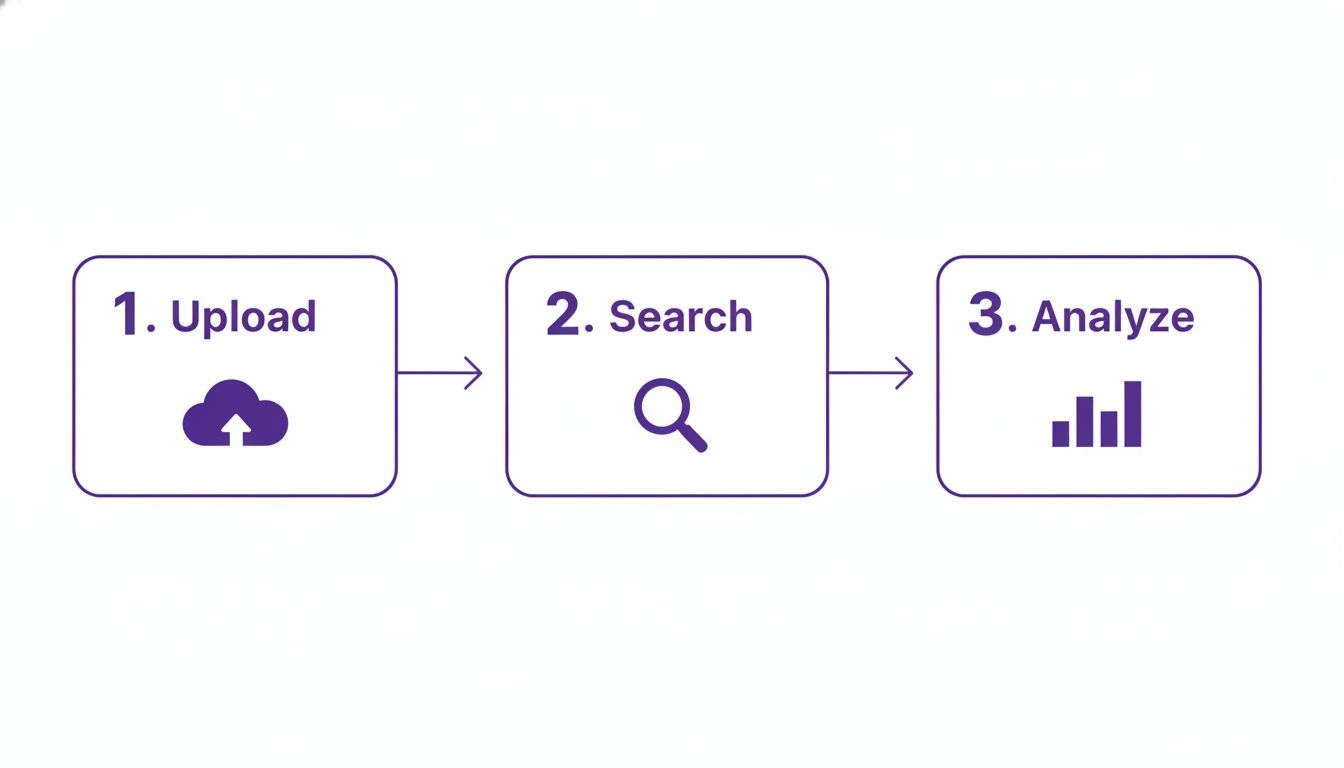
Starting this way ensures you pull all the clues from the image file itself before you go down the rabbit hole of contextual research. It's just more efficient.
A Practical Verification Sequence
For a structured approach that leaves no stone unturned, I recommend working from the specific details of the image outward to the broader context. This method prevents you from missing crucial evidence hiding in plain sight.
Here's a sequence that works well in practice:
- Start with a Visual Audit: Before you touch any tools, get up close and personal with the image. Zoom in. Look for weird textures, impossible shadows, anatomical oddities, and funky lighting. This initial gut check catches a surprising number of AI fakes.
- Run It Through an AI Detector: Next, get a data-driven second opinion. A reliable detector tool will give you a confidence score, either confirming your suspicions or flagging subtle digital patterns your eyes might have missed.
- Check the Metadata and Provenance: Pop the image into an EXIF viewer and a C2PA verification tool. A ton of detailed camera data can be a good sign, but a complete lack of it is just as telling. It's a huge clue either way.
- Perform a Reverse Image Search: Use a few different search engines (Google, TinEye, Bing) to track the image's digital footprint across the web. This is essential for discovering if it's a real photo being misused or if it first appeared somewhere sketchy.
- Vet the Source: Finally, dig into the credibility of the earliest source you can find. Did the image first appear on a reputable news site or an anonymous forum account created yesterday? That context is often the final piece of the puzzle.
Ethical Lines and When to Call for Backup
Making a public accusation that an image is fake is a big deal. Getting it wrong can wreck your credibility or cause real harm. If you've run through your entire workflow and still aren't 100% certain, the responsible move is to label the image "unverified," not "fake."
Never go public with a definitive call unless you have overwhelming evidence from multiple, independent checks. The goal here is responsible accuracy, not just being first.
For really high-stakes situations—think legal cases or major news stories—it’s time to bring in a professional. A digital forensics expert can provide a level of analysis that goes far beyond standard tools.
Adopting this kind of workflow helps you navigate these tricky situations with confidence. For more tips on putting these steps into practice, you can also explore other guides to check for AI-generated content and learn from established frameworks. In a world where seeing is no longer always believing, a thorough process is your most reliable tool.
Your AI Image Detection Questions, Answered
As you get deeper into spotting AI-generated images, you're bound to have some questions. Here are a few of the most common ones I hear, along with some straightforward answers.
Can AI Detectors Be Fooled?
Yes, absolutely. While AI detectors are incredibly useful, they aren't perfect. They can definitely be tricked, especially by images from brand-new AI models they haven't been trained on yet. Simple edits like aggressive cropping, heavy compression, or even just slapping on a filter can sometimes be enough to throw them off.
This is exactly why you can't rely on just one tool. Think of an AI detector as a critical piece of your investigation, but never the final verdict.
A detector gives you a probability score—a valuable clue, for sure—but it's not the same as definitive proof.
What's the Single Most Reliable Sign of an AI Image?
Honestly, there's no magic bullet. The AI models are getting scarily good at mimicking reality, so the "tells" are constantly changing. That said, the most consistent giveaways still pop up in places that require a ton of complex, unstructured detail.
If you're doing a manual check, zero in on these areas:
- Anatomy: Hands, teeth, and eyes are classic trouble spots. You'll often find subtle (and sometimes not-so-subtle) errors there.
- Physics: Look for shadows that don't make sense or reflections that don't quite match the environment. Physics is hard for AI.
- Backgrounds: Garbled text on signs or objects that seem to melt into each other are huge red flags.
Your best bet is always to combine these visual checks with a more technical analysis. One method alone is never enough.
Does EXIF Metadata Prove an Image Is Real?
Not necessarily. Finding detailed EXIF data—things like a specific camera model, lens type, and shutter speed—is a good sign, no doubt. But it's important to remember that this data can be faked or simply copied over from a real photo.
On the flip side, a lack of EXIF data doesn't automatically mean an image is AI-generated. Most social media sites and web platforms strip that information out to protect user privacy. Its absence is a clue that tells you to dig deeper, but it’s not a smoking gun on its own.
Ready to put this knowledge into practice? The AI Image Detector is a free, privacy-first tool that can help you get a read on an image in seconds. Get the clarity you need to trust what you see online.


