

Explore cgi computer generated images: how they're made and how to spot them

At its most basic, CGI (Computer-Generated Imagery) is the craft of creating still images and animations using computer software. But that simple definition doesn't do it justice. It’s not just pushing a button; it’s a deeply creative and technical process where artists construct entire worlds from the ground up, one digital decision at a time.
This is the magic behind the breathtaking alien planets in a sci-fi blockbuster, but it’s also the secret to the impossibly perfect-looking products you see in commercials.
Understanding the Digital Artist's Toolkit
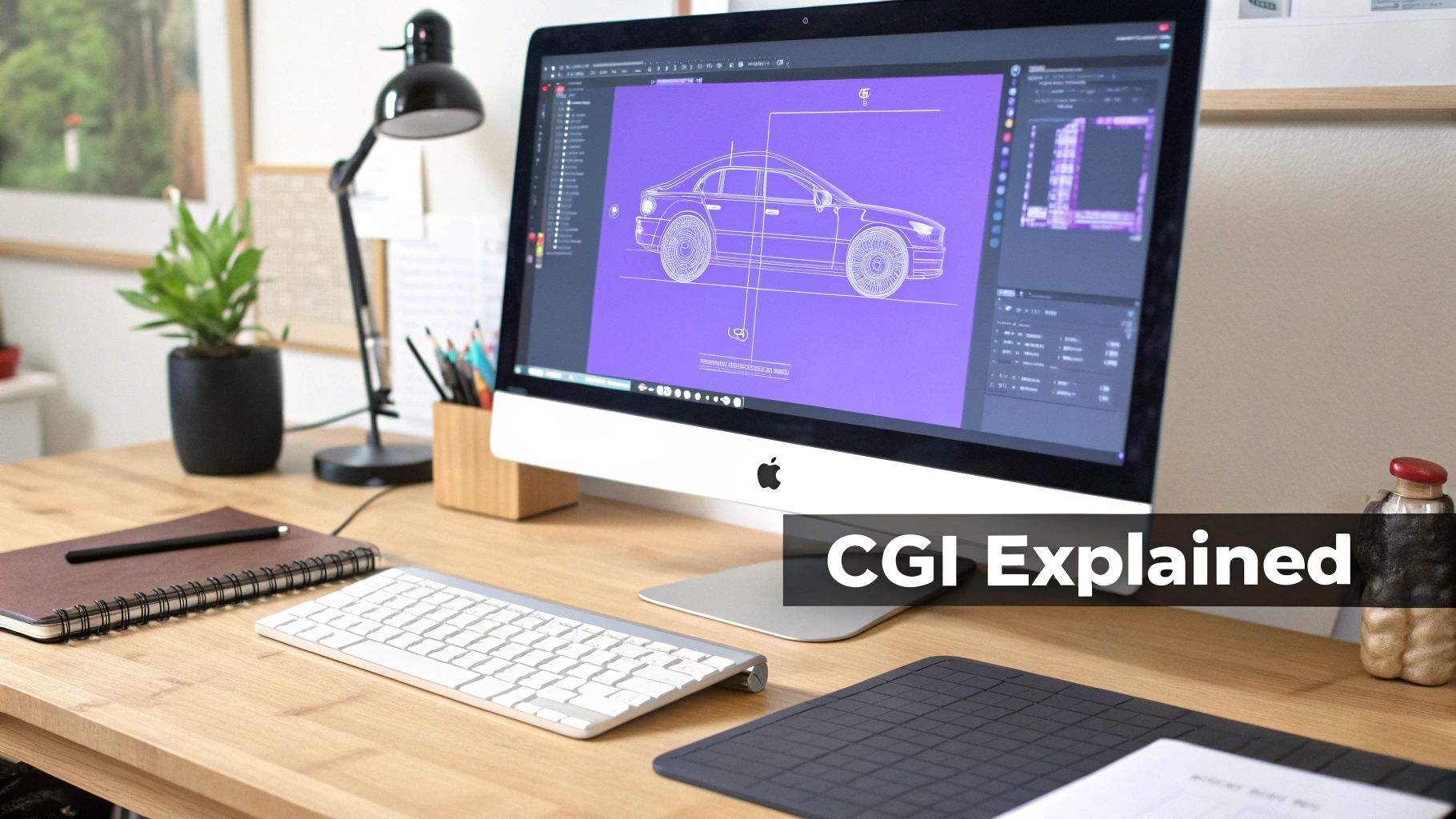
It helps to think of CGI creation less like an automated factory and more like a digital art studio stocked with incredibly powerful tools. A traditional sculptor might start with a block of marble and a chisel; a CGI artist opens up software like Blender or Maya to build a three-dimensional model. A painter uses brushes and pigments on a canvas; a digital artist paints textures, colors, and light onto those models to make them look real.
This direct, hands-on control is the absolute soul of cgi computer generated images.
Every single detail—from the glint in a character's eye to the way a wisp of smoke catches the light—is the result of a deliberate choice made by a team of skilled professionals. This artistic intention is what truly separates traditional CGI from the newer world of AI image generation.
Key Disciplines in CGI Creation
Bringing a CGI scene to life requires a whole team of specialists, each with a unique role. Think of it like a film crew, but for a digital world. Here’s a quick look at the core disciplines involved.
| Discipline | Artist's Role |
|---|---|
| Modeling | The digital sculptor. They build the 3D shapes of objects, characters, and environments from scratch. |
| Texturing | The painter. They create and apply the surface details—like skin, wood grain, or rust—to give models color and realism. |
| Rigging | The puppeteer. They build a digital "skeleton" and controls so that characters and objects can be animated. |
| Animation | The performer. They bring the rigged models to life by defining their movements, frame by frame. |
| Lighting | The cinematographer. They place virtual lights in the scene to create mood, depth, and believable shadows. |
| Rendering | The photographer. This is the process where the computer calculates all the data—models, textures, lights—and generates the final 2D image. |
| Compositing | The final editor. They blend CGI elements with live-action footage and add finishing touches like color correction and special effects. |
Each of these roles is a craft in itself, requiring both artistic talent and deep technical knowledge. It's a testament to the human effort that goes into every frame of CGI you see.
The Broad Spectrum of CGI Applications
While Hollywood blockbusters and big-budget video games get all the attention, the techniques behind CGI are used in some pretty surprising places. Its power to visualize the unbuilt or impossible makes it invaluable across many industries.
- Architectural Visualization: Long before breaking ground, architects use CGI to create photorealistic tours of buildings, letting clients walk through a space that doesn't exist yet.
- Medical Simulation: Surgeons can practice delicate operations on incredibly detailed digital models of human anatomy, honing their skills in a zero-risk environment.
- Product Design: Engineers at companies like Apple or Ford build and test digital prototypes of their products, spotting flaws and refining the design before a single physical part is ever made.
- Video Games: Nearly everything you see in a modern video game—from the characters you control to the vast worlds they inhabit—is built with CGI.
In all these cases, CGI gives creators the power to build and refine realities that would be impractical, expensive, or downright impossible to capture with a real camera. It’s fundamentally a tool for deliberate creation, not just imitation.
A Look Back: How CGI Reshaped Modern Media
The journey of computer-generated imagery (CGI), from a niche experiment in university labs to the very foundation of modern entertainment, is a fascinating story of art pushing technology to its limits. In the beginning, CGI was the stuff of simple, geometric graphics, often seen in a handful of sci-fi films. These early efforts look almost quaint now, but they were the crucial first steps that laid the groundwork for everything that followed.
For a long time, CGI wasn't the main event; it was a supporting actor. Filmmakers used it sparingly for things that were just too difficult or impossible to create physically—think glowing holographic displays or basic wireframe grids. The tech was powerful, sure, but it was also painfully expensive and slow, reserved only for productions with deep pockets and a director bold enough to bet on it.
The Leap to Photorealism
Then came the early 1990s, and everything changed. This was the moment CGI graduated from creating abstract shapes to rendering fantasy with jaw-dropping realism. It was a massive leap forward that fundamentally altered what audiences expected to see on screen. Suddenly, the impossible felt real.
The evolution of CGI in cinema is one of the most dramatic technological shifts in entertainment history. It turned filmmaking from a process bound by physical reality into one limited only by imagination and computing power.
A few landmark films from this era blew the doors wide open. Terminator 2: Judgment Day and Jurassic Park weren't just box-office hits; they were cultural moments that proved CGI could create characters and effects that were completely, utterly convincing. These movies showed the world what was possible. You can trace this incredible progress by exploring a detailed CGI timeline.
From Special Effect to the Main Attraction
After those successes, the floodgates opened. Studios and tech companies poured money into developing better and faster tools. In 1995, Pixar’s Toy Story hit another major milestone as the first feature film animated entirely with CGI, pulling in over $362 million globally. It proved that CGI could be more than just a tool for adding a monster into a live-action shot—it could be the entire storytelling medium.
From there, the growth was exponential. Throughout the 2000s, visual effects budgets ballooned. What started as a way to create a cool visual became an essential part of the cinematic language itself, used for everything from building massive digital armies to subtly de-aging actors. This decades-long evolution has shaped the visual world we live in and paved the way for the even more advanced synthetic media we see emerging today.
From Concept to Final Render: How Artists Create CGI
Creating convincing computer-generated images (CGI) is far from a simple push-button process. It's a highly detailed pipeline that marries deep artistic skill with powerful software—think of it less like taking a photo and more like building a hyper-realistic movie prop from the ground up. Each stage demands a specific expertise, often involving large teams of artists who collaborate to bring a single concept from a rough sketch to a polished final image.
Let's imagine the task is to create a digital dragon. The journey doesn't start with a computer spitting out a creature; it begins with a digital sculptor meticulously shaping its form.
This first stage is Modeling. Using specialized software, an artist builds the dragon's 3D geometry, which is basically its digital skeleton and skin. They define its size, shape, and overall silhouette, ensuring every horn, tooth, and scale is placed just right. It's the digital equivalent of sculpting with clay.
Once the model is built, it's just a plain, gray, featureless statue. To bring it to life, artists move on to Texturing. This is where the dragon gets its unique look. Think of it as painting the sculpted prop. Artists design and apply intricate surface maps to create the leathery hide, the metallic sheen on its scales, and the rough, worn texture of its claws. This step gives the model its color, personality, and sense of history.
Breathing Life into the Model
A beautifully textured dragon is great, but it can't just sit there. It needs to move. That's where Rigging comes in. A technical artist builds a complex digital "skeleton" and a system of controls inside the model. This rig works like a puppeteer's strings, giving animators the power to pose the dragon, make its wings flap, and have it let out a convincing roar. Without a solid rig, the model would be stuck as a static, lifeless object.
Next, the dragon needs to exist in a believable world. Lighting is the digital version of a film set's cinematography. Artists place virtual lights to cast realistic shadows, create a specific mood, and make sure the dragon fits seamlessly into its environment, whether it's a shadowy cave or a bright, sunlit sky. The quality of the lighting is often the secret ingredient that sells the realism of a shot.
This timeline shows just how quickly CGI techniques evolved from simple effects to building entire cinematic worlds.
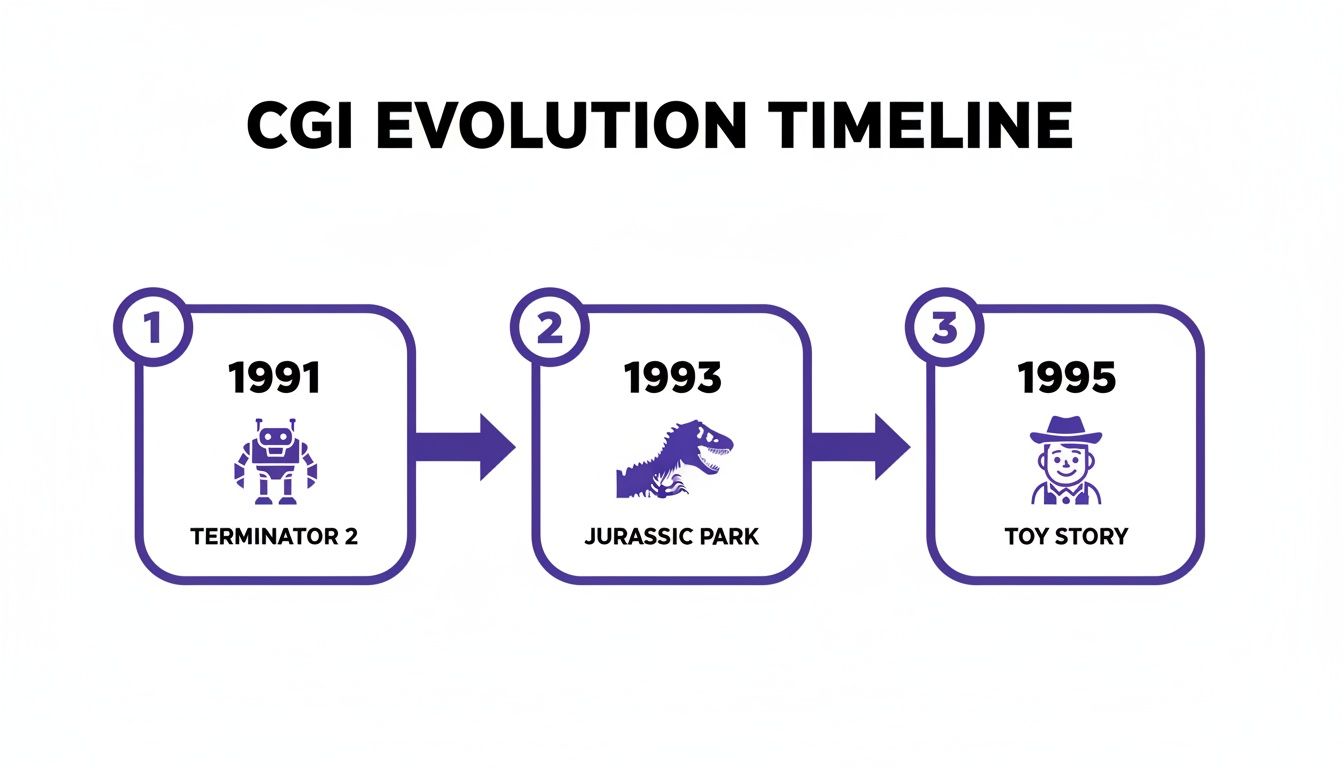
The rapid advancement in the early 90s, driven by these landmark films, cemented CGI as a fundamental tool for modern storytelling.
The Final Touches
With all the creative work done, it's time for Rendering. This is the "photoshoot" phase, where the computer takes all the information—the model's geometry, its textures, the complex physics of light and shadow—and generates the final 2D image or sequence of images. It's an incredibly intensive process, sometimes taking many hours or even days for a single, complex frame to render.
The last piece of the puzzle is Compositing. Here, artists take the rendered CGI elements and skillfully blend them with live-action footage or other digital assets. They tweak colors, add atmospheric effects like smoke or fire, and ensure every layer integrates perfectly.
This meticulous, hands-on workflow is precisely why traditional CGI carries a distinct "fingerprint" compared to other forms of digital imagery. You can dive deeper into how digital images are layered and altered in our guide on AI image manipulation.
Drawing the Line: CGI vs. AI-Generated Images
While both traditional CGI and modern AI image generators create visuals from scratch, the way they get there couldn't be more different. The easiest way to think about it is to see CGI as a "hands-on" craft. A CGI artist is like a digital sculptor or a master painter, meticulously shaping every single element within a scene. They have absolute, pixel-level control over the final product.
AI image generation, on the other hand, is a "hands-off" process. Instead of sculpting or painting, you give the AI a text prompt—a description of what you want to see. The AI model then sifts through the billions of images it was trained on and generates a brand-new picture based on the patterns it recognizes. You're not modeling or texturing anything directly; the AI is interpreting your words and delivering a result.
The core difference really boils down to intention versus interpretation. A CGI artist intentionally places every shadow and designs every texture. An AI interprets a prompt and generates what it statistically believes is the most likely visual match.
This fundamental split in how they're made results in wildly different outputs, each with its own unique "fingerprints" and tell-tale signs.
Control and Precision: The CGI Advantage
The painstaking workflow behind CGI computer generated images gives artists an incredible amount of control. If a film director needs a specific reflection in a character's eye or wants a shadow to fall at a very precise angle, a CGI artist can adjust it until it's perfect. The whole process is deliberate, iterative, and completely in the artist's hands.
An AI generator, however, is more like a creative partner with its own unpredictable quirks. You can steer it with detailed prompts, but you can’t just reach in and tweak the virtual "lights" or reshape a digital "model." This is exactly why you often see strange mistakes and bizarre inconsistencies pop up in AI-generated pictures.
To put it simply, these are two very different tools for two different jobs. This table breaks down their core distinctions.
A Head-to-Head Comparison: CGI vs. AI Generation
This table highlights the core differences in creation, control, and common characteristics of traditional CGI and modern AI images.
| Attribute | Traditional CGI | AI-Generated Images |
|---|---|---|
| Creation Method | Manual and artist-driven (modeling, texturing, rendering) | Automated and prompt-driven (interpreting text commands) |
| Level of Control | Full, granular control over every pixel and element | Indirect control through descriptive prompts and refinement |
| Typical Output | Polished, consistent, and physically plausible visuals | Often creative and surprising, but prone to logical errors |
| Error Type | Subtle imperfections (e.g., uncanny valley effect) | Glaring artifacts (e.g., extra fingers, garbled text) |
As you can see, one is built for precision and the other for rapid, often surprising, creation. These different approaches leave behind very different clues.
Spotting the Unique Fingerprints
Because their creation methods are so distinct, each technology leaves its own set of clues in the final image. Knowing what to look for can help you tell them apart.
CGI's Signature: CGI is all about achieving realism and consistency. When it falls short, the flaws are often subtle. You might notice physics that seem just a little off or textures that look a bit too perfect and unnaturally clean. The classic "uncanny valley," where a human character looks almost real but something feels wrong, is a perfect example of a CGI artifact.
AI's Signature: AI artifacts are frequently straight-up illogical. Look for the obvious giveaways, like distorted hands with six fingers, nonsensical text on signs, background objects that seem to melt into each other, or completely inconsistent lighting where shadows don't make any sense.
Ultimately, the methodical, hands-on nature of CGI versus the interpretive, hands-off process of AI is what truly defines their results. If you're interested in digging deeper into this, our comparison of AI art vs real art explores the nuances between AI-driven creativity and human artistry.
How to Identify Synthetic Media in the Wild
In a world filled with digital images, learning to spot the fakes has become a critical skill. Before you can effectively identify a computer-generated image, it helps to first understand what synthetic media is at a fundamental level. Once you have that baseline, you can start training your eye to catch the subtle (and sometimes not-so-subtle) clues that an image was born from a machine, not a camera.
Traditional CGI computer-generated images often give themselves away with a tell-tale perfection. Artists spend countless hours trying to achieve photorealism, but sometimes they do their job a little too well. Think of a sports car with a showroom shine that lacks a single fingerprint or road scuff, or a marble countertop where the pattern repeats flawlessly. Reality is messy; perfect uniformity is a classic sign of digital creation.
Another dead giveaway is the infamous “uncanny valley,” a term for when a digital human looks almost real but something is just… off. It could be a stiffness in their smile, a glassy look in their eyes, or an expression that doesn’t quite match the situation. Physics can also be a tell. Watch for how things move—hair that flows a bit too perfectly or water that splashes in a way that feels unnaturally smooth.
Spotting the Hallmarks of AI
AI-generated images have their own unique set of quirks, which are often less about perfection and more about a complete lack of logic. These models are phenomenal at recognizing and recreating patterns, but they don't truly understand context. This leads to some very specific, and often bizarre, mistakes.
Here are a few common AI artifacts to look out for:
- Hands and Faces: AI has a notoriously hard time with hands. Keep an eye out for extra fingers, twisted knuckles, or limbs that bend in impossible ways. Faces, especially in the background of a scene, can also appear warped, blurry, or strangely merged.
- Inconsistent Lighting: Look for shadows that don’t make sense. Does an object cast a shadow in the wrong direction? Are the reflections on a shiny surface inconsistent with the light sources in the scene?
- Garbled Text: While this is improving, many AI models still can't render legible text. Words on signs, book covers, or clothing often appear as a nonsensical jumble of letters and symbols.
- Illogical Backgrounds: The devil is truly in the details. Look past the main subject and examine the background. You might find building columns that fade into a wall, fences with inconsistent patterns, or objects that seem to melt into each other.
While the human eye is a great first line of defense, it isn't foolproof. The most sophisticated synthetic images can deceive even seasoned experts, which is why automated verification tools are becoming so important for professional workflows.
When you absolutely need to be sure, it’s time to call in specialized software. For a deeper dive, our full guide on https://www.aiimagedetector.com/blog/detecting-ai-generated-images offers more advanced techniques and examples.

Tools like an AI Image Detector can analyze the underlying data of a file to spot patterns invisible to the naked eye. By providing a clear verdict and a confidence score, these platforms remove the guesswork and add a crucial layer of verification for journalists, legal professionals, and creative agencies.
Why Image Verification Is Essential Today
We've all heard the old saying, "seeing is believing." But in a world saturated with digital images, that's just not true anymore. The ability to tell a real photo from a fake one has become a critical skill, moving from a niche technical problem to a mainstream professional necessity.
With convincing synthetic media on the rise, the stakes are incredibly high. For journalists, upholding the truth means fighting a daily battle against disinformation campaigns armed with fabricated visuals.
Legal professionals, meanwhile, depend on the integrity of digital evidence. An unverified image presented in court could easily sway a verdict, making robust authentication a cornerstone of modern digital forensics. The consequences of getting it wrong aren't just academic—they can change lives.
Creators and brands are also on the front lines. An artist’s style can be fed into an AI to generate copycat works, while a company’s reputation can be torpedoed overnight by a realistic but fake image showing their product in a bad light.
The Professional Imperative for Verification
This isn't just a theoretical problem. The challenge has real-world, daily implications for anyone whose work depends on authenticity. Unvetted cgi computer generated images and AI fakes can systematically erode public trust, manipulate legal outcomes, and devalue creative work.
Just think about these high-stakes scenarios:
- Journalism: A reporter gets a powerful photo from an anonymous source. If they publish it without verification, they risk spreading a lie, demolishing their outlet's credibility, and misleading the public.
- Legal Cases: A photo is submitted as key evidence in a personal injury lawsuit. What if it was digitally altered to add or remove crucial details? The entire legal argument built on that image crumbles.
- Creative Copyright: A digital artist finds out their unique style was used to train an AI model, which is now churning out commercial work that looks just like theirs. Without a way to prove the origin of images, their intellectual property is stolen in broad daylight.
In each of these situations, the ability to quickly and accurately verify an image isn't just a "best practice." It's an essential shield against serious professional and ethical damage.
The economic power of digital imagery has been clear for decades. As early as 2005, around 50% of feature films relied on major CGI effects. Those same films consistently earned over 20% more at the box office, fueling massive investment into the technology. You can explore more of the history of computer animation on Wikipedia.
This long-established legacy highlights just how powerful synthetic media is, which only makes the need to verify it all the more urgent today.
Got Questions About CGI? We've Got Answers.
Even with a solid grasp of the basics, a few common questions always seem to pop up, especially when comparing classic CGI with the new wave of AI-generated images. Let's clear up some of the most frequent points of confusion.
Will an AI Image Detector Flag CGI?
The short answer is almost always no. Think of it this way: AI image detectors are like highly specialized detectives trained to find one specific type of clue—the digital artifacts left behind by AI models. They're looking for the signature of a generative process.
The way artists create cgi computer generated images is a completely different world. It’s a hands-on, deliberate process of modeling, texturing, and rendering that simply doesn't produce those specific AI giveaways.
A sloppy CGI job might look obviously fake to our eyes, but it won't have the statistical red flags an AI detector is hunting for. If you run an image that blends real photography with CGI, a detector will almost certainly label it as human-made because it lacks the tell-tale signs of AI synthesis.
Here's the key distinction: AI detectors are not "fake detectors." They are specifically AI-generated image detectors. They're built to spot the evidence of a very particular creative process, one that traditional CGI doesn't use.
What’s the Difference Between CGI and VFX?
This is a classic mix-up, but the relationship is pretty straightforward. CGI is the thing, and VFX is what you do with the thing.
CGI (Computer-Generated Imagery): This is the actual digital asset you create. That fire-breathing dragon built from scratch in a 3D program? That’s CGI.
VFX (Visual Effects): This is the art of seamlessly blending that CGI dragon into a live-action movie scene. It's the craft of making it look like the dragon is actually there, interacting with actors and casting realistic shadows on the ground.
So, while the dragon itself is CGI, the process of making it fly through a mountain range filmed by a real camera is VFX. Essentially, almost all VFX relies on CGI, but not all CGI is used for VFX—think of a fully animated film, which is 100% CGI with no live-action footage.
So, Is All Animation CGI?
Definitely not. The term "CGI animation" refers very specifically to movies and shows created entirely within a computer, like the groundbreaking work from studios like Pixar or DreamWorks.
This is just one branch of a much larger tree. Traditional animation, like the classic hand-drawn Disney films, is a completely different art form. Same goes for stop-motion, which involves painstakingly photographing physical puppets and models one frame at a time.
While modern 2D animators often use computers for inking, coloring, and putting scenes together, the core performance and drawings are still done by hand, so it isn't considered "fully CGI."
When you're facing an image and need to know its true origin, AI Image Detector delivers a clear, reliable analysis. Our tool is built to give you the certainty you need in seconds, helping you protect your work from the challenges of synthetic media.


