

Digital Magic Wand AI Detector: How It Works in 2026

A friend sends you a dramatic flood photo from a breaking-news post. It looks plausible, but something about the reflections feels off. You upload it to an AI image detector, get a confidence-based result in seconds, and face the important question: what should you do with that score?
Treat it as a prompt to investigate, not a verdict. A detector can help you decide where to spend attention, but the image's source, file history and surrounding evidence still matter.
What the Digital Magic Wand Detector Checks and What It Does Not
The detector at aiimagedetector.com is built for image files. Upload JPEG, PNG, WebP or HEIC up to 10MB and it looks for the visual fingerprints generative systems tend to leave: odd texture repeats, lighting that does not agree across objects, edges and reflections that sit slightly wrong, and other characteristic artifacts. It returns a confidence score with reasoning, so the useful question is narrower than “real or fake”: how strongly does this file resemble synthetic output, and what should that send you to check next?
The similar name causes real mix-ups. DigitalMagicWand is also used for a text-oriented detector that says it classifies writing associated with ChatGPT, Claude, Gemini and other models. Its product page does not identify the test data or evaluation method behind its accuracy claims, so treat those claims as unproven. A text classifier cannot judge a photograph, and an image detector cannot judge an essay. Confirm the input type before reading a score.
Use the image result to route attention, not to settle origin. It can move a photo to the front of the queue, tell you to request the original file, or suggest a provenance check. It cannot establish who made the image, why it was made, whether the caption is accurate, or whether a real scene was later edited. A cleaned synthetic file and a heavily processed camera photo can both blur the signal.
Corroboration stays concrete: source, earlier appearances, metadata where available, and signed provenance records. If your team is scaling fashion catalog imagery with AI, separate generation steps from routine retouching before testing, so the file you submit matches the question you are asking.
Reading the Verdict Scale at a Glance
The result is a confidence-based verdict, not a simple yes or no. Read the band as a guide to your next step, not as proof about the image's origin.
The ranges below are an illustrative reading guide, not confirmed thresholds for the tool. Use the labels and boundaries shown in the detector's own display. For a deeper explanation of how to interpret score bands, see this guide to the AI image detector confidence rating scale.
| Verdict band | What it suggests | Next action |
|---|---|---|
| Likely Human (lower-confidence range) | Artifact, noise and lighting patterns are consistent with camera or hand-made origin. | Treat it as provisionally authentic and confirm the source before relying on it. |
| Inconclusive (middle range) | Editing, resizing or recompression may have weakened the evidence. | Give the score little weight. Test the highest-quality copy and corroborate. |
| Likely AI-Generated (upper-confidence range) | Artifacts and content cues resemble known synthetic output. | Escalate for corroboration. Don't publish or act on the score alone. |
What each band means in practice
A Likely Human result lowers the immediate reason to suspect synthetic generation, but it doesn't prove the image is untouched or accurately described. A genuine photograph can be misleadingly captioned, edited or taken out of context, so confirm where it came from before using it as evidence.
An Inconclusive result isn't a quiet version of “probably real” or “probably AI.” It means the tool hasn't found a strong basis for a confident assessment. If the image came from a screenshot, messaging app or social-media download, try to obtain the original before drawing a conclusion.
A Likely AI-Generated result is a reason to look more closely. Check the source and file history, compare other available versions, and seek evidence independent of the detector. Don't use the band on its own to reject a submission, accuse someone or declare an image fabricated.
Why so much caution? A 2026 systematic analysis found no universal best detector, a 37-percentage-point gap between the strongest and weakest systems, and 18% to 30% average accuracy against several newer commercial generators, according to the analysis published in the Proceedings of Machine Learning Research. The same image may also receive different results after cropping, resizing or recompression.
A human-looking band can be wrong, too. Results may arrive quickly, but the pause before acting is yours. Reuse this table as a decision tool: investigate, corroborate or hold off, depending on the result and the stakes.
How a Digital Magic Wand Detector Reaches a Verdict
Think of a digital magic wand as a forensic lens, not a beauty judge. It doesn't decide whether a picture looks good. It looks for traces left by the process that produced the image, much as a forensic examiner studies fingerprints. Before assuming which clues a particular product checks, consult its own documentation; the points below describe general image-forensics principles, not a confirmed account of any one tool's algorithm.
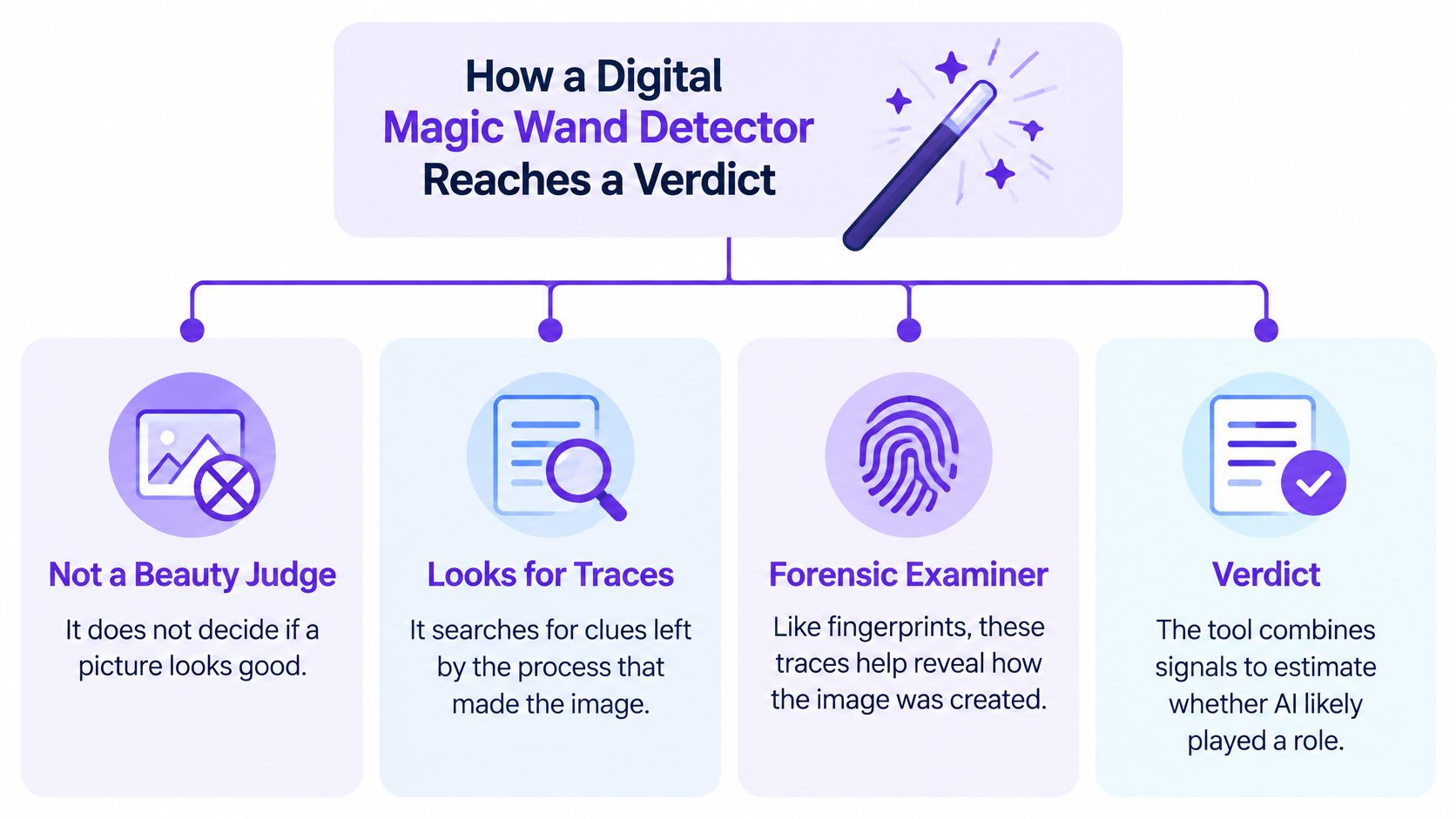
Three kinds of clues
First, some detectors inspect pixel-level and frequency patterns. Image-generation systems can leave traces associated with how they construct or enlarge an image. Those patterns may be faint, and normal editing can change them.
Second, a detector may examine texture and noise. Camera sensors and image-generation systems can produce different statistical patterns, even when both images look smooth to a person. But resizing, denoising and compression can blur or remove useful differences.
Third, a system may assess content-level inconsistencies, such as conflicting light directions, shadows that don't match nearby objects, reflections that don't fit the scene or anatomy that appears implausible. These are cues to examine, not automatic proof: real photographs can contain odd details, and synthetic images can look coherent.
A well-designed system can combine different kinds of evidence into one calibrated result, instead of relying on a single telltale mark. That approach may help when editing has weakened one kind of clue, but the combined score is still only as useful as its testing on images like the one in front of you. You can read more about common approaches in this overview of the AI image detection algorithm.
A 2025 study in Frontiers in Artificial Intelligence found that participants correctly identified AI-generated images in 63.7% of cases overall, but their accuracy fell to 29% for images generated with FLUX.1-dev, according to the study authors. The example shows why a tool can be useful when a person's visual judgment isn't enough, and why neither judgment should be treated as infallible.
A score measures resemblance to known synthetic patterns, not intent or authorship.
On screen, you may see a verdict, a confidence level and written reasoning. Read the reasoning to understand what the tool says influenced its result, then check whether those clues make sense given the file's history. The score tells you where to look next, not who created the picture.
Supported Formats, File Quality and Why They Matter
| Format | Upload limit | What to watch for |
|---|---|---|
| JPEG | 10MB per file | Lossy compression; each re-save can erode fine artifacts detectors rely on. |
| PNG | 10MB per file | Lossless format, but a screenshot may already show a recompressed image. |
| WebP | 10MB per file | Often a web-optimised copy; check whether it was the original or converted. |
| HEIC | 10MB per file | Common on phones; converting it to JPEG for sharing can change evidence. |
A detector reads traces in a file, and file handling can alter those traces. A JPEG that's been saved repeatedly may not contain the same pixel-level evidence as the original. A PNG can preserve image data without additional lossy compression, but saving a screenshot as PNG doesn't restore information that was already lost before the screenshot was captured.
The impact can be substantial. A text-rich-image benchmark covering posters, infographics, receipts, tables and user-interface screenshots found that performance varied by image type. Under JPEG compression, one evaluated method's F1 score fell from 82.66% on original images to 33.98%, according to the benchmark report. That's a result for one method in that evaluation, not a performance estimate for every detector. It does show why a compressed image can receive a different reading from its original.
Check the file's journey
Before relying on a result, ask:
- Is this the original upload? If someone shared a camera original, test that copy if you can obtain it.
- Was it screenshotted or resized? Those steps may alter small details the detector would otherwise assess.
- Did it pass through a messaging app or social platform? The shared copy may have been recompressed.
- Was it converted from HEIC? A conversion can change the evidence available to the detector.
Structured content deserves extra care. Detectors tested on fluid visual scenes may perform less reliably on receipts, tables, posters and interface screenshots, even when those files are original uploads. Keep a record of exactly which copy you checked, then test the highest-quality version available. This guide to supported image formats offers a useful reference when you're preparing files for analysis.
Privacy Features and What Happens to Your Image
The tool's stated design is that analysis runs in real time and images aren't stored on its servers. Core checks are described as free and available without registration; an optional account can save result history and support repeat use. Before uploading sensitive or regulated material, confirm the current privacy policy directly, because a product's practices and terms can change.
No-storage processing can reduce exposure, but it doesn't remove your responsibility to handle files appropriately. Don't upload an unpublished photograph, confidential document or image of a minor unless you're permitted to share it with the service. If you check a file without an account, keep your own case note so you can record what was tested and what happened next.
Questions to ask any detector before you rely on it:
- Where does the file go?
- How long does it persist?
- Is it used to train models?
- What logs are kept?
Similar questions matter for other media tools, too. This discussion of safer dubbing for faceless video creators provides a helpful example of the privacy considerations people should weigh when processing digital content.
Use Cases for Journalists, Educators and Trust Teams
A fact-checker sees a viral flood photo and uses a detector result to decide whether to spend time tracing the original. An instructor reviews an art portfolio submission and wants a reason to talk with the student, not a shortcut to a penalty. A marketplace moderator spots a suspicious seller profile image and needs to decide whether it belongs in a human-review queue.
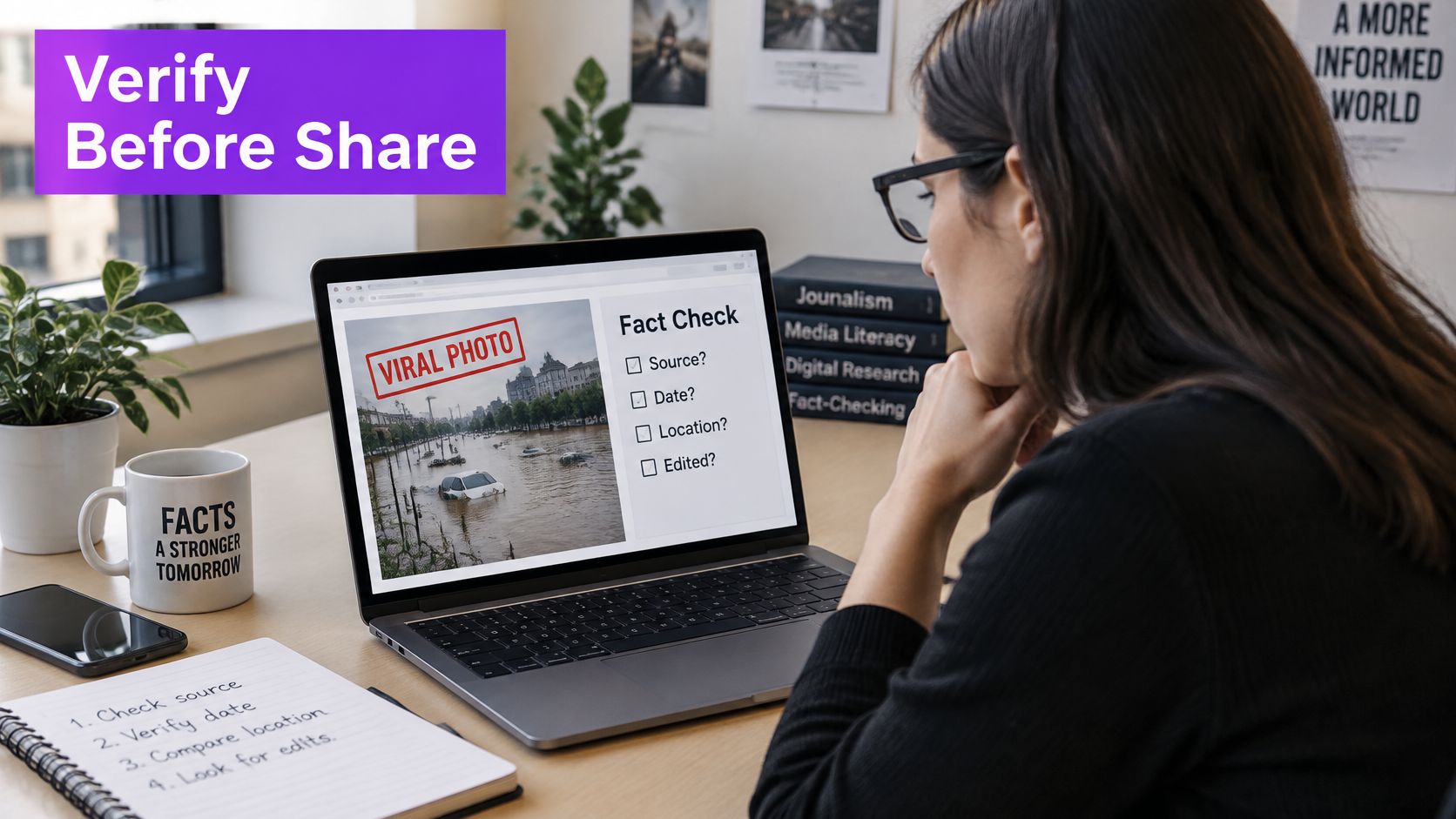
In each case, the score should direct where attention goes, not determine what happens to a person or an image. The next step should fit the team's job and the evidence it can access.
| Team | Typical question | How the score is used | Corroborate with |
|---|---|---|---|
| Journalists and fact-checkers | Is this photo of the event authentic? | Triage a viral image before reporting. | Original file, reverse-image search, photographer contact. |
| Educators and researchers | Was this submitted image AI-made? | Start a conversation, never use the result as the sole grounds for a penalty. | Drafts, process files, the author's explanation. |
| Trust and safety and marketplace teams | Does this profile or listing photo look synthetic? | Queue the item for human review. | Account history, upload patterns, identity checks. |
| Legal and compliance teams | Can this image be relied on as evidence? | Flag it for escalation. | Chain of custody and signed provenance records where available. |
| Artists and designers | Was my work copied or fabricated? | Support a dispute. | Layered source files, timestamps, publishing history. |
A reverse-image search can be a useful next check when you're trying to find earlier versions or trace a photo's circulation. For account-related investigations, a practical guide to using searches to spot fake profiles with image searches can help you think about how that step fits into a broader review.
Consider the difference between a newsroom and a classroom. A newsroom may hold a viral image until it verifies the source, while an instructor may use the result to ask how a piece was made. A legal or compliance team needs a documented chain of custody and stronger corroboration before relying on an image as evidence. The same score doesn't carry the same weight in every setting.
Public familiarity with synthetic media doesn't guarantee that people can identify it. In an Ofcom study published in 2024, 43% of people aged 16 and older in the United Kingdom said they had seen synthetic content online in the previous six months, while 9% of adults felt confident identifying deepfakes, as reported in this summary of the Ofcom findings. A 2025 Clutch test found that 57% of consumers incorrectly identified AI-generated photos, despite 66% initially saying they felt confident spotting them, according to Clutch's survey results.
For trust and safety teams, suspected illegal material requires a different response from ordinary content review. The Internet Watch Foundation recorded 4,586 AI-generated child sexual-abuse images among 449,298 total images assessed in 2025, according to its 2025 data report. Follow the designated reporting channel. Never re-share or keep suspected illegal material to run a check.
Limits, False Positives and Common Misconceptions
A detector can falsely label an authentic image as AI-generated, and that risk matters when the image is evidence. An analysis of genuine press photographs reported false-positive rates ranging from 21.1% to 35.5% across several detectors, meaning roughly one in five to more than one in three authentic photographs could be incorrectly labelled AI-generated, according to the analysis of detector reliability. A false alarm can discredit a real photograph and mislead the people who see the accusation. Treat every score as a screening signal that tells you where to look next, rather than a final answer.
Specialised scientific images need particular caution because detectors may be less reliable when an image differs sharply from ordinary photographs. In that setting, use the result only to decide whether specialist review is needed, then examine the original research material with someone qualified to assess it.
Three assumptions to leave behind
“A low AI score proves the image is real.” It doesn't. A low score can mean the file resembles familiar camera-made images, but it can't establish whether the picture was edited, staged or miscaptioned. If the result appears low-risk, continue with routine checks such as finding the original source and looking for earlier appearances.
“Missing metadata proves fabrication.” It doesn't. Metadata can disappear during sharing, exporting or editing. Its absence gives you a reason to seek other evidence, while its presence still leaves questions about whether the image was altered after capture.
“The detector can tell me who made it and why.” It can't. A pixel-based assessment estimates whether the image resembles patterns associated with synthetic output. If the score is unclear, pause publication and corroborate the file through its source, context and available records.
Image edits add further uncertainty. Heavy filters and repeated compression can change cues; AI-assisted retouching can alter a genuine photograph; and stylised artwork may look synthetic to a classifier even when an artist made it by hand. A result that looks decisive on screen can still be wrong about the image's history.
Detection is not provenance
Detection estimates what pixels look like. Provenance addresses where a file came from and how it changed hands. When possible, start with the original file, search for earlier appearances, review EXIF data and look for signed records using standards such as C2PA. No single element is guaranteed to settle the question, and missing information doesn't establish fabrication.
If someone disputes a score, keep the detector's result in proportion. A low-risk result can support routine handling after ordinary checks. An uncertain result calls for stronger corroboration before use. A high-risk result should trigger careful human review, especially when the image could affect a person's reputation, safety or legal position. State what the score can support, note what it can't establish, and look for independent evidence before making a consequential decision.
Run Your First Check and Record the Result
Use a simple workflow so another person can understand what you tested and why you took the next step.
- Open the detector and select the image-checking tool.
- Upload the best original file you can obtain. Accepted formats are JPEG, PNG, WebP and HEIC, up to 10MB per file.
- Read the verdict and confidence level when processing is complete.
- Review the written reasoning. Check whether it mentions signs of editing, compression, lighting or shadows.
- Choose an action using the verdict-band guide: treat the image provisionally, corroborate it or escalate for human review.
- Record the result. Note the file name, date, tool, verdict band, copy tested and what you did next.
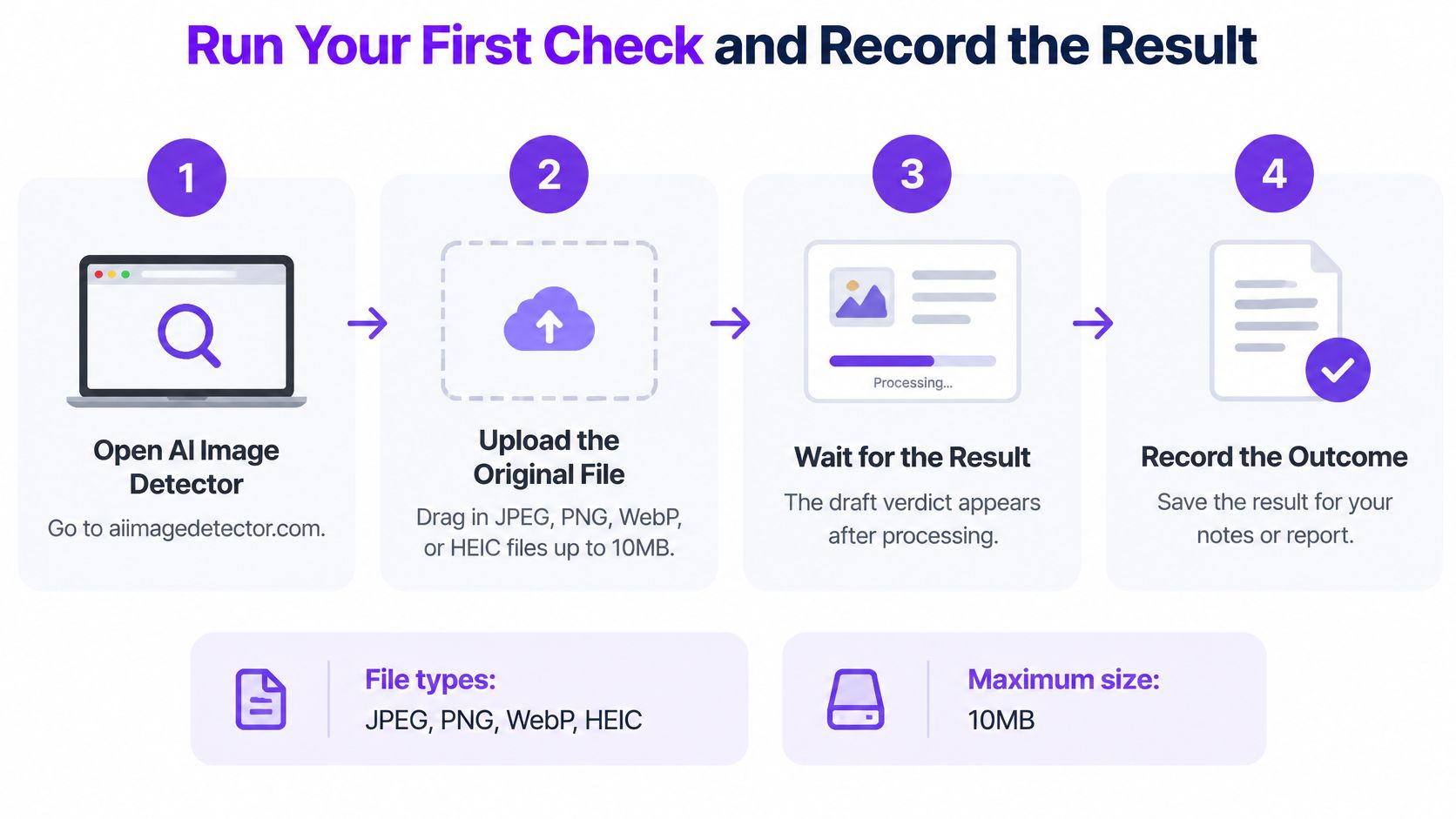
Corroborate the result with a reverse-image search, the original source and any available metadata or provenance records. If two checks conflict, try the highest-quality copy and consider a second detector; different tools can read the same image differently. An account may help preserve your history, while a separate case note gives you a record you can control.
The important habit is straightforward: never publish, grade or take action on a single score alone. Pair the detector's signal with source checks and evidence suited to the decision you're making.
Try AI Image Detector to get a confidence-based assessment and written reasoning for an image you're reviewing. Use the result to decide what to investigate next, then verify the image's source and context before you publish, grade or act.


